
Proster PST199-P
Manual d'instruccions del mesurador d'humitat per a fusta sense agulles Proster
Model: PST199-P | Brand: Proster
Introducció
Thank you for choosing the Proster Pinless Wood Moisture Meter. This non-destructive moisture tester is designed for quick and accurate detection of moisture content in various materials such as wood, wallboard, and masonry. Its pinless design ensures no damage to surfaces, making it ideal for carpentry, water leakage repair, building construction, and home decoration.
Característiques principals:
- Pinless & Non-Invasive Measurement: Protects work surfaces by detecting moisture without pins.
- Visual & Audible Alarms: Features a 3-color LED bar graph and high-pitch audible tones for immediate moisture indication.
- Easy-to-Read Backlit LCD: Large, bright display for clear readings in any light condition.
- Multiple Material Modes: Easily switch between modes for wall/masonry, soft wood, and hard wood.
- Deep Detection: Measures moisture up to 3/4 inch (19 mm) below the surface.
- Funcions convenients: Includes HOLD button, auto power-off, and built-in flashlight.
- Kit complet: Comes with a storage bag and 9V battery.
1. Configuració
1.1 Desembalatge i components
Carefully unpack your Proster Pinless Wood Moisture Meter and verify all components are present:
- Proster Pinless Wood Moisture Meter (Model: PST199-P)
- Bateria de 9 V
- Bossa d'emmagatzematge
- Manual d'usuari (aquest document)

Image: The Proster Pinless Wood Moisture Meter, its storage bag, 9V battery, and packaging.
1.2 Instal·lació de la bateria
The device requires one 9V alkaline battery (included). To install:
- Localitzeu la tapa del compartiment de la bateria a la part posterior del mesurador.
- Obriu la coberta fent-la lliscar o aixecar-la.
- Connecteu la pila de 9 V a la pinça, assegurant-vos que la polaritat sigui correcta (+ a + i - a -).
- Col·loqueu la bateria dins del compartiment i tanqueu la tapa de manera segura.

Imatge: Part posterior view of the moisture meter, indicating the battery compartment.
2. Instruccions de funcionament
2.1 Engegada/apagada
To power on the meter, press the red power button (⑂). The backlit LCD will illuminate. The meter will automatically power off after a period of inactivity to conserve battery life.
2.2 Selecció del mode de mesura
Press the "MODE" button to cycle through the available material modes:
- WALL / MASONRY: For drywall, plaster, brick, and other masonry materials (measurement range: 5% - 70%).
- SOFT WOOD: For softer wood types (measurement range: 5% - 75%).
- HARD WOOD: For harder wood types (measurement range: 5% - 75%).

Image: The meter's display showing different measurement modes for various materials.
2.3 Prendre una mesura
- Select the appropriate material mode using the "MODE" button.
- Place the sensor panel (located on the back of the meter) flat against the surface you wish to test. Ensure full contact.
- For accurate measurements, place your finger on the rubber grip areas on the side of the meter.
- The moisture percentage es mostrarà a la pantalla LCD.
- The 3-color LED bar graph will provide a quick visual indication:
- Verd: Seca
- groc: Mid (Moderate Moisture)
- Vermell: Humit

Image: The sensor panel on the back of the meter and examples of materials it can measure.

Image: Visual representation of the 3-color LED humidity alerts (Green for Dry, Yellow for Mid, Red for Wet).
2.4 Funció HOLD
Premeu el botó "HOLD" per congelar la lectura actual a la pantalla. Torneu-lo a prémer per alliberar la retenció i reprendre les lectures en directe.
2.5 Alarma sonora
The meter features an audible alarm for out-of-range moisture levels:
- A high-pitch tone will sound if wood is tested above 16% moisture content.
- A high-pitch tone will sound if drywall/masonry is found to be more than 53% wet.

Image: The meter displaying an out-of-range moisture reading with an audible alarm indicator.
2.6 Funció de llanterna
Press the flashlight button (looks like a lightbulb icon) to turn on the built-in flashlight. This is useful for taking measurements in low-light conditions. Press the button again to turn it off.
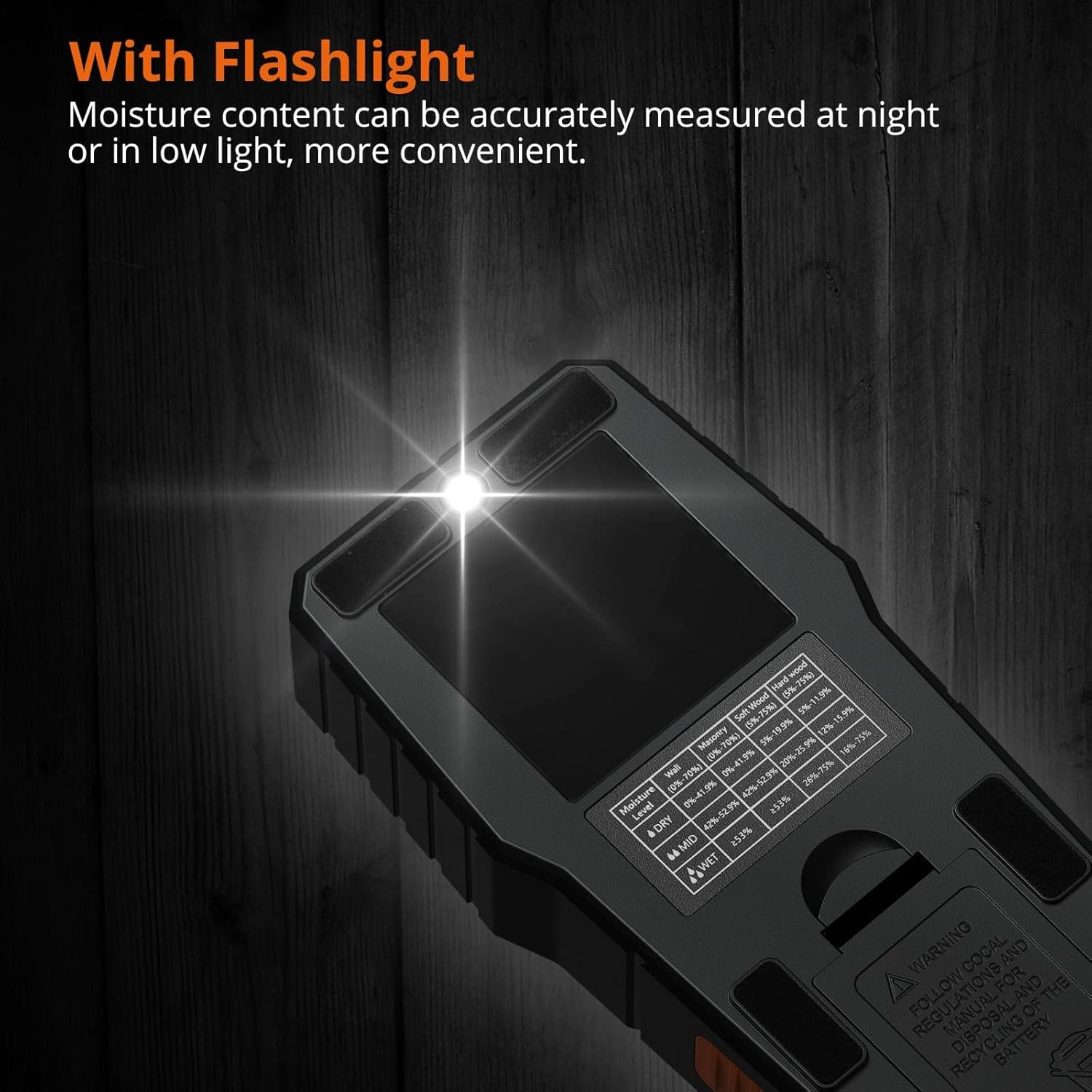
Image: The moisture meter with its built-in flashlight illuminated, useful for dark areas.
3. Manteniment
3.1 Neteja
Wipe the meter with a soft, dry cloth. Do not use abrasive cleaners or solvents. Keep the sensor panel clean and free of debris for accurate readings.
3.2 Substitució de la bateria
When the low battery indicator appears on the display, replace the 9V battery as described in the "Battery Installation" section (1.2).
3.3 Emmagatzematge
When not in use, store the meter in its provided storage bag in a cool, dry place, away from direct sunlight and extreme temperatures. Remove the battery if the device will not be used for an extended period.
4. Solució De Problemes
Problemes comuns i solucions:
| Problema | Causa possible | Solució |
|---|---|---|
| El mesurador no s'encén. | Bateria morta o instal·lada incorrectament. | Check battery polarity, replace battery if necessary. |
| Lectures inexactes. | Sensor panel not fully in contact with surface; incorrect mode selected; presence of metal objects. | Ensure full contact; select correct material mode; avoid testing near metal (screws, nails, pipes). |
| Audible alarm constantly on. | High moisture content detected. | This indicates high moisture. If unexpected, re-test or investigate the area. |
| La pantalla està tènue o parpelleja. | Bateria baixa. | Substituïu la bateria de 9V. |

Image: Illustration showing how metal objects can affect measurement accuracy.
5. Especificacions
| Paràmetre | Valor |
|---|---|
| Número de model | PST199-P |
| Marca | Proster |
| Principi de mesura | Electromagnetic Sensor (Pinless) |
| Profunditat de detecció | Fins a 3/4 polzada (19 mm) |
| Gamma de paret/maçoneria | 5% - 70% |
| Soft Wood Range | 5% - 75% |
| Hard Wood Range | 5% - 75% |
| Mostra | Backlit Color LCD with 3-color LED bar graph |
| Font d'alimentació | 1 pila alcalina de 9 V (inclosa) |
| Apagat automàtic | Sí |
| Temperatura de funcionament | Fins a 104 °F (40 °C) |
| Pes de l'article | 270 grams (9.5 unces) |
6. Garantia i Suport
Proster products are designed for reliability and performance. For warranty information, technical support, or service inquiries, please refer to the contact details provided on the product packaging or visit the official Proster weblloc.
Si us plau, conserveu el rebut de compra com a comprovant de compra per a qualsevol reclamació de garantia.
Ask a question about this manual
Ask about setup, troubleshooting, compatibility, parts, safety, or missing instructions. Manuals+ will review the question and use this page’s manual context to help answer it.