
Introducció
The Philips DVT1170 VoiceTracer is a digital audio recorder designed for clear and reliable sound capture. This device features an 8GB internal memory, a 360° microphone for excellent sound quality, and supports voice-activated recording. It records in WAV format and includes a MicroSD card slot for expanded storage. This manual provides essential information for setting up, operating, and maintaining your VoiceTracer.

Figure 1: Philips DVT1170 VoiceTracer Audio Recorder.
Producte acabatview
The DVT1170 VoiceTracer is equipped with a high-quality 360° microphone to capture sound from all directions, ensuring clear recordings. Its compact design makes it easy to carry, and the intuitive controls simplify operation.

Figura 2: Frontal view of the Philips DVT1170 VoiceTracer, showing the display and control buttons.
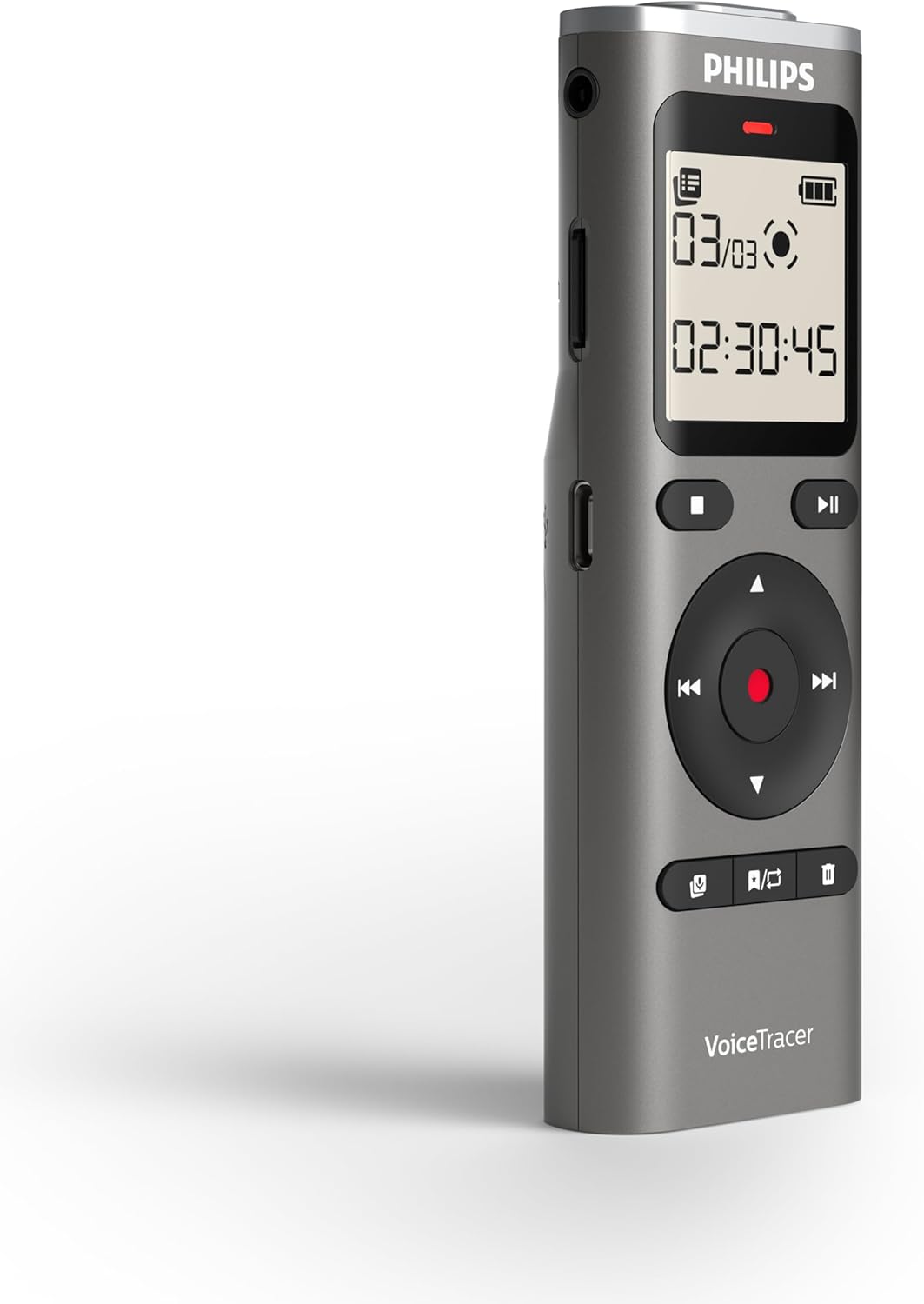
Figura 3: lateral view of the Philips DVT1170 VoiceTracer, highlighting the power switch and USB port.
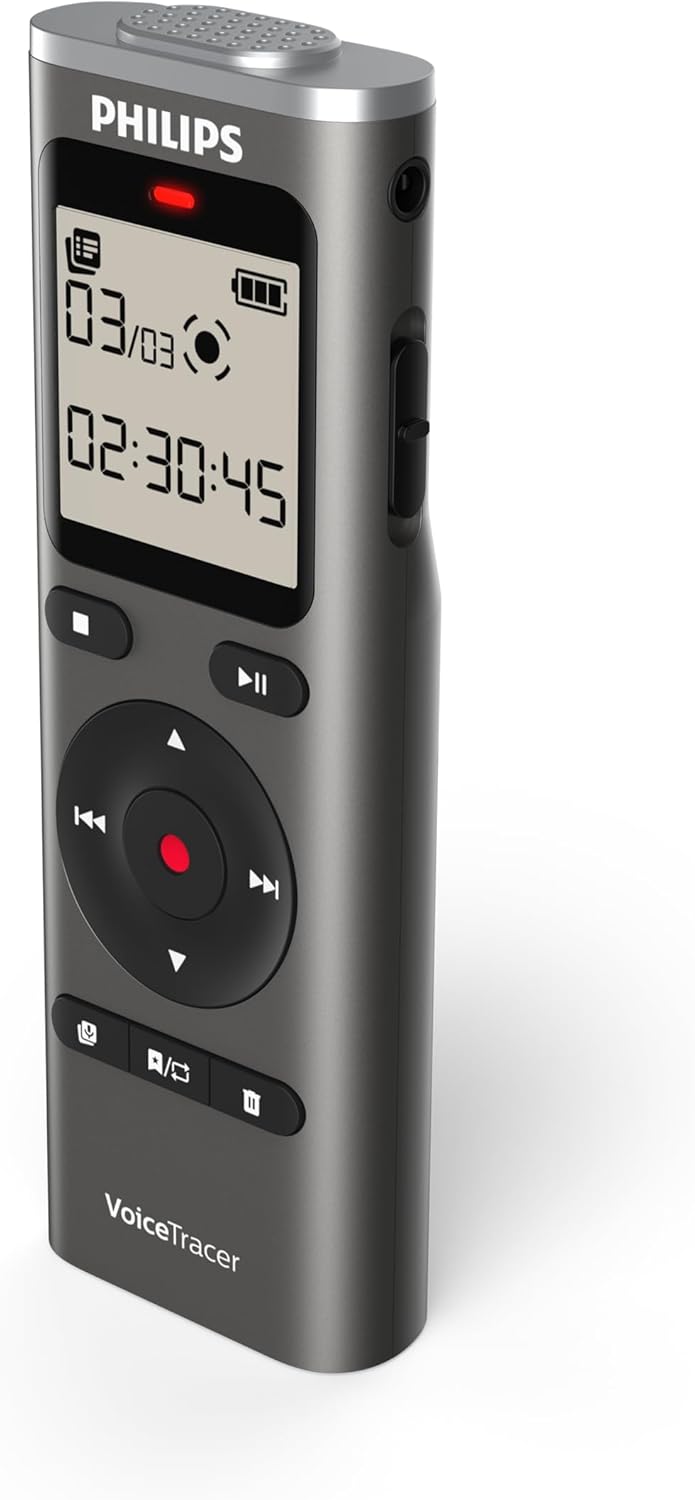
Figura 4: Esquena view of the Philips DVT1170 VoiceTracer, showing the battery compartment.
Característiques principals:
- High-quality 360° microphone: Captures clear, stereo-quality sound from all directions.
- Clear voice recording in WAV format: Ensures high-fidelity audio capture.
- Enregistrament activat per veu: Allows for hands-free operation, starting recording automatically when sound is detected.
- Temps-stamped files: For easy organization and navigation of your recordings.
- 8 GB of internal memory: Proporciona ample space for extended recording sessions.
- Ranura per a targeta MicroSD: For expanding storage capacity beyond the internal 8 GB.
- Extra long battery runtime: Ensures uninterrupted recording sessions.
Què hi ha a la caixa
Your Philips DVT1170 VoiceTracer package includes:
- Philips DVT1170 VoiceTracer Audio Recorder
- 2 piles AAA
Configuració
1. Instal·lació de la bateria
The Philips DVT1170 VoiceTracer requires 2 AAA batteries for operation. These are included in your package.
- Localitzeu el compartiment de la bateria a la part posterior del dispositiu.
- Obriu la coberta del compartiment.
- Introduïu les 2 piles AAA, assegurant-vos de la polaritat correcta (+/-).
- Tanqueu bé la tapa del compartiment de la bateria.
2. MicroSD Card (Optional)
To expand the storage capacity beyond the internal 8GB, you can insert a MicroSD card.

Figure 5: Philips DVT1170 VoiceTracer showing the MicroSD card slot.
- Localitza la ranura per a targetes MicroSD al lateral del dispositiu.
- Introduïu suaument la targeta MicroSD a la ranura fins que encaixi al seu lloc.
- To remove, gently press the card until it pops out, then pull it out.
3. Càrrega
The device can be charged or powered via its USB-C port.

Figure 6: Philips DVT1170 VoiceTracer connected to a USB-C cable for charging or data transfer.
- Connect the USB-C cable to the device's USB-C port.
- Connecteu l'altre extrem del cable USB a un adaptador de corrent o al port USB d'un ordinador.
- The device will indicate charging status on the display.
Instruccions de funcionament
1. Encendre/apagar
- To turn on the device, slide the power switch located on the side of the recorder upwards.
- To turn off the device, slide the power switch downwards.
2. Enregistrament bàsic
The DVT1170 VoiceTracer supports one-touch recording for quick and easy audio capture.

Figure 7: Icon representing one-touch recording functionality.
- Assegureu-vos que el dispositiu estigui encès.
- Premeu el botó REC button to start recording. The recording indicator light will illuminate.
- Premeu el botó STOP button to stop recording. The file es desarà automàticament.
3. Voice-Activated Recording
Enable voice-activated recording for hands-free operation. The recorder will automatically start recording when sound is detected and pause when silence occurs.

Figure 8: Icon representing voice-activated recording functionality.
- Navegueu fins al menú de configuració de gravació.
- Select and enable the Voice-Activated Recording (VAR) option.
- Ajusteu el nivell de sensibilitat segons calgui.
- Premeu el botó REC button to begin voice-activated recording.
4. Reproducció
To listen to your recorded files:
- Navegueu fins a file list or recording library.
- Utilitzeu els botons de navegació per seleccionar el desitjat file.
- Premeu el botó JUGAR per iniciar la reproducció.
- Utilitzeu els botons de volum per ajustar el volum de reproducció.
- Premeu el botó STOP botó per finalitzar la reproducció.
5. File Gestió
Recordings are automatically time-stamped for easy organization.

Figure 9: Icon representing time-stamped files for easy organization.
- Accedeix al file list from the main menu.
- Use the navigation buttons to browse through your recordings.
- Per eliminar a file, seleccioneu file i premeu ELIMINAR button, then confirm.
6. Connexió a un ordinador
Transferència files to and from your computer using the USB-C cable.
- Connect the VoiceTracer to your computer using the provided USB-C cable.
- The device will appear as a removable drive on your computer.
- Arrossegueu i deixeu anar files per transferir-los.
Manteniment
- Keep the device clean and dry. Avoid immersing it in water or other liquids.
- Do not use organic solvents to clean the device, as this may cause damage.
- Avoid exposing the device to strong magnetic/electromagnetic fields, radio waves, or high voltage entorns.
- If the device is left unused for an extended period, kindly recharge and discharge the product once every 2 months to maintain battery lifespan.
Resolució de problemes
- El dispositiu no s'encén: Assegureu-vos que les bateries estiguin instal·lades i carregades correctament.
- Mala qualitat d'àudio: Check microphone placement. Ensure no obstructions. Consider using the noise reduction feature if available.
- Emmagatzematge ple: Elimineu-les innecessàries files or insert a MicroSD card for more space.
- El dispositiu no respon: Try turning the device off and on again. If the issue persists, consult the warranty information.
Especificacions
| Característica | Especificació |
|---|---|
| Marca | Philips |
| Número de model | DVT1170 |
| Capacitat d'emmagatzematge de memòria | 8 GB (expandable via MicroSD card slot) |
| Factor de forma del micròfon | Built-In (360° microphone) |
| Format | WAV |
| Interfície del maquinari | USB 2.0 |
| Conector d'auriculars | 3.5 mil·límetres |
| Nombre de bateries | Necessites 2 piles AAA (incloses) |
| Dimensions del producte | 4.4 "P x 0.6" W x 1.4" H |
| Pes de l'article | 89 grams |
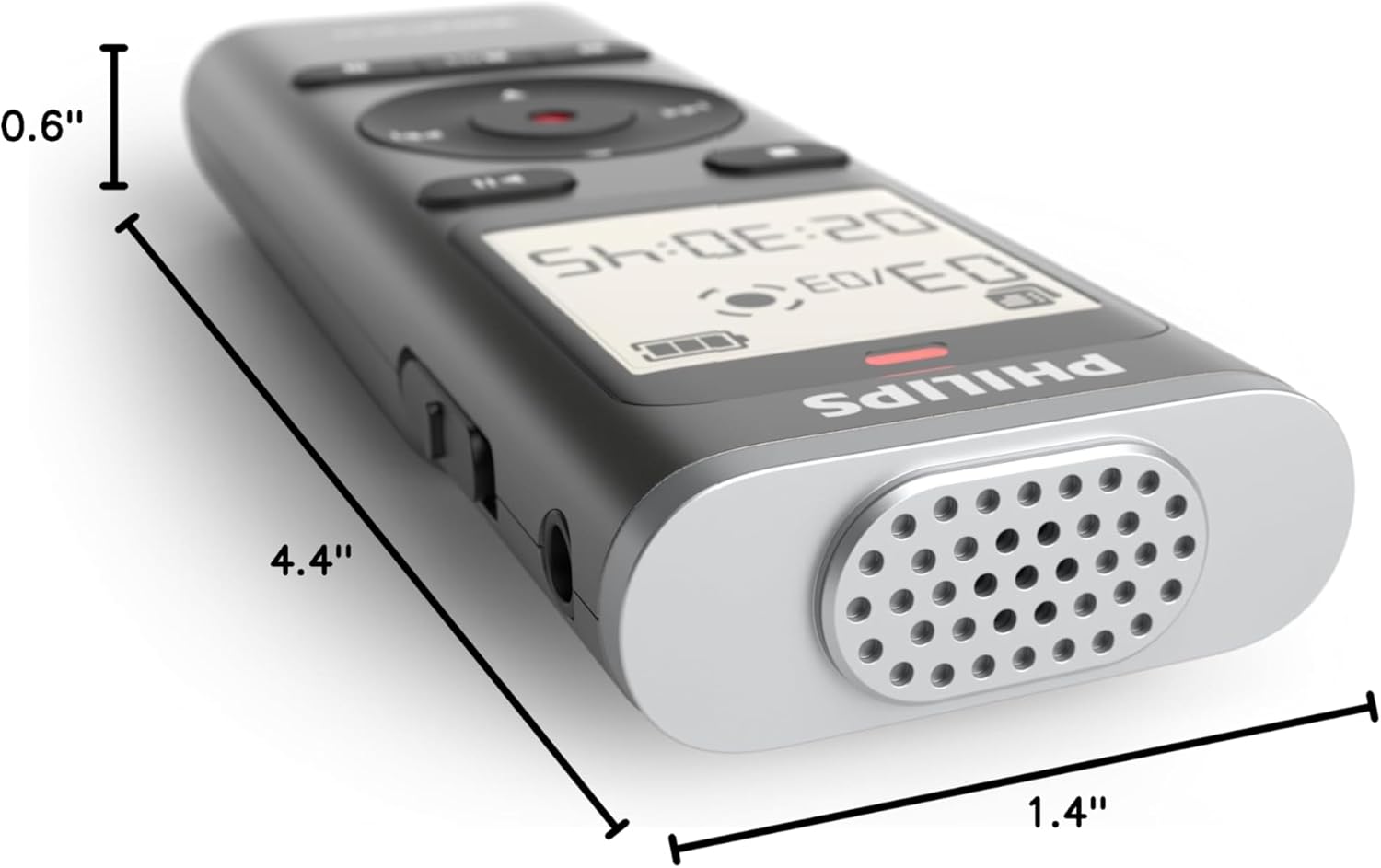
Figure 10: Dimensions of the Philips DVT1170 VoiceTracer.
Garantia i suport
The Philips DVT1170 VoiceTracer comes with a 1 anys de garantia del fabricant. For any support or warranty claims, please contact Speech Processing Solutions, the manufacturer, directly.
For additional assistance, you may refer to the official Philips support weblloc o poseu-vos en contacte amb el seu servei d'atenció al client.
Vídeo del producteview
Vídeo 1: Producte oficial acabatview of the Philips DVT1170 VoiceTracer, demonstrating its features and usage.