
Introducció
The LEOBOG AULA HERO 68 HE is a compact 68-key mechanical gaming keyboard designed for performance and customization. It features Hall Effect magnetic switches, adjustable actuation, rapid trigger mode, and an 8K Hz polling rate for precise input. The keyboard includes side-printed PBT keycaps and RGB backlighting, connecting via a detachable USB-C cable.
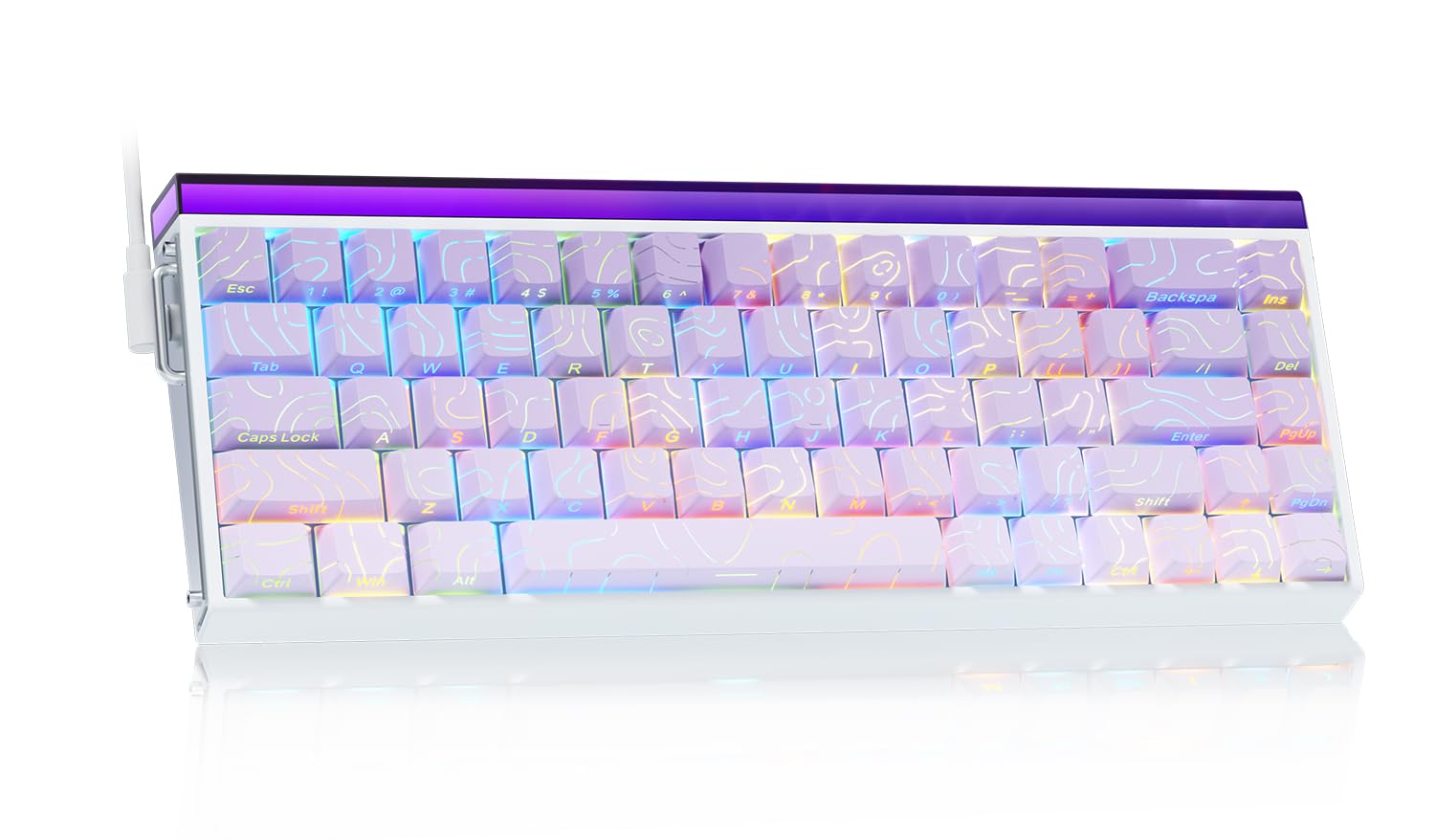
Image: The LEOBOG AULA HERO 68 HE 60% Gaming Keyboard in purple, showcasinel seu disseny compacte i la il·luminació RGB.
Contingut del paquet
- 1x LEOBOG AULA HERO 68 HE Gaming Keyboard
- 4x PBT Keycaps (for customization)
- 1x manual d'anglès
- 1x USB-C Cable (detachable)
- 1x Keycap/Switch Puller
Instruccions de configuració
- Connecteu el teclat: Connect the detachable USB-C cable to the keyboard's USB-C port and the other end to an available USB port on your computer. The keyboard is plug-and-play and should be recognized automatically by most operating systems.
- Instal·lació del controlador (opcional): For advanced customization, including trigger travel settings, RGB backlight settings, custom shortcut keys, DKS/MT/TGL custom functions, and magnetic switch performance adjustments, download the dedicated web driver from the official LEOBOG weblloc. Note: The driver currently supports Windows operating systems.
- Keycap and Switch Customization: The keyboard features hot-swappable switches and replaceable keycaps. Use the included keycap/switch puller to remove and replace components.

Image: Close-up of the keyboard's side, showing the USB-C port and detachable cable connection.

Image: Screenshot of the programmable web driver interface, showing options for trigger travel, RGB settings, and macro recording.
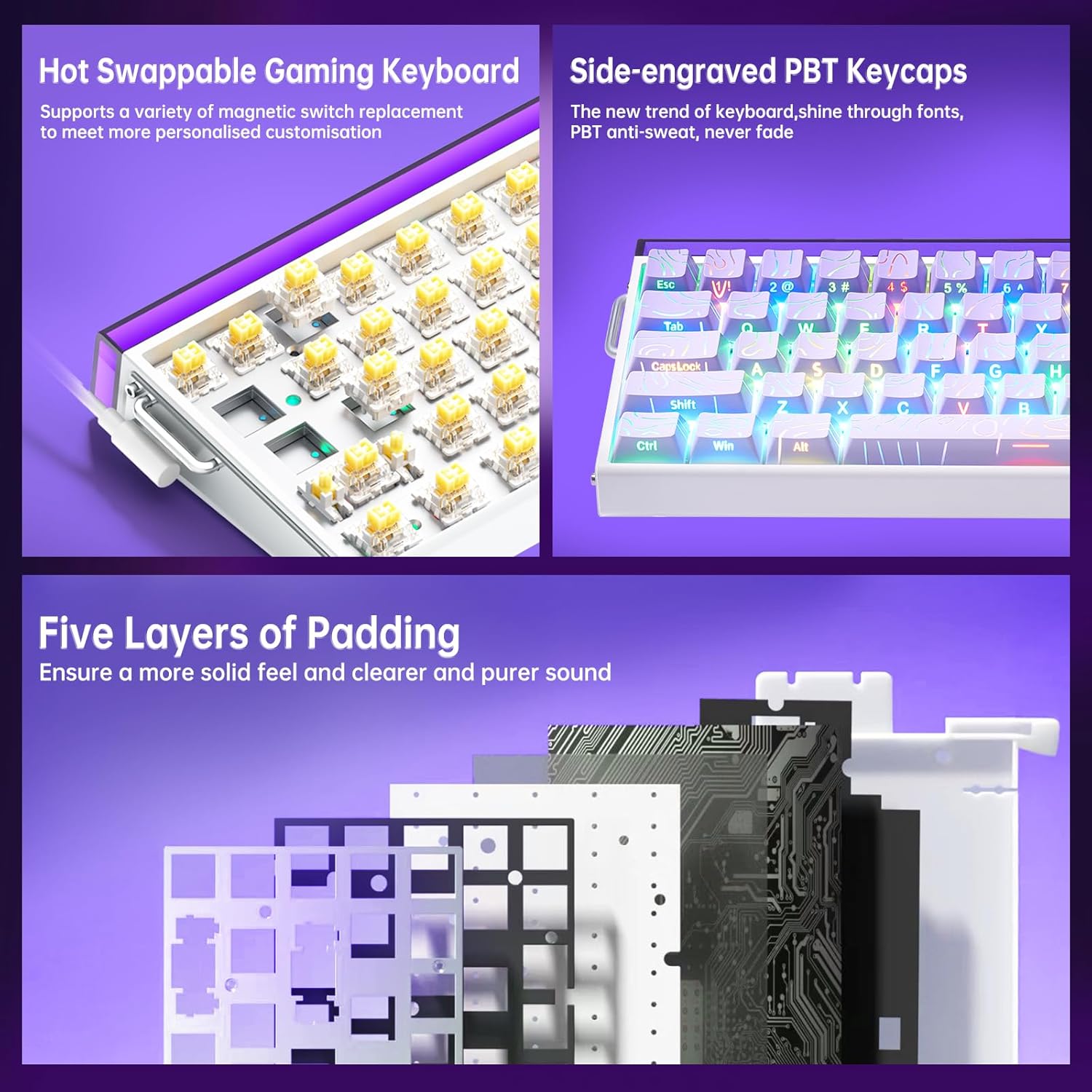
Imatge: Una imatge detallada view illustrating the hot-swappable magnetic switches and the side-engraved PBT keycaps. Also shows the internal five layers of padding.
Instruccions de funcionament
Control de retroil·luminació RGB
The keyboard features 16 million RGB backlight colors with 32 LED beads. Lighting brightness and speed can be adjusted using the dedicated knob or FN+key combinations.
- Control del botó: Rotate the knob to adjust lighting brightness. Press the knob to cycle through lighting effects.
- FN + Ins: Turn on/off keyboard light.
- FN + Re Pàg: Canvia els efectes d'il·luminació.
- FN + Z/X/C: Adjust lightbox lighting speed (Z/X) and color (C).
- FN + Left/Right Arrow: Ajusta la velocitat de la llum.
- FN + Up/Down Arrow: Adjust light brightness.
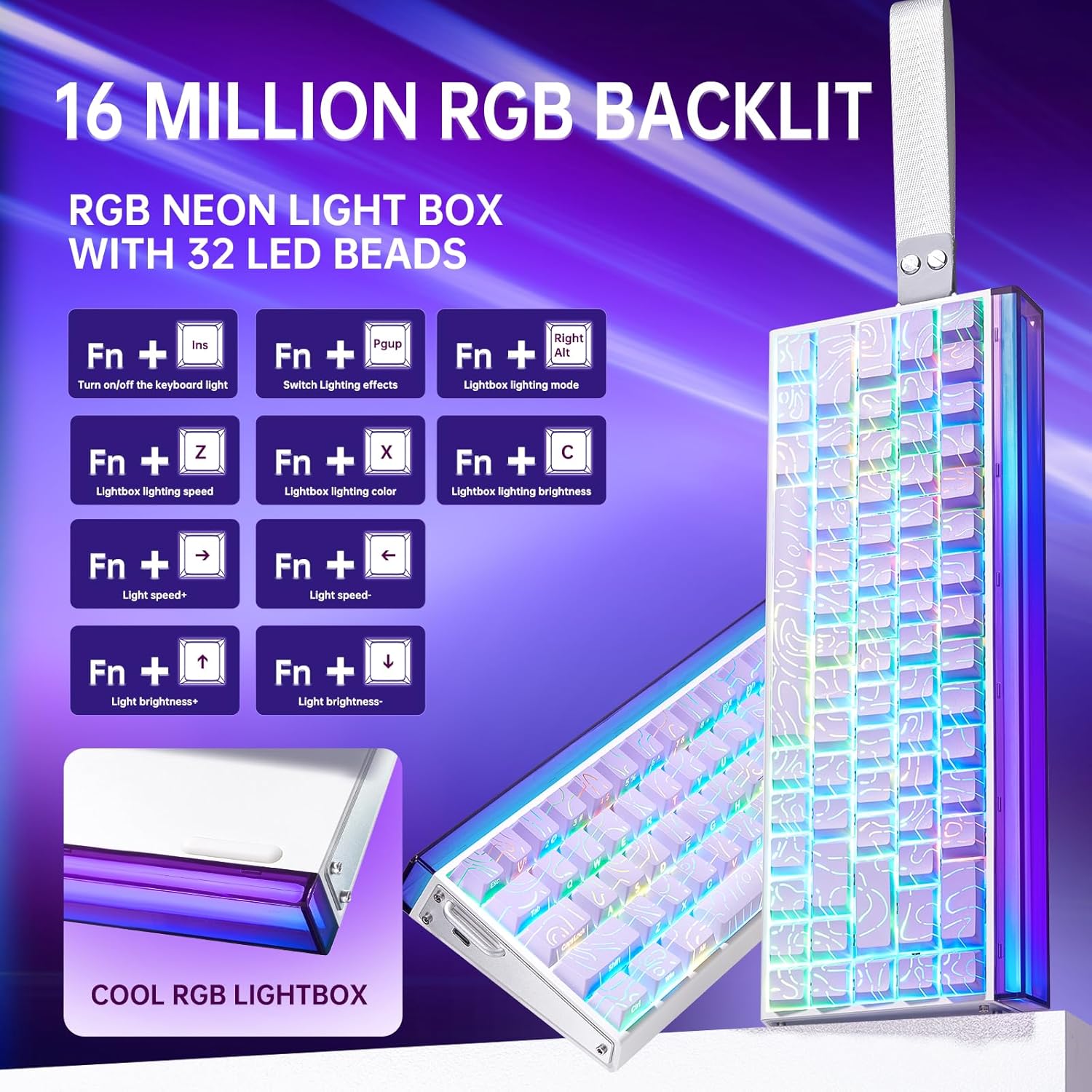
Image: Diagram showing FN key combinations for controlling RGB backlighting and the function of the control knob.
Hall Effect Magnetic Switches and Rapid Trigger
The Hall Effect magnetic switches allow for adjustable actuation points and rapid trigger mode, providing enhanced responsiveness for gaming. These settings are typically configured via the dedicated web programari del controlador.
- Accionament ajustable: Customize the distance a key needs to travel before registering an input.
- Mode de disparador ràpid: Allows keys to reset instantly upon release, enabling faster repeated inputs.

Image: Diagram illustrating the components and specifications of a high-performance magnetic switch, including stroke, initial pressure, and bottom pressure.
Programmable Keys and Macros
Utilitzeu el web driver software to program custom shortcut keys and create macros for complex command sequences. This allows for a personalized and optimized workflow or gaming experience.
Manteniment
- Neteja: Regularly clean the keyboard with a soft, dry cloth. For deeper cleaning, remove keycaps using the provided puller and use compressed air to clear debris from beneath the switches.
- Substitució de la tapa de les tecles i l'interruptor: The hot-swappable design allows for easy replacement of switches and keycaps without soldering. Use the included tools for safe removal and installation. Ensure proper alignment when reinserting switches and keycaps to prevent damage.

Imatge: Un primer pla view of a keycap removed from the keyboard, revealing the switch underneath.
Resolució de problemes
- El teclat no respon:
- Assegureu-vos que el cable USB-C estigui connectat correctament tant al teclat com a l'ordinador.
- Prova de connectar el teclat a un port USB diferent de l'ordinador.
- Prova el teclat en un altre ordinador per descartar problemes específics del sistema.
- La il·luminació RGB no funciona o és incorrecta:
- Check if the lighting is turned off using the FN+Ins key combination.
- Adjust brightness and effects using the knob or FN+key combinations as described in the Operating Instructions.
- If using the software, ensure it is correctly installed and configured.
- Claus que no es registren o escrivien dues vegades:
- Ensure the switches are properly seated in their sockets.
- Clean around the affected switch to remove any debris.
- Si s'utilitza el web driver, check actuation point settings, as an overly sensitive setting might cause unintended inputs.
- Problemes de programari:
- Ensure you have downloaded the correct and latest version of the web driver from the official LEOBOG weblloc.
- Temporarily disable any antivirus software if it interferes with the driver installation or operation.
- Refer to the software's specific documentation or online support for detailed troubleshooting.
Especificacions
| Marca | LEOBOG |
| Número de model | Hero 68 |
| Disseny | 60% (68 tecles) |
| Tipus de canvi | Hall Effect Magnetic Switches (LEOBOG Greywood / Meteor Magnetic Switch) |
| Taxa de votació | 8 KHz |
| Latència | 0.125 ms |
| Taps de claus | Side-Printed PBT Keycaps |
| Connectivitat | Wired USB-C (detachable) |
| Il·luminació de fons | RGB (16 Million Colors, 32 LED beads) |
| Dimensions (L x A x A) | 13.94" x 6.38" x 2.24" |
| Dispositius compatibles | Consola de jocs, ordinador portàtil, PC, telèfon intel·ligent, tauleta |
| Material | Acrilonitril butadiè estirè, plàstic, silicona |
Informació de la garantia
This LEOBOG AULA HERO 68 HE Gaming Keyboard comes with a Garantia del fabricant de 2 anysSi us plau, conserveu el comprovant de compra per a reclamacions de garantia. La garantia cobreix els defectes de materials i fabricació en condicions d'ús normal. No cobreix els danys causats per mal ús, accidents, modificacions no autoritzades o desgast normal.
Suport
For technical assistance, product inquiries, or warranty support, please contact the manufacturer or authorized seller. The primary seller for this product is AULA Tech USA.
You may also visit the official LEOBOG weblloc web per obtenir recursos addicionals, descàrregues de controladors i preguntes freqüents.
Recursos en línia:
- LEOBOG Store on Amazon: Visita la botiga
Vídeo del producte
Video: Professional Gaming Keyboards 60% Hall Effect Keyboard. This video demonstrates the features and functionality of the AULA HERO 68 HE keyboard, including its design, RGB lighting, and magnetic switches.