
LAICOMEIN B110
LAICOMEIN B110 Bluetooth 5.4 Transmitter Receiver User Manual
Model: B110
Introducció
The LAICOMEIN B110 is a state-of-the-art 2-in-1 Bluetooth 5.4 audio adapter designed to seamlessly integrate wireless audio into your daily life. It functions as both a Bluetooth transmitter (TX) and a Bluetooth receiver (RX), allowing you to connect a wide range of audio devices, from traditional wired systems to modern wireless headphones and speakers. With its advanced features, including dual pairing and low latency, the B110 provides a high-quality, stable, and convenient audio experience for home, travel, and on-the-go use.
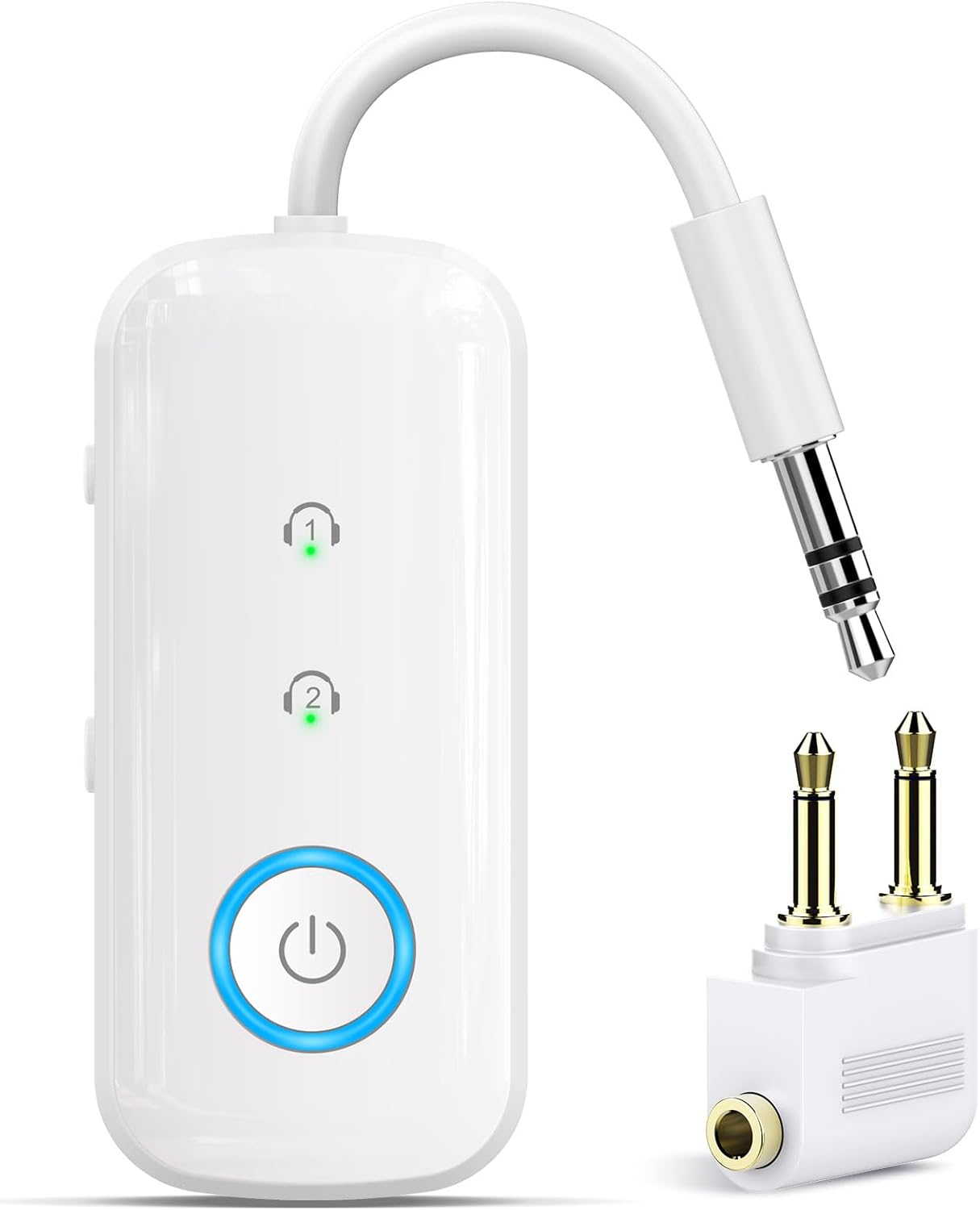
Image: The LAICOMEIN B110 Bluetooth Transmitter Receiver in white, showcasing its compact design and included 3.5mm audio jack and airplane adapter.
Contingut del paquet
Before using your LAICOMEIN B110, please ensure all items are present in the package:
- LAICOMEIN B110 Bluetooth Transmitter Receiver
- Cable de càrrega USB tipus C
- Cable d'àudio de 3.5 mm
- Cable d'àudio RCA
- Dual 3.5mm Male to Female Adapter (for airplane use)
- Manual d'usuari
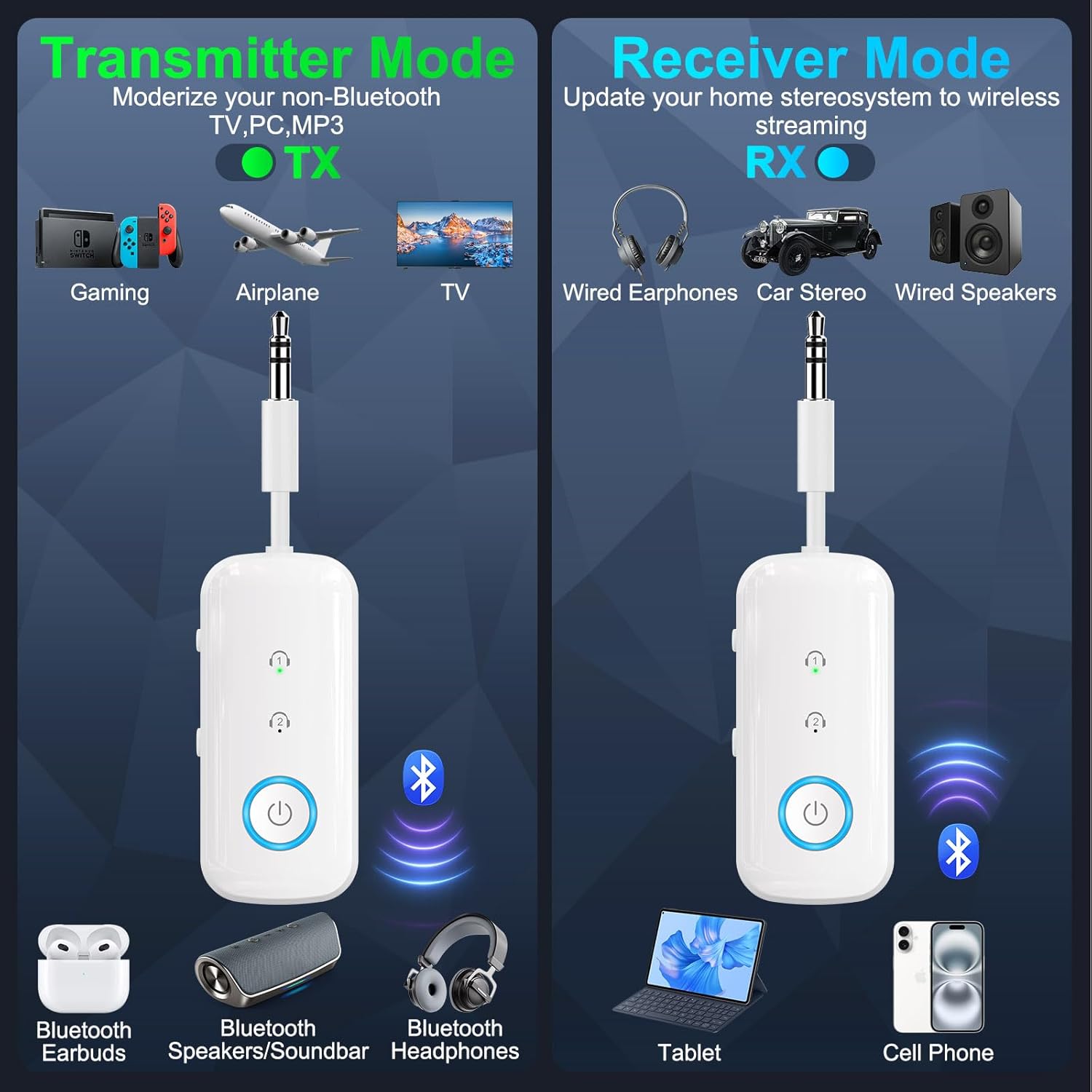
Image: A visual representation of the LAICOMEIN B110 and its accompanying accessories, including the charging cable, audio cables, and airplane adapter.
Dispositiu acabatview i Controls
Familiarize yourself with the buttons and indicators on your LAICOMEIN B110:
- Multifunction Button (Power On/Off, Clear Pairing Records): Press and hold for 3 seconds to power on/off. Hold for 8 seconds to clear pairing records.
- Botó de sincronització: Activates pairing mode for quick connections.
- Mode Switch (RX/TX): Slide to switch between Receiver (RX) and Transmitter (TX) modes.
- Device 1 Status Light: Indicates connection status for the first paired device.
- Device 2 Status Light: Indicates connection status for the second paired device.
- Llum indicador d'estat: Shows real-time connection status (flashing blue/red for pairing, solid for connected).
- Llum indicador d'estat de càrrega: Indica l'estat de càrrega.
- Port de càrrega (tipus C): Per carregar el dispositiu.
- Conector d'àudio de 3.5 mm: Per connectar a fonts d'àudio o dispositius de sortida.
Image: A detailed diagram highlighting the various buttons, ports, and indicator lights on the LAICOMEIN B110 device.
Modes de funcionament
The LAICOMEIN B110 operates in two distinct modes: Transmitter (TX) and Receiver (RX).
1. Mode transmissor (TX)
In TX mode, the B110 sends audio wirelessly from non-Bluetooth devices to Bluetooth headphones or speakers. This mode is ideal for:
- Televisors: Watch TV with Bluetooth headphones without disturbing others.
- Consoles de jocs: Enjoy immersive gaming audio with wireless headphones.
- Airplane Entertainment Systems: Use your personal Bluetooth headphones on flights.
- Equipament de gimnàs: Connect to gym machines for audio playback.

Image: A diagram illustrating the Transmitter (TX) mode, showing the B110 connecting to devices like TVs, airplanes, and gaming consoles, and transmitting audio to Bluetooth earbuds, speakers, or headphones.

Image: A detailed graphic explaining the Transmitter (TX) mode, showing various input devices such as computers, gym equipment, TVs, and airplanes connecting to the B110, which then transmits audio to Bluetooth headphones, earbuds, or speakers.

Image: A couple enjoying a movie on TV with wireless headphones, demonstrating the B110 in TX mode connected to the TV's audio output.

Image: A person on an airplane using the B110 with the dual 3.5mm adapter to connect their wireless headphones to the in-flight entertainment system.

Image: Two individuals playing video games with wireless headphones, illustrating the B110 in TX mode connected to a gaming console for low-latency audio.
2. Mode receptor (RX)
In RX mode, the B110 receives audio wirelessly from Bluetooth-enabled devices (like smartphones or tablets) and outputs it to non-Bluetooth audio systems. This mode is perfect for:
- Home Stereo Systems: Stream music from your phone to older stereos or wired speakers.
- Car Audio Systems: Add Bluetooth streaming capabilities to your car's AUX input.
- Auriculars amb cable: Convert wired headphones into Bluetooth-enabled ones.
Image: A diagram illustrating the Receiver (RX) mode, showing the B110 receiving audio from a tablet or cell phone and outputting it to wired earphones, car stereos, or wired speakers.

Image: A detailed graphic explaining the Receiver (RX) mode, showing input devices such as cell phones, PCs, and tablets connecting to the B110, which then outputs audio to car stereos, wired speakers, or wired earphones.

Image: A woman driving, with her phone mounted and connected wirelessly via the B110 to the car's audio system, streaming music.

Image: A family enjoying music streamed from a smartphone to a traditional home stereo system, enabled by the B110 in RX mode.

Image: A woman streaming music from her phone to an old boombox, demonstrating how the B110 in RX mode can modernize classic audio equipment.
Instruccions de configuració i emparellament
Follow these steps to set up and pair your LAICOMEIN B110.
TX Mode: First Pairing
- Feu lliscar l'interruptor de mode a TX.
- Press and hold the Multifunction Button for 3 seconds to power on the device. The Status Indicator Light will flash blue and red, indicating pairing mode.
- Put your Bluetooth headphones or speakers into pairing mode. For AirPods, open the lid and hold the reset button on the back for about 5 seconds.
- The B110 will automatically connect to your device. Once connected, the Device 1 Status Light will turn solid green.
- Plug the B110's 3.5mm audio jack into the audio output port of your non-Bluetooth source (e.g., TV, MP3 player, airplane seat).

Image: A step-by-step visual guide for the first pairing in TX mode, showing how to power on, enter pairing mode, connect to AirPods, and plug into an audio source.
TX Mode: Dual Pairing
To connect a second pair of Bluetooth headphones/speakers in TX mode:
- Ensure the first device is already connected.
- Put the second Bluetooth headphones or speakers into pairing mode.
- On the B110, press the Botó d'aparellament. The Status Indicator Light will flash blue and red again.
- The B110 will automatically connect to the second device. Once connected, both Device 1 and Device 2 Status Lights will be solid green.

Image: A step-by-step visual guide for dual pairing in TX mode, demonstrating how to connect a second pair of AirPods after the first is already paired.
RX Mode: First Pairing
- Feu lliscar l'interruptor de mode a RX.
- Press and hold the Multifunction Button for 3 seconds to power on the device. The Status Indicator Light will flash blue and red, indicating pairing mode.
- On your smartphone or tablet, go to Bluetooth settings and select
Ask a question about this manual
Ask about setup, troubleshooting, compatibility, parts, safety, or missing instructions. Manuals+ will review the question and use this page’s manual context to help answer it.