
ttec KM156
Manual d'usuari dels auriculars Bluetooth sense fil ttec SoundFlow OWS KM156
Model: KM156
1. Introducció
This manual provides instructions for the proper use and maintenance of your ttec SoundFlow OWS Wireless Bluetooth Earphones, model KM156. Please read this manual thoroughly before using the product to ensure optimal performance and longevity.
The ttec SoundFlow OWS earphones feature an open-ear design for situational awareness, dynamic acoustic system for clear sound, and Bluetooth 5.4 for stable wireless connectivity.
2. Contingut del paquet
Verifiqueu que tots els elements siguin presents al paquet del producte:
- ttec SoundFlow OWS Wireless Bluetooth Earphones (Left and Right)
- Estoig de càrrega
- Cable de càrrega USB-C
- Manual d'usuari
3. Producte acabatview
Familiarize yourself with the components of your ttec SoundFlow OWS earphones.

Image 3.1: ttec SoundFlow OWS Earphones and Charging Case. The image displays the two black earphones with ear hooks, positioned above their open black charging case.
Earphone Components:
- Ganxo per a l'orella: Proporciona un ajust segur i còmode sobre l'orella.
- Unitat d'altaveus: Ofereix sortida d'àudio.
- Micròfon: Per a trucades i ordres de veu.
- Touch Sensor Area: For controlling music, calls, and other functions.
- Contactes de càrrega: Es connecta amb la caixa de càrrega per obtenir energia.

Image 3.2: Close-up of an earbud highlighting the touch sensor area. The image shows a detailed view of the earbud's outer surface, indicating the touch-sensitive zone for controls.
Components de la caixa de càrrega:
- Ranures per a auriculars: Subjecta i carrega els auriculars de manera segura.
- Port de càrrega USB-C: Per carregar la funda.
- Indicador LED: Mostra l'estat de càrrega i el nivell de la bateria.
4. Configuració
4.1 Càrrega dels auriculars i l'estoig
Abans del primer ús, carregueu completament els auriculars i l'estoig de càrrega.
- Place the earphones into the charging case. Ensure the charging contacts align.
- Connecteu el cable de càrrega USB-C al port de càrrega de la carcassa i l'altre extrem a una font d'alimentació (per exemple, un adaptador de paret USB, un port USB de l'ordinador).
- The LED indicator on the case will show the charging status. Once fully charged, the indicator will change or turn off.
A full charge provides up to 6 hours of earphone use, and the charging case provides up to 30 hours of additional battery life. The Charge&Go feature allows 2.5 hours of use from a 15-minute charge.
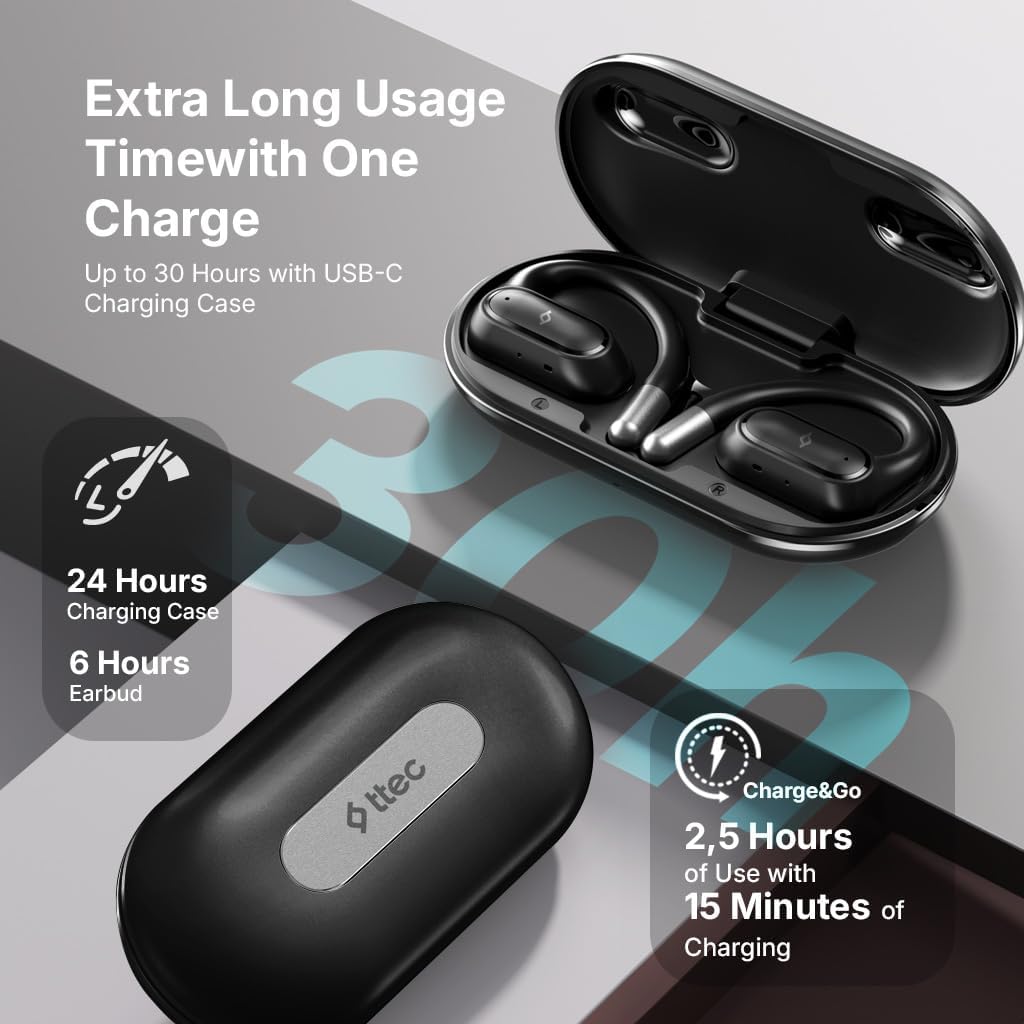
Image 4.1: Charging case displaying battery life. The image illustrates the charging case with text indicating 24 hours from the charging case, 6 hours from earbuds, and 2.5 hours of use from 15 minutes of charging.
4.2 Emparellament amb un dispositiu Bluetooth
To connect your earphones to a smartphone or other Bluetooth-enabled device:
- Assegureu-vos que els auriculars estiguin carregats i col·locats a l'estoig de càrrega.
- Open the charging case. The earphones will automatically enter pairing mode, and their LED indicators will flash.
- Al dispositiu, activa el Bluetooth i cerca els dispositius disponibles.
- Select "ttec SoundFlow" from the list of found devices.
- Once connected, the earphone LED indicators will stop flashing or turn off, and you will hear a confirmation tone.
Els auriculars es tornaran a connectar automàticament a l'últim dispositiu emparellat quan es treguin de l'estoig, si el Bluetooth està habilitat al dispositiu.
5. Instruccions de funcionament
5.1 Com posar-se els auriculars
Gently place the ear hook over your ear and position the speaker unit comfortably in front of your ear canal. The open-ear design allows you to remain aware of your surroundings.

Image 5.1: A person cycling while wearing the ttec SoundFlow OWS earphones. The image highlights the open-ear design, allowing the user to stay connected to their surroundings.

Image 5.2: A woman wearing a ttec SoundFlow earbud, demonstrating the comfortable and secure fit. The image also indicates the lightweight design: 8.2g per earbud and 52g for the charging case.
5.2 Controls tàctils
The earphones feature touch sensors for easy control of various functions:
| Acció | Funció |
|---|---|
| Toc únic (E/D) | Reprodueix/Pausa música, Respon trucada |
| Doble Toc (L) | Pista anterior |
| Doble toc (R) | Pista següent |
| Triple Toc (E/D) | Activa l'Assistent de veu |
| Premda llarga (E/D) | Rebutjar trucada, finalitzar trucada |
5.3 Mode de joc
The earphones feature a low-latency game mode for an enhanced gaming and video experience. This mode reduces audio delay to 50ms.
- To activate Game Mode: Refer to the specific instructions in the quick start guide or product packaging for the exact touch gesture to enable/disable game mode. (Typically a specific tap sequence or long press).
- When Game Mode is active, you may notice a slight change in audio profile, optimized for lower latency.

Image 5.3: ttec SoundFlow earphones and charging case, surrounded by gaming console symbols, highlighting the 50ms low latency feature for an optimized gaming and video experience.
6. Manteniment
6.1 Neteja
- Netegeu els auriculars i l'estoig de càrrega amb un drap suau, sec i sense borrissol.
- No utilitzeu netejadors abrasius, alcohol ni dissolvents químics.
- Ensure charging contacts are clean and dry to prevent charging issues.
6.2 Resistència a l'aigua i la suor
The ttec SoundFlow OWS earphones are IPX6 rated, meaning they are resistant to high-pressure water jets from any direction. This makes them suitable for use during workouts and in light rain.
- No submergiu els auriculars a l'aigua.
- Ensure the earphones are dry before placing them back into the charging case to prevent damage.

Image 6.1: A man running outdoors, illustrating the sweat and water-resistant design of the ttec SoundFlow earphones, which are IPX6 rated.
6.3 Emmagatzematge
Quan no els utilitzeu, guardeu els auriculars a la seva funda de càrrega per protegir-los i mantenir-los carregats. Guardeu-los en un lloc fresc i sec, allunyat de temperatures extremes.
7. Solució De Problemes
Si teniu problemes amb els auriculars, consulteu les solucions habituals següents:
| Problema | Solució |
|---|---|
| Els auriculars no s'emparellan | Ensure earphones are charged. Turn off and on Bluetooth on your device. Forget the device in your Bluetooth settings and re-pair. |
| Només funciona un auricular | Place both earphones back in the case, close the lid, then open again. Ensure both are charged. |
| Sense so | Check device volume. Ensure earphones are connected. Try playing different audio. |
| Problemes de càrrega | Ensure charging cable is securely connected. Clean charging contacts on earphones and case. Try a different USB-C cable or power source. |
Si el problema persisteix, poseu-vos en contacte amb l'atenció al client.
8. Especificacions
| Característica | Detall |
|---|---|
| Nom del model | SoundFlow |
| Número de model | KM156 |
| Tecnologia de connectivitat | Sense fil (Bluetooth 5.4) |
| Factor de forma | True Wireless, d'orella oberta |
| Pes de l'auricular | 8.2 grams (cada una) |
| Pes de la caixa de càrrega | 52 grams |
| Durada de la bateria dels auriculars | Fins a 6 hores (una sola càrrega) |
| Durada total de la bateria (amb funda) | Fins a 30 hores |
| Càrrega ràpida | 15 min charge for 2.5 hours use (Charge&Go) |
| Resistència a l'aigua | Classificació IPX6 (resistent a la suor i a l'aigua) |
| Latència baixa | 50 ms (mode de joc) |
| Fabricant | ttec |
9. Garantia i Suport
Your ttec SoundFlow OWS Wireless Bluetooth Earphones are covered by a manufacturer's warranty. For detailed warranty information, please refer to the warranty card included in your product packaging or visit the official ttec weblloc.
For technical support, troubleshooting assistance, or to inquire about replacement parts, please contact ttec customer service through their official channels. Contact information can typically be found on the product packaging or the official ttec weblloc.
Ask a question about this manual
Ask about setup, troubleshooting, compatibility, parts, safety, or missing instructions. Manuals+ will review the question and use this page’s manual context to help answer it.