
1. Introducció
This manual provides essential information for setting up, operating, and maintaining your SVITOO 10-inch Android Tablet. Please read through these instructions carefully to ensure optimal performance and longevity of your device. This tablet is designed for a wide range of uses, from entertainment and learning to productivity, featuring an advanced Android 16 operating system and robust hardware.
2. Què hi ha a la caixa
Upon unboxing your SVITOO tablet, please verify that all the following items are included:
- Tablet (SVITOO 10-inch Android Tablet)
- Protective Cover Case with Magnetic Bracket
- Cable de càrrega USB-C
- Manual d'usuari (aquest document)
- Gift Box (packaging)
Image: Contents of the SVITOO 10-inch Android Tablet packaging, showing the tablet, protective case, USB-C charging cable, and user manual.
Video: An unboxing video demonstrating the contents of the SVITOO 10-inch Android Tablet package, including the tablet, protective case, and charging accessories.
3. Configuració
- Carregueu la tauleta: Before first use, fully charge the tablet using the provided USB-C cable and power adapter. Connect the USB-C cable to the tablet's charging port and the adapter to a power outlet.
- Encès: Press and hold the Power ON/OFF button located on the top edge of the tablet until the screen lights up.
- Assistent de configuració inicial: Seguiu les instruccions que apareixen a la pantalla per completar la configuració inicial. Això normalment inclou:
- Selecció del vostre idioma.
- Connexió a una xarxa Wi-Fi.
- Signing in with your Google account (or creating a new one).
- Setting up screen lock (PIN, pattern, or facial recognition).
- Install MicroSD Card (Optional): If you wish to expand storage, insert a MicroSD card (up to 1TB, sold separately) into the dedicated slot on the side of the tablet.

Imatge: Una imatge detallada view of the SVITOO tablet's side, highlighting the USB-C port, headphone jack, volume buttons, power button, and MicroSD card slot.
Video: A demonstration of the SVITOO tablet's features, including its responsive touchscreen and pre-installed Google apps, showcasing the ease of initial setup and navigation.
4. Instruccions de funcionament
4.1 Navegació bàsica
- Gestos de la pantalla tàctil: Toca per seleccionar, llisca per desplaçar-te, pessiga per ampliar.
- Pantalla d'inici: Accedeix a les teves aplicacions i widgets. Fes lliscar el dit cap a l'esquerra o cap a la dreta per navegar entre pantalles.
- Notificacions: Feu lliscar el dit cap avall des de la part superior de la pantalla fins a view notificacions i configuracions ràpides.
- Aplicacions recents: Tap the square (Recent Apps) button to view i canviar entre les aplicacions utilitzades recentment.
4.2 Split-Screen Multitasking
The tablet supports split-screen mode for using two applications simultaneously:
- Open the first app you wish to use.
- Tap the square (Recent Apps) button.
- Tap the app icon at the top of one of the windows.
- Select "Split screen" from the menu.
- Choose the second app to open alongside the first.

Image: A visual guide demonstrating the steps to activate and use the split-screen dual-mode display feature on the SVITOO tablet.
4.3 Controls parentals
Utilize Google Family Link for parental controls to manage device usage and app access for children:
- Set screen time limits.
- Block harmful apps and webllocs.
- Approve or deny app downloads.
- Track your child's location.
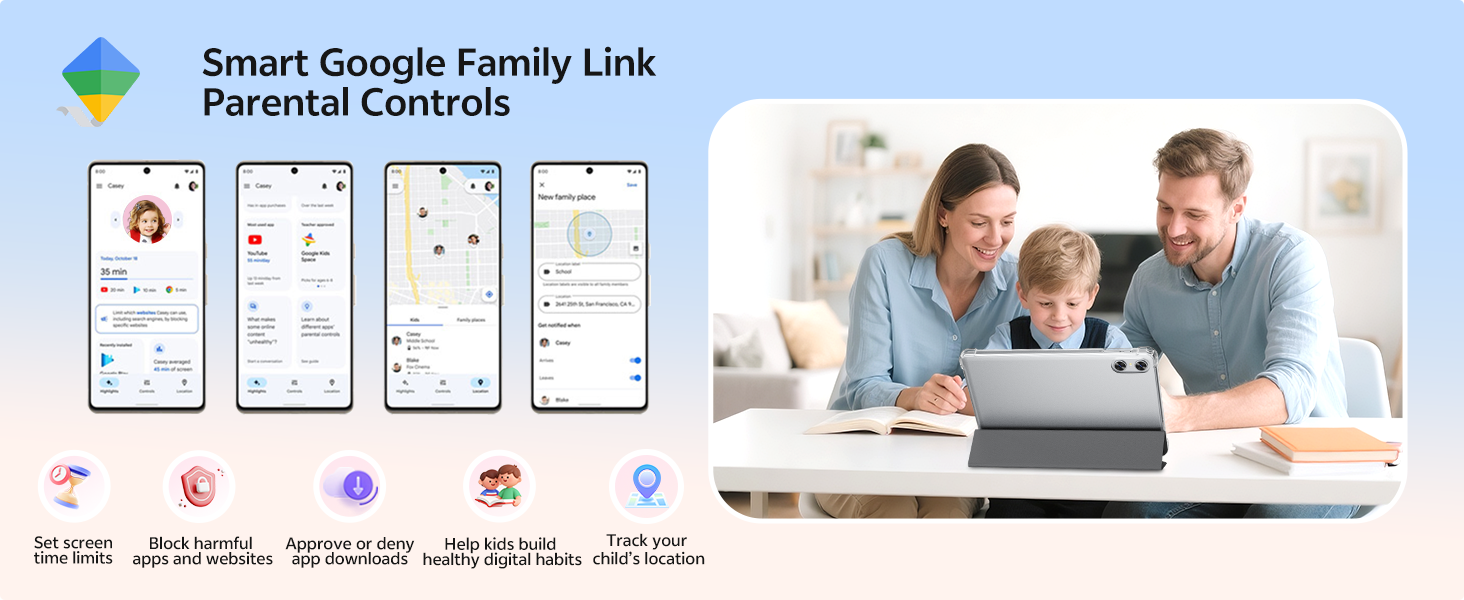
Image: An illustration of the Smart Google Family Link Parental Controls interface, showing various options for managing a child's tablet usage.
4.4 Eye Protection Night Mode
Activate Night Mode for a better reading experience and reduced eye strain, especially in low-light conditions. This feature adjusts screen colors to warmer tones.
4.5 Desbloqueig facial
Configure facial recognition technology for quick and secure unlocking of your device. This can be set up in the Security settings.
5. Característiques clau
5.1 Visualització i elements visuals
- 10.1-inch HD IPS Display: Enjoy crisp visuals with a 1280 x 800 resolution and a 16:10 aspect ratio, providing a wide field of view and vibrant colors.
- Certificació Widevine L1: Supports HD streaming on platforms like Netflix, Prime Video, Disney+, and Hulu.

Image: The SVITOO 10.1-inch HD IPS screen showcasing vibrant colors and clear detail, with logos of streaming services like YouTube, Disney+, Prime Video, Hulu, and Netflix, indicating Widevine L1 support.
Vídeo: Una anàlisi completaview of the SVITOO Android Tablet, highlighting its 10-inch display, octa-core processor, and expandable storage, demonstrating its suitability for various tasks.
5.2 Rendiment i emmagatzematge
- Processador de vuit nuclis: Equipped with a Unisoc T7250 octa-core CPU (or T606 in some variants), ensuring smooth multitasking and efficient performance.
- 20GB RAM (4GB + 16GB): Ample memory for running multiple applications without lag.
- 128 GB d'emmagatzematge intern: Generous storage for apps, media, and documents.
- 1TB MicroSD Expandable: Expand storage up to 1TB using a MicroSD card (sold separately).
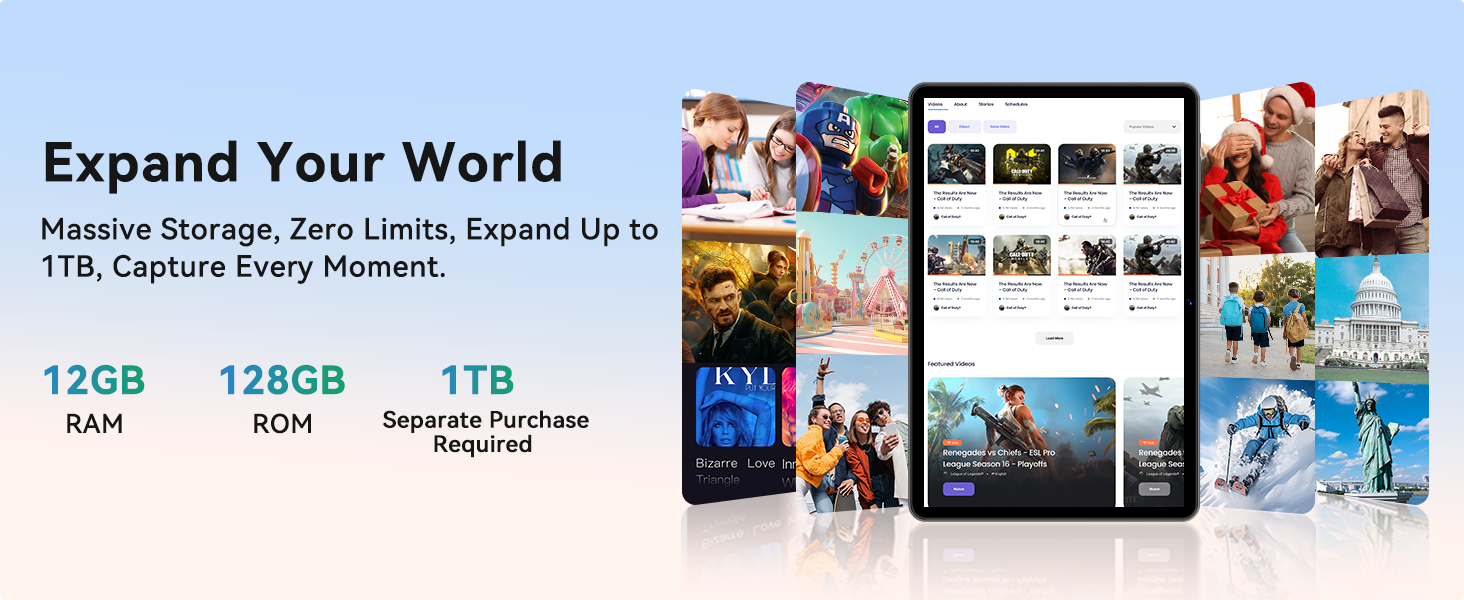
Image: A graphic detailing the SVITOO tablet's memory and storage, showing 12GB RAM, 128GB ROM, and 1TB expandable storage (MicroSD card sold separately).
5.3 Connectivity and Battery
- Wi-Fi de doble banda: Supports 2.4/5 GHz Wi-Fi bands for stable and fast internet connections.
- Bluetooth 5.0: Enables seamless pairing with external devices like speakers and headphones.
- Bateria d'alta capacitat de 6600 mAh: Provides extended usage for entertainment, work, and learning, with up to 12 hours of video playback or browsing, and 56 days of standby.
- GPS integrat: For reliable navigation and location tracking.
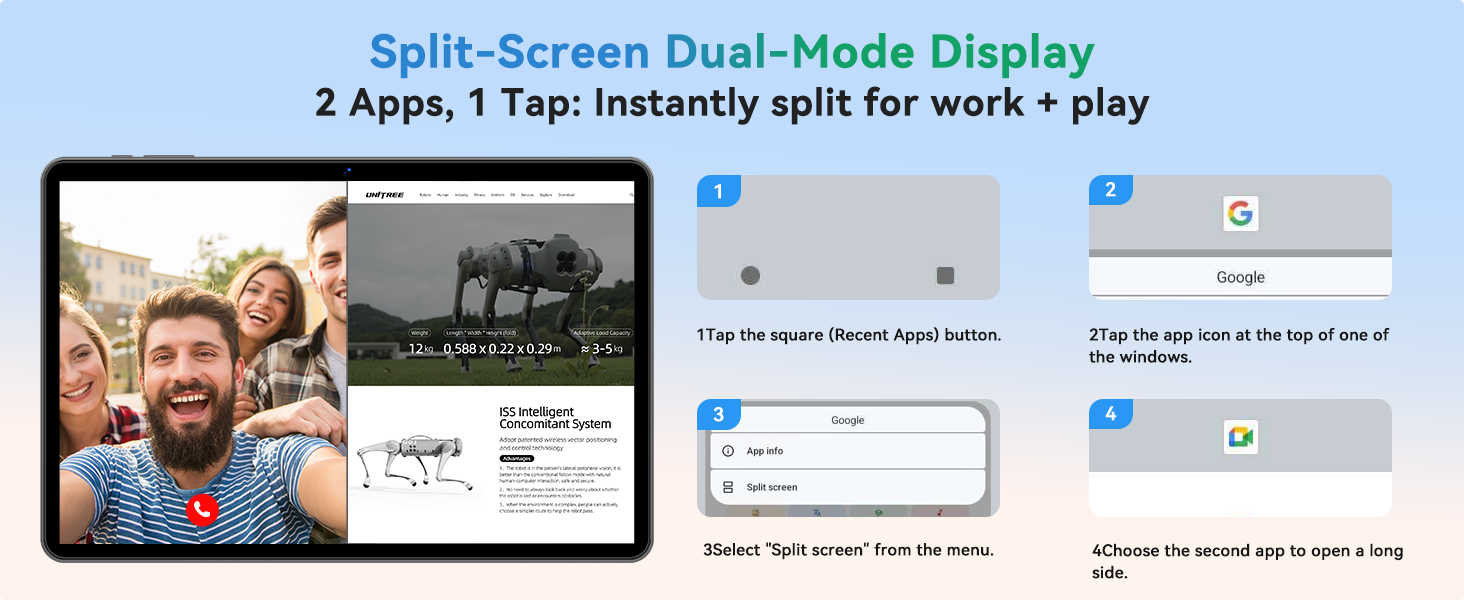
Image: An infographic highlighting the SVITOO tablet's 6600mAh battery, showing estimated usage times for video, music, and browsing, along with Type-C charging and Night Mode features.
5.4 Cameras and Audio
- Càmera posterior: 8MP with autofocus for high-quality photos and videos.
- Càmera frontal: 2MP per a videotrucades i selfies nítids.
- Dual-Box Speakers: Provides enhanced audio experience.
- Conector d'àudio de 3.5 mm: For wired headphone connections.
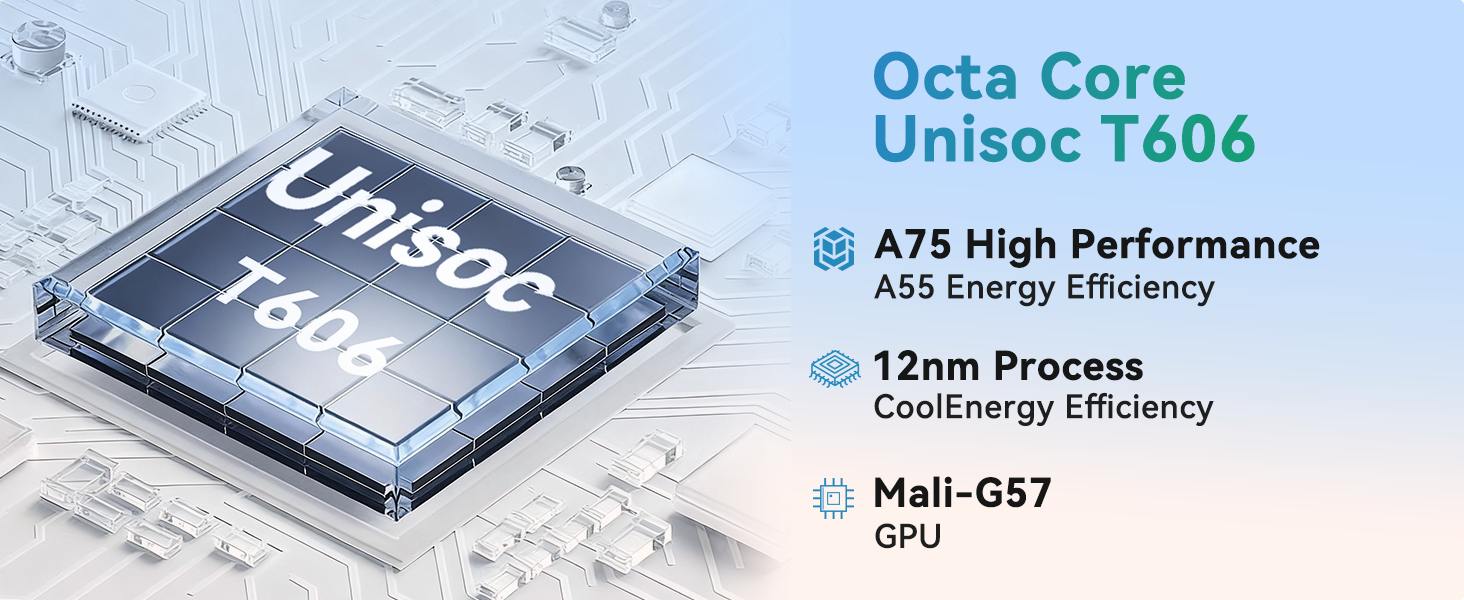
Image: A visual representation of the SVITOO tablet's camera capabilities, featuring a 2MP front camera and an 8MP rear camera, alongside the Smart Google Lens and Face Unlock features.
6. Manteniment
- Neteja: Feu servir un drap suau i sense borrissol per netejar la pantalla i la carcassa. Eviteu productes de neteja o dissolvents abrasius.
- Actualitzacions de programari: Comproveu i instal·leu regularment si hi ha actualitzacions del sistema per garantir un rendiment i una seguretat òptims. Aneu a Configuració > Sistema > Actualització del sistema.
- Cura de la bateria: To prolong battery life, avoid extreme temperatures and do not let the battery fully drain frequently.
- Gestió d'emmagatzematge: Netegeu periòdicament els innecessaris files and apps to maintain performance. Use the built-in Storage Manager (Configuració > Emmagatzematge) to free up space.
- Funda protectora: Keep the tablet in its protective case to guard against drops and scratches.
7. Solució De Problemes
| Problema | Solució |
|---|---|
| La tauleta no s'encén | Ensure the tablet is fully charged. Press and hold the power button for 10-15 seconds to perform a force restart. |
| Rendiment lent | Close unused apps, clear cache, or free up storage space. Consider a factory reset if the issue persists (back up data first). |
| Problemes de connexió Wi-Fi | Restart the tablet and your Wi-Fi router. Forget the network and reconnect. Ensure you are within range. |
| Les aplicacions es bloquegen | Clear the app's cache and data (Settings > Apps > [App Name] > Storage). Update the app or reinstall it. |
| La bateria s'esgota ràpidament | Reduce screen brightness, disable unused features (Bluetooth, GPS), close background apps, or check for rogue apps consuming power. |
8. Especificacions
| Característica | Detall |
|---|---|
| Número de model | SVITOO Tab 10 GMS Certified 1060T |
| Sistema operatiu | Android 16 |
| Mida de la pantalla | 10.1 polzades |
| Resolució de pantalla | 1280 x 800 píxels (HD IPS) |
| Processador | Unisoc T7250 Octa-Core (up to 1.8 GHz) |
| RAM | 20GB (4GB + 16GB) |
| Emmagatzematge intern | 128 GB |
| Emmagatzematge ampliable | Fins a 1 TB mitjançant targeta MicroSD (es ven per separat) |
| Capacitat de la bateria | 6600mAh (up to 12 hours average life) |
| Càmera posterior | 8MP Auto-Focus |
| Càmera frontal | 2MP |
| Connectivitat | Dual-Band Wi-Fi (802.11ac, b, g, n), Bluetooth 5.0, GPS |
| Ports | USB-C, 3.5mm Audio Jack, MicroSD Card Slot |
| Dimensions (LxWxH) | 9.7 x 6.4 x 0.4 polzades |
| Pes de l'article | 2.31 lliures |
9. Garantia i Suport
Your SVITOO tablet comes with a 12-month product support period. Amazon offers a 30-day return and exchange policy. If the Amazon return window has passed, please contact SVITOO directly for support.
How to Contact SVITOO Support:
- Through Your Order: Log in to Amazon, go to "Your Orders", find the item, and click "Contact Seller".
- Through the Product Page: On the product page, click the seller’s name, then click "Contact Seller".
Note: Product support does not cover damage caused by human error, natural disasters, or other force majeure events.