
1. Producte acabatview
The Philips Baristina Espresso Machine is designed for simple, fresh espresso preparation. It integrates grinding, tamping, and brewing into a single, streamlined process, utilizing a 16-bar pressure pump for optimal flavor extraction. Its compact design makes it suitable for various kitchen spaces.
Característiques principals:
- Molinet integrat: Freshly grinds whole coffee beans for each brew.
- Pressió de la bomba de 16 bars: Ensures robust flavor extraction for authentic espresso.
- One-Swipe Operation: Simplifies the brewing process from bean to cup in under 60 seconds.
- Disseny compacte: Space-efficient for any kitchen counter.
- Adjustable Brews: Offers Espresso, Lungo, and Extra Intense options.
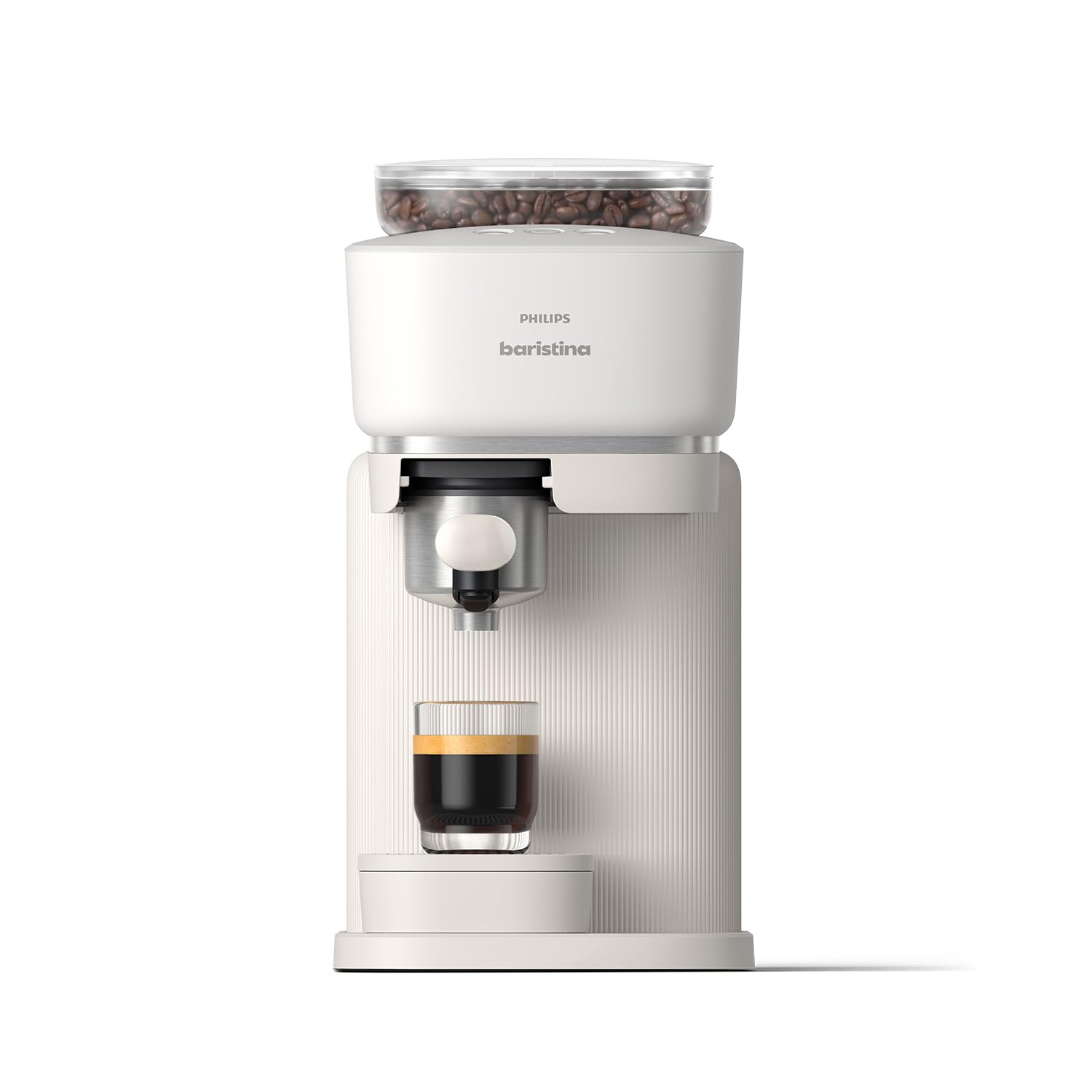
Figure 1: Philips Baristina Espresso Machine (BAR300/00)
2. Configuració
2.1 Desembalatge i col·locació
Traieu amb cura tots els materials d'embalatge. Col·loqueu la màquina sobre una superfície estable i plana, allunyada de fonts de calor i de la llum solar directa. Assegureu-vos que hi hagi una ventilació adequada al voltant de l'aparell.

Figura 2: Dimensions del producte (14.96 cm de profunditat x 7.09 cm d'amplada x 13.58 cm d'alçada)
2.2 Cicle d'esbandida inicial
Before first use, perform an initial rinse cycle to clean the internal components. This ensures optimal taste and hygiene.
- Introduïu el portafiltre a la màquina.
- Traieu el dipòsit d'aigua del costat de la màquina.
- Fill the water tank with fresh, cold water up to the MAX level. Reinsert the water tank securely.
- Place a large cup or coffee mug under the water spout.
- Press and hold the Boost button (middle button with coffee beans and a plus sign) for 5 seconds to initiate the rinse cycle.
- Wait until the boost light stops blinking and the water has dispensed.
- Rinse the portafilter under running water while pressing the puck removal button several times to clear any residue.
Video 1: How to Set Up the Baristina Espresso Machine. This video demonstrates the initial setup and rinsing process for the Philips Baristina Espresso Machine, including inserting the portafilter, filling the water tank, and performing the first rinse cycle.
3. Instruccions de funcionament
3.1 Omplir el recipient de grans de cafè
Open the lid of the bean container located on top of the machine. Pour fresh, whole coffee beans into the container. Ensure the lid is securely closed after filling.
3.2 Preparació d'espresso o lungo
The Baristina machine simplifies brewing with its integrated grind, tamp, and brew function.
- Assegureu-vos que el dipòsit d'aigua estigui ple i que el recipient de grans tingui prou grans.
- Insert the clean portafilter into the machine.
- Place your cup under the coffee spout.
- Select your desired brew:
- Press the left button for Espresso (standard shot).
- Press the right button for Lungo (longer Italian-style mini-Americano).
- Per a un Extra Intense brew, press the middle button (coffee beans with a plus sign).
- The machine will automatically grind, tamp, and brew your coffee. The handle will move to the right and then return to its start position once brewing is complete.
- Gaudeix del teu cafè acabat de fer.

Figure 3: Grind, Tamp & Brew in One Swipe

Figure 4: The Baristina's integrated system ensures ideal grind size, precise pressure, and accurate dosing.
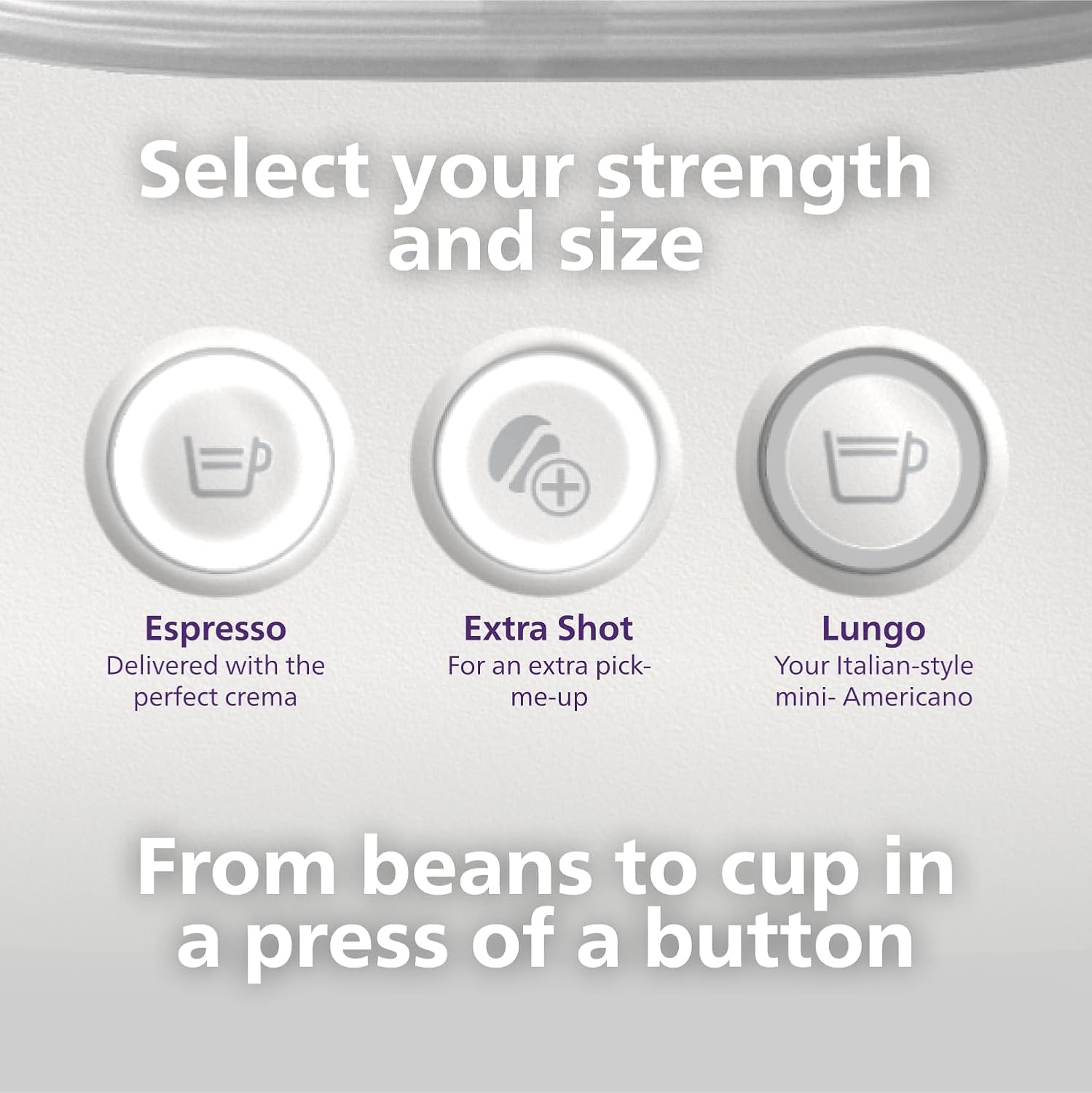
Figure 5: Select your desired strength and size from the control panel.

Figure 6: Swipe the handle to brew and enjoy.
Video 2: How to Brew Espresso & Lungo with Baristina Machine. This video tutorial demonstrates how to brew espresso and lungo using the Philips Baristina Espresso Machine, covering filling the bean container, selecting brew strength, and initiating the brewing process.
4. Manteniment
4.1 Emptying and Cleaning the Portafilter
For best results and to prevent clogging, empty and rinse the portafilter after every brew.
- After brewing, remove the portafilter from the machine.
- Press the puck removal button to release the used coffee grounds (puck).
- Rinse the portafilter under running water. You can also wipe it with a cloth.
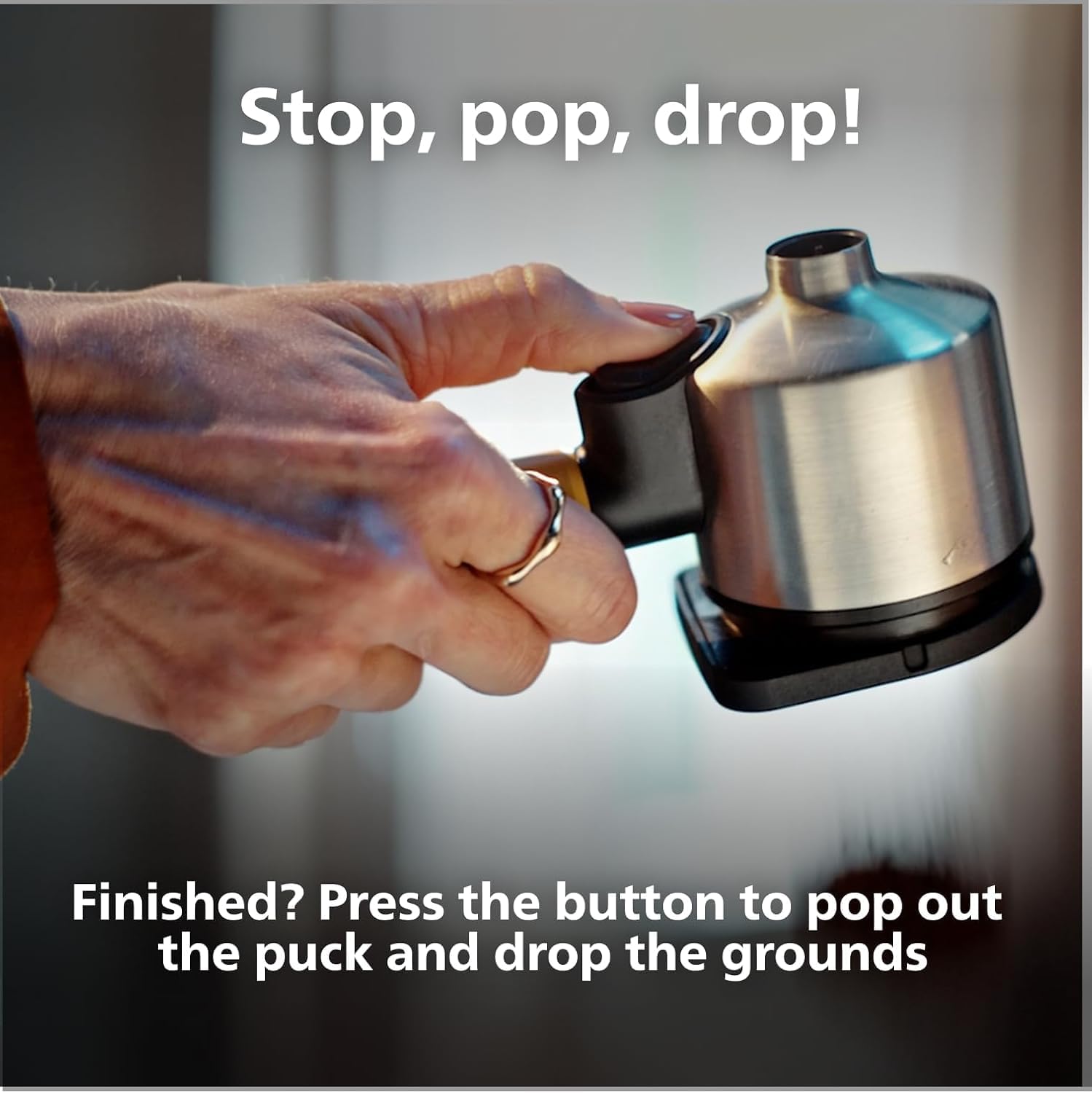
Figure 7: Stop, Pop, Drop! Press the button to release the coffee puck.

Figure 8: Used coffee grounds can be composted, reducing waste.
4.2 Neteja general
Netegeu l'exterior de la màquina amb anunciamp cloth. The drip tray should be emptied and cleaned regularly. Do not immerse the machine in water.
5. Solució De Problemes
If you encounter issues with your Philips Baristina Espresso Machine, please refer to the following common solutions:
- No es dispensa cafè: Check if the water tank is filled and correctly inserted. Ensure the portafilter is properly seated.
- Cafè feble: Verify that the bean container has enough fresh coffee beans. Ensure the machine has completed its grinding and tampcicle de cicle.
- La màquina no s'encén: Comproveu si el cable d'alimentació està ben connectat a una presa de corrent que funcioni.
- Fuga: Ensure all removable parts, especially the water tank and portafilter, are correctly positioned and sealed.
- Soroll inusual: This may indicate a need for descaling or a blockage in the grinder. Refer to the full manual for descaling instructions.
For more detailed troubleshooting or persistent issues, please contact Philips customer support.
6. Especificacions
| Característica | Detall |
|---|---|
| Marca | Philips |
| Nom del model | Baristina |
| Número de model | BAR300 |
| Capacitat | 1.2 litres |
| Color | Blanc |
| Dimensions del producte (P x A x A) | 14.96" x 7.09" x 13.58" |
| Característica especial | Molinet de cafè integrat |
| Tipus de cafetera | Màquina de cafè exprés |
| Mode d'operació | Totalment automàtic |
| Wattage | 1550 watts |
| Voltage | 120.0 |
| Pressió de sortida | 16 barres |
| Tipus d'entrada de cafè | Mongetes senceres |
| Tipus de filtre | Portafiltre |
| Pes de l'article | 4.84 quilos |
| Components inclosos | Baristina Espresso Machine, Portafilter, Drip tray |
| Material | Plàstic |
| Apte per a rentavaixelles | No |
7. Garantia i Suport
This Philips Baristina Espresso Machine comes with a standard manufacturer's warranty. For specific warranty details, registration, or to access customer support, please refer to the documentation included with your product or visit the official Philips website. For any technical assistance or service inquiries, please contact Philips customer service directly.
Optional protection plans are available for purchase separately, offering extended coverage beyond the manufacturer's warranty. These plans typically cover mechanical and electrical failures.