
1. Informació de seguretat
Please read this instruction manual carefully before using the Philips Sonicare Series 5300 electric toothbrush. Keep it for future reference.
- Genuine Philips Brush Heads: Only use genuine Philips toothbrush heads with this device. Use of non-Philips brush heads may result in reduced effectiveness or damage to the device.
- Eliminació de la bateria: Do not dispose of batteries with household waste. Follow local regulations for proper battery recycling.
- Advertència de peces petites: This product contains small parts. It is not suitable for children under 3 years of age.
- Condicions mèdiques: Consult your dentist or physician before using this product if you have had oral surgery or gum disease in the past few months, or if you have any other medical concerns.
- Càrrega: Ensure the charger is placed away from water and moisture. Do not handle the charger with wet hands.
2. Producte acabatview
The Philips Sonicare Series 5300 electric toothbrush is designed to provide an effective and gentle cleaning experience using advanced Sonicare technology. This model features a single cleaning mode with two intensity settings, a BrushSync technology for optimal performance, and an Optimal White W2 brush head.
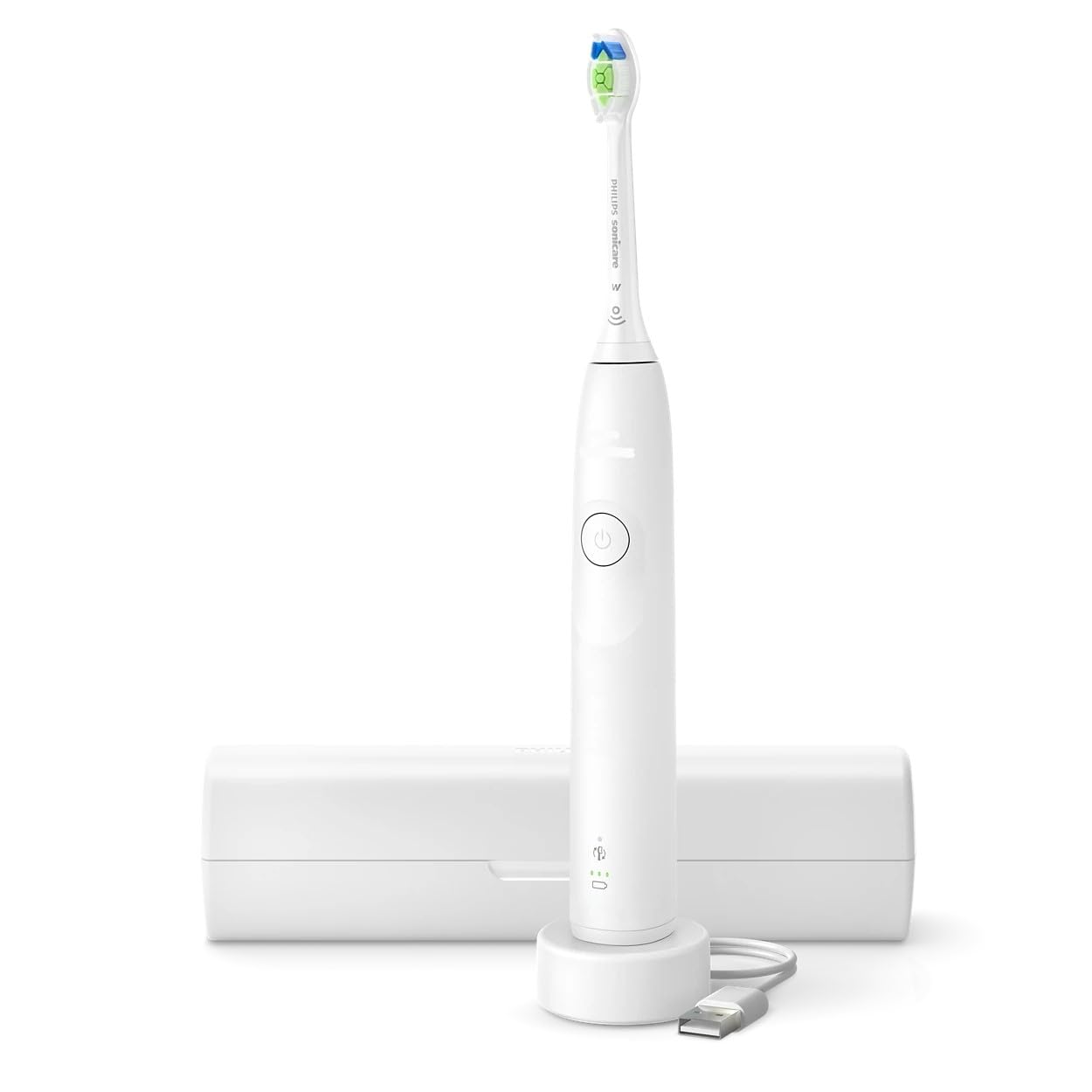
Image: Philips Sonicare Series 5300 Electric Toothbrush. This image displays the white handle of the electric toothbrush with an attached brush head, showcasing el seu disseny ergonòmic.
Característiques principals:
- Sonicare Technology: Delivers up to 31,000 brush strokes per minute for dynamic cleaning action.
- 1 Cleaning Mode: Standard cleaning mode for daily use.
- 2 Intensitats: Choose between high and low intensity settings for personalized comfort.
- Tecnologia BrushSync: Automatically tracks brush head usage and alerts you when it's time for a replacement.
- Optimal White W2 Brush Head: Designed to remove surface stains for a brighter smile.
- Smartimer: Guides you to brush for the dentist-recommended 2 minutes.
- QuadPacer: An interval timer that signals when to move to the next quadrant of your mouth.
- Sensor de pressió: Vibrates gently to alert you if you are brushing too hard, protecting your gums and teeth.
- Llarga vida útil de la bateria: Up to 3 weeks of battery life on a single charge.
- Maletí de viatge: Convenient for storage and travel.
3. Configuració
3.1 Càrrega inicial
- Place the handle on the charger base.
- Connecteu el carregador a una presa de corrent.
- The battery indicator light will flash to indicate charging. A full charge takes approximately 24 hours.
- The battery indicator will stop flashing and remain solid green when fully charged.
3.2 Fixació del capçal del raspall
- Align the brush head with the metal shaft on the handle.
- Premeu fermament el capçal del raspall cap avall fins que encaixi al seu lloc.
- To remove, pull the brush head straight up from the handle.
4. Instruccions de funcionament
4.1 Brushing Your Teeth
- Mulleu el capçal del raspall i apliqueu-hi una petita quantitat de pasta de dents.
- Col·loqueu el capçal del raspall contra les dents amb un lleuger angle cap a la línia de les genives.
- Premeu el botó d'encesa per encendre el raspall de dents.
- Gently move the brush head slowly across your teeth in small back-and-forth motions, allowing the Sonicare technology to do the work.
- The QuadPacer will beep and pause briefly every 30 seconds to indicate when to move to the next quadrant of your mouth.
- The Smartimer will automatically turn off the toothbrush after 2 minutes of brushing.
- If you apply too much pressure, the pressure sensor will cause the handle to vibrate differently. Reduce pressure to stop the vibration.
4.2 Changing Intensity Settings
- While the toothbrush is on, press the power button again to cycle between the two intensity settings (high and low).
- The selected intensity will be indicated by the light on the handle.
5. Manteniment
5.1 Neteja després de cada ús
- Rinse the brush head thoroughly under running water while the handle is still on.
- Turn off the handle and remove the brush head.
- Rinse the brush head separately under running water.
- Rinse the handle under running water, wiping off any toothpaste residue.
- Netegeu el mànec amb un drap suau.
5.2 Replacing the Brush Head
- The BrushSync feature will alert you when it's time to replace your brush head, typically every 3 months.
- A brush head replacement icon will illuminate on the handle.
- To replace, simply pull the old brush head off and push a new Philips Sonicare brush head onto the handle.
5.3 Neteja del carregador
- Desconnecteu el carregador abans de netejar-lo.
- Netegeu la superfície del carregador amb un anunciamp tela. No submergiu el carregador a l'aigua.
6. Solució De Problemes
| Problema | Causa possible | Solució |
|---|---|---|
| El raspall de dents no s'encén. | La bateria està esgotada. | Charge the toothbrush for at least 24 hours. |
| Reduced brushing power. | Bateria baixa. | Recharge the toothbrush. |
| Brush head feels loose. | Capçal del raspall no ben fixat. | Remove and re-attach the brush head, ensuring it clicks into place. |
| El sensor de pressió s'activa massa sovint. | Raspallar-se massa fort. | Reduce the pressure applied during brushing. |
7. Especificacions
- Número de model: HX7108/02 (881710802020)
- Marca: PHILIPS
- Grup d'edat: Adult
- Característica especial: Tecnologia Sonicare
- Font d'alimentació: Funciona amb bateria
- Bristle Firmness: Suau
- Color: Blanc
- Nombre d'articles: 1
- Brush Head Shape: Round (Optimal White W2)
- Material de truges: Niló
- Durada de la bateria: Fins a 3 setmanes
8. Garantia i Suport
Philips offers a standard warranty for this product. Please refer to the warranty card included in your product packaging for specific terms and conditions, including the warranty period and coverage details.
For technical support, product registration, or to find authorized service centers, please visit the official Philips website or contact Philips customer service in your region. Contact information can typically be found in the product packaging or on the Philips weblloc.
Always ensure you have your product model number (HX7108/02) and proof of purchase available when contacting support.