Welcome to the user manual for your new YoYoFit F19 Smart Watch. This guide will help you understand the features, setup, and operation of your device to ensure you get the most out of its capabilities. The YoYoFit F19 is designed to enhance your daily life with advanced health monitoring, comprehensive activity tracking, and seamless connectivity.
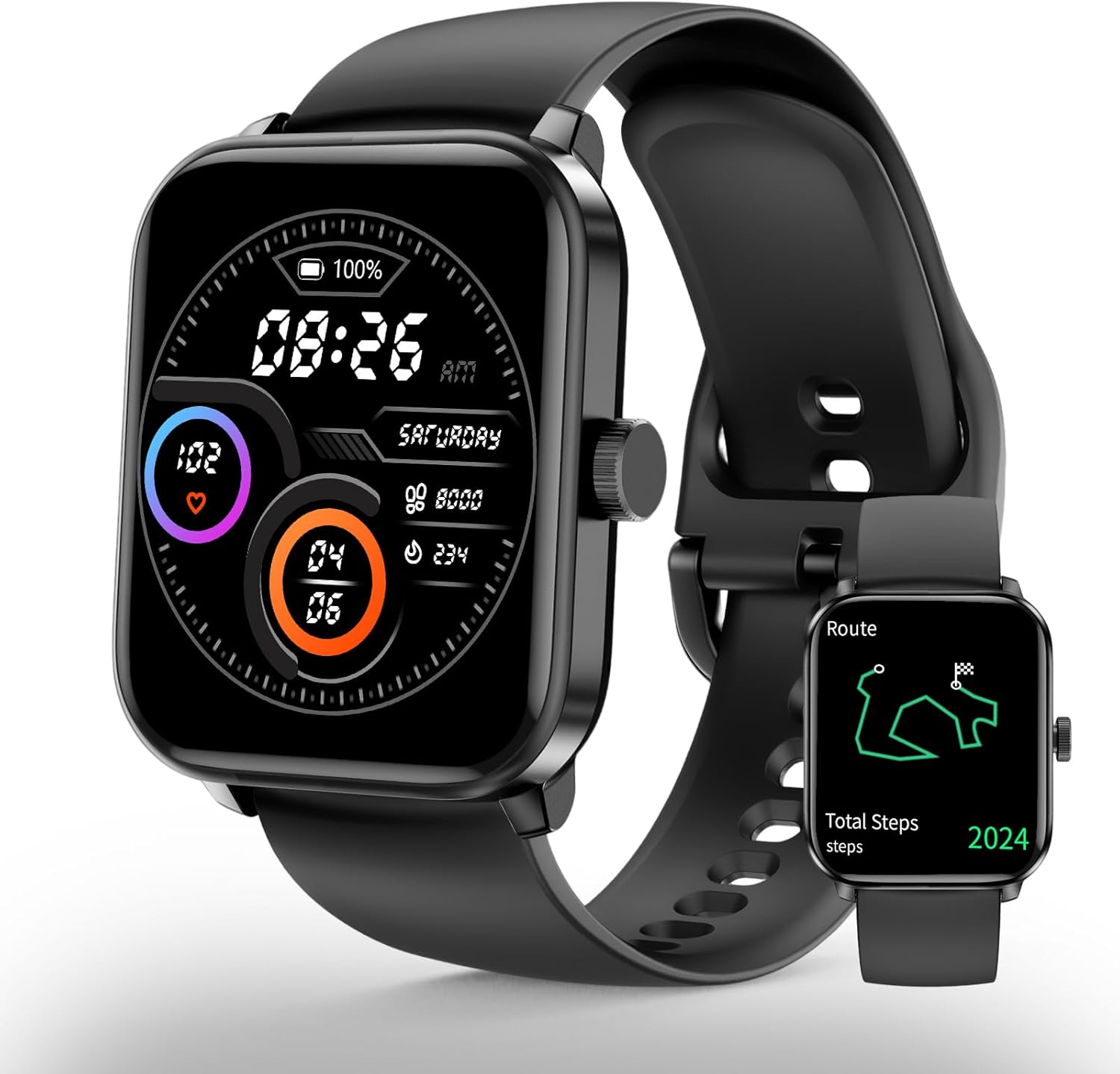
Figure 1: YoYoFit F19 Smart Watch
The YoYoFit F19 Smart Watch features a sleek black design with a vibrant display, showing time, date, battery level, and health metrics. A smaller inset image shows the watch displaying a route map, highlighting its GPS capabilities.
2. Què hi ha a la caixa
YoYoFit F19 Smart Watch
Charging Cable (2PIN thimble magnetic charging)
Watch Band (pre-attached or separate)
Manual d'usuari (aquest document)
3. Guia de configuració
3.1 Càrrega inicial
Before first use, fully charge your YoYoFit F19 Smart Watch. Connect the magnetic charging cable to the charging points on the back of the watch and plug the USB end into a compatible power adapter (not included) or a computer USB port. A full charge typically takes approximately 2 hours.
Figure 2: Magnetic Charging Method
The image shows the YoYoFit F19 Smart Watch being charged via its magnetic charging cable. The watch display shows a charging icon and battery percentage, indicating the ease of the 2PIN thimble magnetic charging method.
3.2 Descàrrega i emparellament de l'aplicació
To unlock the full potential of your smartwatch, download the companion application on your smartphone. The app is compatible with Android 4.4 & iOS 8.0 or above. Cerca the official YoYoFit app in your device's app store (Google Play Store for Android, Apple App Store for iOS).
Download and install the YoYoFit app.
Assegureu-vos que el Bluetooth estigui habilitat al vostre telèfon intel·ligent.
Open the YoYoFit app and follow the on-screen instructions to create an account or log in.
Navegueu fins a la secció "Dispositiu" o "Afegeix dispositiu" dins de l'aplicació.
Select your YoYoFit F19 from the list of available devices.
Confirma la sol·licitud d'emparellament tant al telèfon com al rellotge.
Once paired, your watch will synchronize data with the app, and you can customize settings, view detailed health reports, and manage notifications.
4. Com utilitzar el rellotge intel·ligent
4.1 Navegació per la interfície
The YoYoFit F19 features a large 1.83-inch HD touch screen for easy navigation. Swipe left/right, up/down, and tap to access various functions and menus. The side button typically serves as a home button or a back button, depending on the context.
Figure 3: Large 1.83-inch Screen and Custom Watch Faces
This image showcases the large 1.83-inch display of the YoYoFit F19 Smart Watch, surrounded by multiple examples of customizable watch faces, demonstrating the personalization options available to users.
4.2 Vigilància de la salut
The YoYoFit F19 provides comprehensive health monitoring features to help you stay informed about your well-being.
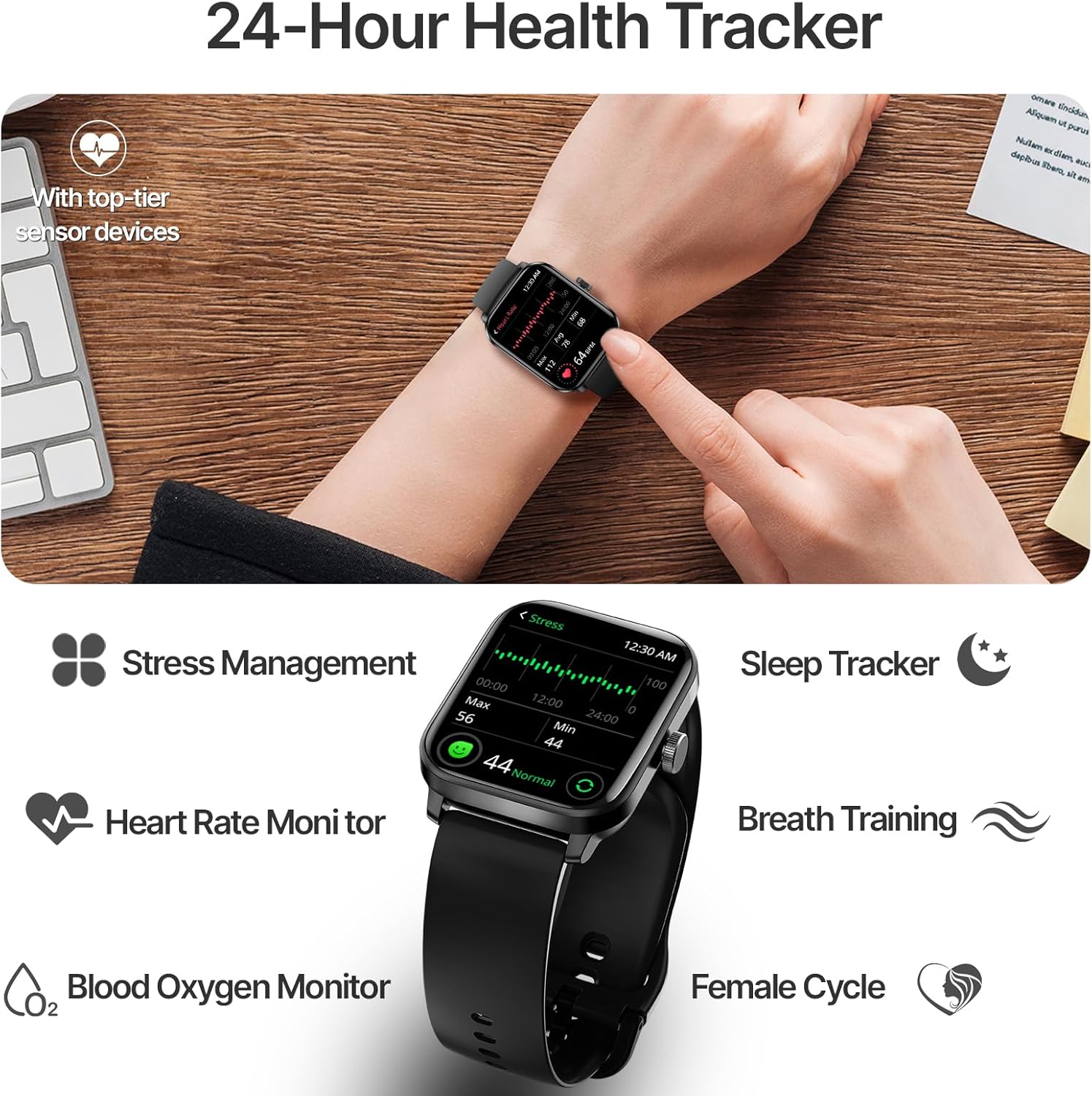
Monitorització de la freqüència cardíaca: Continuously tracks your heart rate throughout the day. You can also perform on-demand measurements. The watch can provide smart alerts for abnormal heart rate readings.
Monitorització d'oxigen en sang (SpO2): Mesura els nivells de saturació d'oxigen a la sang.
Gestió de l'estrès: Monitors your stress levels and offers breathing training exercises to help you relax.
Seguiment del son: Analyzes your sleep quality, including deep sleep, light sleep, and awake times.
Women Cycle Tracking: Records and predicts menstrual and fertile periods.
Figure 4: 24-Hour Health Tracker Overview
This image illustrates the YoYoFit F19 Smart Watch's comprehensive 24-hour health tracking capabilities, showing the watch on a wrist with icons representing stress management, sleep tracking, heart rate monitoring, blood oxygen monitoring, breath training, and female cycle tracking.
4.3 Seguiment d'activitat
Track your fitness journey with precision using the built-in features of your smartwatch.
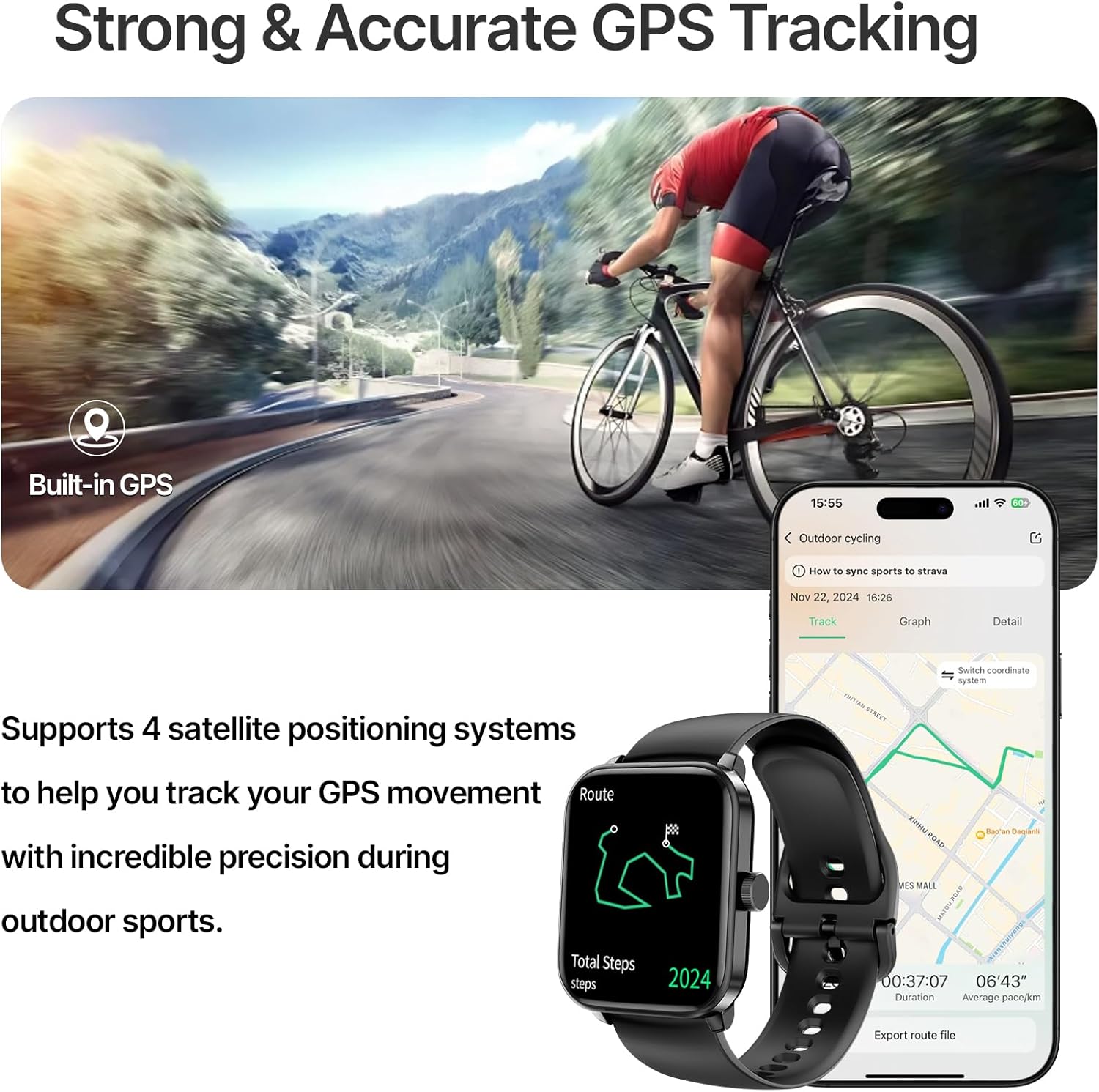
GPS integrat: Records your running routes directly on the watch without needing your phone. View detailed city route maps in the app after synchronization.
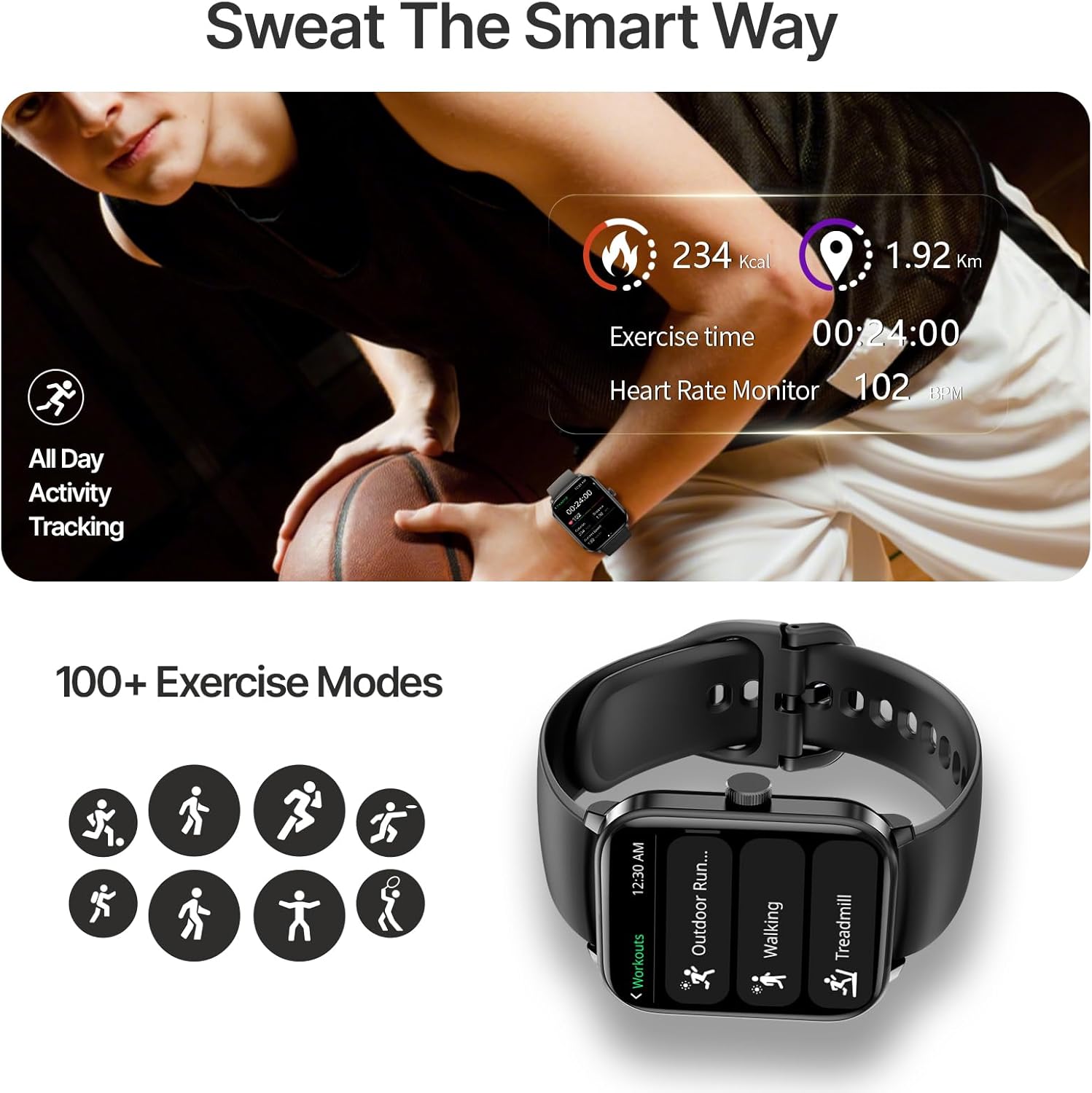
Més de 100 modes esportius: Choose from a wide variety of sports modes for accurate tracking of distance, pace, speed, heart rate, and calories burned.
Impermeable IP68: Designed to withstand daily activities and outdoor adventures, including swimming.
Step, Distance, and Calorie Tracking: Automatically monitors your daily steps, distance covered, and calories burned.
Figure 5: Strong & Accurate GPS Tracking
The image depicts a person cycling outdoors, with the YoYoFit F19 Smart Watch on their wrist, emphasizing its built-in GPS for accurate tracking. An accompanying phone screen shows a detailed map of a cycling route, illustrating the watch's ability to record and display GPS movement with precision.
Figure 6: 100+ Exercise Modes
This image shows a person engaged in a workout, with the YoYoFit F19 Smart Watch on their wrist displaying exercise time, heart rate, and calories burned. Below, icons represent various sports modes, highlighting the watch's capability to track over 100 different activities.
4.4 Connectivity and Smart Features
Stay connected and manage your daily tasks directly from your wrist.
Trucades per Bluetooth: Dial numbers or answer incoming calls directly from your watch when connected to your phone via Bluetooth.
Notificacions: Receive SMS, social media, and app notifications on your wrist with vibration alerts.
Previsions meteorològiques: Get the last 4-days weather forecasts.
Control de música i càmera: Controla la reproducció de música i activa la càmera del telèfon de forma remota.
Additional Utilities: Includes stopwatch, timer, alarm, phone finder, world clock, calculator, calendar, and reminders.
Figure 7: Convenient On-wrist Connection
The image shows a person's hand with the YoYoFit F19 Smart Watch on the wrist, displaying an incoming message notification. Surrounding the watch are various social media and communication app icons, illustrating the watch's ability to receive notifications from multiple platforms.
5. Manteniment
5.1 Neteja i cura
To maintain the performance and appearance of your YoYoFit F19 Smart Watch, follow these cleaning guidelines:
Wipe the watch screen and strap regularly with a soft, damp, drap sense pelusa.
Avoid using harsh chemicals, abrasive cleaners, or solvents, as they may damage the watch's finish.
Assegureu-vos que els contactes de càrrega estiguin nets i secs abans de carregar-los per evitar la corrosió.
5.2 Resistència a l'aigua (IP68)
The YoYoFit F19 Smart Watch is IP68 waterproof, meaning it is resistant to dust and can withstand immersion in water up to 1.5 meters for 30 minutes. It is suitable for daily use, including hand washing, rain, and swimming. However, it is not recommended for hot showers, saunas, or diving, as steam and high water pressure may compromise the seals.
Figura 8: Característica impermeable IP68
This image shows a person's arm submerged in a swimming pool, with the YoYoFit F19 Smart Watch clearly visible on the wrist, demonstrating its IP68 waterproof capability for worry-free water activities.
5.3 Cura de la bateria
The watch is equipped with a 280 Milliamp Hours Lithium Polymer battery. A single charge provides up to 7 days of usage and 15 days of standby time. To prolong battery life:
Eviteu temperatures extremes.
Charge the watch fully before storing it for extended periods.
Use the provided magnetic charging cable.
6. Solució De Problemes
6.1 Problemes comuns i solucions
El rellotge no s'encén: Assegura't que el rellotge estigui completament carregat. Connecta'l al carregador durant almenys 10 minuts.
No s'ha pogut emparellar amb el telèfon:
Assegura't que el Bluetooth estigui activat al telèfon i al rellotge.
Assegureu-vos que el rellotge estigui dins de l'abast del Bluetooth del telèfon.
Reinicia tant el telèfon com el rellotge.
Oblida't del dispositiu a la configuració de Bluetooth del telèfon i intenta emparellar-lo de nou.
Dades de salut inexactes:
Assegureu-vos de portar el rellotge ben ajustat al canell, ni massa ajustat ni massa fluix.
Netegeu el sensor de la part posterior del rellotge.
Eviteu moviments excessius durant les mesures.
Notificacions que no apareixen:
Comprova els permisos de notificacions de l'aplicació al teu telèfon.
Assegureu-vos que el rellotge estigui connectat per Bluetooth.
Verify notification settings within the YoYoFit app.
Autonomia curta de la bateria:
Redueix la brillantor de la pantalla.
Desactiveu el monitoratge continu de la freqüència cardíaca si no és necessari.
Limita el nombre d'aplicacions que envien notificacions al rellotge.
Your YoYoFit F19 Smart Watch is manufactured by Shenzhen Weimei intelligent Technology Co., Ltd. For any product-related inquiries, technical support, or warranty information, please refer to the official YoYoFit weblloc web o contacteu directament amb el seu servei d'atenció al client.
També podeu visitar el YoYoFit Store on Amazon per obtenir més informació i recursos de suport.
Ask a question about this manual
Ask about setup, troubleshooting, compatibility, parts, safety, or missing instructions. Manuals+ will review the question and use this page’s manual context to help answer it.