
Introducció
The xpai H50 PRO 3K Indoor Camera is designed to provide comprehensive indoor surveillance with advanced features for monitoring your home, children, or pets. This manual provides detailed instructions for setting up, operating, and maintaining your camera to ensure optimal performance and security.
Key features include 3K Ultra HD resolution with night vision, 360° auto-pan/tilt coverage, AI motion and human detection alerts, smart auto-tracking, two-way audio, dual-band WiFi connectivity, and multi-user family sharing. The camera also supports local storage with a free 64GB Micro SD card included, and offers compatibility with Google TV for convenient monitoring.
Què hi ha a la caixa
Upon unboxing your xpai H50 PRO 3K Indoor Camera, please verify that all the following components are included:
- xpai H50 PRO Camera
- Manual d'instruccions
- Cargol de muntatge
- Adaptador d'alimentació
- xpai 64GB Micro SD Card
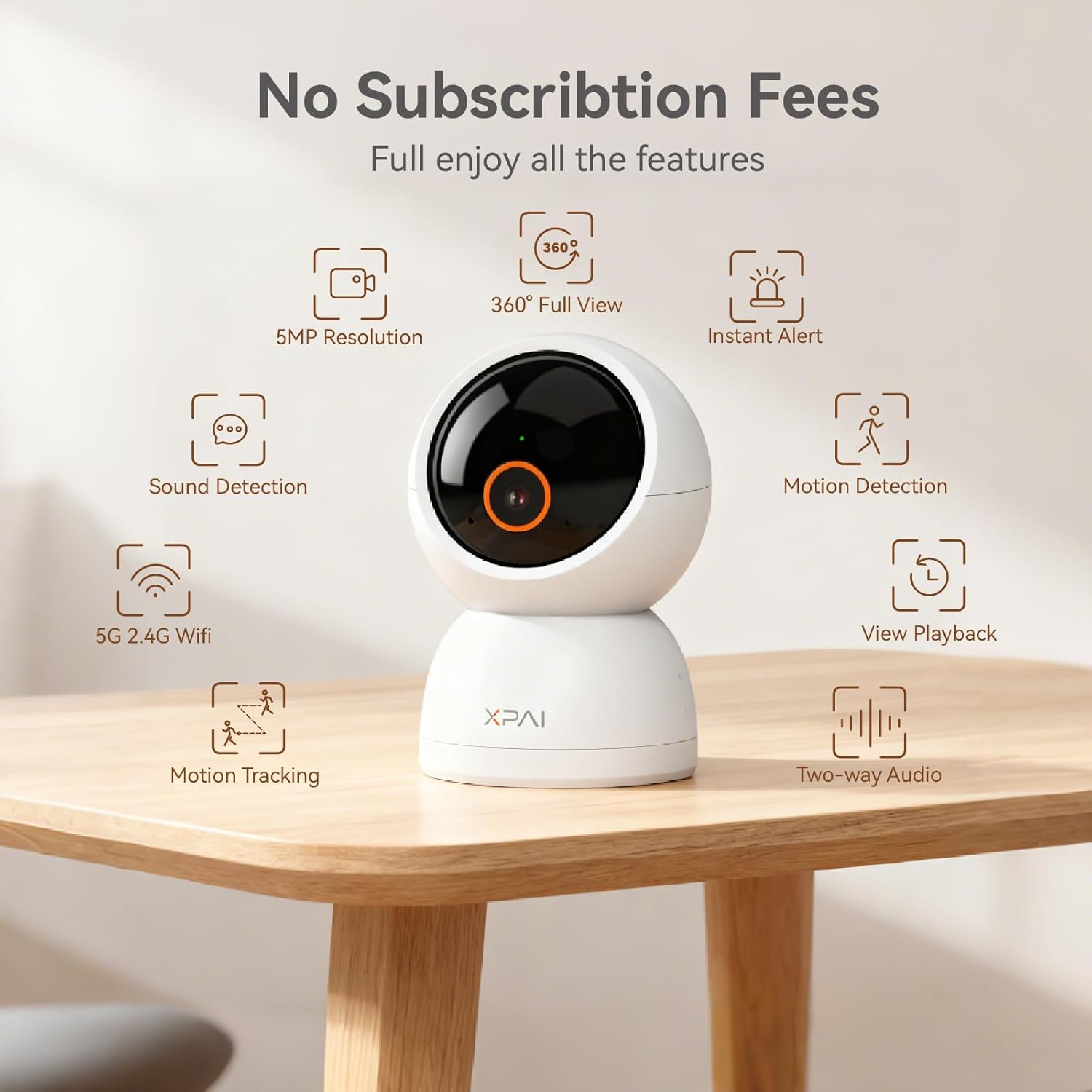
Image: The xpai H50 PRO 3K Indoor Camera in its packaging.

Image: All components included with the xpai H50 PRO 3K Indoor Camera.
Configuració
Follow these steps to set up your xpai H50 PRO 3K Indoor Camera:
- Descarrega l'aplicació: Cerca and download the 'xpai APP' from your device's app store.
- Encès: Plug in your camera using the provided power adapter. The camera will power on and indicate readiness for setup.
- Segueix les instruccions de l'aplicació: Open the xpai APP and follow the on-screen prompts to connect your camera to your Wi-Fi network and complete the initial setup.
- Inseriu la targeta SD: If not already inserted, gently insert the provided 64GB Micro SD card into the designated slot on the camera for local storage.

Image: Quick start guide showing the three main setup steps.
Formatejar la targeta Micro SD
It is recommended to format the Micro SD card before first use to ensure proper recording functionality.
Video: Instructions on how to format the Micro SD card for the xpai H50 PRO camera.
Instruccions de funcionament
Viu View i control de panoràmica/inclinació
Access the live feed through the xpai APP. Use the on-screen controls to pan (horizontal movement) and tilt (vertical movement) the camera lens, providing a 360° view of your monitored area.

Image: The camera offers a 360° view with smart detection capabilities.

Image: 360° Panoramic Monitoring ensures no detail is missed.
High-Resolution Video and Night Vision
The camera captures video in 3K Ultra HD resolution, providing clear and detailed images both day and night. Advanced night vision technology ensures visibility in low-light conditions.

Image: 3K Ultra-clear HD Resolution provides superior image quality.

Image: 5MP Ultra HD Resolution allows for clearer details in videos.

Image: Clear Night Vision ensures picture quality during nighttime or in low-light conditions.
AI Motion & Human Detection with Auto-Tracking
The camera features advanced AI algorithms for motion and human detection, sending instant alerts to your app. Smart auto-tracking allows the camera to follow detected movement within its field of view.

Image: Smart AI features human tracking and human detection.
Àudio bidireccional
Utilize the built-in microphone and speaker for two-way audio communication, allowing you to speak and listen remotely through the camera.

Image: Two-way audio allows for remote communication.

Image: Talk and listen in real-time with two-way audio.
Dual-Band WiFi Connectivity
The camera supports both 2.4GHz and 5GHz Wi-Fi bands, providing a stable and reliable connection for streaming and control.
Image: Dual-band WiFi supports both 2.4G and 5G connections for a stable network experience.

Image: Dual-band Wi-Fi provides stable connection and full coverage.
Multi-User Sharing and Google TV Compatibility
Securely share camera access with family members. The camera is also compatible with Google TV, allowing you to view live feeds on a larger screen.

Image: Multi-user family sharing allows loved ones to watch the live feed together.

Image: Compatible with Google TV for enhanced clarity on a big screen.
Opcions d'emmagatzematge flexibles
The camera supports local storage via the included 64GB Micro SD card (up to 512GB supported), offering 24/7 continuous recording or event-based recording. Cloud storage options may also be available.

Image: Flexible storage options with local recording up to 512GB.
Funcions i configuració addicionals
- Alarma sonora: Configure sound alarms to be triggered upon detection of motion or other events.
- Compartició de dispositius: Share access to your camera with other users.
- Captures de pantalla: Capture still images from the live feed or recorded playback.
- Reproducció: Review foo gravattage from your SD card or cloud storage.
- Patrulla: Set up automatic patrol routes for the camera to monitor specific areas.
Video: Guide on how to set up sound alarms for the xpai H50 PRO camera.
Video: Instructions for sharing your xpai H50 PRO camera device with others.
Video: Tutorial on how to take screenshots using the xpai H50 PRO camera app.
Video: Guide on how to view recorded playback from your xpai H50 PRO camera.
Video: Instructions for setting up patrol functions on the xpai H50 PRO camera.
Manteniment
- Neteja: Feu servir un drap suau i sec per netejar la lent i el cos de la càmera. Eviteu productes de neteja o dissolvents abrasius.
- Actualitzacions de programari: Regularly check the xpai APP for firmware updates to ensure your camera has the latest features and security enhancements.
- Col·locació: Assegureu-vos que la càmera estigui col·locada en un lloc estable, allunyat de la llum solar directa, de fonts de calor i de la humitat.
Resolució de problemes
If you encounter issues with your xpai H50 PRO camera, try the following:
- Problemes de connectivitat: Ensure your Wi-Fi network is stable and the camera is within range. Verify that you are connected to a 2.4GHz or 5GHz network as supported.
- L'aplicació no respon: Close and restart the xpai APP. If the issue persists, reinstall the app.
- Problemes de gravació: Check if the Micro SD card is properly inserted and formatted. Ensure there is sufficient storage space.
- Qualitat de la imatge: Ensure the camera lens is clean and free from obstructions. Check your network speed for optimal streaming quality.
- Eliminació del compte: If you need to delete your account, follow the instructions in the video below. Be aware that this will delete all associated data and devices.
Video: Instructions on how to delete an xpai account.
Especificacions
| Nom del model | H50 PRO |
| Número de model de l'article | LC2203 |
| Ús interior/exterior | Interior |
| Resolució de captura de vídeo | 1440p (3K) |
| Resolució de fixes efectius | 5 MP |
| Tecnologia de connectivitat | Wi-Fi (Dual-Band: 2.4GHz, 5GHz) |
| Viewangle ing | 360 graus |
| Gamma de visió nocturna | 30 peus |
| Àudio bidireccional | Sí |
| Sensor de moviment | Yes (AI Motion & Human Detection) |
| Enregistrament local | Micro SD (64GB card included, supports up to 512GB) |
| Dispositius compatibles | Desktop, Laptop, Smartphone, Google TV |
| Font d'alimentació | Corded Electric (5 Volts, 5 Watt-hours) |
| Dimensions (L x A x A) | 2.54 x 2.54 x 4.17 polzades |
| Pes de l'article | 12.8 unces |
Garantia i suport
xpai is committed to providing high-quality products and excellent customer service. Your xpai H50 PRO camera comes with a standard manufacturer's warranty. Please refer to the product packaging or contact customer support for specific warranty details.
For any technical assistance, troubleshooting, or inquiries, our professional after-sales support team is available to help. We aim to provide solutions within 24 hours.

Image: Professional After-Sales Support is available to assist you.
Protecció de privadesa
Protecting your privacy is our commitment. Your videos are encrypted with advanced algorithms, ensuring your privacy and security.

Image: Your privacy is protected with advanced encryption.
