
1. Introducció
Gràcies per la compraasing the Sofirn HS21 and D25S headlamps. These headlamps are designed for various outdoor activities, offering reliable illumination and convenient features. This manual provides detailed instructions for the safe and effective use, setup, operation, and maintenance of your new headlamps. Please read this manual thoroughly before use and retain it for future reference.
2. Instruccions de seguretat
- Do not shine the light directly into eyes. The powerful beam can cause temporary vision impairment or permanent eye damage.
- Mantenir fora de l'abast dels nens.
- No desmunteu el capçalamp. This may damage the device and void the warranty.
- Use only the recommended battery types. Improper battery use can lead to fire, explosion, or leakage.
- Eviteu exposar el capamp a temperatures extremes o a la llum solar directa durant períodes prolongats.
- Ensure the USB-C charging port cover is securely closed when not charging to maintain water resistance.
3. Contingut del paquet
- 1 x Sofirn HS21 Headlamp
- 1 x Sofirn D25S Headlamp
- 2 x Diademes
- 2 x cables de càrrega USB-C
- 2 x Rechargeable Batteries (pre-installed or separate)
- 1 x Manual d'usuari
4. Producte acabatview
4.1 Sofirn HS21 Headlamp
The Sofirn HS21 is a versatile headlamp featuring a combination of spotlight, floodlight, and red light. It is equipped with a convenient rotary switch for easy mode selection and offers a wide 130° rotation adjustment for optimal illumination angle.

Image 1: Sofirn HS21 Headlamp showing its various light modes including red light, spotlight, and floodlight.

Image 2: The Sofirn HS21 headlamp demonstrating its 130-degree rotation capability for adjustable light direction.
4.2 Sofirn D25S Headlamp
The Sofirn D25S is a compact and powerful headlamp utilizing an SST40 LED, offering multiple brightness levels. It features a hidden USB-C charging port for convenient recharging and a simple user interface with memory mode.

Image 3: Sofirn D25S Headlamp highlighting its comfortable switch and simple user interface.
5. Configuració
5.1 Instal·lació de la bateria
Both HS21 and D25S headlamps typically come with batteries pre-installed. If not, or if replacing batteries:
- Unscrew the tail cap of the headlamp cos.
- Insert the rechargeable battery with the positive (+) terminal facing towards the head of the lamp.
- Torneu a enroscar la tapa de la cua fermament per garantir un contacte adequat i una resistència a l'aigua.
5.2 Càrrega
Tots dos capamps feature a built-in USB-C charging port.
For HS21:
- Locate the USB-C charging port on the side of the headlamp cos.
- Gently lift the protective rubber cover to expose the port.
- Connect the provided USB-C cable to the headlamp and to a USB power source (e.g., wall adapter, power bank, computer).
- The indicator light will show red during charging and turn green when fully charged.
- Once charging is complete, securely close the rubber cover to protect the port from dust and water.
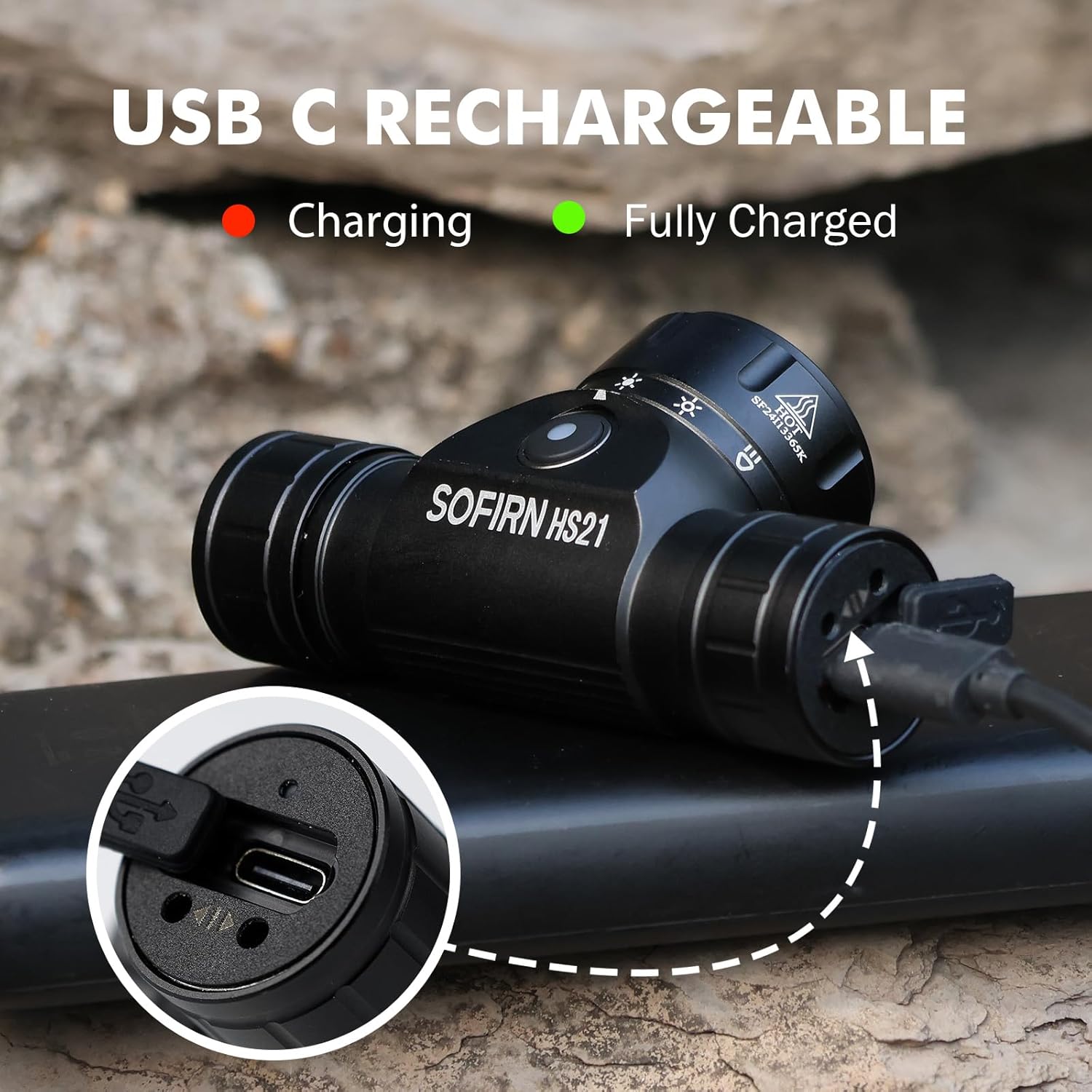
Image 4: Sofirn HS21 Headlamp connected to a USB-C charging cable, showing the charging indicator light.
For D25S:
- Unscrew the head of the D25S headlamp to reveal the hidden USB-C charging port.
- Connect the provided USB-C cable to the headlamp and to a USB power source.
- The indicator light will show red during charging and turn green when fully charged.
- After charging, screw the head back on tightly to ensure water resistance.

Image 5: Sofirn D25S Headlamp with its head unscrewed, revealing the built-in USB-C charging port.
6. Instruccions de funcionament
6.1 Sofirn HS21 Headlamp Funcionament
The HS21 features a rotary switch for easy mode selection and a separate power button.
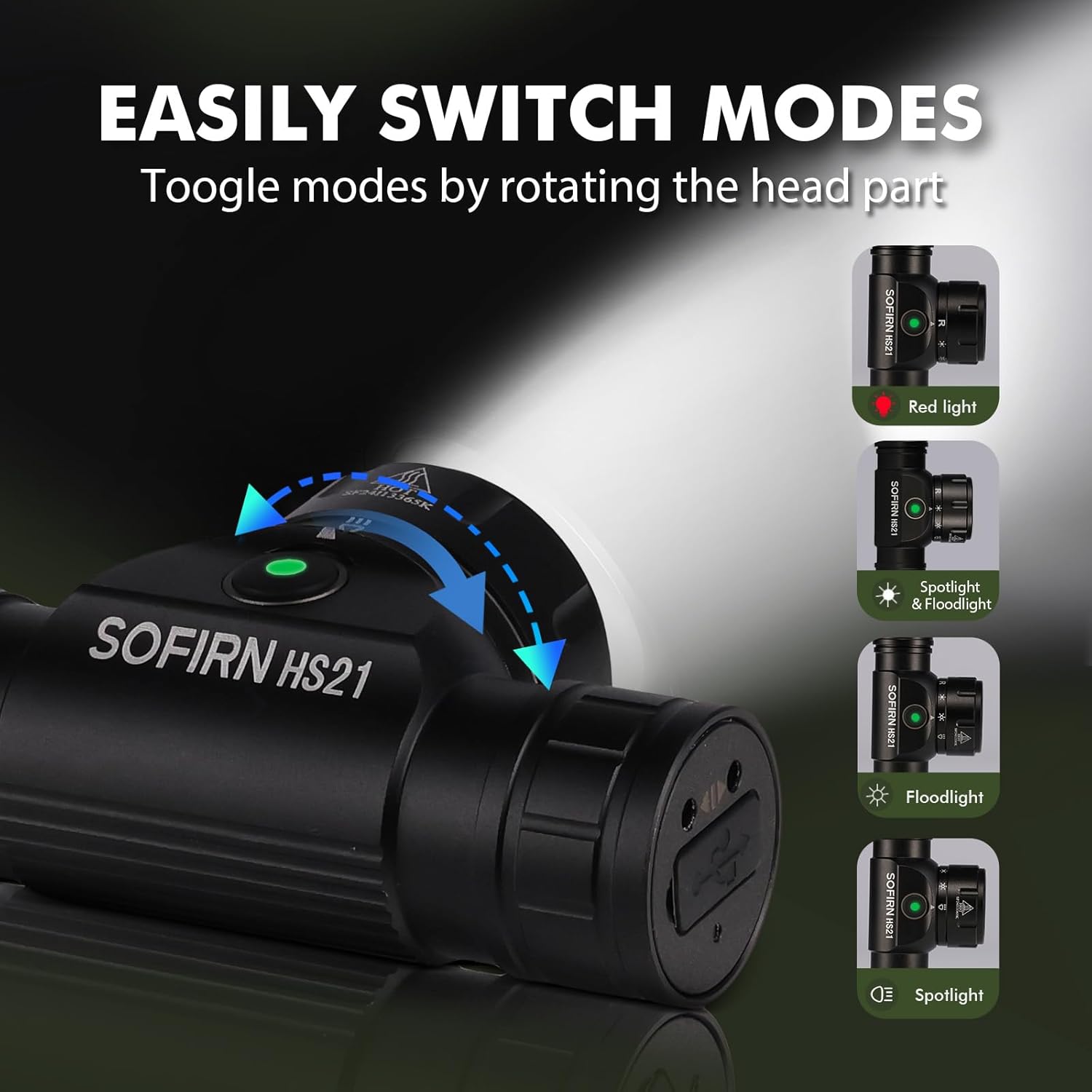
Image 6: Illustration of the Sofirn HS21's rotary switch mechanism for changing light modes.
- Encès/apagat: Premeu el botó d'engegada una vegada per girar el capçalamp encès o apagat.
- Selecció del mode: Rotate the head part of the headlamp to cycle through the main light modes: Red Light, Spotlight, Floodlight, and Spotlight + Floodlight (combined).
- Ajust de brillantor: While a mode is active, press and hold the power button to cycle through brightness levels (Low, Medium, High). Release the button at your desired brightness.
- Red Light Activation: Rotate to the red light setting. Press and hold the power button for additional red light modes (e.g., red strobe, red beacon).
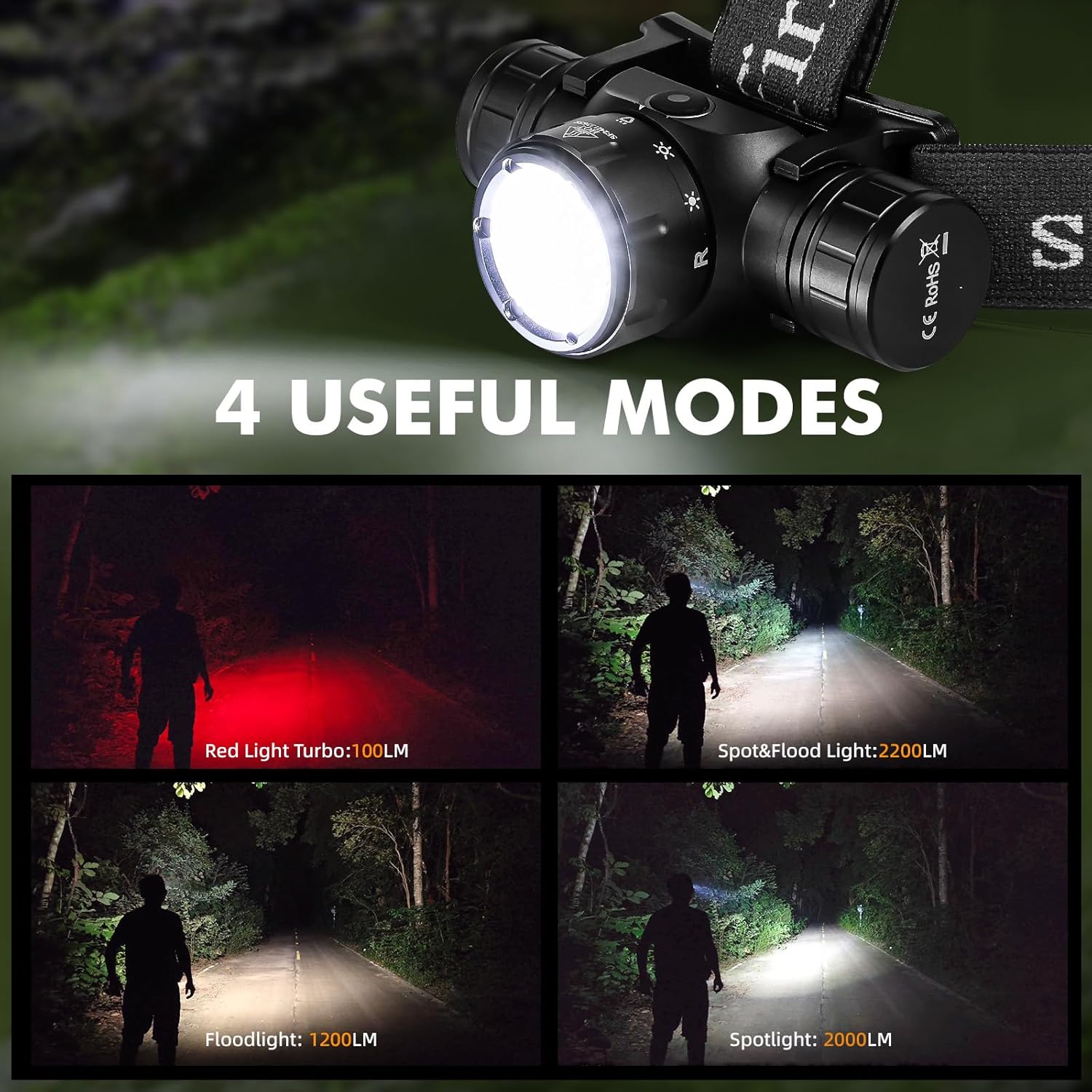
Image 7: The Sofirn HS21 headlamp displaying its four primary light modes: Red Light, Spot & Flood, Floodlight, and Spotlight.
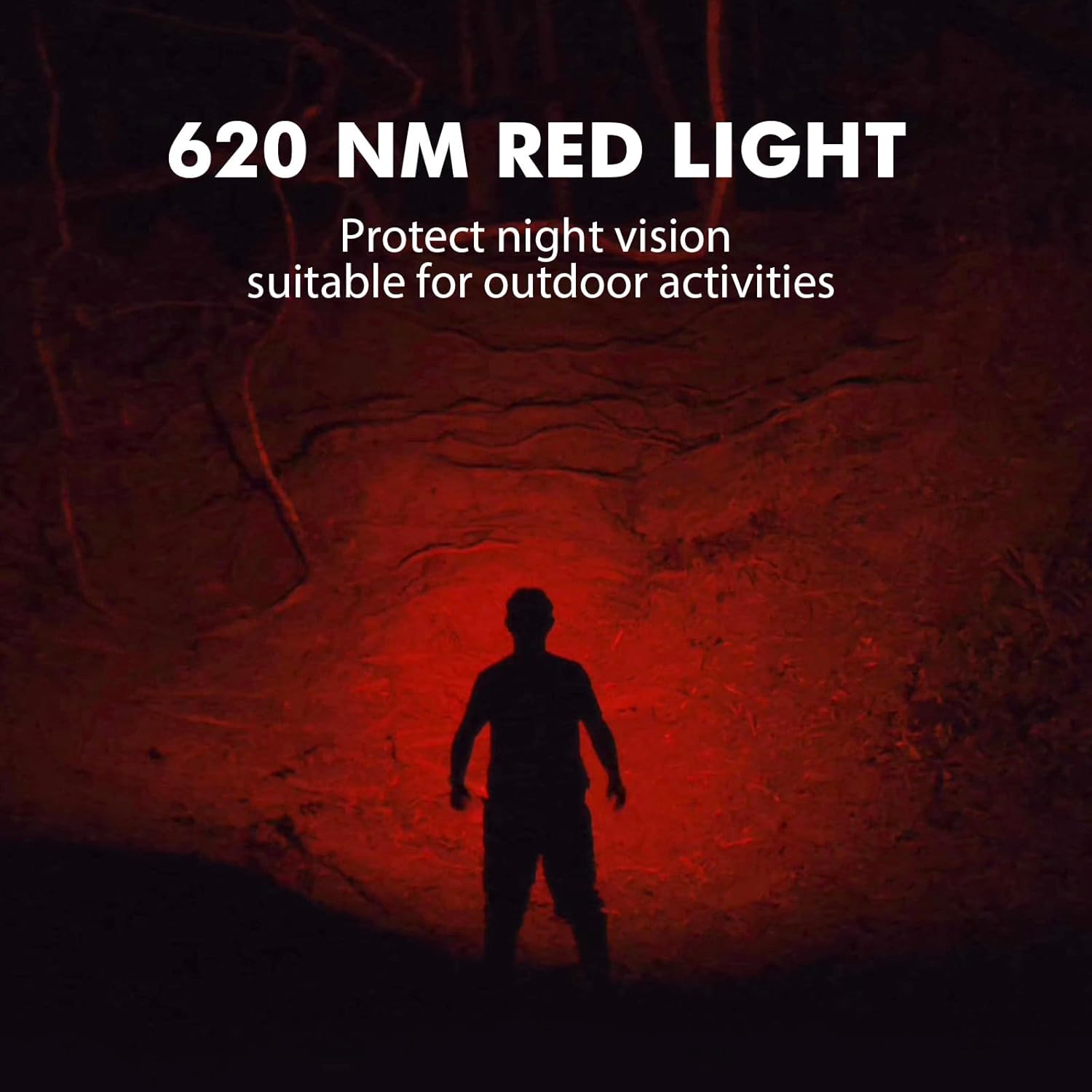
Image 8: The Sofirn HS21 headlamp emitting a 620 NM red light, suitable for preserving night vision.
6.2 Sofirn D25S Headlamp Funcionament
The D25S operates with a single button interface.
- Encès/apagat: Press the button once to turn the headlamp encès o apagat.
- Ciclisme en mode: Mentre el capamp is on, press and hold the button to cycle through brightness modes: Low → Medium 1 → Medium 2 → High. Release the button at your desired mode.
- Mode turbo: From any mode, double-click the button to activate Turbo mode. Double-click again to return to the previous mode.
- Funció de memòria: The D25S will remember the last used brightness level (excluding Turbo) and turn on in that mode.
7. Manteniment
- Neteja: Netegeu el capamp amb un suau, damp tela. No utilitzeu netejadors abrasius ni dissolvents.
- juntes tòriques: Periodically check and lubricate the O-rings with silicone grease to maintain water resistance. Replace damaged O-rings.
- Cura de la bateria: Si el capamp will not be used for an extended period, remove the battery to prevent leakage. Recharge batteries regularly to prolong their lifespan.
- Emmagatzematge: Guardeu el capamp en un lloc fresc i sec, lluny de la llum solar directa.
8. Solució De Problemes
| Problema | Causa possible | Solució |
|---|---|---|
| Capamp no s'encén | Low battery; Battery incorrectly installed; Loose tail cap; Faulty battery. | Charge battery; Reinstall battery with correct polarity; Tighten tail cap; Replace battery. |
| La sortida de llum és tènue | Low battery; Lens is dirty. | Charge battery; Clean the lens. |
| La càrrega no funciona | Cable not connected properly; Faulty cable or power source; Charging port obstructed. | Ensure secure connection; Try a different cable/power source; Clean charging port. |
| Entrada d’aigua | O-rings damaged or missing; Tail cap/charging port cover not sealed properly. | Check and replace O-rings; Ensure all caps are tightly sealed. |
9. Especificacions
9.1 Sofirn HS21 Headlamp
| Característica | Detall |
|---|---|
| Font de llum | LED (Spotlight, Floodlight, Red Light) |
| Sortida màxima | 2200 Lumens (Spotlight + Floodlight) |
| Longitud d'ona de la llum vermella | 620 NM |
| Tipus de canvi | Rotary Switch + Push Button |
| Carregant | USB-C recarregable |
| Rotació | Ajustable 130° |
| Dimensions | 3.4 x 1.8 x 1.4 polzades |
| Pes | 0.3 lliures (inclosa la bateria) |
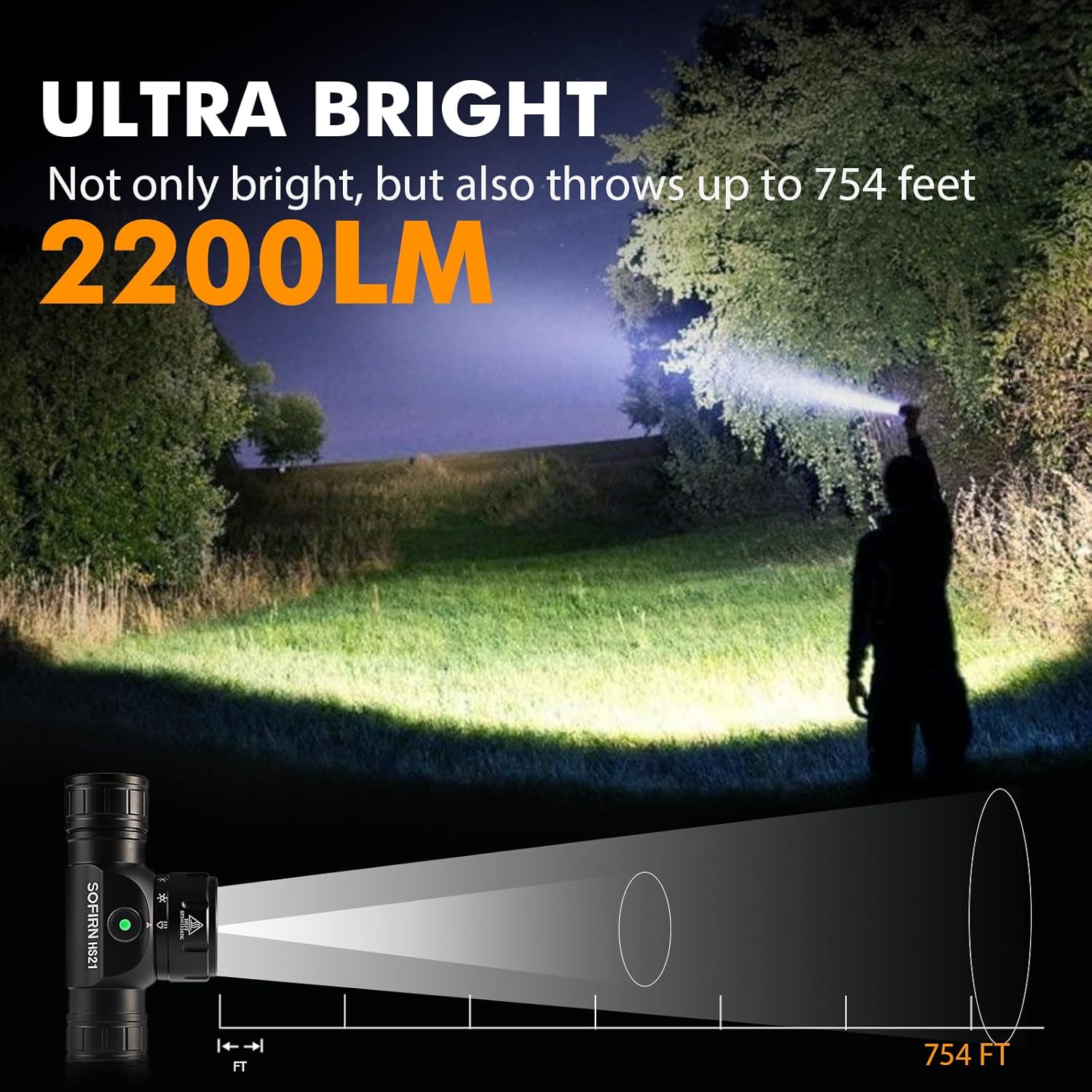
Image 9: The Sofirn HS21 headlamp demonstrating its ultra-bright output and beam distance of up to 754 feet.
9.2 Sofirn D25S Headlamp
| Característica | Detall |
|---|---|
| Font de llum | SST40 LED |
| Sortida màxima | 1200 lúmens |
| Modes | Low, Medium 1, Medium 2, High, Turbo |
| Carregant | Hidden USB-C Rechargeable |
| Característiques especials | Mode de memòria |
10. Garantia i Suport
Sofirn products are covered by a limited warranty. For specific warranty details, please refer to the warranty card included with your product or visit the official Sofirn website. For technical support, troubleshooting assistance, or warranty claims, please contact Sofirn customer service through the retailer where you purchased the product or via the contact information provided on the official Sofirn weblloc.