
1. Introducció
This manual provides essential information for the safe and efficient use of your DOOGEE S200 Ultra Rugged Phone. Please read it thoroughly before operating your device. The DOOGEE S200 Ultra is designed for durability and high performance, featuring a 5G-enabled MediaTek Dimensity 7400 processor, 48GB RAM, 1TB storage, an 11000mAh battery, and a versatile AI quad-camera system.
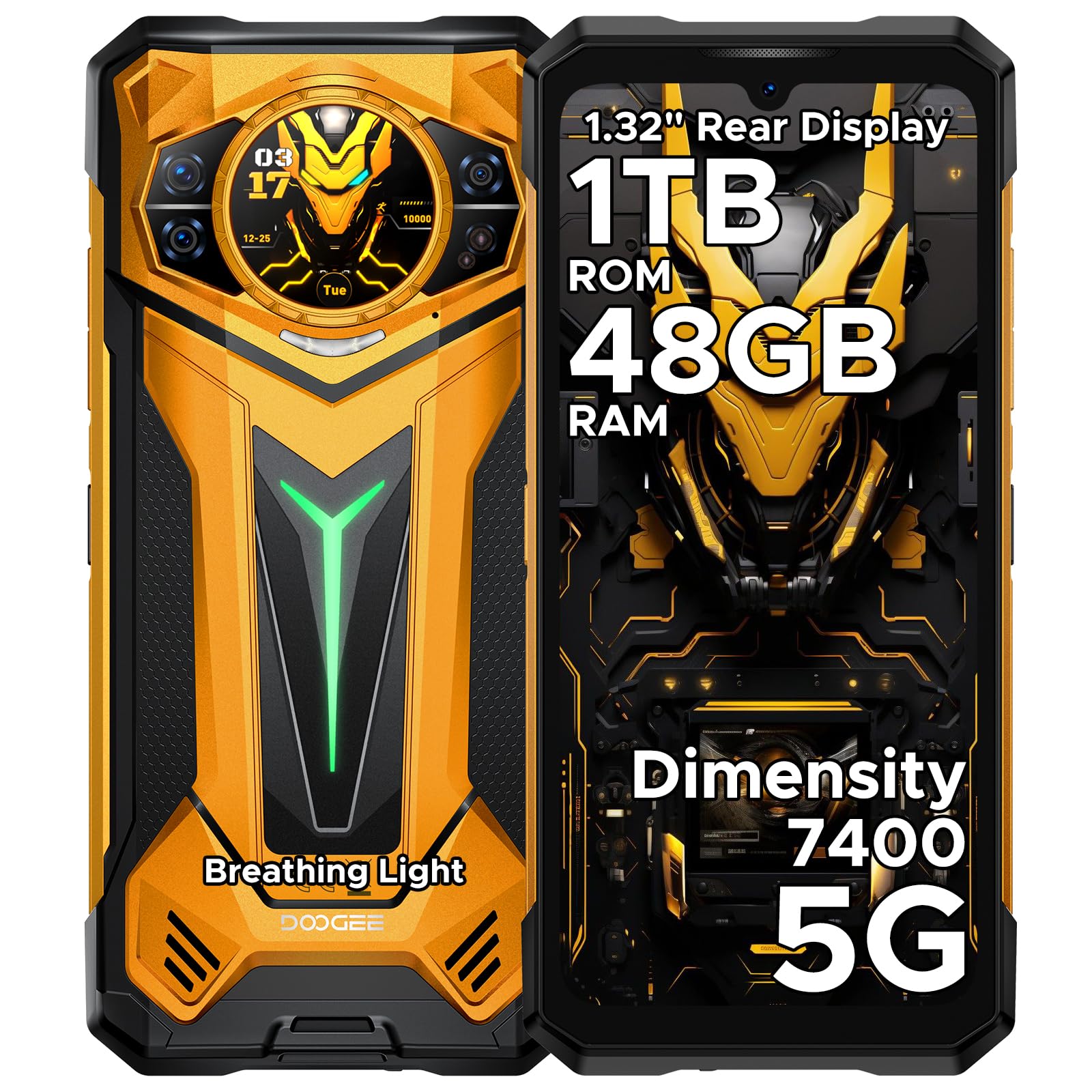
Figura 1: Davant i darrere view of the DOOGEE S200 Ultra Rugged Phone.
Vídeo 1: Acabatview of the DOOGEE S200 Ultra Rugged Phone features.
2. Configuració
2.1 Desembalatge i inspecció inicial
Upon receiving your DOOGEE S200 Ultra, carefully unbox all components. Verify that the package contains the phone, charger, Type-C cable, protective film, anti-explosion film, user manual, and service card. Inspect the device for any visible damage.
Video 2: Unboxing the DOOGEE S200 Ultra, showing included accessories.
2.2 Instal·lació de la targeta SIM
- Localitza la safata de la targeta SIM al lateral del telèfon.
- Feu servir l'eina d'expulsió de la SIM proporcionada per obrir la safata.
- Carefully place your Nano-SIM cards (up to two) and/or a microSD card into the designated slots. Ensure correct orientation.
- Empenyeu suaument la safata cap a dins del telèfon fins que quedi alineada amb la carcassa del dispositiu.

Figure 2: The DOOGEE S200 Ultra, illustrating the location of the SIM card tray.
2.3 Càrrega inicial i engegada
- Connect the Type-C cable to the phone's charging port and the 66W power adapter. Plug the adapter into a wall outlet.
- Allow the phone to charge until the battery indicator shows a sufficient charge, or fully charge it before first use.
- To power on, press and hold the Power button (located on the side) until the DOOGEE logo appears on the screen.
- Segueix les instruccions que apareixen a la pantalla per completar la configuració inicial, inclosa la selecció d'idioma, la connexió Wi-Fi i la configuració del compte de Google.

Figure 3: The DOOGEE S200 Ultra connected to its 66W fast charger, highlighting its 11000mAh battery.
3. Instruccions de funcionament
3.1 Main Display (6.72" FHD+ 120Hz IPS)
The 6.72-inch FHD+ IPS display offers a 120Hz refresh rate for smooth visuals. Navigate the Android 15 interface using touch gestures: tap to select, swipe to scroll, pinch to zoom. Customize your home screen with widgets and app shortcuts.

Figure 4: The 6.72-inch FHD+ 120Hz IPS main display of the DOOGEE S200 Ultra.
3.2 Secondary Display (1.32" AMOLED 60Hz)
The circular 1.32-inch AMOLED rear display provides quick access to information without activating the main screen. It can show the time, notifications, music controls, and a compass. Customize its appearance with dynamic watch dials.

Figure 5: The 1.32-inch AMOLED 60Hz secondary display on the rear of the DOOGEE S200 Ultra.
Sistema de 3.3 càmeres
The DOOGEE S200 Ultra features an AI Quad Camera system:
- Càmera principal de 100MP: Per a fotos d'alta resolució.
- Càmera frontal de 32MP: Per a selfies i videotrucades.
- Càmera de visió nocturna de 20MP: Captures clear images in low-light or total darkness.
- Càmera macro de 2MP: Per a primers plans detallats.
The camera supports various modes including AI imaging, EIS (Electronic Image Stabilization), and an underwater mode. It also supports Ultra-Clear 4K video recording.

Figura 6: Mésview of the DOOGEE S200 Ultra's quad-camera system.

Figure 7: The DOOGEE S200 Ultra's capability for Ultra-Clear 4K video recording.
3.4 Biometric Security and Toolbox
Unlock your phone using the side-mounted fingerprint sensor or face recognition. The fingerprint sensor can also be configured for quick access to specific functions. The device includes a practical software toolbox with tools like a compass, sound meter, and plumb bob.

Figure 8: The DOOGEE S200 Ultra's instant access to handy tools.
3.5 Connectivitat i rendiment
The S200 Ultra supports 5G cellular networks, Wi-Fi 6E, and Bluetooth 5.4 for fast and stable connections. It is powered by the MediaTek Dimensity 7400 4nm Octa-Core processor, ensuring smooth multitasking and gaming. The phone runs on Android 15 and integrates Gemini AI for enhanced smart features.

Figure 9: The MediaTek Dimensity 7400 5G Octa-Core Chipset powering the DOOGEE S200 Ultra.

Figure 10: The DOOGEE S200 Ultra's large memory configuration: 48GB RAM and 1TB ROM.

Figure 11: Key features of the Android 15 OS on the DOOGEE S200 Ultra.
4. Manteniment
4.1 Rugged Durability
The DOOGEE S200 Ultra is built to withstand harsh environments, meeting IP68, IP69K, and MIL-STD-810H standards. This means it is waterproof, dustproof, and shockproof. While designed for durability, avoid intentional abuse to prolong its lifespan.

Figure 12: The DOOGEE S200 Ultra showcasing its rugged design in natural settings.

Figure 13: Visual representation of the DOOGEE S200 Ultra's resistance to water, drops, and dust.
4.2 Cura de la bateria
The 11000mAh silicon-negative battery provides extended usage. To maintain battery health:
- Use only the official 66W charger and cable.
- Eviteu temperatures extremes.
- No descarregueu completament la bateria regularment.
- The phone supports 10W reverse charging via OTG, allowing it to act as a power bank for other devices.
5. Solució De Problemes
If you encounter issues with your DOOGEE S200 Ultra, try the following common solutions:
- El dispositiu no s'encén: Assegureu-vos que la bateria estigui carregada. Connecteu-la al carregador durant almenys 15 minuts abans d'intentar tornar-la a encendre.
- Pantalla congelada o no respon: Premeu i manteniu premut el botó d'engegada durant uns 10-15 segons per forçar un reinici.
- Problemes de connectivitat de xarxa: Check if your SIM card is properly inserted. Toggle Airplane Mode on and off. Restart the phone. Verify network settings.
- La bateria s'esgota ràpidament: Reduce screen brightness, close unused apps, disable unnecessary background processes, and check for app updates.
- Les aplicacions es bloquegen: Esborra la memòria cau i les dades de l'aplicació a Configuració > Aplicacions. Si el problema persisteix, torna a instal·lar l'aplicació.
- Restabliment de fàbrica: As a last resort, if software issues persist, you may perform a factory reset. Go to Settings > System > Reset options > Erase all data (factory reset). Avís: Això esborrarà totes les dades del telèfon. Fes una còpia de seguretat de les dades importants abans de continuar.
6. Especificacions
| Característica | Especificació |
|---|---|
| Marca | DOOGEE |
| Nom del model | S200 Ultra |
| Sistema operatiu | Android 15 |
| Model de CPU | Mediatek Dimensity 7400 |
| Mida instal·lada de la memòria RAM | 48 GB (12 GB físic + 36 GB ampliat) |
| Emmagatzematge intern | 1 TB |
| Mida de la pantalla | 6.72 polzades |
| Resolució | 1080 x 2400 (FHD+) |
| Freqüència d'actualització | 120 Hz |
| Pantalla posterior | 1.32" AMOLED 60Hz |
| Càmera principal | 100 MP |
| Càmera frontal | 32 MP |
| Càmera de visió nocturna | 20 MP |
| Càmera macro | 2 MP |
| Capacitat de la bateria | 11000 mAh |
| Càrrega ràpida | 66W |
| Càrrega inversa | 10W |
| Nivell de resistència a l'aigua | IP68, IP69K, MIL-STD-810H |
| Operador sense fil | Desbloquejat per a tots els transportistes |
| Tecnologia de connectivitat | 5G, WiFi 6E, Bluetooth 5.4 |
| Nombre de ranures per a targetes SIM | Doble SIM |
| Funció de seguretat biomètrica | Reconeixement d'empremtes dactilars, reconeixement facial |
7. Garantia i Suport
Your DOOGEE S200 Ultra Rugged Phone comes with a limited manufacturer's warranty. Please refer to the included service card for specific warranty terms and conditions. For technical support, troubleshooting assistance, or warranty claims, please contact DOOGEE customer service through their official weblloc web o la informació de contacte que es proporciona a l'embalatge del producte.