
ARCTIC ACFRE00184A
ARCTIC Liquid Freezer III Pro 360 A-RGB CPU Cooler Instruction Manual
Model: ACFRE00184A
Introducció
This manual provides comprehensive instructions for the installation, operation, and maintenance of your ARCTIC Liquid Freezer III Pro 360 A-RGB CPU Cooler. Please read this manual thoroughly before installation to ensure optimal performance and longevity of your system components.
The ARCTIC Liquid Freezer III Pro 360 A-RGB is an all-in-one (AIO) liquid cooling solution designed for high-performance CPUs, featuring a 360mm radiator, three 120mm A-RGB fans, a PWM pump, and an integrated VRM fan. It is compatible with AMD AM5/AM4 and Intel LGA1851/1700 sockets.
Què hi ha a la caixa
Verifiqueu que tots els components siguin presents abans de començar la instal·lació:
- 1 x Liquid Freezer 360 A-RGB (black) unit (pre-assembled with fans and pump)
- Intel LGA1851/1700 Contact Frame
- Mounting hardware for AMD AM5/AM4 and Intel LGA1851/1700
- Thermal paste (pre-applied or included tube)
- User Manual (digital access recommended)

Image: The ARCTIC Liquid Freezer III Pro 360 A-RGB CPU Cooler, showcasing the radiator with three A-RGB fans and the pump block with integrated VRM fan. This image represents the main unit included in the box.
Especificacions tècniques
| Característica | Detall |
|---|---|
| Número de model | ACFRE00184A |
| Dimensions del radiador | 15.67 x 4.72 x 2.6 polzades (398 x 120 x 66 mm) |
| Mida del ventilador | 3 x 120 mm (ARCTIC P12 Pro A-RGB) |
| Velocitat del ventilador | 400-3000 RPM (PWM controlled) |
| Capacitat de cabal d'aire | 77 CFM |
| Velocitat de la bomba | Fins a 2900 RPM |
| Ventilador VRM | Integrated, PWM controlled |
| Compatibilitat | AMD AM5/AM4, Intel LGA1851/1700 |
| Connector d'alimentació | 4-pins |
| Voltage | 12 Volts |
| Wattage | 3.96 watts |

Image: Diagram illustrating the dimensions of the ARCTIC Liquid Freezer III Pro 360 A-RGB radiator and fans, highlighting the 38mm radiator thickness and 63mm total height with fans. This is crucial for case compatibility.
Configuració i instal·lació
Before installation, ensure your PC case has sufficient clearance for the 360mm radiator and fans. The radiator is 38mm thick, and with fans, the total height is approximately 63mm.
1. Comprovacions prèvies a la instal·lació
- Compatibilitat de casos: Verify your case supports a 360mm radiator in the desired mounting location (top, front, or side).
- Compatibilitat de la placa base: Ensure your motherboard has the correct mounting holes for AMD AM5/AM4 or Intel LGA1851/1700.
- RAM/VRM Clearance: Check for potential interference with tall RAM modules or motherboard VRM heatsinks, especially with the integrated VRM fan on the pump block.

Image: Diagram illustrating the native offset mounting for AMD AM5 and Intel LGA1851/1700, showing how the cold plate is shifted towards the CPU hotspot for improved thermal transfer.
2. Muntatge del radiador i dels ventiladors
The fans are pre-installed on the radiator, and their PWM cables are integrated into the tubing sleeve for simplified cable management. This means only a single cable needs to be connected to your motherboard for fan and pump control.

Imatge: Una radiografia view of a PC case showing the ARCTIC Liquid Freezer III Pro 360 A-RGB installed, highlighting the pre-installed fans and integrated cable management within the tubing.
3. Installing the CPU Block
The cooler utilizes a leaf spring mounting system for optimal contact pressure. For Intel LGA1851/1700, use the included contact frame to ensure even pressure distribution and better heat dissipation. Follow the specific instructions provided in the online manual for your CPU socket type.
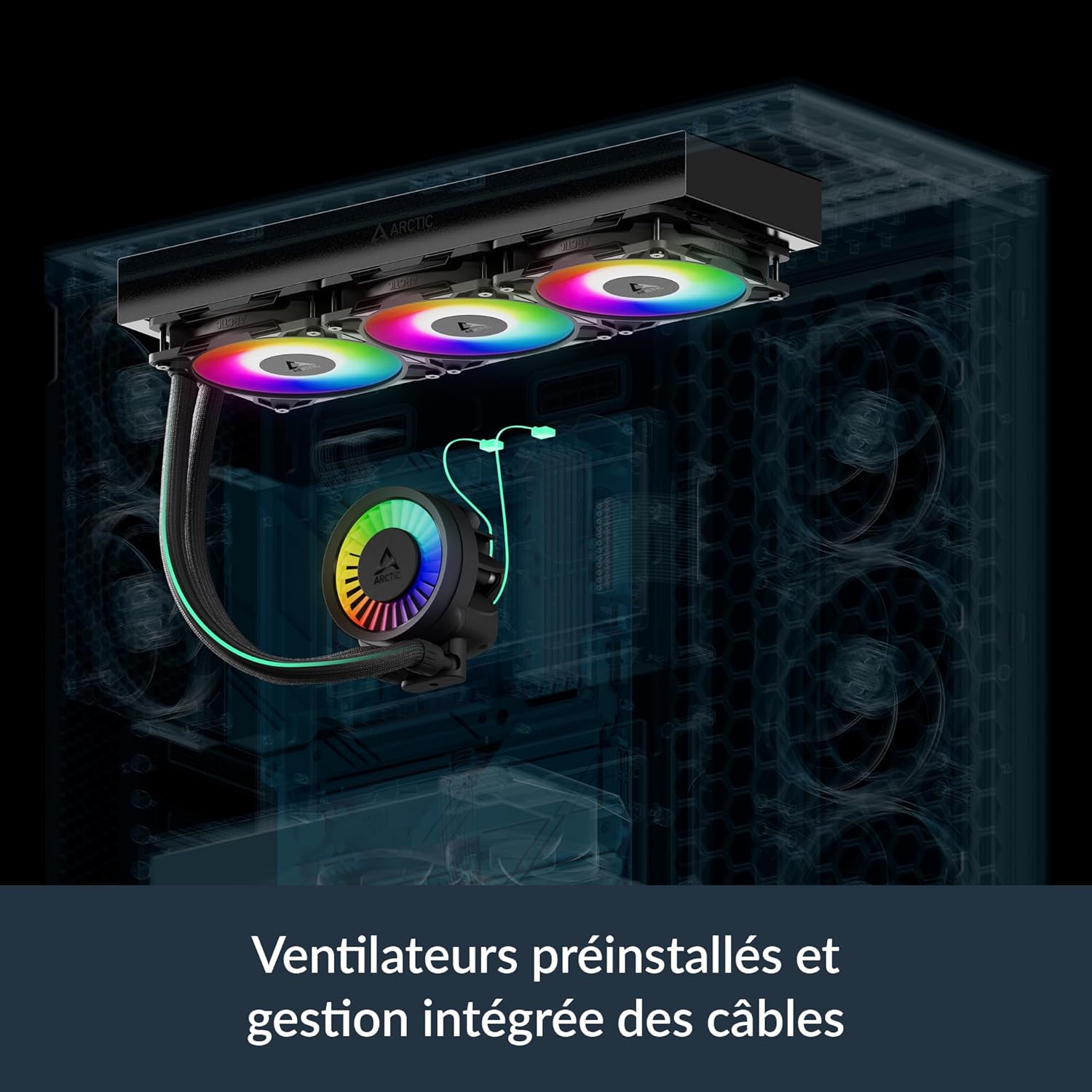
Image: Close-up comparison of an Intel LGA1851/1700 socket with and without the ARCTIC contact frame installed, demonstrating how the frame helps optimize contact pressure for the CPU cooler.
4. Connexions de cable
Connect the single integrated cable from the cooler to the appropriate PWM header on your motherboard. For A-RGB lighting, connect the A-RGB cable to a compatible 3-pin 5V A-RGB header on your motherboard. Ensure correct polarity to avoid damage.
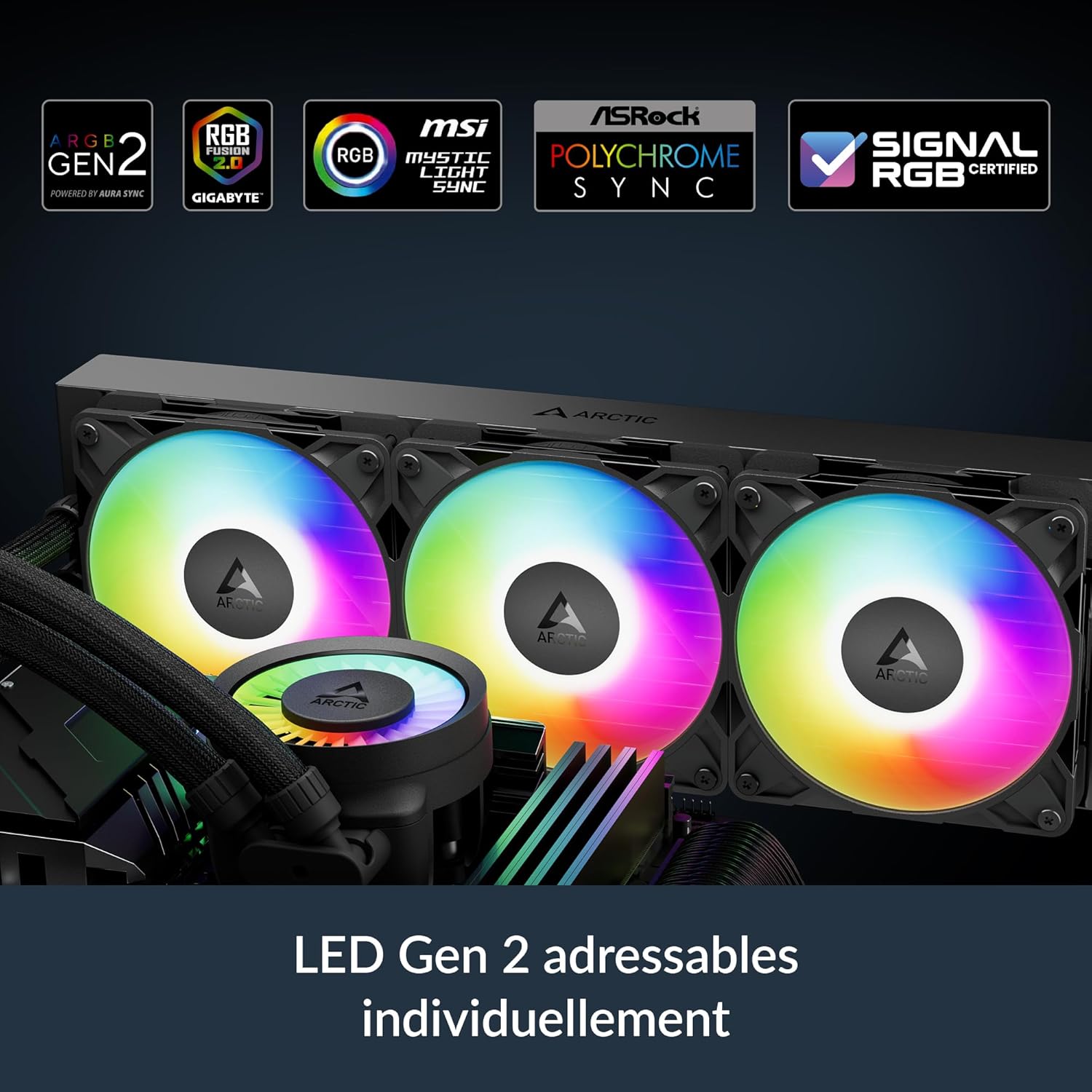
Image: Diagram showing the different cable connection options for the ARCTIC Liquid Freezer III Pro 360 A-RGB, including separate connections for VRM fan, radiator fans, and pump, or a single "All-In-One" cable for simplified setup.
Operating the Cooler
The ARCTIC Liquid Freezer III Pro 360 A-RGB is designed for automatic operation via PWM control. The pump, radiator fans, and integrated VRM fan adjust their speeds based on CPU temperature, ensuring optimal cooling performance while minimizing noise.
Control PWM
The PWM (Pulse Width Modulation) signal from your motherboard controls the speed of the pump and fans. This allows for dynamic adjustment of cooling performance based on the thermal load of your CPU. You can typically configure fan curves in your motherboard's BIOS/UEFI settings or through manufacturer-provided software.
A-RGB Lighting
The A-RGB lighting on the fans and pump cap can be synchronized with compatible motherboard software (e.g., ASUS Aura Sync, GIGABYTE RGB Fusion 2.0, MSI Mystic Light Sync, ASRock Polychrome Sync). This allows for customization of lighting effects and colors to match your system's aesthetic.

Image: Logos of various motherboard RGB synchronization technologies (ARGB Gen2, RGB Fusion 2.0, MSI Mystic Light Sync, ASRock Polychrome Sync, SignalRGB Certified), indicating compatibility of the ARCTIC Liquid Freezer III Pro 360 A-RGB lighting.
VRM Cooling
The integrated PWM-controlled VRM fan actively cools the voltage regulator modules on your motherboard, which is crucial for maintaining stability and performance, especially with high-power CPUs. This feature helps prevent thermal throttling of your motherboard's power delivery system.

Image: Bar chart comparing VRM temperatures with Liquid Freezer III Pro, Liquid Freezer II, and without active ventilation, demonstrating the significant temperature reduction provided by the integrated VRM fan.
Manteniment
Un manteniment regular garanteix la longevitat i el rendiment òptim del vostre refrigerador de líquid.
Neteja de la pols
Periodically inspect the radiator fins and fan blades for dust accumulation. Use compressed air or a soft brush to gently remove dust. Ensure the fans are not spinning rapidly during cleaning to prevent damage to their bearings.
Coolant Check (Not User Serviceable)
The ARCTIC Liquid Freezer III Pro 360 A-RGB is a closed-loop AIO system and does not require coolant refills or maintenance. The coolant is factory-sealed and designed to last the lifetime of the product. Do not attempt to open the loop, as this will void the warranty and may cause damage.
Reaplicació de pasta tèrmica
While the cooler comes with pre-applied thermal paste, if you ever need to remove and re-install the CPU block (e.g., for CPU upgrade or troubleshooting), it is recommended to clean off the old thermal paste from both the CPU IHS and the cold plate, and apply a fresh layer of high-quality thermal paste.
Resolució de problemes
Problemes comuns i les seves possibles solucions:
- Sense il·luminació RGB:
- Check if the A-RGB cable is securely connected to the motherboard's 3-pin 5V A-RGB header.
- Assegureu-vos que el programari RGB de la placa base estigui instal·lat i configurat correctament.
- Verify that the A-RGB header is enabled in your motherboard's BIOS/UEFI.
- Els ventiladors no giren/la bomba no funciona:
- Confirm the main PWM cable from the cooler is properly connected to the CPU_FAN or AIO_PUMP header on the motherboard.
- Check BIOS/UEFI settings to ensure the fan/pump header is configured for PWM control and not set to a fixed low speed or disabled.
- Ensure adequate power supply to the motherboard.
- Temperatures altes de la CPU:
- Verify the CPU block is securely mounted and making good contact with the CPU. Re-seat if necessary, reapplying thermal paste.
- Check for proper airflow within your PC case. Ensure radiator fans are oriented correctly (intake/exhaust).
- Monitor pump and fan speeds via motherboard software to ensure they are operating at appropriate RPMs under load.
- Ensure the radiator fins are free of dust and obstructions.
- Unusual Noise from Cooler:
- Check for loose fan screws or vibrations.
- Ensure tubing is not kinked or obstructing airflow.
- If a gurgling sound persists after initial setup, gently tilt your PC case to help trapped air bubbles move to the radiator.
Garantia i Suport
ARCTIC products are known for their reliability and come with a manufacturer's warranty. For specific warranty terms and conditions, please refer to the official ARCTIC website or the documentation provided with your purchase. Keep your proof of purchase for warranty claims.
For technical support, troubleshooting assistance beyond this manual, or warranty inquiries, please visit the official ARCTIC support page:
Ask a question about this manual
Ask about setup, troubleshooting, compatibility, parts, safety, or missing instructions. Manuals+ will review the question and use this page’s manual context to help answer it.