
MUDDY Mitigator 2.0
MUDDY Mitigator 2.0 24MP Cellular Camera User Manual
Model: Mitigator 2.0
Introducció
This manual provides detailed instructions for the setup, operation, maintenance, and troubleshooting of your MUDDY Mitigator 2.0 24MP Cellular Camera. Please read this manual thoroughly before using your camera to ensure optimal performance and longevity. Keep this manual for future reference.

Image: The MUDDY Mitigator 2.0 Cellular Camera bundle, showcasing multiple cameras, batteries, and SD cards.
1. Configuració
1.1. Unboxing i Inspecció Inicial
Carefully remove all components from the packaging. Verify that all items are present: MUDDY Mitigator 2.0 camera(s), 16 AA batteries per camera, and 2 SD cards per camera. Inspect each camera for any visible damage.
1.2. Instal·lació de la bateria
The Mitigator 2.0 camera requires 8 AA batteries. For best performance, use high-quality alkaline or lithium batteries.
- Open the camera's battery compartment, typically located on the back or bottom.
- Insert 8 AA batteries into the 8-piece battery tray, ensuring correct polarity (+/-) as indicated inside the compartment.
- Tanqueu de manera segura la porta del compartiment de la bateria.

Image: A single MUDDY Mitigator 2.0 camera shown with AA batteries and an SD card, illustrating their placement.
1.3. Instal·lació de la targeta SD
The camera supports standard SD cards. Two SD cards are included with your camera bundle.
- Locate the SD card slot, usually on the side or inside the camera.
- Insert an SD card into the slot with the metal contacts facing the correct direction until it clicks into place.
- Assegureu-vos que la targeta SD no estigui protegida contra escriptura.
1.4. Instal·lació de la targeta SIM
As a cellular camera, the Mitigator 2.0 requires a compatible SIM card for cellular data transmission. A SIM card is typically provided by your cellular service provider.
- Locate the SIM card slot, often near the SD card slot or within the battery compartment.
- Insert the activated SIM card into the slot, ensuring correct orientation.
- Close any covers securely.
1.5. Muntatge de la càmera
The Mitigator 2.0 offers versatile mounting options:
- Integrated Multi-Position Mount: Use the built-in strap or bracket to secure the camera to a tree or post.
- 1/4-20 Threaded Insert: Attach the camera to a tripod or other compatible mounting accessories using the standard threaded insert.
- Python Cable Provision: For added security, a python cable can be threaded through the designated provision to deter theft.

Image: A person installing a MUDDY Mitigator 2.0 cellular camera on a tree using a strap, demonstrating a common mounting method.
1.6. Engegada i configuració inicial
After installing batteries and cards:
- Gireu l'interruptor d'alimentació de la càmera a la posició "ON".
- The camera will typically display a startup sequence. Follow any on-screen prompts for initial date, time, and basic settings.
- Ensure the cellular antenna is properly attached and oriented for optimal signal reception.
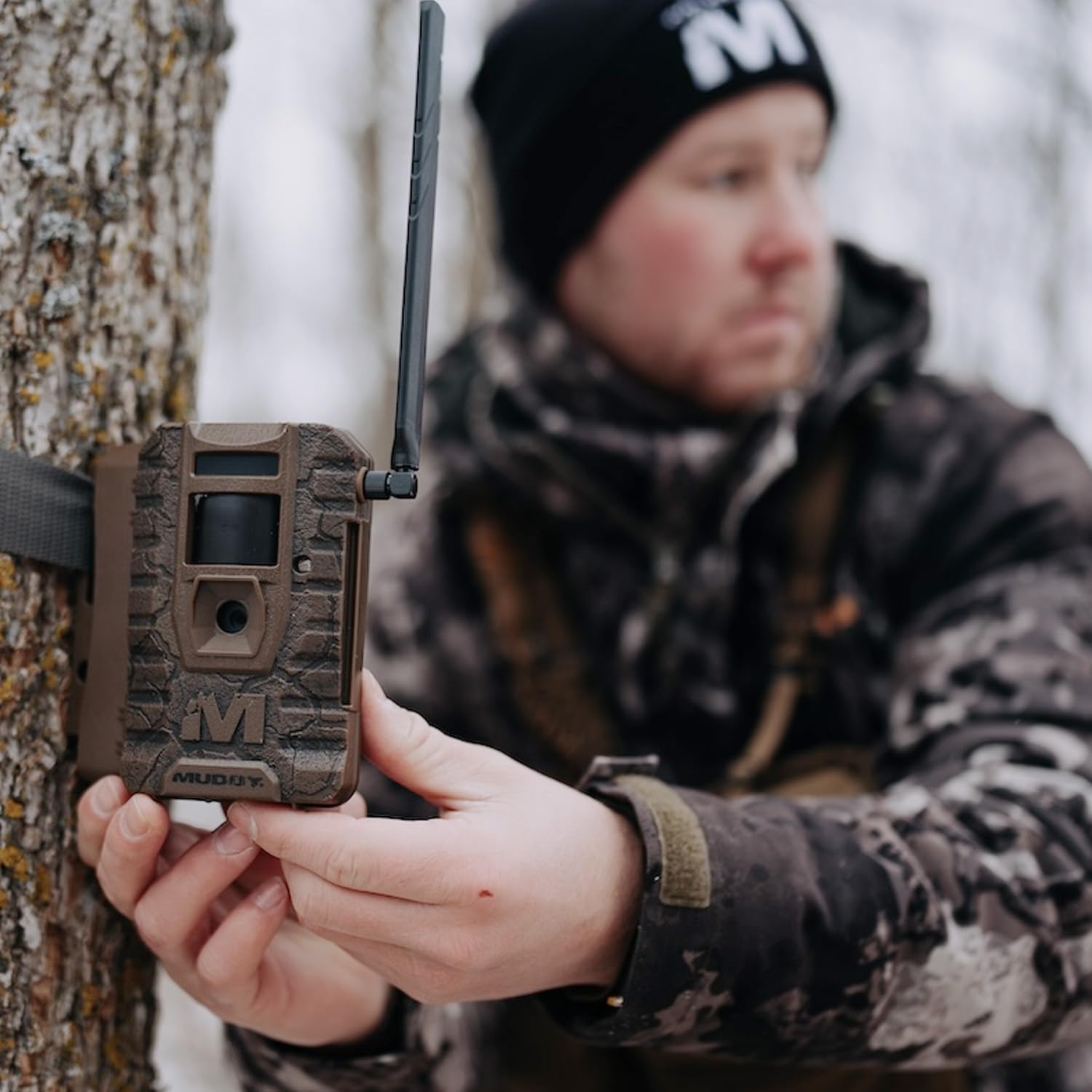
Image: A person holding the MUDDY Mitigator 2.0 camera, highlighting its compact design and external antenna.
1.7. Command Pro App Connection
The Mitigator 2.0 is compatible with the Command Pro App for remote control and monitoring.
- Download the Command Pro App from your device's app store.
- Create an account and follow the in-app instructions to add your camera. This usually involves scanning a QR code on the camera or entering its serial number.
- Once connected, you can manage settings and view captured media remotely.
2. Operating Your Mitigator 2.0 Camera
2.1. Understanding Camera Modes
The camera typically operates in various modes:
- Mode de fotografia: Captura imatges fixes quan s'activa.
- Mode de vídeo: Grava clips de vídeo quan s'activa.
- Mode foto + vídeo: Captures a still image followed by a video clip when triggered.
2.2. Configuració de fotos i vídeos
Customize your camera's performance through its settings:
- Resolució fotogràfica: Selectable between 4MP, 8MP, 16MP, or 20MP. The default is 24MP.
- Resolució de vídeo: Records in 720p.
- Velocitat d'activació: Fast 0.5-second trigger speed for quick capture.
- Mode de ràfega de fotos: Capture 1-3 photos in rapid succession per trigger event.
- Time-Out Delay: Customizable delay between triggers, from 2 to 59 seconds or 1 to 59 minutes.

Image: An infographic highlighting key features of the MUDDY Mitigator 2.0 camera, including 24MP resolution, 80ft detection, <0.5s trigger speed, and 80ft flash range.
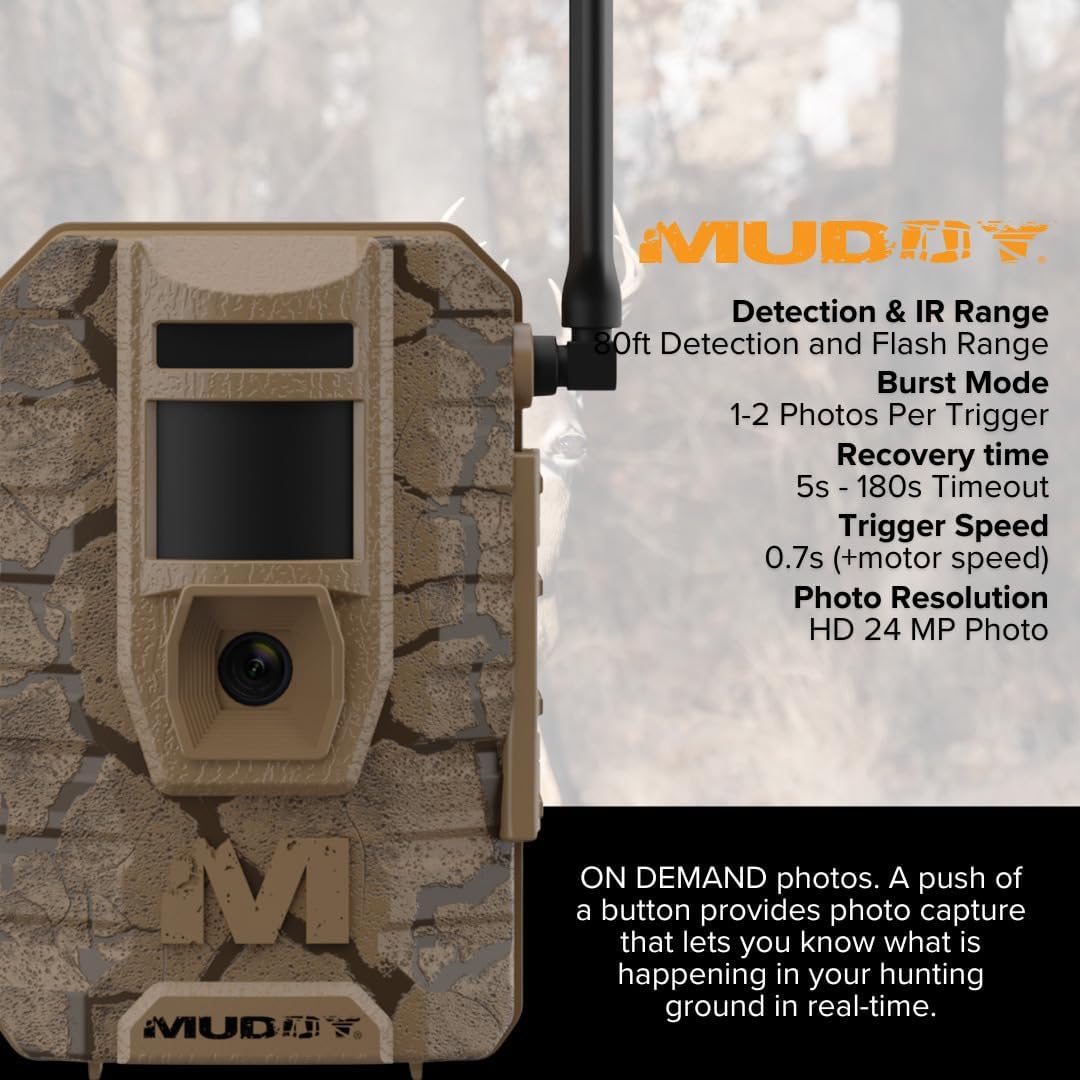
Imatge: Una altra view of the MUDDY Mitigator 2.0 camera with an overlay of detailed specifications such as detection range, burst mode, recovery time, trigger speed, and photo resolution.
2.3. Detection and Flash Range
The camera features an 80-foot detection range and an 80-foot flash range, ensuring effective coverage for monitoring wildlife or property.
2.4. Remote Management via Command Pro App
The Command Pro App allows for convenient remote control:
- Photo and Video On Demand: Request and receive photos or videos from your camera in real-time.
- Ajust de configuració: Modify camera settings remotely without physically accessing the camera.
- Seguiment de l'estat: Check battery life, SD card space, and cellular signal strength.
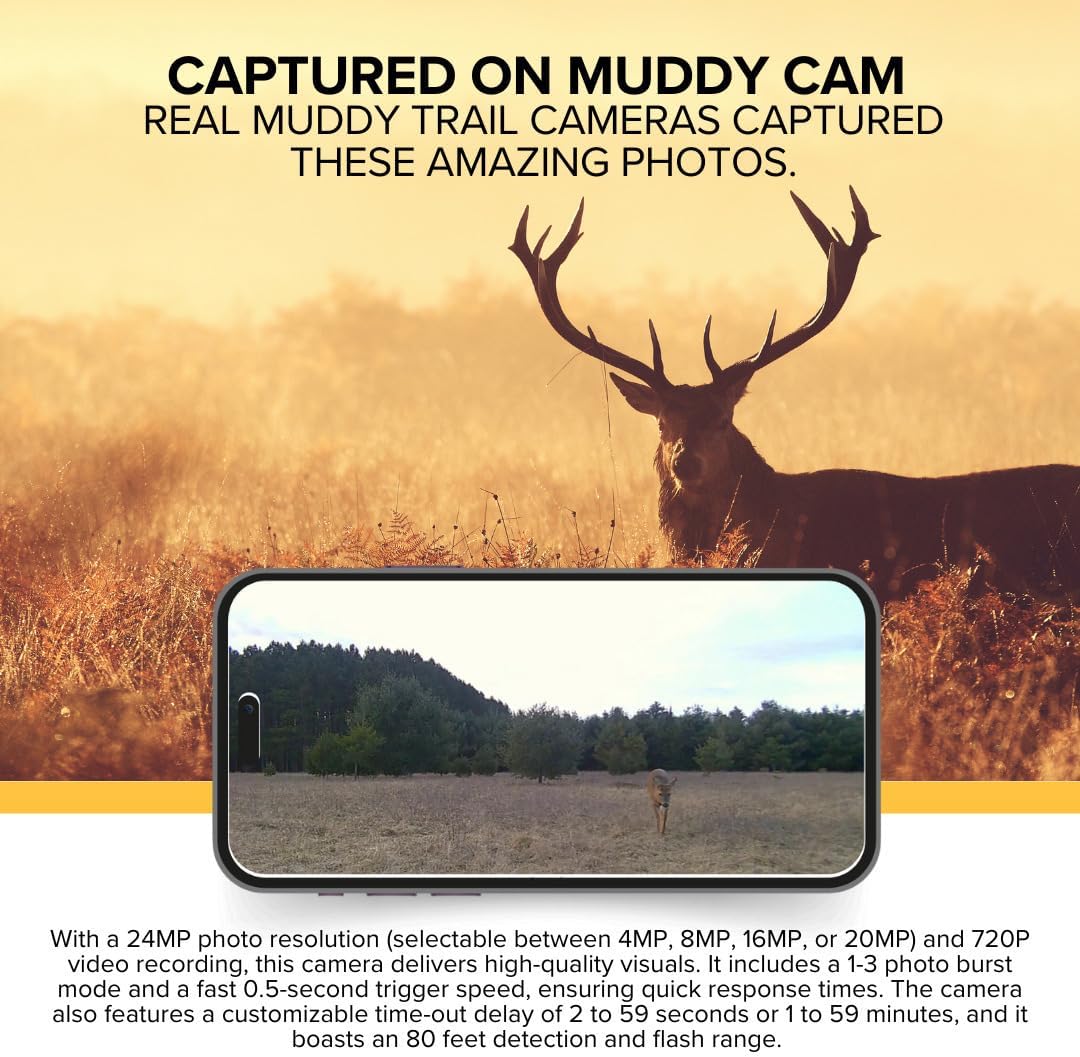
Image: A smartphone screen displaying images captured by a MUDDY trail camera, demonstrating the quality of photos and the app's viewcapacitat d'ing.
3. Manteniment
3.1. Gestió de la bateria
Regularly check battery levels via the Command Pro App or the camera's display. Replace all 8 AA batteries simultaneously to ensure consistent power. For extended power, a 12V DC auxiliary jack is available for external power packs.
3.2. Gestió de targetes SD
Periodically check the remaining storage on your SD card. Format the SD card regularly (after backing up important data) to maintain optimal performance and prevent data corruption. Replace full SD cards as needed.
3.3. Neteja de la càmera
Use a soft, dry cloth to clean the camera's lens, sensors, and housing. Avoid abrasive cleaners or solvents. Ensure the camera is off and battery compartment is sealed before cleaning.
3.4. Actualitzacions de firmware
Check the MUDDY website or Command Pro App periodically for available firmware updates. Firmware updates can improve camera performance, add new features, or fix bugs. Follow the provided instructions carefully when performing updates.
4. Solució De Problemes
- La càmera no s'encén:
Ensure batteries are correctly installed with proper polarity and are not depleted. Check if the power switch is fully in the 'ON' position. - No s'han capturat fotos/vídeos:
Verify the SD card is inserted correctly and not full or write-protected. Check camera settings for trigger delay and detection sensitivity. Ensure the camera is in an active mode (Photo, Video, or Photo+Video). - Poor Cellular Connection/No Image Transmission:
Check the SIM card activation and data plan status. Ensure the camera's antenna is securely attached and positioned for optimal signal. Relocate the camera to an area with better cellular coverage. - Problemes de connexió de l'aplicació:
Ensure your smartphone has an active internet connection. Verify the camera is powered on and has cellular signal. Re-link the camera to the Command Pro App if necessary. - Blurred Images/Videos:
Clean the camera lens. Ensure the camera is securely mounted to prevent movement. Check for condensation inside the lens.
5. Especificacions
| Marca | FANGÓS |
| Model | Mitigator 2.0 |
| Resolució fotogràfica | 24MP (selectable 4MP, 8MP, 16MP, 20MP) |
| Resolució de vídeo | 720p |
| Velocitat de desencadenament | 0.5 segons |
| Interval de detecció | 80 peus |
| Interval de flaix | 80 peus |
| Mode de ràfega de fotos | 1-3 fotos per disparador |
| Time-Out Delay | 2-59 seconds or 1-59 minutes (customizable) |
| Tipus de bateria | 8 AA batteries (8-piece tray) |
| Alimentació externa | 12V DC auxiliary jack |
| Opcions de muntatge | Integrated multi-position mount, 1/4-20 threaded insert, Python cable provision |
| Compatibilitat d'aplicacions | Aplicació Command Pro |
| Dimensions del producte | 9.1 x 9.1 x 9.1 polzades |
| Pes de l'article | 54.9 lliures (per a un paquet de 6) |
| UPC | 196271813101 |
6. Garantia i atenció al client
For warranty information, technical support, or service inquiries, please contact GSM Outdoors, the manufacturer of MUDDY products. Refer to the product packaging or the official MUDDY website for the most current contact details and warranty policy.
Ask a question about this manual
Ask about setup, troubleshooting, compatibility, parts, safety, or missing instructions. Manuals+ will review the question and use this page’s manual context to help answer it.