
1. Introducció
Thank you for choosing the SURFOU Wireless Doorbell System N128. This manual provides essential information for the safe and efficient use of your new doorbell system. Please read it thoroughly before installation and operation, and retain it for future reference.
The SURFOU Wireless Doorbell System N128 offers a reliable and convenient solution for your home or office. Key features include a long operating range, weatherproof design, multiple melody options, and adjustable volume levels.
2. Contingut del paquet
Verifiqueu que tots els elements que s'enumeren a continuació s'inclouen al vostre paquet:
- 3 x Plug-in Receivers
- 1 x Battery-Operated Transmitter (Push Button)
- 1 x 12V23A Battery (for Transmitter)
- 1 x tornavís
- 4 x Jocs de cargols
- 2 cintes adhesives de doble cara
- 1 x manual d'instruccions

Figure 2.1: Complete SURFOU Wireless Doorbell System N128 package contents.
3. Informació de seguretat
- Llegiu atentament totes les instruccions abans d'utilitzar.
- Do not expose the transmitter or receivers to extreme temperatures, direct sunlight, or moisture beyond their specified operating conditions.
- Avoid placing the transmitter and receiver near large metal objects, as this may interfere with the wireless signal and reduce the operating range.
- Mantingueu les piles fora de l'abast dels nens. Desfeu-vos de les piles usades de manera responsable d'acord amb la normativa local.
- No intenteu desmuntar o reparar el dispositiu vosaltres mateixos. Contacteu amb l'assistència al client per obtenir assistència.
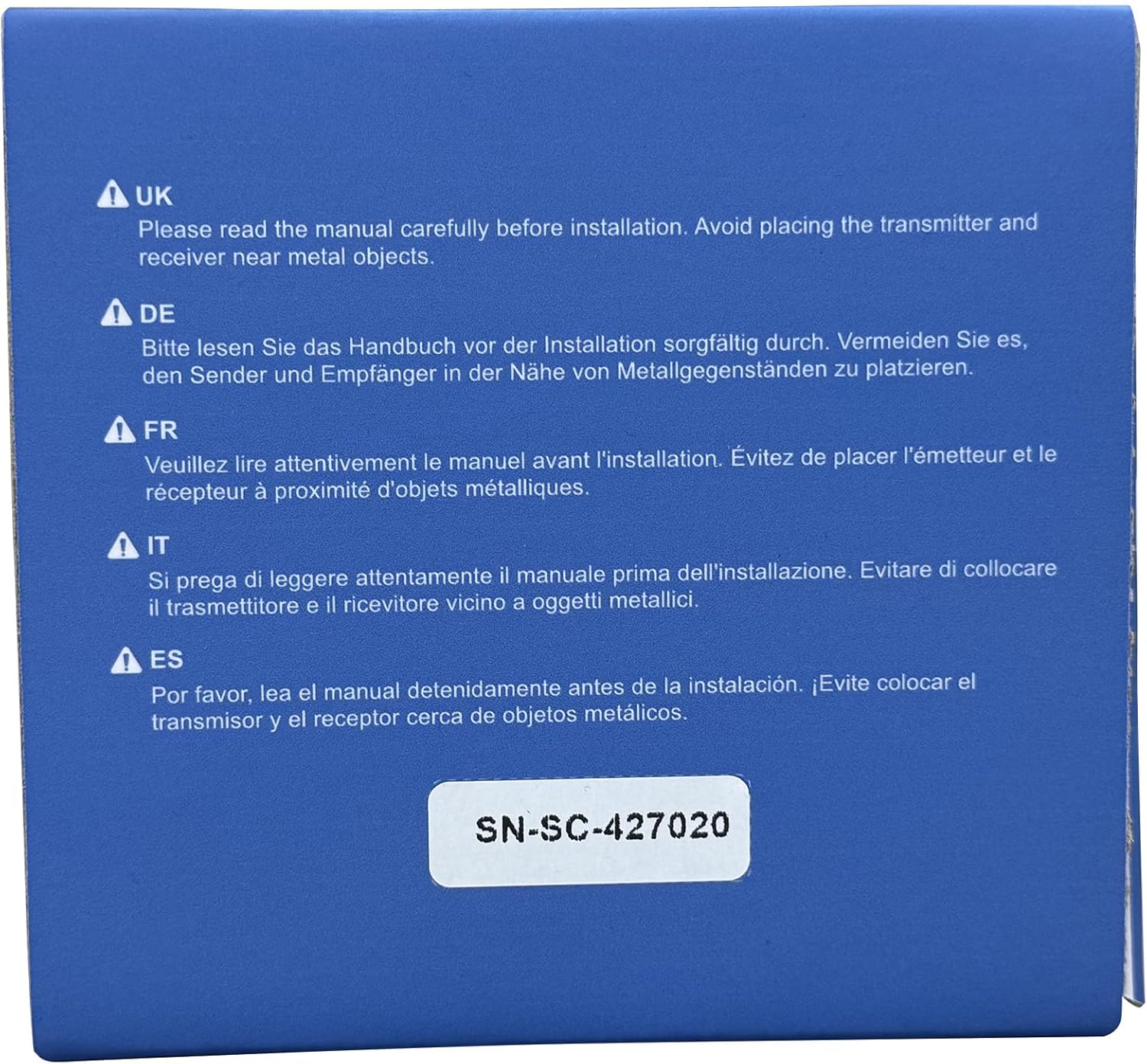
Figure 3.1: Important safety notice regarding installation near metal objects.
4. Configuració i instal·lació
4.1 Instal·lació del transmissor (botó)
- Insereix la bateria: Open the back cover of the transmitter and insert the provided 12V23A battery, ensuring correct polarity. Close the cover securely.
- Tria la ubicació: Select a suitable location for the transmitter near your front door or desired entry point. Ensure the surface is clean and dry.
- Opcions de muntatge:
- Cinta adhesiva: Traieu un costat de la cinta adhesiva de doble cara i enganxeu-la a la part posterior del transmissor. Traieu l'altre costat i premeu fermament el transmissor sobre la superfície desitjada durant almenys 30 segons.
- Cargols: Use the provided screws and screwdriver to securely mount the transmitter to the wall. Mark the screw holes, drill pilot holes if necessary, and then fasten the transmitter.
4.2 Instal·lació del receptor
- Connectar: Plug each receiver into a standard electrical outlet in your desired locations within your home or office. Ensure the outlets are easily accessible and not obstructed.
- Col·locació: For optimal performance, place receivers centrally within the desired coverage area and away from large metal objects or other electronic devices that may cause interference.
4.3 Pairing Transmitter and Receiver (If needed)
The system is typically pre-paired. If pairing is lost or you wish to add more transmitters/receivers:
- Connecteu el receptor.
- Press and hold the "SET" button on the receiver for approximately 3-5 seconds until the LED indicator flashes rapidly.
- Immediately press the transmitter (push button) once. The receiver will chime, indicating successful pairing.
- Repeat for additional receivers or transmitters.
5. Instruccions de funcionament

Figure 5.1: Receiver and Transmitter button functions and dimensions.
5.1 Canvi de melodies
- On the receiver, press the "Next" button (often labeled with an arrow or musical note icon) to cycle through the 55 available melodies.
- Un cop sentiu una melodia que us agradi, deixeu de prémer el botó. El receptor desarà automàticament la vostra selecció.
5.2 Ajust del volum
- On the receiver, press the "Volume" button (often labeled with a speaker icon) to cycle through the 5 volume levels (up to 110 dB).
- Select the desired volume level. The receiver will save your preference.
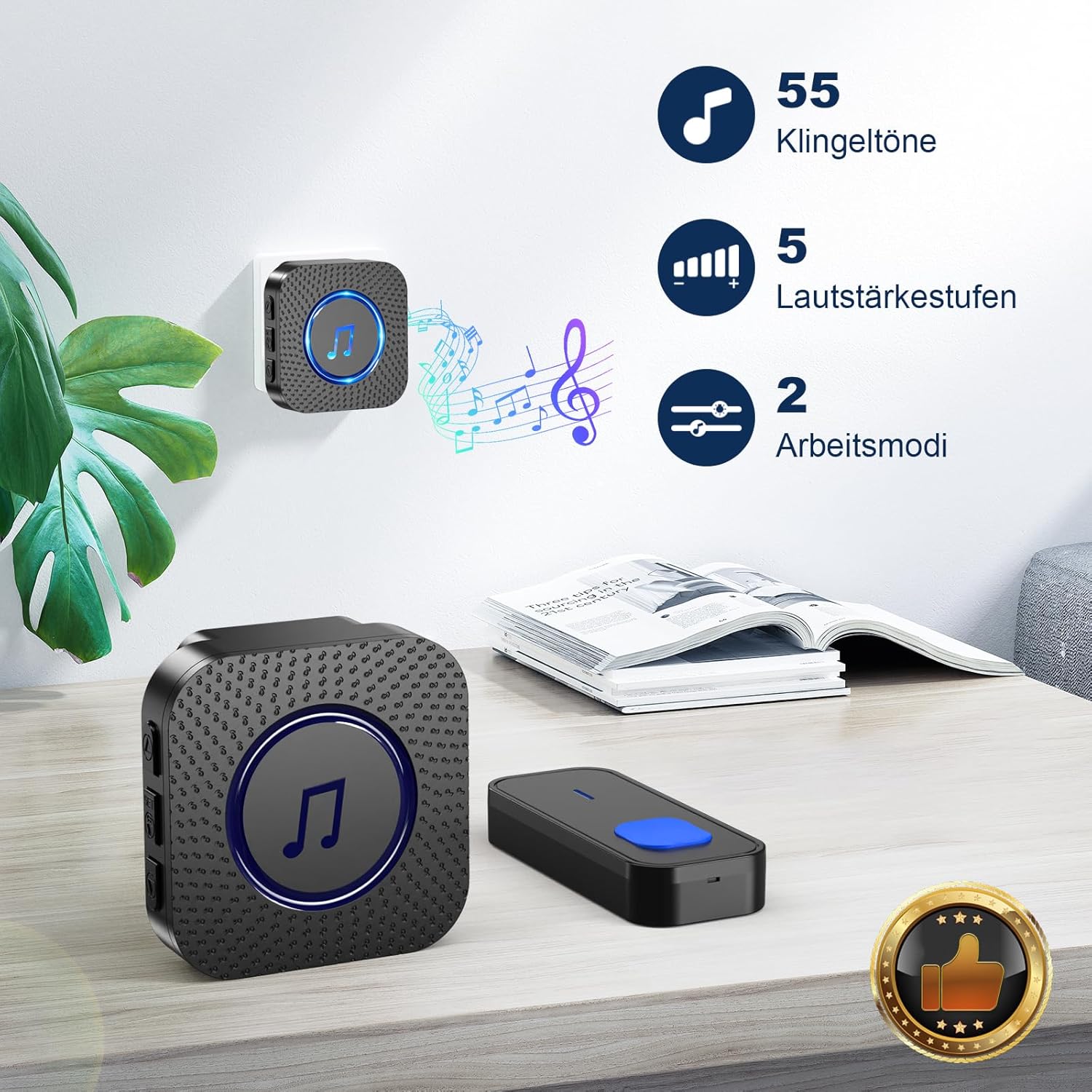
Figure 5.2: Melody and Volume options.
5.3 Operating Modes (LED Only / LED + Bell)
The doorbell system offers flexible notification modes:
- LED + Bell Mode: When the transmitter is pressed, the receiver will play the selected melody and its LED indicator will flash. This is the default mode.
- LED Only (Mute) Mode: To activate mute mode, press the volume button repeatedly until the volume is set to 0 or a mute icon appears. In this mode, the receiver's LED indicator will flash when the transmitter is pressed, but no sound will be produced. This is ideal for quiet environments or for individuals with hearing impairments.

Figure 5.3: LED indicator and Mute mode functionality.
6. Manteniment
6.1 Neteja
- Wipe the surfaces of the transmitter and receivers with a soft, dry cloth.
- No utilitzeu netejadors abrasius, dissolvents ni productes químics agressius, ja que poden danyar l'acabat o els components interns.
6.2 Battery Replacement (Transmitter)
The transmitter is powered by a 12V23A alkaline battery. When the operating range decreases significantly or the LED on the transmitter no longer lights up, it's time to replace the battery.
- Carefully open the back cover of the transmitter using the provided screwdriver or a small flat-head screwdriver.
- Traieu la bateria antiga i llenceu-la correctament.
- Insert a new 12V23A alkaline battery, ensuring the positive (+) and negative (-) terminals are correctly aligned.
- Tanqueu la coberta posterior de manera segura.
7. Solució De Problemes
| Problema | Causa possible | Solució |
|---|---|---|
| Receiver does not chime when transmitter is pressed. |
|
|
| Curt abast operatiu. |
|
|
| El LED del receptor parpelleja però no hi ha so. | Receiver is in mute (LED only) mode. | Adjust volume on receiver to a higher level. |
8. Especificacions
| Característica | Detall |
|---|---|
| Número de model | N128 |
| Marca | SURFOU |
| Interval d'operació | Fins a 400 metres (en zones obertes) |
| Melodies | 55 melodies seleccionables |
| Nivells de volum | 5 adjustable levels (up to 110 dB) |
| Temperatura de funcionament | -30 °C a 70 °C (-22 °F a 158 °F) |
| Classificació impermeable | Dust-proof and waterproof (Transmitter) |
| Bateria del transmissor | 1 x 12V23A Alkaline Battery |
| Alimentació del receptor | Endoll de CA |
| Dimensions del receptor | Aprox. 7 x 7 x 6.5 cm |
| Dimensions del transmissor | Approx. 8.6 x 3.5 x 1.5 cm (estimated from image) |

Figure 8.1: Weather resistance and operating temperature details.
9. Garantia i atenció al client
SURFOU is committed to providing reliable products and excellent customer service. Your SURFOU Wireless Doorbell System N128 is backed by our commitment to quality.
For any questions, technical assistance, or warranty claims, please contact our customer support team. We are available 24/7 to assist you.
Informació de contacte: Please refer to the contact details provided on the product packaging or the official SURFOU weblloc web per obtenir la informació d'assistència més actualitzada.