
Dylect DYDC34K
Dylect® Sense 4K Ultra 3 Channel Dash Cam User Manual
Model: DYDC34K
1. Introducció
Welcome to the Dylect® Sense 4K Ultra 3 Channel Dash Cam user manual. This document provides comprehensive instructions for the proper installation, operation, maintenance, and troubleshooting of your new dash camera system. Designed to capture every detail on the road and inside your vehicle, this system features 4K Ultra HD front recording, 1080p Full HD rear recording, and 1080p cabin recording, ensuring 360° coverage. Please read this manual thoroughly before using the device to ensure safe and optimal performance.
2. Informació de seguretat
- Instal·lació: Assegureu-vos que la càmera del salpicader estigui instal·lada en un lloc que no obstrueixi la vista del conductor. view or interfere with the operation of airbags. Secure all cables to prevent interference with driving controls.
- Font d'alimentació: Use only the provided car charger and Type-C USB cable. Using unauthorized power sources may damage the device and void the warranty.
- Temperatura de funcionament: The device is designed to operate reliably in temperatures from -10°C to +60°C. Avoid exposing the device to extreme temperatures outside this range.
- Neteja: Do not use chemical cleaners or solvents. Clean the lenses and device body with a soft, dry cloth.
- Desmuntatge: No intenteu desmuntar, reparar o modificar el dispositiu vosaltres mateixos. Això anul·larà la garantia i pot causar danys o lesions.
- Targeta MicroSD: Always use a Class 10, U3 Speed MicroSD memory card (not included) for optimal performance. Format the card regularly to maintain recording quality.
3. Contingut del paquet
Si us plau, verifiqueu que tots els elements que s'enumeren a continuació estiguin inclosos al vostre paquet:
- 1N Front Cam with Cabin Cam
- 1N Rear Cam with Cable
- Cable USB tipus C 1N
- Carregador de cotxe 1N
- Pel·lícules electrostàtiques 4N
- 2N Extra Adhesive Sticker
- Clips de filferro 5N
- Eina de palanca 1N
- Tovalloletes humides i seques 4N
- Guia d'inici ràpid de l'1N

Image: All components included in the Dylect Sense 4K Ultra Dash Cam package, including the main unit, rear camera, cables, charger, and installation accessories.
4. Producte acabatview
The Dylect® Sense 4K Ultra Dash Cam system consists of a main front unit with an integrated cabin camera, and a separate rear camera. The main unit features a display for real-time viewajust de la configuració.
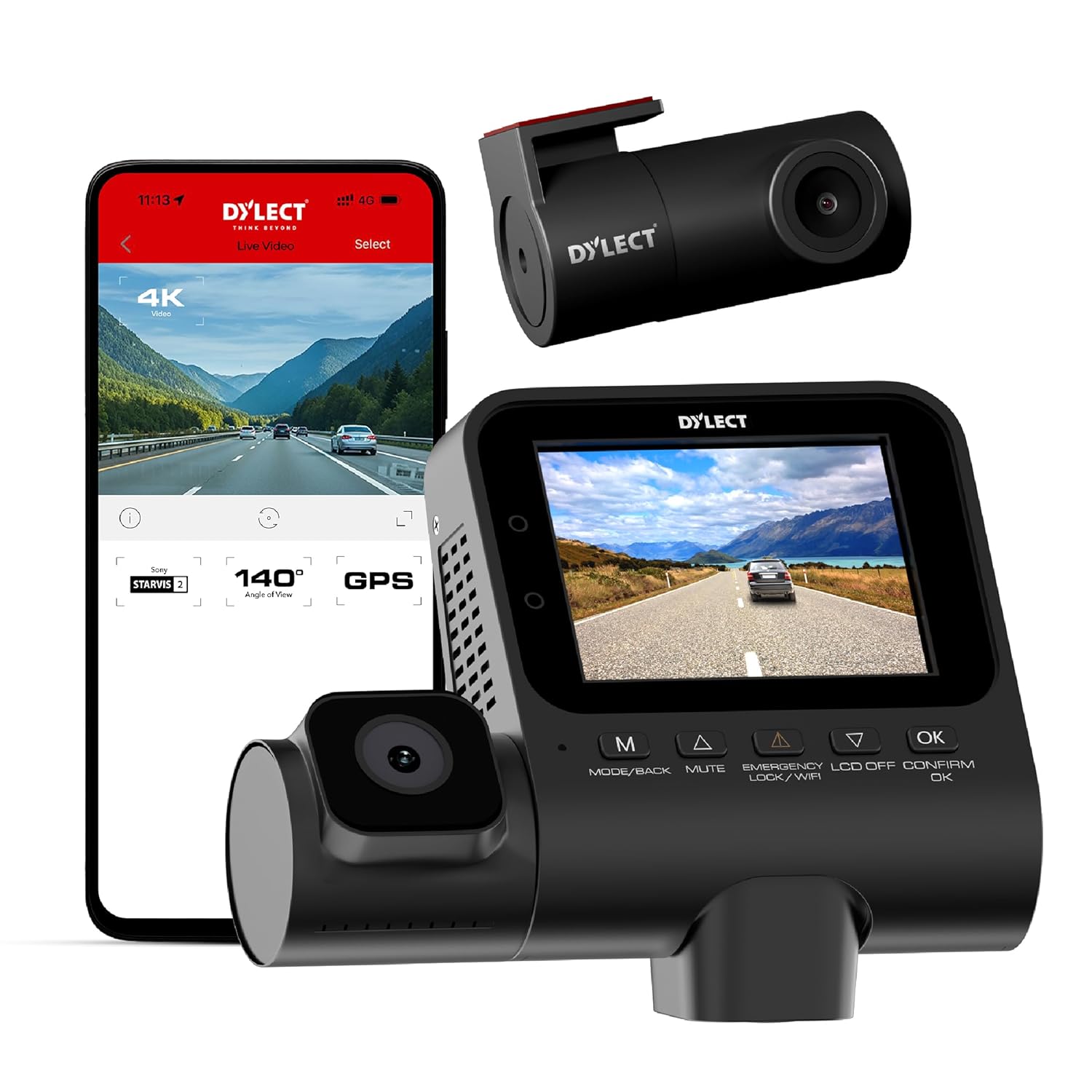
Image: The main Dylect Sense 4K Ultra Dash Cam unit with its integrated cabin camera, alongside a smartphone displaying the companion app interface.
Main Unit (Front & Cabin Camera)
- Lent frontal: Captures 4K Ultra HD footage of the road ahead.
- Cabin Lens: Records 1080p Full HD footage of the vehicle interior, equipped with infrared night vision.
- 2.4” IPS Display: Provides live view, playback, and access to settings.
- Botons de control: Navigate menus and control functions (MODE/BACK, MUTE, EMERGENCY/LCD OFF/CONFIRM, OK).
- Micròfon: Built-in for synchronized audio recording.
- Ponent: For audio playback and alerts.
- Ranura per a targeta MicroSD: Supports up to 1TB Class 10, U3 Speed MicroSD cards.
- Mòdul GPS: Integrated for tracking driving route, speed, and location.
- Mòdul Wi-Fi: For app connectivity.
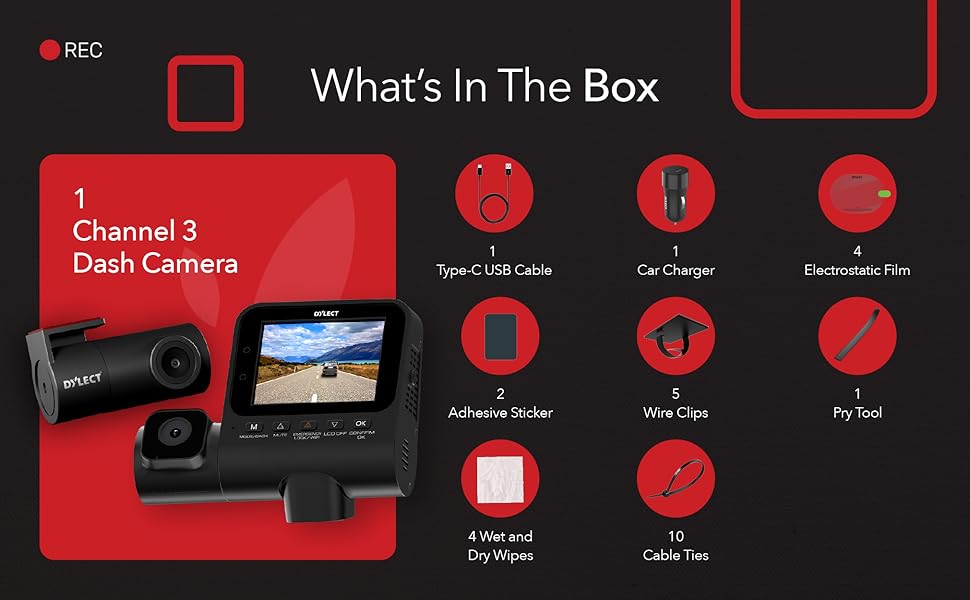
Image: The on-device display of the Dylect Sense 4K Ultra Dash Cam, illustrating indicators for recording status, Wi-Fi connectivity, time and date, and real-time alerts.
Càmera posterior
- Lent posterior: Captures 1080p Full HD footage de la part posterior view.
- Port de connexió: Connects to the main unit via the provided cable.
5. Configuració
5.1 Inserció de la targeta MicroSD
- Assegureu-vos que la càmera del salpicader estigui apagada.
- Locate the MicroSD card slot on the main unit.
- Insert a Class 10, U3 Speed MicroSD card (up to 1TB, not included) with the gold contacts facing the back of the dash cam until it clicks into place.
- It is recommended to format the MicroSD card within the dash cam settings upon first use and periodically thereafter.
5.2 Instal·lació de la Dash Cam
- Trieu una ubicació: Select a spot on your windshield, typically behind the rearview mirall, que no t'obstrueixi view o interferir amb els airbags.
- Superfície neta: Use the provided dry & wet wipes to clean the chosen area on the windshield.
- Aplicar pel·lícula electrostàtica: Apply one of the electrostatic films to the cleaned area. This helps in easy removal and prevents adhesive residue on your windshield.
- Connecteu la unitat principal: Peel the protective film from the adhesive sticker on the dash cam mount. Firmly press the dash cam onto the electrostatic film for at least 30 seconds.
- Instal·leu la càmera posterior: Mount the rear camera on your rear windshield using its adhesive mount. Route the rear camera cable neatly along the vehicle's headliner and A-pillar to the main unit.
- Connectar l'alimentació: Connect the Type-C USB cable to the main unit and the other end to the provided car charger. Plug the car charger into your vehicle's 12V power outlet.
- Gestió de cables: Use the provided wire clips and cable ties to secure all cables neatly along the edges of your windshield and dashboard, ensuring they do not interfere with driving. The pry tool can assist in tucking cables under trim.
5.3 Engegada inicial i configuració bàsica
- Once connected to power, the dash cam will automatically power on and begin recording when your vehicle starts.
- Use the control buttons to navigate the menu. Press the MODE/BACK button to switch between recording modes (Front+Cabin+Rear, Front+Cabin, Front only) or to go back in menus.
- Premeu el botó OK botó per confirmar les seleccions.
- Access system settings to set date/time, video resolution, loop recording duration, G-sensor sensitivity, and other preferences.
5.4 Connectivitat Wi-Fi i d'aplicacions
The Dylect App allows you to view viu footage, download recordings, and adjust settings directly from your smartphone.
- Download the "Dylect App" from the Google Play Store (for Android) or Apple App Store (for iOS).
- On the dash cam, enable Wi-Fi (usually by pressing and holding a specific button or navigating through settings). The Wi-Fi SSID and password will be displayed on the dash cam screen.
- On your smartphone, go to Wi-Fi settings and connect to the dash cam's Wi-Fi network.
- Open the Dylect App. You should now be able to access live footage, review recorded videos, and modify settings.
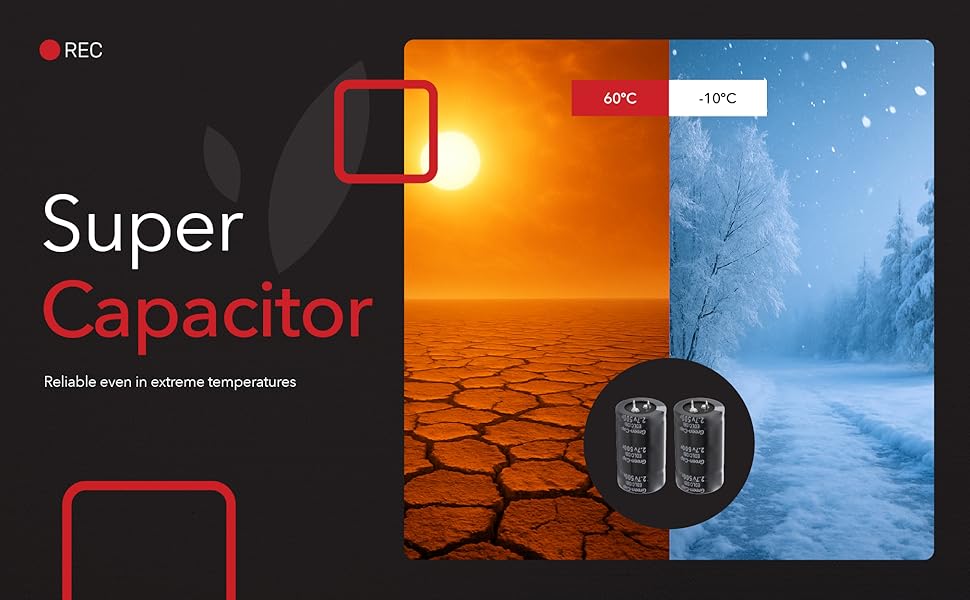
Image: Comparison showing the superior clarity of footage captured by the Dylect Sense 4K Ultra Dash Cam in low light, attributed to its Sony STARVIS 2 sensor, compared to standard night vision.
5.5 GPS integrat
The built-in GPS module automatically tracks your driving route, speed, and location, providing reliable evidence for incidents. GPS data is embedded in the video files i pot ser viewed via the Dylect App or compatible PC player software.

Image: The Dylect Sense 4K Ultra Dash Cam highlighting its built-in GPS functionality for location tracking and seamless route logging, with a smartphone displaying a map interface.
6. Funcionament de la càmera del salpicader
6.1 Enregistrament en bucle
The dash cam continuously records video in segments (e.g., 1, 3, or 5 minutes). When the MicroSD card is full, the oldest unlocked video files are automatically overwritten by new recordings. This ensures uninterrupted recording.
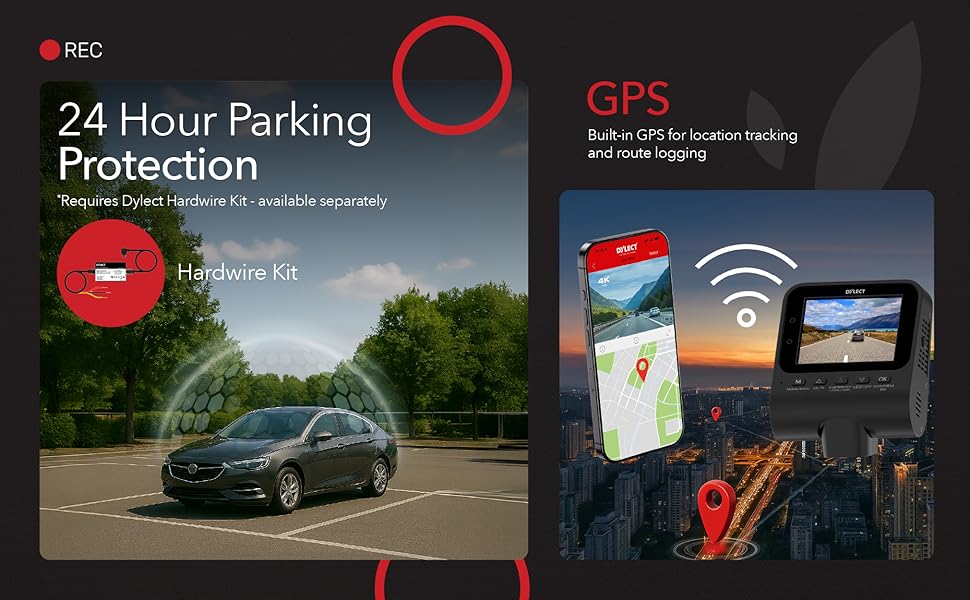
Image: Illustration of the Dylect Sense 4K Ultra Dash Cam's triple recording capability, showing 4K front, 1080p cabin, and 1080p rear camera views with wide-angle lenses.
6.2 Enregistrament d'emergència (sensor G)
The built-in G-sensor detects sudden impacts or collisions. When triggered, the current video segment (typically 1 minute) is automatically locked and saved to a protected folder on the MicroSD card, preventing it from being overwritten by loop recording. The sensitivity of the G-sensor can be adjusted in the settings.

Image: A visual representation of the Smart G-Sensor feature, showing the dash cam automatically locking critical footage when a sudden impact or event is detected.
6.3 Monitorització d'aparcament (opcional)
For 24-hour parking protection, the dash cam requires a separate Dylect Hardwire Kit (not included). When installed, the dash cam can monitor your vehicle for impacts or motion while parked, recording events even when the engine is off.
Image: An illustration depicting the 24-hour parking protection feature, noting that it requires the Dylect Hardwire Kit, sold separately.
6.4 Infrared Night Vision (Cabin Camera)
The cabin camera is equipped with infrared LEDs, allowing it to record clear footage of the vehicle's interior even in complete darkness. This feature is particularly useful for ride-sharing drivers or for added security.
7. Manteniment
7.1 Neteja del dispositiu
- Ensure the dash cam is powered off and disconnected from power before cleaning.
- Use a soft, dry, lint-free cloth to wipe the main unit and lenses.
- For stubborn smudges on lenses, slightly dampen the cloth with water, then wipe gently and dry immediately. Do not use abrasive cleaners or solvents.
7.2 Gestió de targetes MicroSD
- Format: Regularly format your MicroSD card (e.g., once a month) within the dash cam's settings. This helps maintain optimal recording performance and prevents data corruption.
- Card Lifespan: MicroSD cards have a limited lifespan due to continuous overwriting. If you notice recording errors or degraded performance, consider replacing the MicroSD card.
- Còpia de seguretat de dades: Periodically back up important video files to a computer or cloud storage before formatting the card.
8. Solució De Problemes
| Problema | Possible causa/solució |
|---|---|
| La càmera del salpicader no s'encén. |
|
| L'enregistrament s'atura o es congela. |
|
| Problemes de connexió Wi-Fi. |
|
| El GPS no rastreja la ubicació. |
|
| La qualitat del vídeo és deficient. |
|
9. Especificacions
| Característica | Detall |
|---|---|
| Model | Dylect® Dash Cam Sense 4K Ultra (DYDC34K) |
| Resolució de la càmera frontal | 4K Ultra HD |
| Resolució de la càmera posterior | 1080p Full HD |
| Resolució de la càmera de la cabina | 1080p Full HD (with Infrared Night Vision) |
| Sensor d'imatge | Sony STARVIS 2 Sensor with WDR |
| Mostra | Pantalla IPS de 2.4". |
| Gran Angular | 140° (frontal) |
| Emmagatzematge | Supports Class 10, U3 Speed MicroSD cards up to 1TB (not included) |
| Característiques | Loop Recording, G-Sensor, Built-in GPS, Wi-Fi, App Connectivity, Built-in Mic |
| Font d'alimentació | Dual USB Car Charger (included) |
| Temperatura de funcionament | -10 °C a +60 °C |
| Dimensions del producte | 10.4 x 8 x 4.8 cm |
| Pes de l'article | 120 g |
| País d'origen | Índia |
Image: Illustration highlighting the Super Capacitor feature, ensuring the dash cam's reliability across extreme temperatures from -10°C to +60°C.
10. Garantia i Suport
Your Dylect® Sense 4K Ultra 3 Channel Dash Cam comes with a standard 1 any de garantiaA més, podeu rebre un 3-month extension on your warranty by registering your product within 10 days of purchase. Please refer to the Quick Start Guide or the Dylect weblloc per obtenir els detalls del registre.
For technical support, warranty claims, or any inquiries, please contact Dylect customer service:
- Telèfon: +91 8669393000
- Correu electrònic: care@dylect.in
- Fabricant: Value - One Retail Private Limited
- Adreça: PLOT #35, HSIIDC, SEC-3, IMT MANESAR, GURUGRAM - 122050, HARYANA, India
Ask a question about this manual
Ask about setup, troubleshooting, compatibility, parts, safety, or missing instructions. Manuals+ will review the question and use this page’s manual context to help answer it.