
1. Introducció
Welcome to the OUKITEL C59 Pro user manual. This guide provides detailed instructions on how to set up, operate, maintain, and troubleshoot your new Android 15 smartphone. Please read this manual thoroughly to ensure optimal performance and longevity of your device.
2. Informació de seguretat
To prevent injury to yourself or others, or damage to your device, read all safety information before using the device. Keep this manual for future reference.
- No exposeu el dispositiu a temperatures extremes, llum solar directa ni humitat elevada.
- Use only OUKITEL-approved chargers, batteries, and accessories.
- Eviteu deixar caure el dispositiu ni sotmetre'l a impactes forts.
- No desmunteu, modifiqueu ni repareu el dispositiu vosaltres mateixos.
- Maintain a safe distance from medical devices to avoid interference.
- Desfeu-vos del dispositiu i dels seus components de manera responsable d'acord amb la normativa local.
3. Contingut del paquet
Verifiqueu que tots els elements siguin presents a la caixa del producte:
- Telèfon intel·ligent OUKITEL C59 Pro
- Funda de telèfon
- Cable USB (tipus C)
- Eina expulsora de SIM
- Adaptador d'alimentació
4. Dispositiu acabatview
Familiarize yourself with the physical features and components of your OUKITEL C59 Pro smartphone.

Imatge: General view of the OUKITEL C59 Pro smartphone, showcasinel seu disseny elegant i el mòdul de càmera posterior.
4.1 Physical Buttons and Ports
- Botó d'encesa: Located on the side, used to power on/off the device or wake/sleep the screen. Integrates fingerprint recognition.
- Botons de volum: Located on the side, used to adjust media volume and ringtone volume.
- Port USB tipus C: Situat a la part inferior, s'utilitza per a la càrrega i la transferència de dades.
- Ranura per a targetes SIM/MicroSD: Located on the side, for inserting Nano SIM cards and a MicroSD card.
- 110lm LED Flashlight: An exclusive physical flashlight located at the top of the device, activated by a dedicated button.
4.2 Pantalla
The OUKITEL C59 Pro features a large 6.88-inch HD+ display with a 90Hz refresh rate and 450 nits brightness, providing a clear and smooth visual experience.

Image: The OUKITEL C59 Pro's 6.88-inch HD+ display, highlighting its size and visual clarity.
4.3 Càmeres
The device is equipped with a dual rear camera system, featuring a 13MP main camera, and a 5MP front camera for selfies and video calls.

Image: Close-up of the OUKITEL C59 Pro's rear camera module and examples of photos taken with the 13MP main camera and 5MP front camera.
4.4 Llanterna
The OUKITEL C59 Pro features a powerful 110 lumen LED flashlight at the top. This flashlight can be activated instantly by pressing a dedicated physical button on the side of the phone, even when the screen is locked.

Image: The OUKITEL C59 Pro's 110lm LED flashlight illuminating dark environments, demonstrating its brightness and utility in various scenarios.
5. Configuració
5.1 Inserció de targetes SIM i MicroSD
Your OUKITEL C59 Pro supports Dual Nano SIM cards and a MicroSD card for expandable storage up to 1TB.
- Localitza la safata de la targeta SIM al lateral del dispositiu.
- Introduïu l'eina d'expulsió de la SIM al forat petit que hi ha al costat de la safata per obrir-la.
- Place your Nano SIM cards and/or MicroSD card into the designated slots on the tray, ensuring correct orientation.
- Empènyer suaument la safata cap al dispositiu fins que encaixi al seu lloc.

Image: The SIM card tray of the OUKITEL C59 Pro, showing slots for two Nano SIM cards and one MicroSD card.
5.2 Càrrega del dispositiu
Before first use, fully charge your OUKITEL C59 Pro. The device supports 18W fast charging.
- Connecteu el cable USB tipus C al port de càrrega de la part inferior del telèfon.
- Connecteu l'altre extrem del cable USB a l'adaptador d'alimentació.
- Connecteu l'adaptador de corrent a una presa de corrent.
- A full charge typically takes approximately four hours.
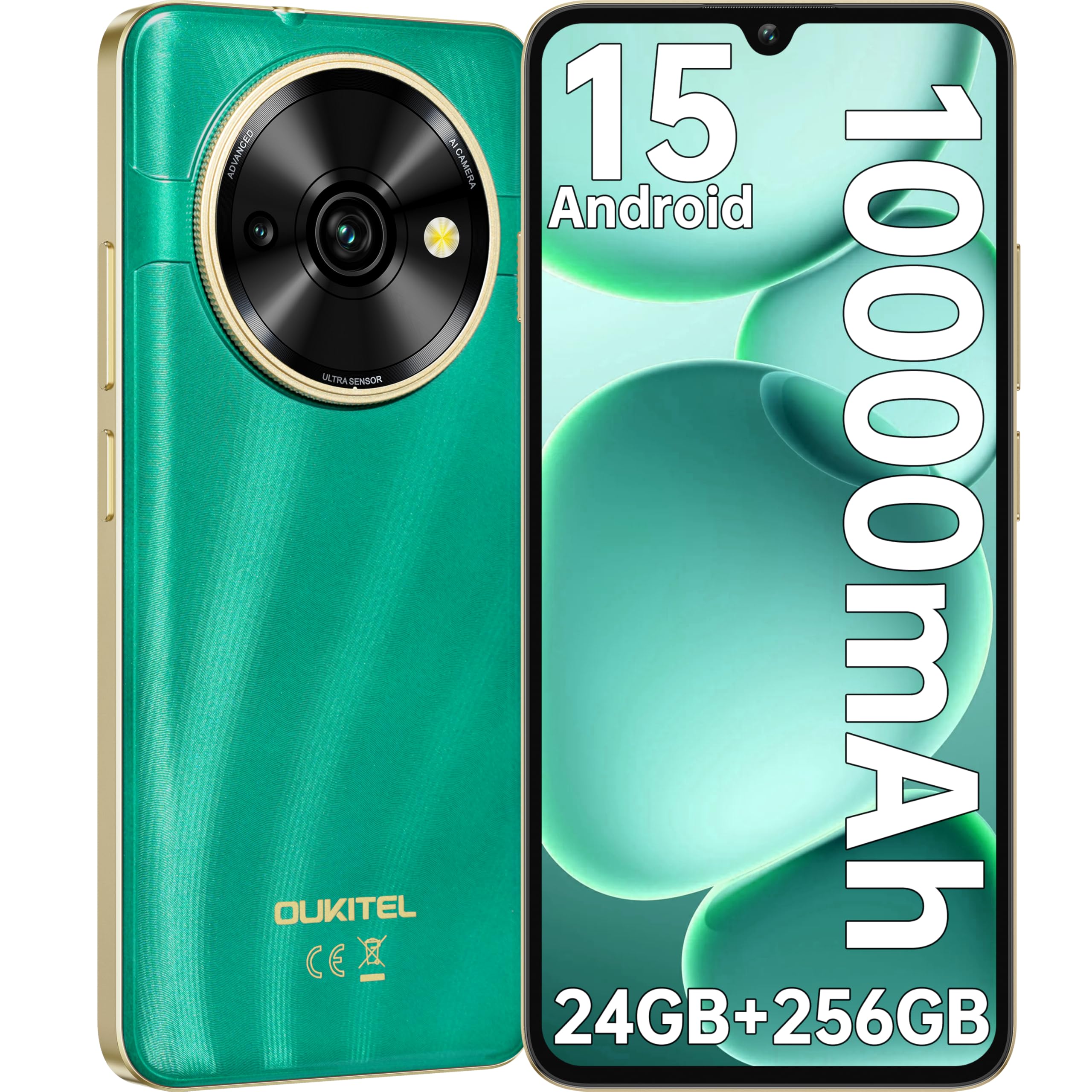
Image: Visual representation of the OUKITEL C59 Pro's 10000mAh battery capacity, indicating extended standby, talk, flashlight, and video playback times.
5.3 Engegada/apagada
- Per encendre: Press and hold the Power button until the OUKITEL logo appears.
- Per apagar: Mantingueu premut el botó d'engegada i, a continuació, seleccioneu "Apagar" de les opcions que apareixen a la pantalla.
- Per reiniciar: Mantingueu premut el botó d'engegada i, a continuació, seleccioneu "Reiniciar" de les opcions.
6. Com fer servir el telèfon intel·ligent
6.1 Sistema operatiu Android 15
Your OUKITEL C59 Pro runs on the latest Android 15 operating system, offering enhanced energy efficiency, privacy protection, and multi-device integration capabilities optimized with artificial intelligence.

Image: A visual representation of the Android 15 operating system interface, showcasing its modern design and various application icons.
6.2 Biometric Security (Fingerprint & Face ID)
Unlock your device securely using the side-mounted fingerprint sensor or Face ID recognition.
- Reconeixement d'empremtes digitals: Register your fingerprints in the Security settings. To unlock, simply place your registered finger on the side power button.
- Identificació facial: Set up Face ID in the Security settings. To unlock, hold the phone in front of your face.
6.3 Connectivity Features (NFC, GPS)
The OUKITEL C59 Pro supports NFC for contactless payments and data transfer, and GPS for navigation and location services.
- NFC: Enable NFC in Settings > Connected devices > Connection preferences > NFC. Tap your phone to compatible devices for quick pairing or payments.
- GPS: Location services are enabled by default. You can manage them in Settings > Location.
6.4 Memòria i emmagatzematge
The device comes with 24GB RAM (8GB physical + 16GB virtual) and 256GB internal storage, expandable up to 1TB via MicroSD card.

Image: A graphical representation of the OUKITEL C59 Pro's memory configuration, showing 24GB RAM (8GB + 16GB expansion) and 256GB ROM (expandable to 1TB).
6.5 OTG Functionality
The OUKITEL C59 Pro supports OTG (On-The-Go) reverse charging, allowing you to transfer data to other devices or use your phone as an emergency power bank.
7. Manteniment
Un manteniment adequat garanteix la longevitat i el rendiment òptim del teu telèfon intel·ligent.
- Neteja: Feu servir un drap suau i sense borrissol per netejar la pantalla i el cos del dispositiu. Eviteu utilitzar productes químics agressius o materials abrasius.
- Actualitzacions de programari: Regularly check for and install system updates to ensure your device has the latest features and security patches. Go to Settings > System > System update.
- Cura de la bateria: Avoid fully discharging the battery frequently. For long-term storage, charge the battery to about 50%.
- Gestió d'emmagatzematge: Netegeu periòdicament els innecessaris filei aplicacions per alliberar espai d'emmagatzematge i millorar el rendiment.
8. Solució De Problemes
Si teniu problemes amb el dispositiu, proveu les solucions següents:
- El dispositiu no respon: Premeu i manteniu premut el botó d'engegada durant uns 10-15 segons per forçar un reinici.
- Les aplicacions es bloquegen: Clear the cache and data of the problematic app in Settings > Apps > [App Name] > Storage. If the issue persists, uninstall and reinstall the app.
- Poca durada de la bateria: Check battery usage in Settings > Battery to identify power-hungry apps. Reduce screen brightness, disable unnecessary features like GPS or Wi-Fi when not in use.
- Problemes de xarxa: Ensure SIM cards are correctly inserted. Try restarting the device. Check network settings or contact your service provider.
- Sobreescalfament: Avoid using the device while charging or during prolonged heavy usage. Close background apps.
- Restabliment de fàbrica: Com a últim recurs, si els problemes de programari persisteixen, podeu dur a terme un restabliment de fàbrica. Avís: Això esborrarà totes les dades del dispositiu. Fes una còpia de seguretat de les dades importants abans de continuar. Ves a Configuració > Sistema > Opcions de restabliment > Esborra totes les dades (restabliment de fàbrica).
9. Especificacions
Detailed technical specifications for the OUKITEL C59 Pro smartphone.
| Característica | Especificació |
|---|---|
| Marca | OUKITEL |
| Nom del model | OUKITEL C59 Pro |
| Sistema operatiu | Android 15 |
| Mida de la RAM instal·lada | 24 GB (8 GB físic + 16 GB virtual) |
| Capacitat d'emmagatzematge | 256 GB |
| Max Supported Flash Memory Size | 1024 GB (1 TB) |
| Mida de la pantalla | 6.88 polzades |
| Resolució | 1640 x 720 píxels |
| Freqüència d'actualització | 90 Hz |
| Tipus de visualització | LCD |
| Tecnologia cel·lular | 4G |
| Tecnologia de connectivitat | 4G |
| Color | VERD |
| Number of SIM Card Slots | Doble SIM |
| Mida de la targeta SIM | Nano |
| Tipus de connector | USB tipus C |
| Factor de forma | Bar |
| Funció de seguretat biomètrica | Reconeixement d'empremtes dactilars, identificació facial |
| Nivell de resistència a l'aigua | No impermeable |
| Conector d'auriculars | Cap |
| Resolució de la càmera posterior | 13 MP |
| Number of Rear Cameras | 2 |
| Number of Front Cameras | 1 |
| Resolució de captura de vídeo | 1080p |
| Velocitat de fotogrames | 30 fps, 60 fps, 120 fps |
| Capacitat de la bateria | 10000 mAh |
| Durada de la bateria | 50 hores (temps de conversa) |
| GPS | Sí |
| Components inclosos | Phone case, USB cable, SIM ejector tool, Power adapter |
| Usos específics del producte | Gaming, Photography, Streaming, Video Conferencing |
10. Garantia i Suport
10.1 Informació de la garantia
The OUKITEL C59 Pro smartphone comes with a Garantia del fabricant de 2 anys. This warranty covers defects in materials and workmanship under normal use. It does not cover damage caused by misuse, accidents, unauthorized repairs, or normal wear and tear. Please retain your proof of purchase for warranty claims.
10.2 Atenció al client
For technical assistance, warranty claims, or any other inquiries regarding your OUKITEL C59 Pro, please contact OUKITEL customer support through their official website or the contact information provided with your purchase. Ensure you have your device model and purchase details ready when contacting support.