
Xtrem Bots Bruce Motion Bot
Xtrem Bots Bruce Motion Bot User Manual
Model: Bruce Motion Bot
1. Introducció
Thank you for choosing the Xtrem Bots Bruce Motion Bot. This remote-controlled robot is designed to provide an engaging and educational experience, introducing users to basic robotics concepts through interactive play. Please read this manual thoroughly before operating the robot to ensure proper use and to maximize your enjoyment.

Image 1: The Xtrem Bots Bruce Motion Bot robot and its accompanying remote control unit.
Contingut del paquet:
- Xtrem Bots Bruce Motion Bot
- Control remot
- Manual d'instruccions (aquest document)
- Robot battery (pre-installed or included separately)
2. Informació de seguretat
Si us plau, observeu les següents precaucions de seguretat per evitar lesions o danys al producte:
- This product is recommended for ages 5 years and older.
- Do not attempt to disassemble or modify the robot or remote control.
- Keep the robot away from water and moisture.
- Avoid operating the robot near stairs, furniture, or other obstacles that could cause falls or collisions.
- Ensure adult supervision for younger children during operation.
- Use only the specified batteries and ensure correct polarity during installation.
- No barregeu piles velles i noves, o diferents tipus de piles.
- Remove batteries if the robot will not be used for an extended period.
- Desfeu-vos de les piles de manera responsable d'acord amb la normativa local.
3. Configuració i instal·lació de la bateria
3.1 Robot Battery Installation:
The robot's internal battery is typically included and may be pre-installed. Refer to the robot's battery compartment for specific instructions on charging or replacing the robot's battery if applicable. Ensure the robot is powered off before handling batteries.
3.2 Remote Control Battery Installation:
The remote control requires two (2) AA batteries (not included). Follow these steps:
- Localitzeu el compartiment de la bateria a la part posterior del comandament a distància.
- Amb un tornavís petit, obriu la tapa del compartiment de la bateria.
- Introduïu dues (2) piles AA, assegurant-vos de la polaritat correcta (+/-).
- Substituïu la tapa del compartiment de la bateria i fixeu-la amb el cargol.
3.3 Powering On:
Turn on the robot using the power switch, usually located on its back or base. Then, turn on the remote control. The robot and remote should automatically pair. If not, refer to the troubleshooting section.
4. Operating the Bruce Motion Bot
4.1 Funcions del comandament a distància:
The remote control allows for various movements and actions. Familiarize yourself with the buttons:
- Controls direccionals: Move the robot forward, backward, left, and right.
- Control de velocitat: Adjust the robot's movement speed.
- Control de volum: Adjust the robot's sound output.
- Botó de mode de dansa: Activates the robot's pre-programmed dance routine.
- Botó de programació: Initiates programming mode (see section 4.3).
- Sound/Light Buttons: Trigger various robotic sounds and LED facial expressions.

Image 2: A child using the remote control to operate the Bruce Motion Bot, demonstrating interactive play.
4.2 Gesture Control:
The Bruce Motion Bot features intelligent gesture control. Wave your hand in front of the robot's sensors to command it to move in different directions. Experiment with various hand gestures to discover all available commands.
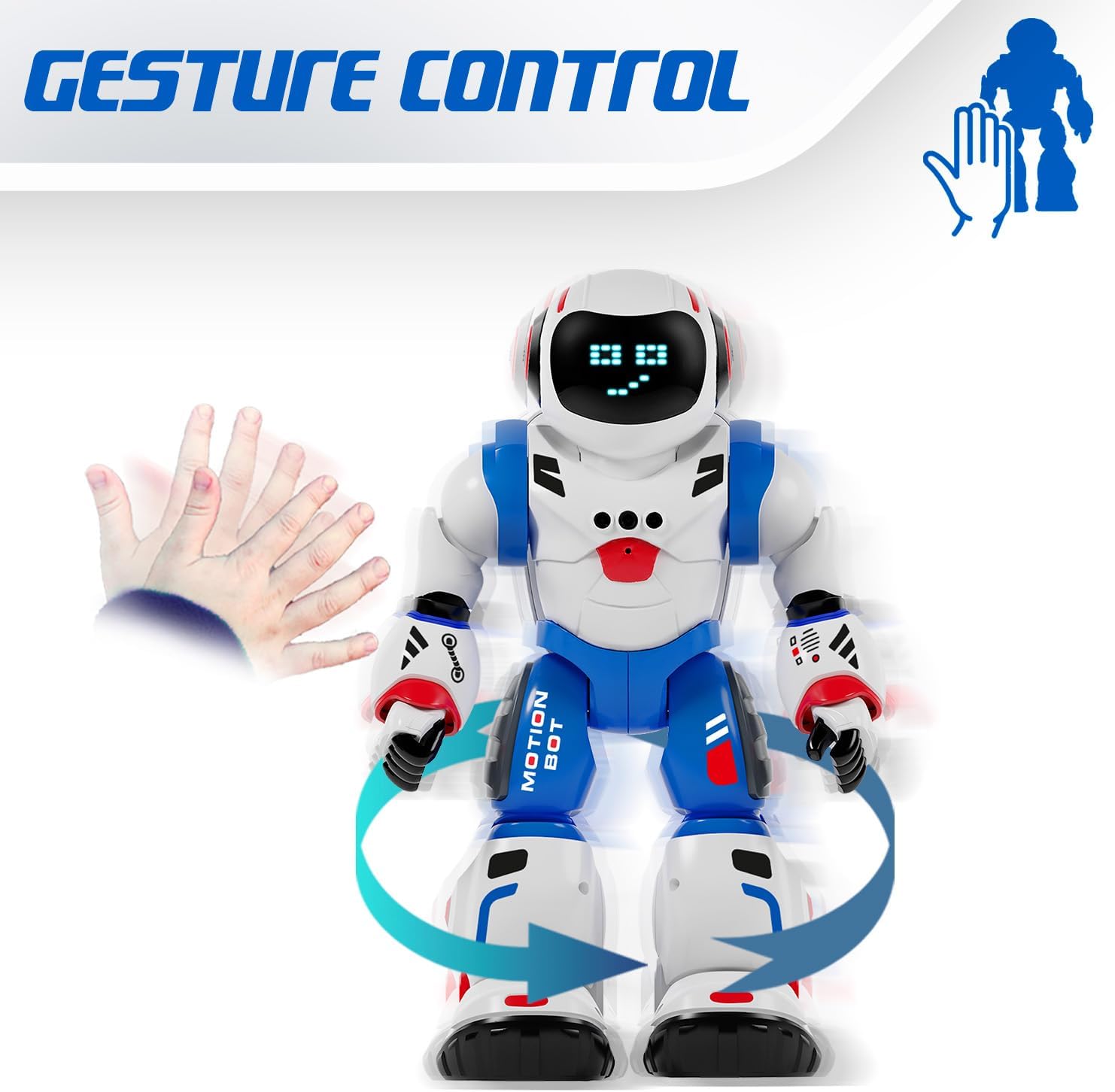
Image 3: The Bruce Motion Bot reacting to a hand gesture, illustrating its gesture control capability.
4.3 Mode de programació:
You can program the Bruce Motion Bot to perform a sequence of up to 50 movements. To enter programming mode, press the dedicated programming button on the remote control. Input your desired sequence of movements using the directional buttons, then press the programming button again to execute the sequence. The robot will store and repeat these actions.

Image 4: A visual representation of programming the robot with a sequence of movements to navigate a path.
4.4 Sounds and LED Expressions:
The robot emits various robotic sounds and displays up to 20 different facial expressions through its 26 blue LED lights. These expressions change based on actions or can be triggered manually via the remote control.

Image 5: Close-up of the robot's head showing different LED eye patterns and facial expressions.
4.5 Head Movement and Voice Recognition:
The Bruce Motion Bot can move its head and features a voice recognition function. Use the remote to control head movements or interact with its voice recognition capabilities.
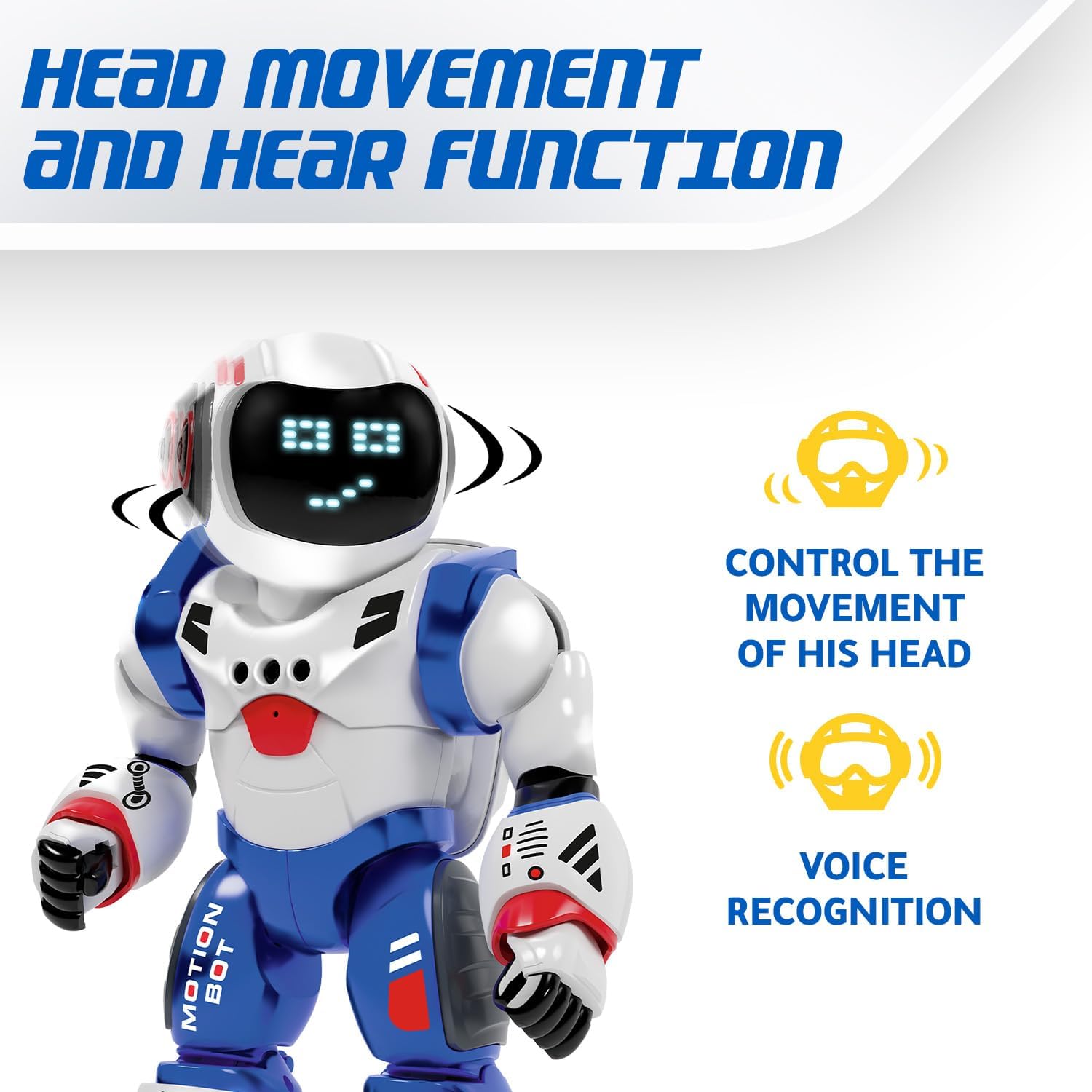
Image 6: The robot's head rotating, with icons indicating head movement control and voice recognition features.
4.6 Dancing Mode:
Activate the dancing mode by pressing the dedicated button on the remote. The robot will perform a series of movements and sounds, providing entertainment.
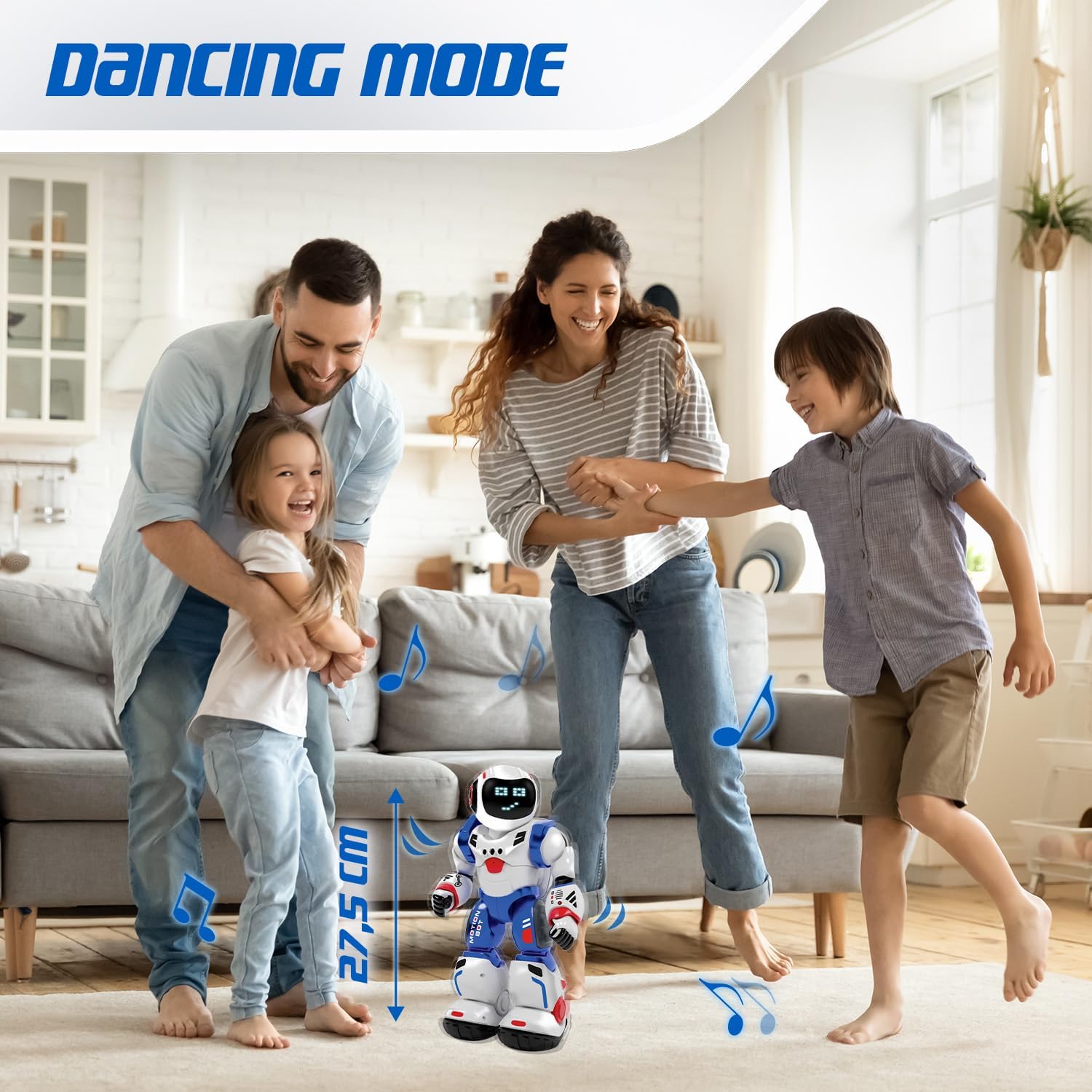
Image 7: The Bruce Motion Bot dancing in a home setting, illustrating its entertainment function.
5. Manteniment
- Neteja: Wipe the robot and remote control with a soft, dry cloth. Do not use harsh chemicals or abrasive cleaners.
- Emmagatzematge: Store the robot and remote in a cool, dry place away from direct sunlight when not in use.
- Cura de la bateria: Traieu les piles del comandament a distància si el guardeu durant períodes prolongats per evitar fuites.
6. Solució De Problemes
| Problema | Causa possible | Solució |
|---|---|---|
| El robot no s'encén. | Low or dead batteries in robot. | Ensure robot's battery is charged or replaced. |
| El control remot no funciona. | Low or dead batteries in remote; incorrect polarity. | Canvieu les piles del comandament a distància, assegurant-vos de la polaritat correcta. |
| El robot no respon a les ordres. | Robot and remote not paired; interference. | Turn both robot and remote off, then on again to re-pair. Ensure no strong interference sources are nearby. |
| Gesture control is inconsistent. | Insufficient lighting; sensor obstruction. | Ensure adequate lighting and clear the robot's sensors of any obstructions. |
7. Especificacions
| Característica | Detall |
|---|---|
| Marca | Xtrem Bots |
| Nom del model | Bruce Motion Bot |
| Número de model | 843662189 |
| Dimensions (L x A x A) | 15 x 13 x 31.5 cm |
| Pes | 1 quilograms |
| Edat recomanada | 5 anys i més |
| Valor Educatiu | Fosters imagination, learning, creativity, problem-solving skills |
| Material principal | Plàstic |
| Bateria del robot | Inclòs |
| Bateries de comandament a distància | 2 x AA (no inclòs) |
| Programmable Movements | Up to 50 actions |
| Facial Expressions | Up to 20 via 26 blue LEDs |
| Mètodes de control | Remote control, Gesture control |
8. Garantia i Suport
For warranty information and customer support, please refer to the documentation provided with your purchase or contact the retailer where the product was acquired. You may also visit the official Xtrem Bots weblloc per obtenir més ajuda.
Referència del fabricant: B09HHNV8BW
ASIN: B0F3J3KWRC
Ask a question about this manual
Ask about setup, troubleshooting, compatibility, parts, safety, or missing instructions. Manuals+ will review the question and use this page’s manual context to help answer it.