
Introducció
The ADATA Speed Plus 128GB microSDXC memory card is designed for high-performance data storage in various compatible devices. This manual provides essential information for the proper use, maintenance, and troubleshooting of your memory card.
This card offers a storage capacity of 128GB and features high-speed data transfer with read speeds up to 180 MB/s and write speeds up to 160 MB/s. It complies with UHS-I U3 and V30 video speed class standards, supporting Full HD, 3D, and 4K Ultra HD video recording. The A2 Application Performance Class ensures optimized performance for running applications directly from the card.
The ADATA Speed Plus microSDXC card is built for durability, incorporating SSD-level LDPC error correction and resistance to water, shock, X-rays, static, and extreme temperatures.

Image: The ADATA Speed Plus 128GB microSDXC memory card, showing its capacity and speed ratings (A2, V30, U3, Class 10).
Instruccions de configuració
- Identifica el dispositiu compatible: Ensure your device (e.g., smartphone, tablet, drone, action camera, camcorder, gaming console) supports microSDXC cards. Refer to your device's manual for compatibility.
- Localitza la ranura de la targeta: Find the microSD card slot on your device. This is often located on the side, under the battery cover, or within a dedicated tray.
- Inseriu la targeta de memòria: Gently insert the ADATA Speed Plus microSDXC card into the slot with the gold contacts facing down (or as indicated by your device's manual). Push until it clicks into place. Do not force the card.
- Format (Optional/Recommended): For optimal performance and to ensure compatibility, it is recommended to format the memory card using your device's built-in formatting function. Avís: Formatting will erase all data on the card. Back up any important data before formatting.
- Verificar el reconeixement: After insertion, check your device's storage settings to confirm that the memory card is recognized and its capacity is displayed correctly.

Image: The ADATA Speed Plus microSDXC card being used in a tablet, an action camera, and a portable gaming device, illustrating its versatility.
Instruccions de funcionament
Emmagatzematge i transferència de dades
- Estalvi Files: Once inserted and recognized, your device will typically allow you to select the microSD card as a storage location for photos, videos, documents, and applications.
- Transferència Files: Per transferir files to or from the card, connect your device to a computer or use a compatible card reader. Drag and drop files between your computer's storage and the memory card.
- Rendiment d'alta velocitat: The card's UHS-I U3 and V30 ratings ensure efficient recording of high-definition content, including Full HD, 3D, and 4K Ultra HD videos, with a minimum sustained write speed of 30 MB/s.
- Application Performance (A2 Standard): The A2 standard optimizes the card for running applications directly from it, providing faster app loading times and smoother performance with a minimum random read speed of 4,000 IOPS and random write speed of 2,000 IOPS.
Eliminació segura
Always safely eject the memory card from your device before physical removal to prevent data corruption. This can usually be done through your device's settings (e.g., "Unmount SD card" or "Eject storage").

Image: A visual representation of the A2 App Performance standard, showing the microSD card alongside a gaming console, indicating optimized performance for applications.
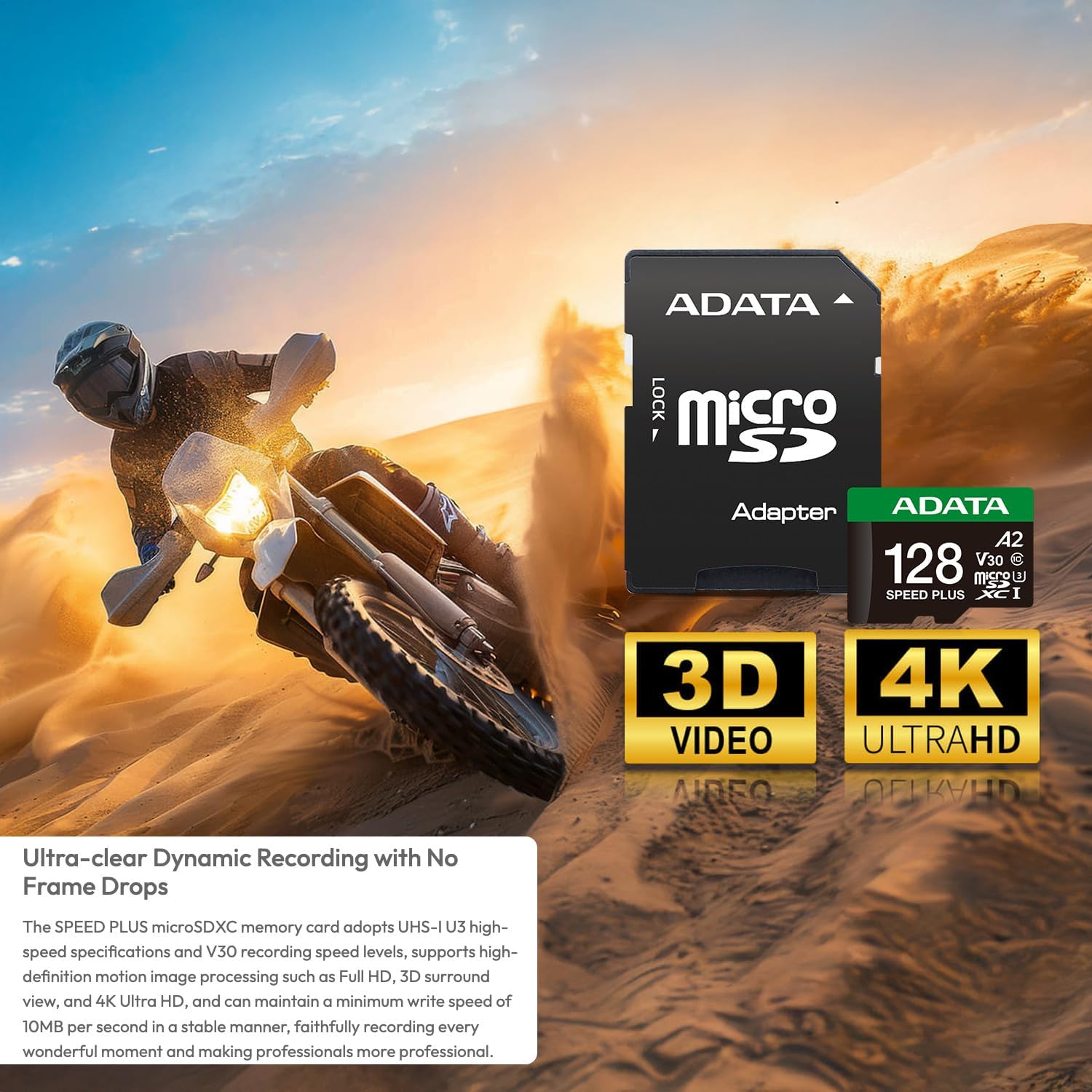
Image: The ADATA Speed Plus microSDXC card and adapter, highlighting its support for 4K Ultra HD and 3D video recording, with a motorcycle rider in the background.
Manteniment i cura
The ADATA Speed Plus microSDXC card is designed for durability. Follow these guidelines to ensure its longevity and data integrity:
- Protecció física: While the card is shock-resistant, avoid dropping it or subjecting it to excessive physical impact.
- Resistència a l'aigua: The card is water-resistant. However, prolonged submersion or exposure to corrosive liquids should be avoided. If wet, ensure it is completely dry before inserting into a device.
- Resistència a la temperatura: The card is designed to operate in a wide range of temperatures. Avoid storing or using it in extreme heat or cold beyond its specified operating range.
- X-ray and Anti-Static Protection: The card is X-ray proof and anti-static. This protects your data during airport security scans and from electrostatic discharge.
- Neteja: Keep the gold contacts clean and free from dust or debris. Use a soft, dry cloth if cleaning is necessary.
- Còpia de seguretat de dades: Regularly back up important data from your memory card to another storage device to prevent data loss.

Image: A collage demonstrating the card's durability, including resistance to wear, water, shock, and magnetic fields, shown with a drone and water splashes.
Resolució de problemes
- Targeta no reconeguda:
- Assegureu-vos que la targeta estigui completament i correctament inserida a la ranura del dispositiu.
- Reinicieu el vostre dispositiu.
- Test the card in another compatible device or a card reader to rule out a device-specific issue.
- Check if your device supports microSDXC cards and the specific capacity (128GB).
- Slow Performance/Transfer Speeds:
- Ensure your device and card reader support UHS-I speeds. Older devices may limit performance.
- Avoid running multiple demanding applications while transferring data.
- The card may be nearly full. Free up space or transfer data to another storage.
- Format the card (after backing up data) to resolve potential file system fragmentation.
- No es pot escriure/eliminar Files:
- Check if the card has a physical write-protect switch (if using an SD adapter). Ensure it is in the "unlocked" position.
- Verify that the card is not full.
- Comproveu file permissions on your device or computer.
- Corrupció de dades:
- Expulseu sempre la targeta de manera segura abans de treure-la.
- Eviteu treure la targeta durant la transferència o l'enregistrament de dades.
- If corruption persists, format the card (after backing up any recoverable data) and monitor its performance.
Especificacions
| Característica | Detall |
|---|---|
| Marca | ADATA |
| Nom del model | UD128GUI3V30A2SP-RA1 |
| Tipus de memòria flash | Micro SDXC |
| Capacitat d'emmagatzematge de memòria | 128 GB |
| Dispositius compatibles | Action Camera, Drone, Camcorder, 360-degree Photography, Head-Mounted Device |
| Velocitat de lectura | Fins a 180 MB/s |
| Velocitat d'escriptura | Fins a 160 MB/s |
| Classe de velocitat | UHS-I U3, V30, Class 10, A2 |
| Connectivitat de maquinari | microSDXC |
| Característiques de durabilitat | Water-resistant, Shock-resistant, X-ray proof, Anti-static, Temperature-proof |
| Color | Negre |
| Pes de l'article | 16 ounces (Note: This seems high for a microSD card, likely package weight) |

Image: The retail packaging for the ADATA Speed Plus 128GB microSDXC card, showing the card and an SD adapter.
Informació de la garantia
The ADATA Speed Plus microSDXC memory card comes with a Garantia limitada. For specific terms, conditions, and duration of the warranty, please refer to the official ADATA website or the warranty documentation included with your product packaging. The warranty typically covers manufacturing defects under normal use conditions.
Conserveu el vostre comprovant de compra per a reclamacions de garantia.
Atenció al client
If you encounter any issues not covered in this manual or require further assistance, please contact ADATA customer support.
- ADATA Official Weblloc: For the latest drivers, firmware updates, FAQs, and support resources, visit the official ADATA weblloc.
- Informació de contacte: Refer to the ADATA website for regional contact details, including phone numbers and email support.
- Recursos en línia: Check the ADATA support pages for detailed product information and troubleshooting guides.
També podeu visitar el ADATA Store on Amazon per obtenir més informació sobre el producte.