
1. Introducció
Thank you for choosing the Offgridtec Smart WiFi Power Strip. This device is designed to provide convenient control over your electronic appliances through smart features. It includes four AC outlets, two USB-A ports, and two USB-C ports, allowing you to manage multiple devices simultaneously. This manual provides essential information for safe and efficient use, including setup, operation, and troubleshooting.
2. Instruccions de seguretat
Please read and follow these safety instructions carefully before using the device to prevent damage, electric shock, fire, or injury.
- This power strip is designed for només per a ús interior. Do not expose it to moisture or use it in wet environments.
- Do not exceed the maximum load capacity of 16A / 3680W. Overloading can cause overheating and fire hazards.
- Ensure the power strip is fully plugged into a wall outlet. Do not use with extension cords or adapters unless absolutely necessary and rated for the same capacity.
- Do not disassemble, repair, or modify the device. Contact qualified service personnel for any repairs.
- Mantingueu el dispositiu allunyat dels nens i de les mascotes.
- The product is constructed from fire-retardant PC materials for enhanced safety.
- Unplug the power strip from the wall outlet during thunderstorms or when unused for extended periods.
3. Contingut del paquet
Verifiqueu que tots els elements siguin presents al paquet:
- Offgridtec Smart WiFi Power Strip
- Manual d'usuari
4. Producte acabatview
Familiarize yourself with the components of your Smart WiFi Power Strip:
- Preses de corrent altern (x4): Individually controllable power sockets for your appliances.
- Ports USB-A (x2): Per carregar dispositius USB compatibles.
- Ports USB-C (x2): Per carregar dispositius USB-C compatibles.
- Botó d'encesa: Short press to turn the entire strip on/off. Long press (approx. 5 seconds) to enter pairing mode.
- Llums indicadores: Show power status and Wi-Fi connection status.
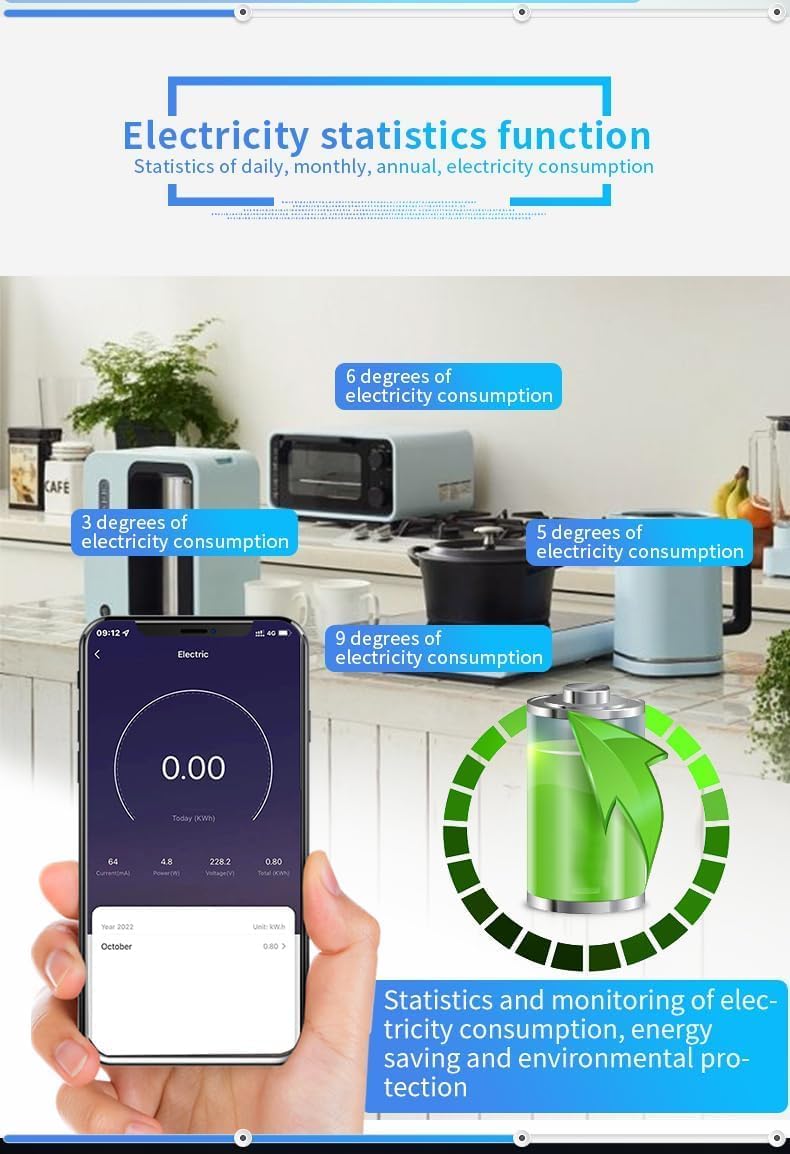
Image: The Offgridtec Smart WiFi Power Strip, showing its four AC outlets, two USB-A ports, two USB-C ports, and the main power button with indicator lights.
5. Instruccions de configuració
5.1. Descarrega l'aplicació
The Offgridtec Smart WiFi Power Strip works with the Smart Life or Tuya Smart app. Download one of these apps from the App Store (iOS) or Google Play Store (Android).
- Cerca "Vida intel·ligent" o "Tuya Smart".
- Instal·leu l'aplicació al telèfon intel·ligent o a la tauleta.
5.2. Registra't i inicia la sessió
Obre l'aplicació i segueix les instruccions que apareixen a la pantalla per registrar un compte nou o iniciar la sessió si ja en tens un.
5.3. Connect the Power Strip to Wi-Fi
- Plug the Smart WiFi Power Strip into a standard wall outlet.
- Press and hold the main power button on the power strip for approximately 5 seconds until the indicator light starts blinking rapidly. This indicates the device is in pairing mode.
- Open the Smart Life/Tuya Smart app. Tap the "+" icon in the top right corner to add a device.
- Select "Power Strip (Wi-Fi)" or allow the app to auto-discover the device.
- Confirm that the indicator light is blinking rapidly.
- Introduïu el nom i la contrasenya de la vostra xarxa Wi-Fi de 2.4 GHz. Nota: El dispositiu només admet xarxes Wi-Fi de 2.4 GHz.
- Wait for the app to connect the device. Once connected, the indicator light will stop blinking and remain solid.
- You can now rename the power strip and its individual outlets within the app for easier management.

Image: A smartphone screen showing the Smart Life app interface, with individual controls for the four AC outlets of the Offgridtec Smart Power Strip.
6. Instruccions de funcionament
6.1. Control d'aplicacions
The Smart Life/Tuya Smart app provides comprehensive control over your power strip:
- Control de presa individual: Each of the four AC outlets can be turned on or off independently via the app.
- USB Port Control: The USB-A and USB-C ports are typically controlled as a single group.
- Timer Function (Scheduling): Set specific schedules for your devices to turn on or off automatically. This helps save energy and automate routines.

Image: A smartphone displaying the app's timer and scheduling interface, allowing users to set specific on/off times for connected devices.
- Control d'escena: Create custom scenes to control multiple devices with a single command. For example, a "Movie Night" scene could turn off lights and turn on the TV.
- Compartició de dispositius: Share control of the power strip with family members or friends through the app.
- Monitorització energètica: Monitor the real-time power consumption of the entire power strip (total for all connected devices). This feature helps identify energy-intensive appliances and optimize usage.

Image: A smartphone screen showing the electricity statistics function within the app, displaying daily, monthly, and annual energy consumption data for the power strip.
6.2. Control per veu
The Offgridtec Smart WiFi Power Strip is compatible with Amazon Alexa and Google Assistant for hands-free control.
- Comptes d'enllaç: In the Alexa or Google Home app, enable the "Smart Life" or "Tuya Smart" skill/service and link your account.
- Descobriu els dispositius: Demana al teu assistent de veu que descobreixi nous dispositius.
- Comandaments de veu: Utilitzeu ordres com ara:
- "Alexa, activa [Nom del dispositiu]"
- "Ei Google, desactiva [Nom del dispositiu]"
- "Siri, turn on [Device Name]" (via Apple Home integration with Tuya/Smart Life)
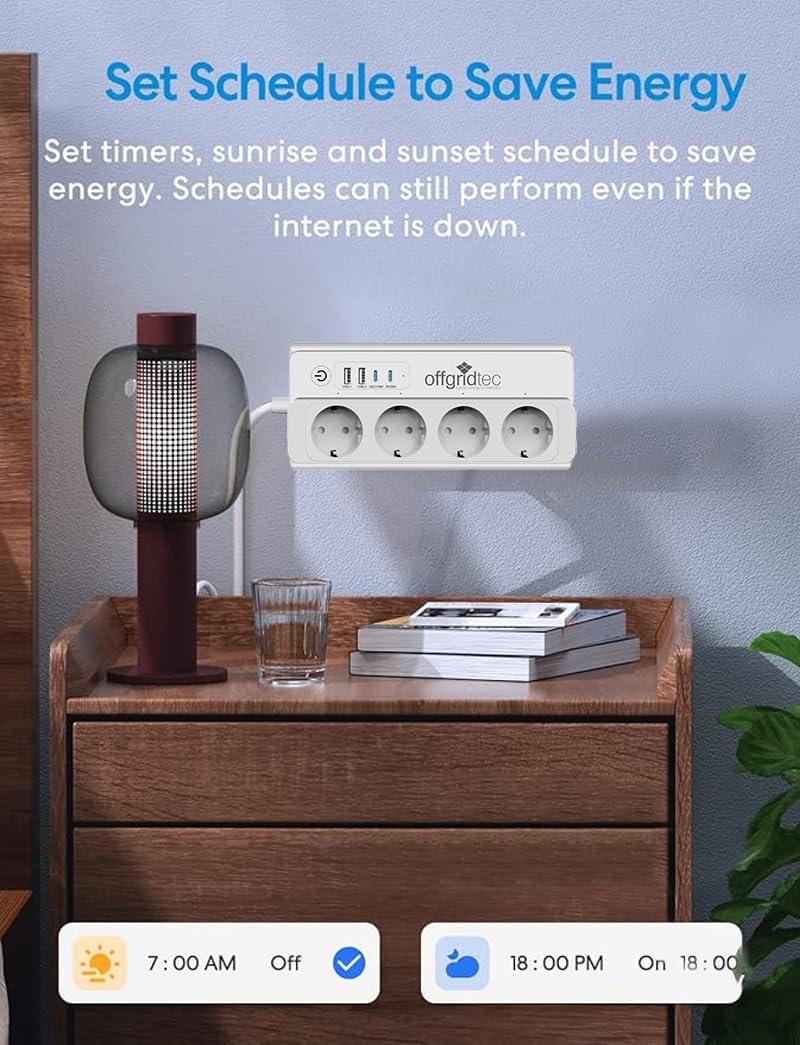
Image: The Offgridtec Smart Power Strip positioned near smart speakers (Google Home Mini, Amazon Echo Dot), illustrating its compatibility with voice control systems like Alexa and Google Assistant.
6.3. Offline Control
Even if your internet connection is down, you can still control your devices locally within your home Wi-Fi network via the Smart Life app, provided your smartphone and the power strip are connected to the same local network.
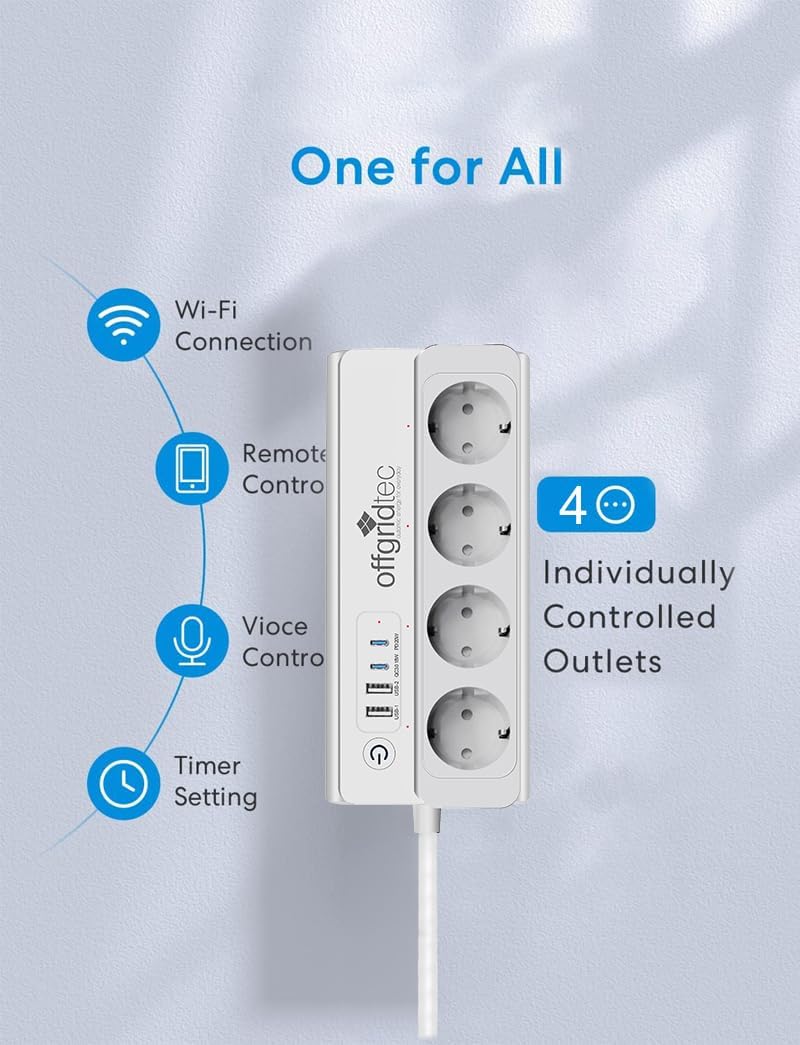
Image: A diagram illustrating how the Offgridtec Smart Power Strip and other smart devices can still be controlled via the Smart Life app on a smartphone, even if the external internet connection is unavailable, as long as they are on the same local Wi-Fi network.
7. Manteniment
- Neteja: Disconnect the power strip from the wall outlet before cleaning. Use a soft, dry cloth to wipe the surface. Do not use liquid cleaners or sprays.
- Actualitzacions de firmware: The app may prompt you for firmware updates. It is recommended to keep the device's firmware updated for optimal performance and security. Follow the in-app instructions for any updates.
8. Solució De Problemes
| Problema | Causa possible | Solució |
|---|---|---|
| El dispositiu no es pot connectar a la Wi-Fi. | Contrasenya Wi-Fi incorrecta; xarxa Wi-Fi de 5 GHz; dispositiu massa lluny del router; regleta no en mode d'emparellament. | Ensure correct 2.4GHz Wi-Fi password. Move device closer to router. Re-enter pairing mode (long press power button). |
| App cannot find the device. | Device not in pairing mode; app permissions not granted; router issues. | Verify device is blinking rapidly. Check app permissions. Restart router and try again. |
| El control per veu (Alexa/Google) no funciona. | Accounts not linked; device name not recognized; internet connection issue. | Ensure Smart Life/Tuya skill is enabled and accounts are linked. Try renaming the device in the app. Check internet connection. |
| Power monitoring shows total consumption only. | This model provides aggregate power consumption for the entire strip, not individual outlets. | This is expected behavior for this product. To monitor individual devices, use separate smart plugs with per-outlet monitoring. |
| El dispositiu no respon. | Temporary glitch; power outage. | Unplug the power strip for 10 seconds, then plug it back in. If issues persist, try resetting and re-pairing. |
9. Especificacions
| Característica | Especificació |
|---|---|
| Model | B0F3ZVV45S |
| Entrada Voltage | 230V AC, 50/60Hz (Standard EU) |
| Corrent màxim | 16A |
| Potència màxima | 3680W |
| Preses de corrent altern | 4 (Type E - France) |
| Ports USB-A | 2 |
| Ports USB-C | 2 |
| Wi-Fi estàndard | 2.4 GHz (IEEE 802.11 b/g/n) |
| Longitud del cable | 1.5 metres |
| Material | Fire-retardant PC |
| Compatibilitat | Smart Life/Tuya App, Amazon Alexa, Google Assistant |
| Característiques especials | Energy Optimization, Timer Function, Scene Control, Device Sharing, Voice Control, Overload Protection, Surge Protection, Overheating Protection, Child-Safe Design |
10. Garantia i Suport
10.1. Informació de la garantia
Offgridtec provides a commitment to product longevity, with spare parts availability guaranteed for 7 years from the date of purchase. This warranty covers manufacturing defects under normal use conditions.
10.2. Atenció al client
For technical support, troubleshooting assistance, or warranty claims, please contact Offgridtec customer service through the following channels:
- Weblloc: Visit the official Offgridtec weblloc web per a preguntes freqüents i recursos de suport.
- Correu electrònic: Refer to your purchase documentation for specific support email addresses.
- Telèfon: Refer to your purchase documentation for specific support phone numbers.
Please have your product model number (B0F3ZVV45S) and purchase date ready when contacting support.