
1. Introducció
Thank you for choosing the AIRMATE FB20187 Standing Fan. This fan is designed to provide efficient air circulation, adjustable lighting, and quiet operation for your home or office. Please read this manual thoroughly before use to ensure proper operation and maintenance.
2. Informació de seguretat
- Assegureu-vos sempre que el ventilador estigui col·locat sobre una superfície estable i anivellada per evitar que bolqui.
- No introduïu els dits ni cap objecte a la reixeta del ventilador quan estigui en funcionament.
- Mantingueu el ventilador allunyat de l'aigua o altres líquids. No l'utilitzeu en ambients humits.
- Desendolleu el ventilador de la presa de corrent abans de netejar-lo o fer-ne cap manteniment.
- Do not operate the fan with a damaged cord or plug. Contact customer support for assistance.
- Aquest aparell no està pensat per ser utilitzat per persones (inclosos nens) amb capacitats físiques, sensorials o mentals reduïdes, o amb manca d'experiència i coneixements, tret que hagin rebut la supervisió o instruccions sobre l'ús de l'aparell per una persona responsable de la seva seguretat.
- Els nens han de ser supervisats per assegurar-se que no juguin amb l'aparell.
3. Contingut del paquet
Verifiqueu que tots els components siguin presents al paquet:
- Muntatge del capçal del ventilador
- Adjustable Stand Pole (multiple sections for height adjustment)
- Base
- Adaptador d'alimentació
- Control remot
- Manual d'usuari (aquest document)
4. Instruccions de muntatge
The AIRMATE FB20187 fan is designed for quick and easy assembly. Follow these steps:
- Enganxeu la base: Securely connect the base to the bottom of the adjustable stand pole. Ensure it clicks into place or is tightened with the provided fastener.
- Assemble the Stand Pole: Depending on your desired height (12" to 39"), connect the appropriate sections of the stand pole.
- Muntar el capçal del ventilador: Attach the fan head assembly to the top of the assembled stand pole. Ensure it is firmly seated and locked.
- Connectar l'alimentació: Plug the power adapter into the fan and then into a suitable electrical outlet.
5. Instruccions de funcionament
The AIRMATE FB20187 fan offers multiple control options and features for customized comfort.
5.1. Control Panel and Remote Control
The fan can be operated using the digital touch display on the unit or the included remote control. The remote control features a magnetic backing for convenient storage on the fan itself.

5.2. Encendre/apagar
- Press the Power button on the control panel or remote to turn the fan on or off.
5.3. Ajust de velocitat del ventilador
The fan offers 16 precision speed settings.
- Use the 'Fan Speed' buttons on the control panel or remote to increase or decrease the airflow.
- A 'Storm Mode' button may be available for maximum airflow with a single press.
5.4. Oscillation Settings
The fan supports both horizontal and vertical oscillation for wide area coverage.
- Oscil·lació horitzontal: Select from 60°, 90°, or 120° oscillation angles using the 'Oscillation' button on the control panel or remote.
- Oscil·lació vertical: The fan head can be manually adjusted vertically up to 90°.

5.5. Funció de la llum LED
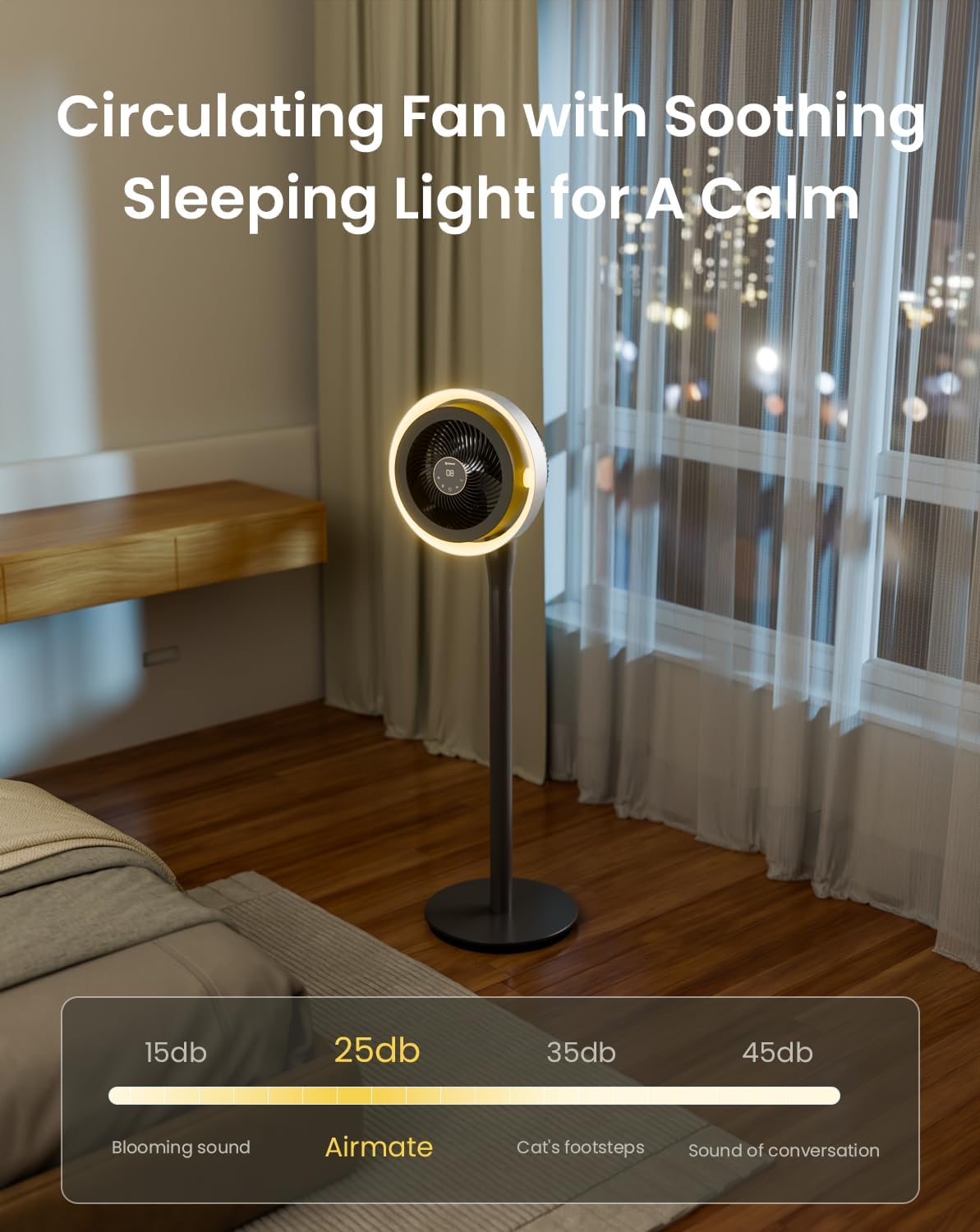
The integrated LED light offers three color temperature options and adjustable brightness.
- Press the 'Light' button on the control panel or remote to cycle through light colors: Warm, Neutral, and Cool White.
- Hold the 'Light' button to adjust the brightness level.

5.6. Funció de temporitzador
Set the fan to operate for a specific duration using the 12-hour programmable timer.
- Press the 'Timer' button on the remote control to set the desired operating time. The fan will automatically turn off after the set period.
5.7. Mode de silenci
- The fan features a mute mode to silence button presses for undisturbed use, especially during sleep.
6. Manteniment
Regular cleaning and maintenance will ensure the longevity and optimal performance of your AIRMATE fan.
- Neteja de l'exterior: Netegeu les superfícies exteriors del ventilador amb un drap suau iamp tela. No utilitzeu netejadors abrasius ni dissolvents.
- Cleaning the Fan Grille and Blades: Unplug the fan before attempting to clean the grille or blades. The fan head can be disassembled for easier access to the blades. Use a soft brush or vacuum cleaner to remove dust. Ensure all parts are dry before reassembly and use.
- Emmagatzematge: Quan no l'utilitzeu durant períodes prolongats, guardeu el ventilador en un lloc fresc i sec, preferiblement en el seu embalatge original.
7. Solució De Problemes
Si teniu algun problema amb el ventilador, consulteu els següents problemes i solucions habituals:
| Problema | Causa possible | Solució |
|---|---|---|
| El ventilador no s'encén | No power supply; Power button not pressed; Damaged power cord/adapter | Check power connection; Press power button; Inspect cord for damage, contact support if damaged. |
| Flux d'aire feble | Low speed setting; Dust accumulation on blades/grille | Increase fan speed; Clean fan blades and grilles. |
| Oscillation not working correctly | Obstruction; Internal mechanism issue | Ensure no obstructions; If issue persists, contact customer support. |
| El comandament a distància no respon | Battery depleted; Obstruction between remote and fan; Remote out of range | Replace remote battery; Remove obstructions; Ensure remote is within operating range. |
| La llum LED no funciona | Light function not activated; Internal issue | Press the light button; If issue persists, contact customer support. |
If the problem persists after attempting these solutions, please contact AIRMATE customer support for further assistance.
8. Especificacions
| Característica | Especificació |
|---|---|
| Número de model | FB20187 |
| Marca | AERI |
| Color | Darkgrey |
| Disseny de ventilador elèctric | Ventilador de terra |
| Font d'alimentació | DC |
| Dimensions del producte (P x A x A) | 33P x 33A x 121H centímetres |
| Tipus de muntatge | De peu lliure |
| Tipus de controlador | Remote Control, Touch |
| Material | Plàstic ABS |
| Nombre de velocitats | 16 |
| Nivell de soroll | 25 decibels |
| Wattage | 20 watts |
| Nombre de fulles | 3 |
| Capacitat de cabal d'aire | 1000 peus cúbics per minut |
| Velocitat | 1700 RPM |
| Voltage | 120 Volts |
| Ús interior exterior | Interior |
| Longitud de la fulla | 12 polzades |
9. Garantia i Suport
AIRMATE products are manufactured to high-quality standards. For warranty information, product support, or to report any issues, please contact AIRMATE customer service. Keep your purchase receipt as proof of purchase for warranty claims.
Manufacturer Contact Information: Airmate Electrical(Shenzhen)Co.,Ltd. Huang Feng Ling Industrial Zone, Shiyan Town, Baoan District, China.