
THINKYA JA-318
THINKYA Vintage Bluetooth Stereo System
Model: JA-318
Introducció
Thank you for choosing the THINKYA Vintage Bluetooth Stereo System. This manual provides essential information for setting up, operating, and maintaining your new audio system. Please read this manual thoroughly before using the product to ensure proper operation and to maximize your listening experience. Keep this manual for future reference.
Contingut del paquet
Si us plau, reviseu atentament el contingut del paquet. Si falta algun article o hi ha algun dany, poseu-vos en contacte amb el vostre distribuïdor.
- THINKYA Vintage Bluetooth Stereo System Unit
- Control remot
- Adaptador d'alimentació
- FM Antenna (if applicable)
- Manual d'usuari (aquest document)
Producte acabatview
Familiarize yourself with the components and features of your stereo system.

Figura 1: Davant view of the stereo system with the included remote control. The system features a top-loading CD player and integrated speakers.

Figura 2: The system supports Bluetooth 5.1 for wireless audio streaming, along with Aux and USB playback options. A smartphone is shown connected via Bluetooth.

Figura 3: The system features a premium 30W RMS sound system with dual 3-inch full-range units, designed for clear and powerful audio output.
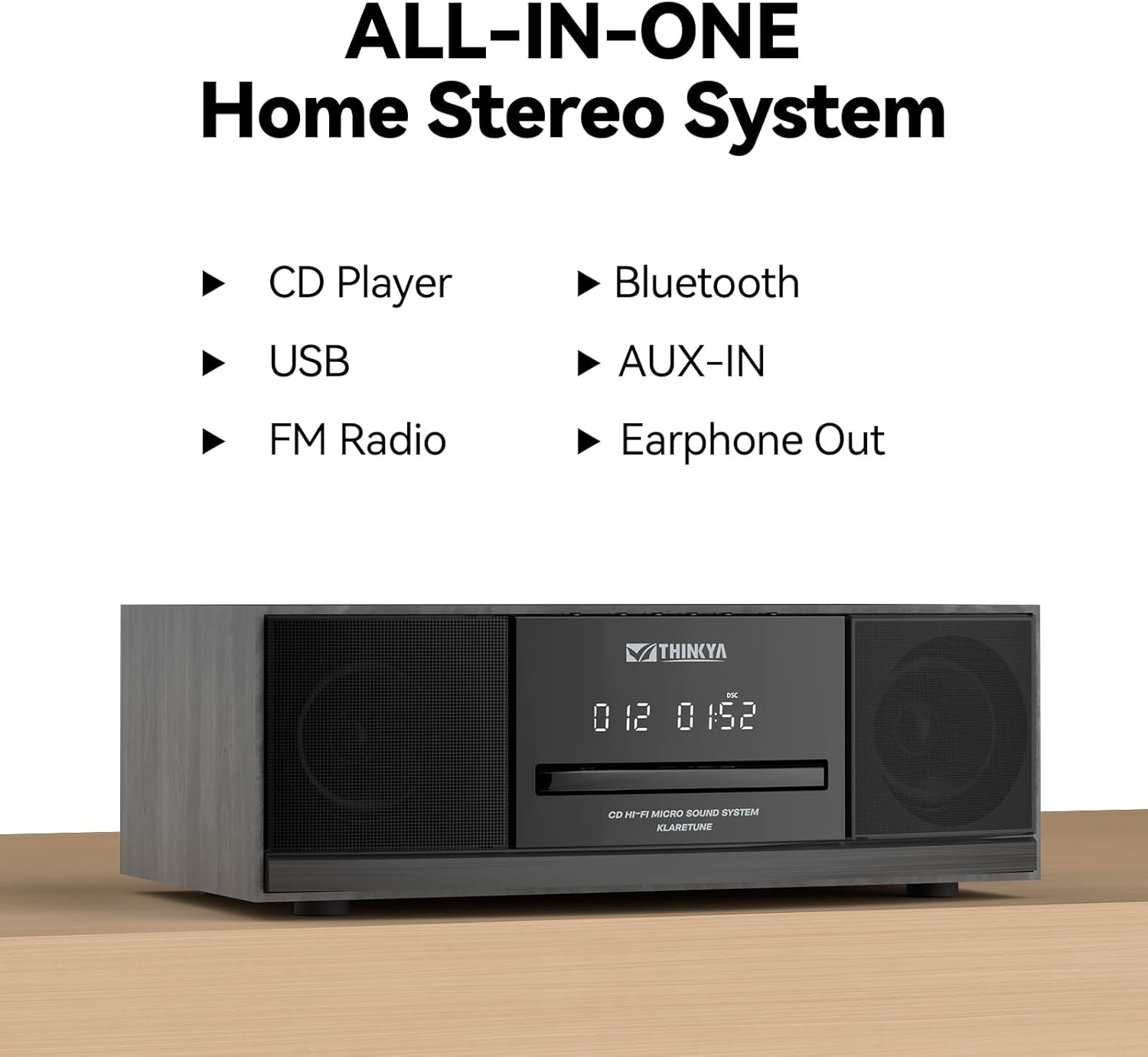
Figura 4: This all-in-one home stereo system integrates multiple audio sources including CD Player, USB, FM Radio, Bluetooth, AUX-IN, and Earphone Out.

Figura 5: The top-loading CD player supports various disc formats including CD, CD-R, CD-RW, and MP3 CDs. It also offers 5 EQ modes: Flat, Pop, Rock, Jazz, and Classic.

Figura 6: Rear panel connections include AUX Input (RCA and 3.5mm), USB Input, and Earphone Output for versatile connectivity.
Configuració
1. Col·locació
Place the stereo system on a stable, flat surface away from direct sunlight, heat sources, and excessive dust or moisture. Ensure adequate ventilation around the unit.
2. Connexió d'alimentació
- Connect the power adapter to the DC IN port on the rear of the unit.
- Connecteu l'adaptador d'alimentació a una presa de corrent estàndard.
3. Connexió de l'antena FM
For optimal FM radio reception, connect the included FM antenna to the FM ANT port on the rear of the unit. Extend the antenna fully and adjust its position for the best signal.
Instruccions de funcionament
Encès/Apagat
Premeu el botó PODER button on the unit or the remote control to turn the system on or off.
Selecció del mode
Premeu el botó MODE button on the unit or remote control repeatedly to cycle through available modes: CD, Bluetooth, FM Radio, USB, and AUX-in.
Funcionament del reproductor de CD
- Seleccioneu el mode CD.
- Gently insert a CD into the top-loading CD slot with the label side facing up. The disc will be automatically detected and playback will begin.
- Utilitza el REPRODUCCIÓ/PAUSA, Saltar endavant, i SALTAR ENRERE botons per controlar la reproducció.
- Premeu el botó STOP botó per aturar la reproducció.
- Modes de repetició: Premeu el botó REPETIR button to cycle through repeat one, repeat all, or random playback.
- Modes d'equalització: Premeu el botó EQ button to select desired sound equalization: Flat, Classic, Rock, Pop, or Jazz.
Emparellament Bluetooth
- Select Bluetooth mode. The display will show "BT" and flash, indicating it's in pairing mode.
- Al dispositiu amb Bluetooth (telèfon intel·ligent, tauleta, etc.), activeu el Bluetooth i cerqueu els dispositius disponibles.
- Select "THINKYA JA-318" (or similar name) from the list.
- Once paired, the "BT" indicator will stop flashing and remain solid. You can now stream audio from your device to the stereo system.
- Note: This system is designed for receiving Bluetooth audio from devices and does not support connection to wireless headphones.
Funcionament de la ràdio FM
- Seleccioneu el mode de ràdio FM.
- Escaneig automàtic: Manteniu premut el botó REPRODUCCIÓ/PAUSA per escanejar i desar automàticament les emissores de FM disponibles.
- Sintonització manual: Utilitza el Saltar endavant or SALTAR ENRERE botons per sintonitzar manualment les freqüències desitjades.
- Estacions preseleccionades: Use the number buttons on the remote control to directly select saved preset stations.
Reproducció USB
- Seleccioneu el mode USB.
- Inseriu una unitat flash USB que contingui àudio MP3 o WMA files into the USB port on the rear of the unit.
- Playback will begin automatically. Use the playback controls (PLAY/PAUSE, SKIP FORWARD/BACKWARD) to navigate your music.
AUX-in Usage
- Select AUX-in mode.
- Connect an external audio device (e.g., smartphone, MP3 player) to the AUX-in port (3.5mm or RCA) on the rear of the unit using an appropriate audio cable (not included).
- Controla la reproducció directament des del dispositiu extern connectat.
Funcions de control remot

Figura 7: The included remote control allows convenient operation of all system functions from a distance.
The remote control provides full functionality for the stereo system. Ensure batteries are correctly inserted. Refer to the button labels on the remote for specific functions such as Power, Mode, Volume, Playback controls, EQ, and Number buttons for FM presets.
Manteniment
Neteja
Wipe the unit with a soft, dry cloth. Do not use abrasive cleaners, waxes, or solvents as they may damage the finish. For the CD lens, use a specialized CD lens cleaner if necessary.
Emmagatzematge
Si no heu d'utilitzar la unitat durant un període prolongat, desendolleu-la de la presa de corrent i guardeu-la en un lloc fresc i sec.
Cura de CD
Handle CDs by their edges. Keep them clean and free of scratches. Store CDs in their cases when not in use.
Resolució de problemes
If you encounter any issues, please refer to the following table before contacting customer support.
| Problema | Causa possible | Solució |
|---|---|---|
| Sense poder | Cable d'alimentació no connectat; Presa de corrent no activa. | Ensure power cord is securely plugged in. Try a different power outlet. |
| Sense so | Volume too low; Incorrect mode selected; Mute function active. | Increase volume. Select the correct input mode (CD, BT, FM, USB, AUX). Press the MUTE button on the remote. |
| El CD salta o no es reprodueix | El CD està brut o ratllat; el CD s'ha inserit incorrectament. | Clean the CD with a soft, lint-free cloth. Ensure the CD is inserted label side up. Try a different CD. |
| Bluetooth no connectat | System not in pairing mode; Device Bluetooth off; Device too far. | Ensure system is in Bluetooth mode and "BT" is flashing. Enable Bluetooth on your device. Move device closer to the system (within 30 feet). |
| Mala recepció FM | Antena no connectada o mal posicionada. | Connect the FM antenna and adjust its position for better signal. |
| El comandament a distància no funciona | Les piles estan gastades o inserides incorrectament; Obstrucció entre el comandament a distància i la unitat. | Canvieu les piles. Assegureu-vos de la polaritat correcta. Traieu qualsevol obstrucció. Apunteu el comandament a distància directament al sensor de la unitat. |
Especificacions
| Característica | Detall |
|---|---|
| Número de model | JA-318 |
| Marca | PENSA |
| Dimensions del producte (L x A x A) | 16 x 11 x 9 polzades |
| Pes de l'article | 8.73 lliures |
| Tecnologia de connectivitat | Bluetooth |
| Tipus d'altaveu | estèreo |
| Color | Negre |
| Potència de sortida RMS | 30W (15W RMS per speaker) |
| Compatibilitat amb CD | CD, CD-R/RW, MP3 CD |
| Modes EQ | Flat, Classic, Rock, Pop, Jazz |
| Presets FM | 20 estacions |
| Entrades | USB Port, Aux-in (3.5mm, RCA) |
| Sortides | Port d'auriculars |
Garantia i Suport
For warranty information and technical support, please refer to the contact details provided with your purchase or visit the official THINKYA weblloc web. Conserveu el comprovant de compra per a qualsevol reclamació de garantia.
Per obtenir més ajuda, poseu-vos en contacte amb:
- Fabricant: PENSA
- Weblloc: Search THINKYA on Amazon (or official website if available)
Ask a question about this manual
Ask about setup, troubleshooting, compatibility, parts, safety, or missing instructions. Manuals+ will review the question and use this page’s manual context to help answer it.