
1. Introducció
Gràcies per la compraasing the SOLAKAKA SM820 Wireless Gaming Mouse. This high-performance gaming mouse is designed to provide an unparalleled gaming and office experience with its tri-mode connectivity, high-precision sensor, and customizable features. The SM820 features a lightweight ergonomic design and comes with an RGB magnetic charging dock for convenient charging and enhanced signal stability.

Image 1.1: The SM820 Wireless Gaming Mouse with its RGB charging dock.
2. Configuració
2.1 Contingut del paquet
- SM820 Wireless Gaming Mouse
- RGB Magnetic Charging Dock
- Cable USB-C a USB-A
- 2.4GHz USB Dongle (located inside the charging dock or mouse)
- Manual d'usuari (aquest document)
2.2 Càrrega inicial
Abans del primer ús, es recomana carregar completament el ratolí.
- Connect the USB-C end of the provided cable to the charging dock and the USB-A end to a powered USB port on your computer or a USB wall adapter.
- Place the SM820 mouse onto the RGB magnetic charging dock. Ensure the mouse aligns correctly with the charging pins. The RGB lighting on the dock will indicate charging status (e.g., changing color or pulsing).
- Alternatively, you can connect the USB-C cable directly to the mouse for wired charging and use.
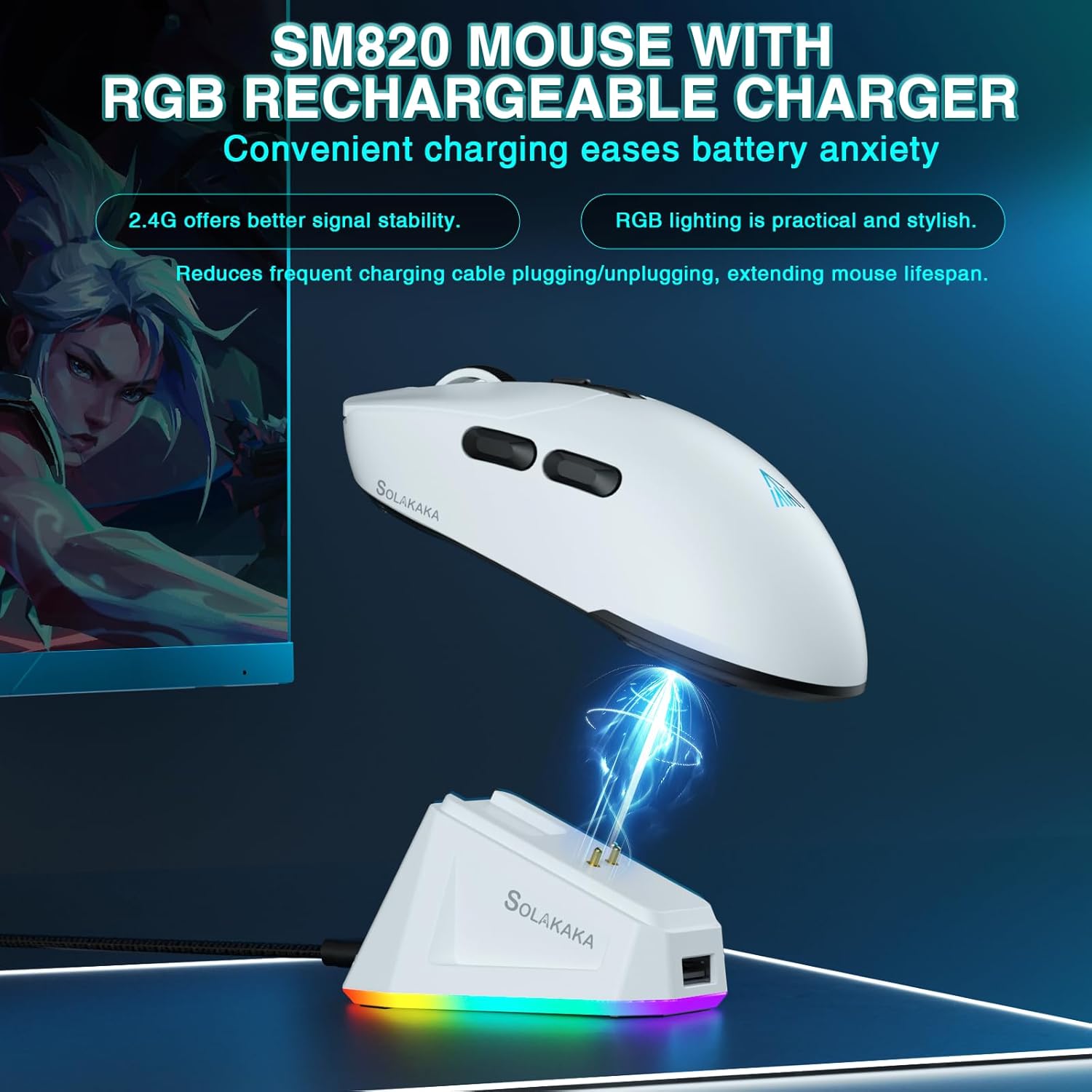
Image 2.1: Charging the SM820 mouse using the RGB magnetic charging dock.
2.3 Connexió del ratolí
The SM820 supports three connection modes: 2.4GHz Wireless, Bluetooth 5.0, and Type-C Wired.
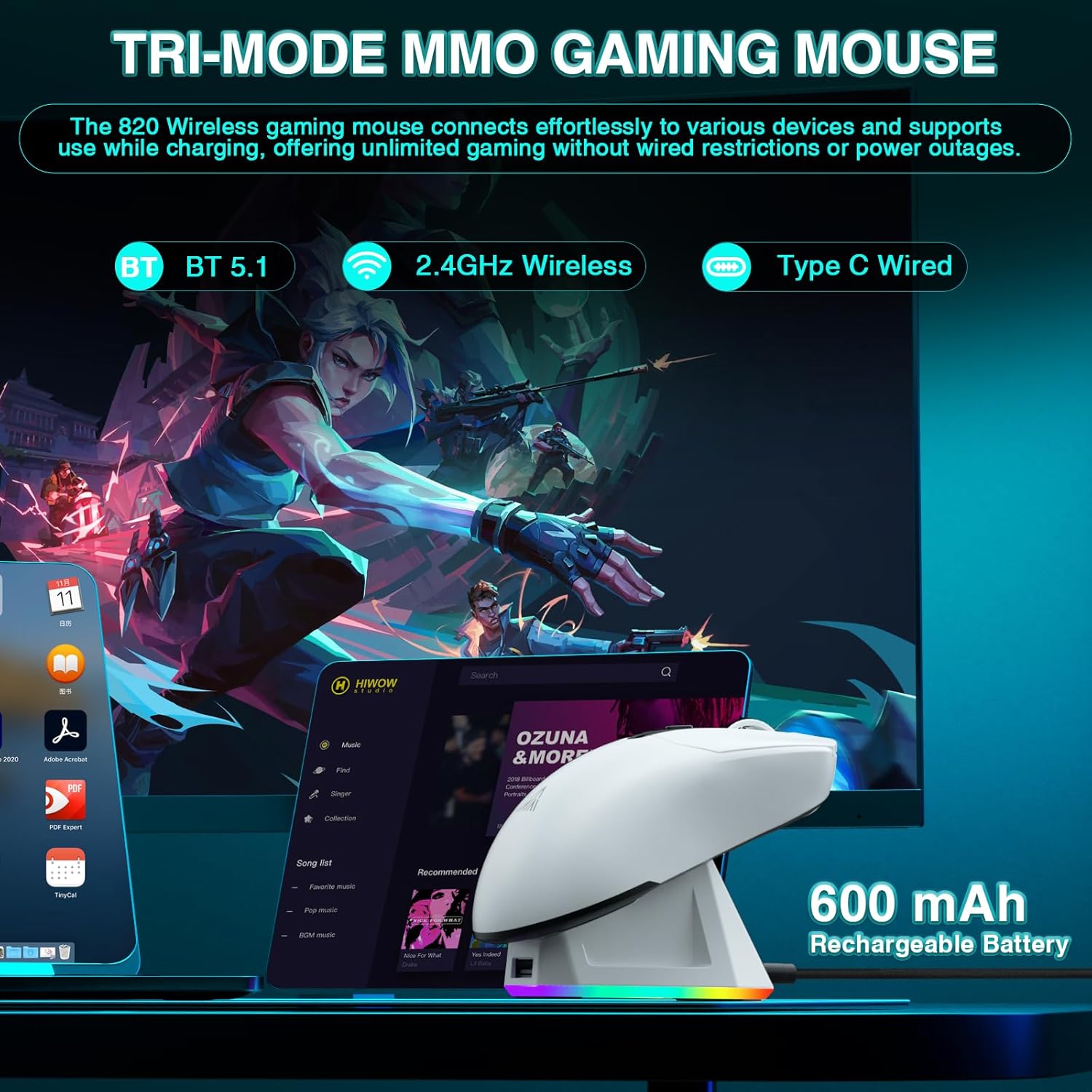
Image 2.2: The SM820 mouse supports Bluetooth, 2.4GHz Wireless, and Type-C Wired connections.
Connexió sense fil 2.3.1 de 2.4 GHz
- Locate the 2.4GHz USB dongle. It is typically stored in a compartment on the underside of the mouse or within the charging dock.
- Plug the USB dongle into an available USB-A port on your computer. The charging dock also has a pass-through USB-A port for the dongle.
- On the underside of the mouse, slide the mode switch button to the "2.4G" position.
- El ratolí s'hauria de connectar automàticament a l'ordinador.
Connexió Bluetooth 2.3.2 5.0
- On the underside of the mouse, slide the mode switch button to the "BT" position.
- The mouse's indicator light will start blinking, indicating it's in pairing mode.
- A l'ordinador o dispositiu, vés a la configuració de Bluetooth i cerca dispositius nous.
- Select "SM820" from the list of available devices to pair.
- Once paired, the indicator light on the mouse will become solid.
2.3.3 Connexió amb cable tipus C
- Connect the USB-C end of the provided cable directly to the front port of the SM820 mouse.
- Connect the USB-A end of the cable to a USB port on your computer.
- El ratolí canviarà automàticament al mode amb cable i començarà a carregar-se.
2.4 Instal·lació de programari (opcional)
For advanced customization, including programming buttons, setting macros, and fine-tuning DPI/polling rate, download the official SOLAKAKA SM820 software from the manufacturer's website. The software is compatible with Windows operating systems.
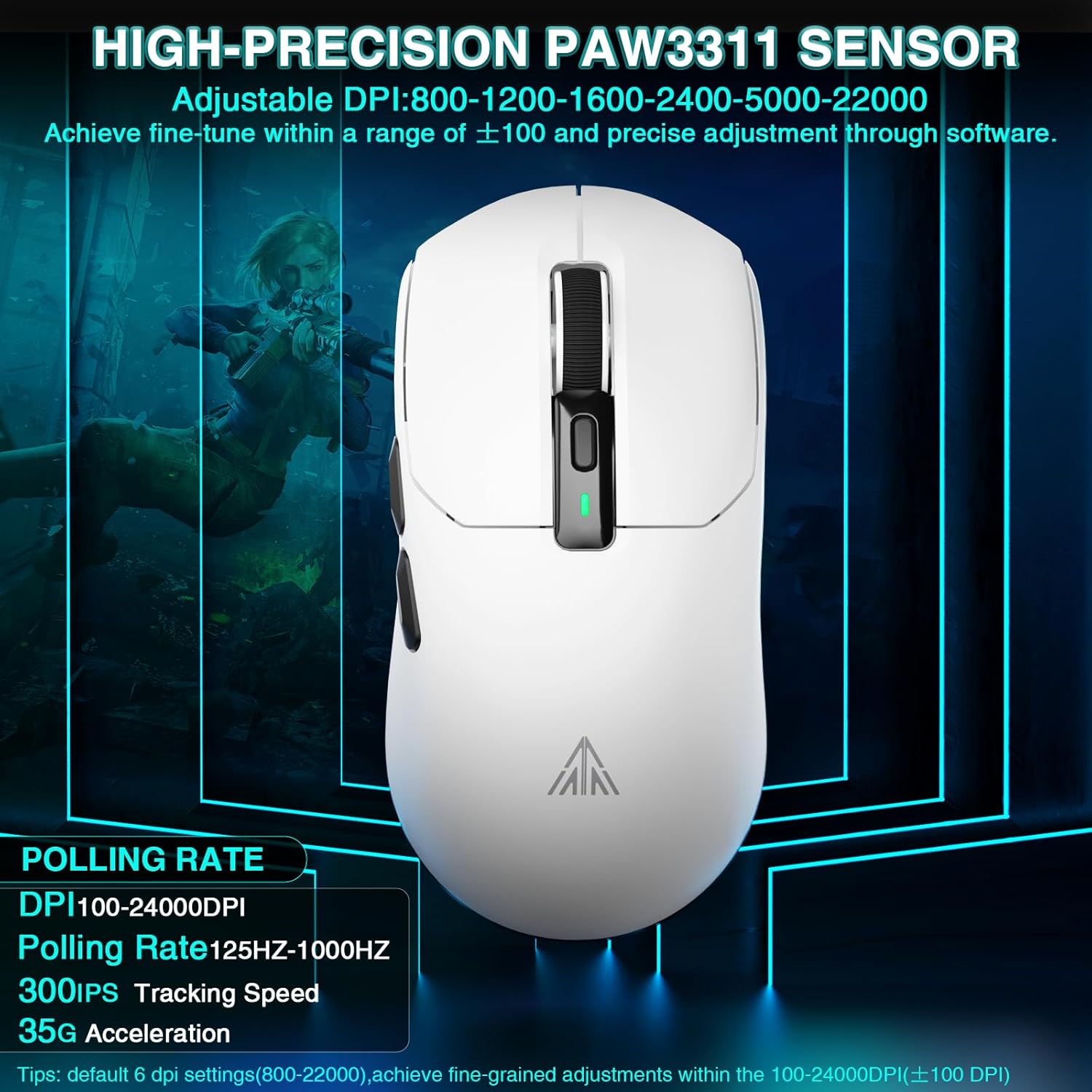
Image 2.3: The SM820 software allows for button programming, macro customization, and DPI adjustment.
3. Instruccions de funcionament
3.1 Disposició i funcions del ratolí

Image 3.1: Diagram showing the various buttons and components of the SM820 mouse and charging dock.
- Botó esquerre: Funció estàndard del clic esquerre.
- Botó dret: Funció estàndard del clic dret.
- Roda de desplaçament: Scrolls content up/down. Can also be pressed for middle-click.
- Botó d'ajust de DPI: Canvia ciclísticament pels nivells de DPI preestablerts.
- Indicador DPI: Shows the current DPI level (often via LED color).
- Clau d'enviament: Navega cap endavant web navegadors o file exploradors.
- Backwards Key: Navega cap enrere web navegadors o file exploradors.
- Mode Switch Button (underside): Toggles between 2.4G, OFF, and BT modes.
- Connection Mode Indicator (underside): Shows the active connection mode.
- Receptor 2.4G: The USB dongle for 2.4GHz wireless connection.
- RGB Charging Dock: Provides magnetic charging and RGB lighting effects.
- USB to Type-C Cable Interface: Per a connexió amb cable i càrrega.
3.2 Adjusting DPI (Dots Per Inch)
The SM820 mouse features a high-precision PAW3311 optical sensor, allowing for on-the-fly DPI adjustments.
- Premeu el botó Botó d'ajust de DPI (located behind the scroll wheel) to cycle through the default DPI settings.
- The DPI indicator light will change color to reflect the current DPI level.
- Default DPI settings typically include: 800, 1200, 1600, 2400, 5000, 22000.
- For fine-tuned adjustments within the 100-24000 DPI range, use the official software.
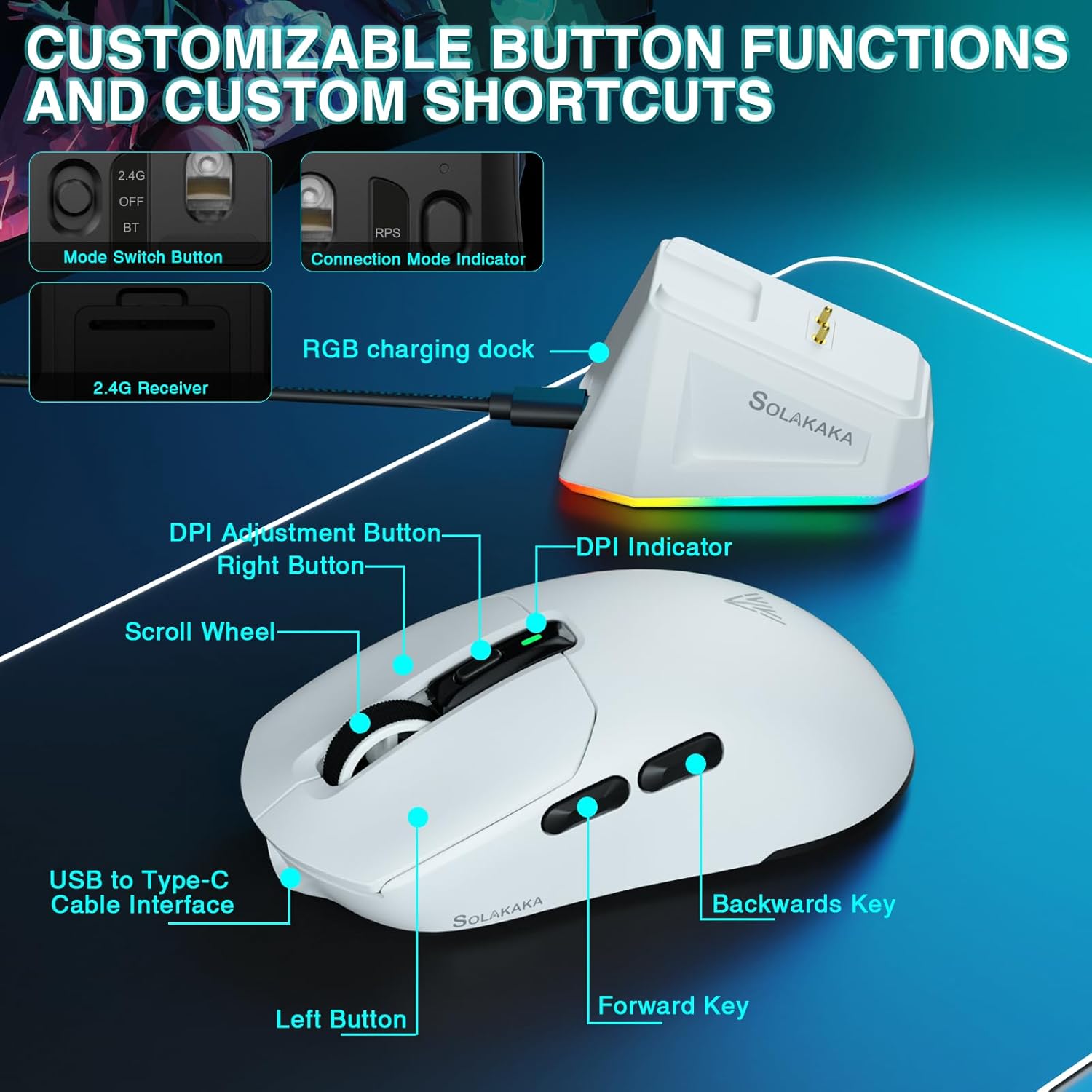
Image 3.2: The SM820 features a PAW3311 sensor with adjustable DPI up to 24000.
3.3 Programmable Buttons and Macros
The SM820 offers programmable buttons for enhanced productivity and gaming performance.
- Install the official SOLAKAKA SM820 software (refer to Section 2.4).
- Open the software to access button programming and macro customization options.
- You can assign multimedia key combinations, fire keys, and other functions to the programmable buttons (e.g., Forward and Backwards keys).
- Create and manage complex macros for repetitive tasks or in-game actions.
3.4 Disseny ergonòmic
The SM820 is designed for comfort during extended use. Its contoured shape fits perfectly in the palm of the right hand, and its lightweight construction (approx. 58g) reduces wrist burden.
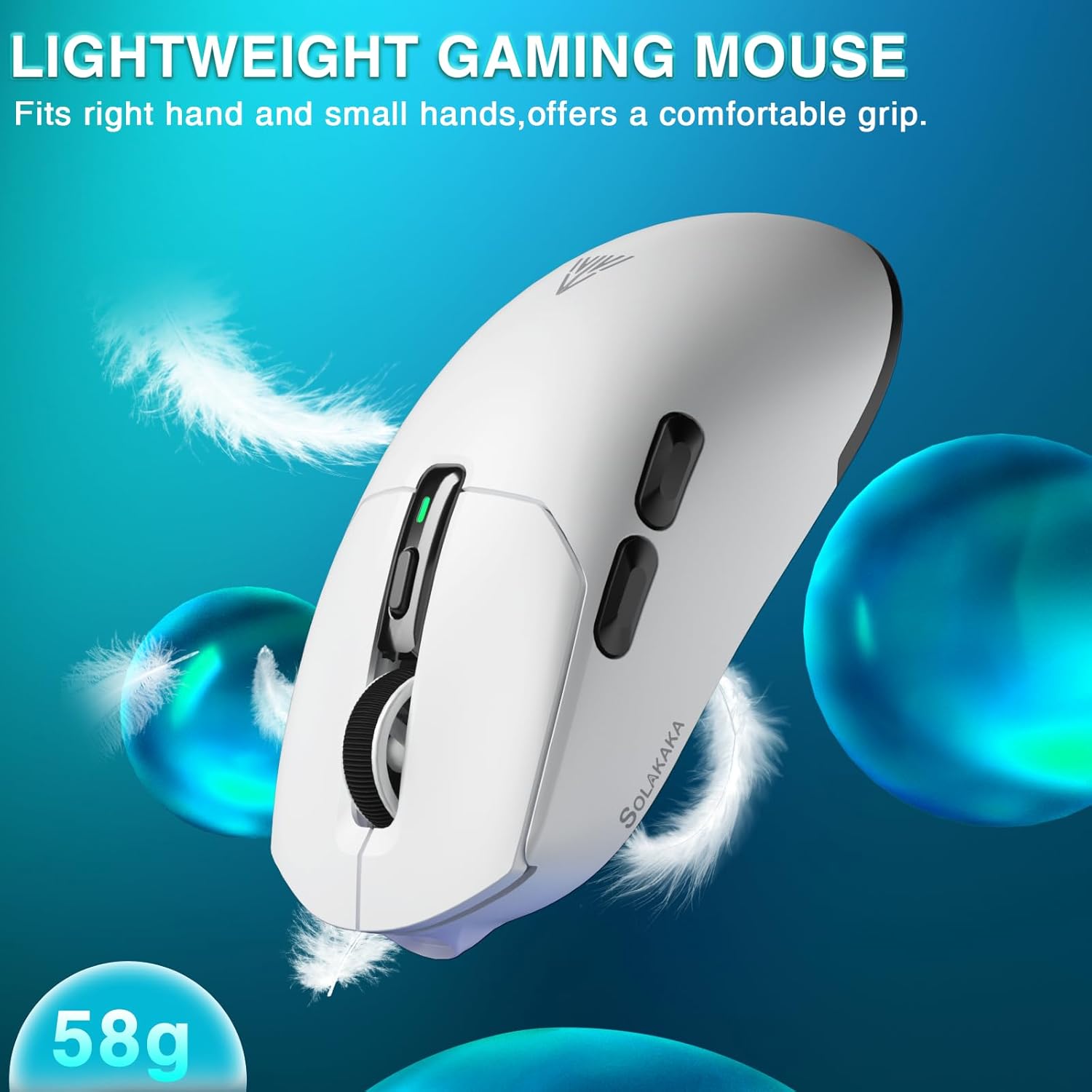
Image 3.3: The SM820 mouse features a lightweight (58g) and ergonomic design for comfortable use.
4. Manteniment
4.1 Neteja
- Ensure the mouse is powered off or disconnected before cleaning.
- Utilitzeu un drap suau i sense pelusa lleugerament dampened with water or a mild cleaning solution to wipe the surface of the mouse and charging dock.
- Eviteu l'ús de productes químics agressius, netejadors abrasius o humitat excessiva.
- Use a cotton swab or compressed air to clean around buttons, scroll wheel, and the optical sensor.
4.2 Cura de la bateria
- The SM820 mouse uses a built-in Lithium Ion battery.
- Per allargar la durada de la bateria, eviteu descarregar completament el ratolí amb freqüència.
- Guardeu el ratolí en un lloc fresc i sec quan no l'utilitzeu durant períodes prolongats.
- If the mouse will not be used for a long time, charge it to about 50% before storing.
5. Solució De Problemes
| Problema | Causa possible | Solució |
|---|---|---|
| Mouse not responding (2.4GHz/Bluetooth) | Low battery; Incorrect mode selected; Dongle not connected; Bluetooth not paired; Interference. |
|
| El cursor del ratolí és erràtic o salta | Dirty optical sensor; Unsuitable surface; High DPI setting. |
|
| Charging dock RGB not lighting up | Power issue; Cable not connected properly. |
|
| Els botons programables no funcionen | Software not installed; Buttons not configured; Software conflict. |
|
6. Especificacions
| Característica | Detall |
|---|---|
| Número de model | SM820 |
| Tecnologia de connectivitat | 2.4GHz Wireless, Bluetooth 5.0, Type-C Wired |
| Sensor | High-performance PAW3311 Optical Sensor |
| Rang de DPI | 100 - 24000 DPI (ajustable) |
| Taxa de votació | Fins a 1000 Hz |
| Velocitat de seguiment | 300 IPS |
| Acceleració | 35G |
| Botons | 6 Botons programables |
| Pes | Approx. 58g (±2g) |
| Tipus de bateria | 1 bateria de ions de liti (inclosa) |
| Carregant | RGB Magnetic Charging Dock / Type-C Wired |
| Dimensions | 7.52 x 4.09 x 1.85 polzades (paquet) |
| Color | Blanc |
7. Garantia i Suport
7.1 Informació de la garantia
SOLAKAKA products are manufactured to the highest quality standards. For detailed warranty terms and conditions, please refer to the warranty card included with your product or visit the official SOLAKAKA weblloc web. Conserveu el rebut de compra com a comprovant de compra per a reclamacions de garantia.
The buybox winner information indicates a return policy duration of 30 days for refund/replacement. Please check the latest policy on the Amazon product page or SOLAKAKA's official weblloc.
7.2 Atenció al client
If you encounter any issues or have questions regarding your SOLAKAKA SM820 Wireless Gaming Mouse, please contact SOLAKAKA customer support through the following channels:
- Oficial Weblloc: Visit the SOLAKAKA official weblloc web per a preguntes freqüents, descàrregues de controladors i informació de contacte.
- Botiga Amazon: You can also reach out to the seller, SOLAKAKA, directly through their Amazon store page: SOLAKAKA Amazon Store.
- Suport per correu electrònic: Consulteu l'embalatge del producte o la fitxa oficial weblloc web per a assistència directa per correu electrònic.
When contacting support, please have your product model (SM820) and purchase details ready.