
1. Informació de seguretat
Si us plau, llegiu i comprengui totes les instruccions de seguretat abans d'utilitzar aquest producte. Conservi aquest manual per a futures consultes.
- No exposeu el dispositiu a l'aigua ni a una humitat excessiva.
- Eviteu col·locar el dispositiu a prop de fonts de calor o sota la llum solar directa.
- Use only the provided power adapter or a certified USB-C power source.
- No intenteu desmuntar ni reparar el dispositiu vosaltres mateixos. Poseu-vos en contacte amb personal de servei qualificat.
- Mantenir fora de l'abast dels nens.
2. Producte acabatview
The JALL Digital Alarm Clock CH09 is designed to provide timekeeping, alarm functions, FM radio, ambient lighting, and device charging capabilities. It features a large LED display with adjustable brightness and color options.
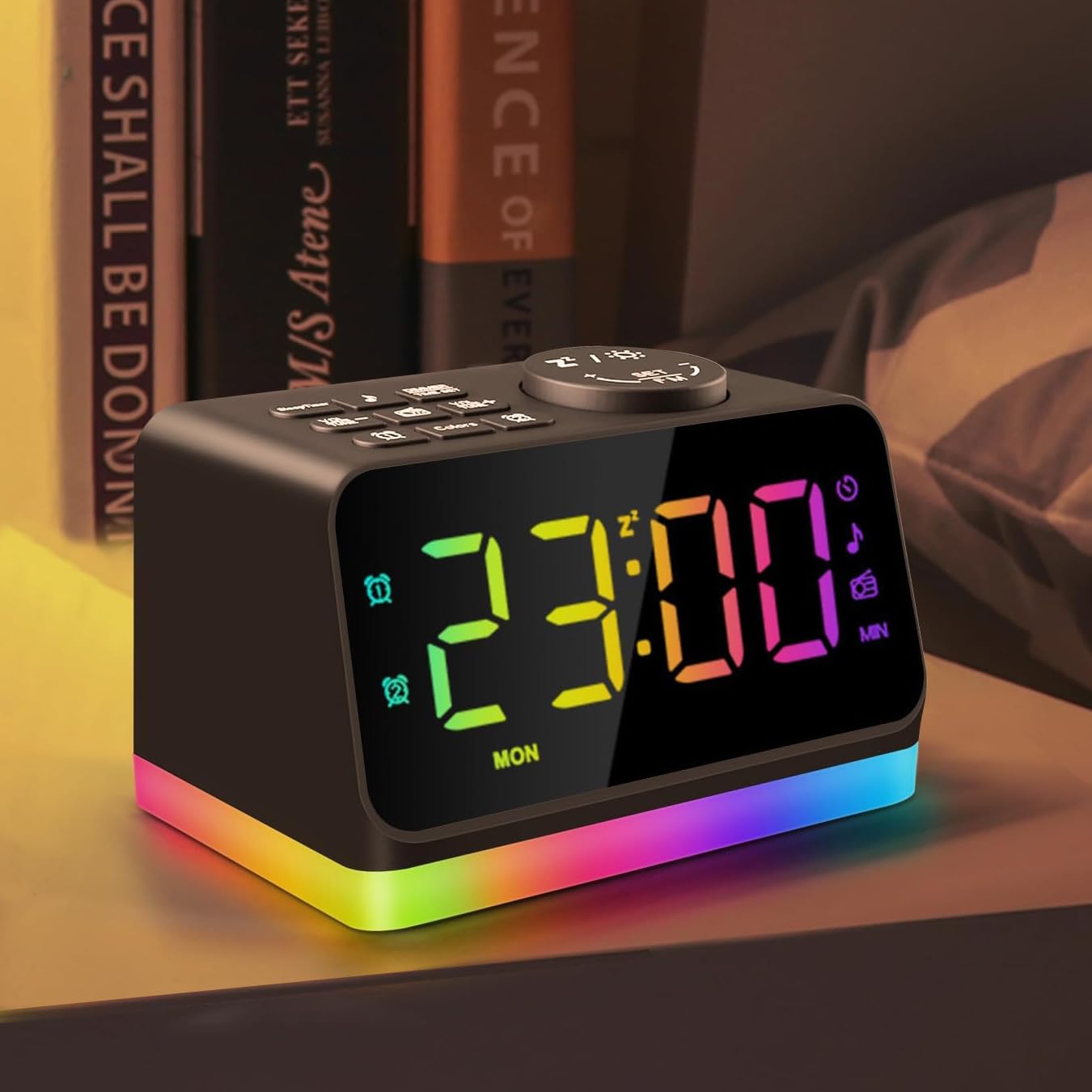
Figura 2.1: Frontal view of the JALL Digital Alarm Clock, displaying the time and the vibrant multi-color night light at its base.
Característiques principals:
- Large 5-inch LED display with adjustable brightness (0-100 levels).
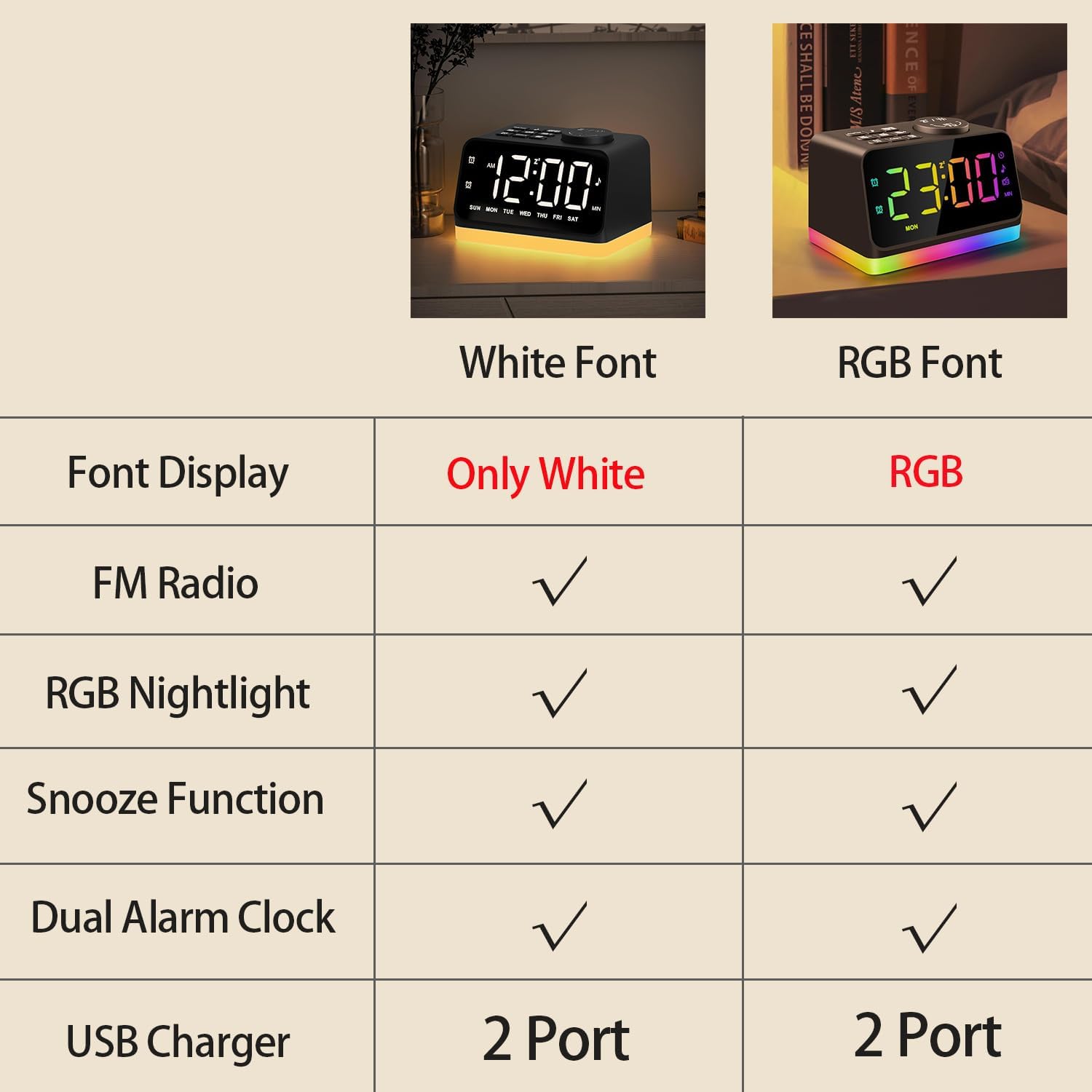
- Customizable display font colors (White, Warm white, Red, Green, Blue, Mixed colored).
- Dual alarms with separate settings for weekdays, weekends, or all 7 days.
- Choice of 7 built-in alarm tones or FM radio as wake-up sound.
- Snooze function for an additional 9 minutes of sleep.
- Integrated FM Radio (76.0-108.0 MHz) with auto-scan and manual tuning.
- 8-color night light / bedside lamp / mood light with adjustable brightness.
- Sleep timer function (10-480 minutes) for falling asleep to sounds.
- Two USB charging ports for mobile devices.
- Presa per a auriculars de 3.5 mm per a una escolta privada.

Figura 2.2: De dalt a baix view of the alarm clock, highlighting the various control buttons for setting time, alarms, adjusting volume, and accessing FM radio functions.
3. Configuració
3.1 Connexió d'alimentació
Connect the provided USB-C cable to the power input port on the back of the alarm clock and plug the adapter into a standard wall outlet. The display will illuminate, indicating the device is powered on.
3.2 Configuració inicial de l'hora
- Manteniu premut el botó HORA CONFIGURADA situat al panell superior. Els dígits de les hores començaran a parpellejar.
- Utilitza el VOL +/- or TUNE +/- botons per ajustar l'hora.
- Premeu HORA CONFIGURADA again to confirm the hour and move to minute adjustment.
- Utilitza el VOL +/- or TUNE +/- botons per ajustar els minuts.
- Premeu HORA CONFIGURADA once more to save the time.
4. Instruccions de funcionament
4.1 Configuració d'alarmes (alarma 1 i alarma 2)
The clock supports two independent alarms. The process is identical for both.
- Manteniu premut el botó Alarma 1 (
 ) o Alarma 2 () button. The alarm hour will flash.
 - Utilitza el VOL +/- or TUNE +/- botons per configurar l'hora d'alarma desitjada.
- Press the respective alarm button again to confirm the hour and move to minute adjustment.
- Utilitza el VOL +/- or TUNE +/- botons per configurar els minuts d'alarma desitjats.
- Press the alarm button again to select the alarm sound source (7 built-in tones or FM radio). Use VOL +/- or TUNE +/- per anar ciclant entre les opcions.
- Press the alarm button again to select the alarm mode (MON-FRI, SAT-SUN, or ALL 7 DAYS).
- Press the alarm button one last time to save the alarm settings.
4.2 Funció de repetició

Figure 4.1: A hand pressing the large snooze button on top of the alarm clock for an additional 9 minutes of sleep.
Quan soni una alarma, premeu la tecla gran Snooze / Night Light button on top of the clock to temporarily silence the alarm for 9 minutes. The alarm will sound again after 9 minutes.
4.3 Funcionament de la ràdio FM

Figure 4.2: The FM Radio function of the alarm clock, showing a person listening to music with the radio frequency displayed on the screen.
- Premeu el botó Ràdio FM botó per encendre la ràdio FM.
- Per escanejar automàticament i desar les emissores disponibles, manteniu premut el botó Ràdio FM button for 2 seconds. The clock will scan frequencies from 76.0-108.0 MHz.
- To manually tune, turn the Snooze / Night Light button to adjust the frequency.
- Utilitza el VOL +/- botons per ajustar el volum de la ràdio.
4.4 Night Light / Bedside Lamp / Mood Light

Figure 4.3: The 8-color night light feature of the alarm clock, displaying different color options for ambient lighting.
Premeu el botó Snooze / Night Light button to cycle through the 8 available night light colors. To adjust the brightness of the night light, use the easy turn wheel located on the back of the clock.
4.5 Sleep Sound Machines
The clock includes 7 built-in natural sounds to aid sleep. Press the Nota musical button to cycle through the available sounds. Use the VOL +/- buttons to adjust the volume of the sleep sound.
4.6 Adjustable Brightness Dimmer and Font Color

Figure 4.4: The adjustable brightness dimmer feature of the alarm clock, illustrating how the display brightness can be customized from 0% to 100%.
Premeu el botó DIMMER button to adjust the brightness of the main time display from 0 to 100 levels. You can also choose the font color displayed (White, Warm white, Red, Green, Blue, Mixed colored) by pressing the Colors botó.
4.7 ports de càrrega USB

Figure 4.5: The two USB charging ports located at the back of the alarm clock, allowing users to charge their mobile devices.
The alarm clock is equipped with two USB ports on the back, allowing you to charge your phone or other mobile devices conveniently.
5. Manteniment
To ensure the longevity and optimal performance of your JALL Digital Alarm Clock, follow these maintenance guidelines:
- Neteja: Use a soft, dry cloth to clean the surface of the clock. Do not use abrasive cleaners, waxes, or solvents as they may damage the finish.
- Emmagatzematge: If storing the device for an extended period, unplug it from the power source and store it in a cool, dry place.
- Cable d'alimentació: Regularly inspect the power cord for any signs of damage. If damaged, discontinue use and replace with an approved power adapter.
6. Solució De Problemes
If you encounter any issues with your JALL Digital Alarm Clock, refer to the following common problems and solutions:
| Problema | Causa possible | Solució |
|---|---|---|
| La pantalla està en blanc o no funciona. | L'adaptador de corrent no està connectat o està defectuós. | Ensure the power adapter is securely plugged into the clock and the wall outlet. Try a different outlet. |
| L'alarma no sona. | L'alarma no està configurada o el volum és massa baix. | Verify alarm settings (time, days, sound source) and ensure alarm volume is not set to 0. |
| Mala recepció de ràdio FM. | Antena no estesa o interferències. | Fully extend the FM antenna. Try repositioning the clock to reduce interference from other electronic devices. |
| La càrrega USB no funciona. | Dispositiu no compatible o cable defectuós. | Assegura't que el dispositiu sigui compatible amb la càrrega USB. Prova un altre cable USB. |
7. Especificacions
| Característica | Detall |
|---|---|
| Marca | JALL |
| Número de model | CH09 |
| Color | Black With RGB Font |
| Tipus de visualització | LED digital |
| Font d'alimentació | Cable elèctric (USB-C) |
| Dimensions del producte | 4.7 cm d'amplada x 2.7 cm d'alçada |
| Pes de l'article | 11.7 unces (0.33 quilograms) |
| Freqüència de ràdio FM | 76.0-108.0 MHz |
| Ports de càrrega USB | 2 (Output only) |
| Colors de llum nocturna | 8 colors |
| Sons del son | 7 Built-in Tones |
8. Garantia i Suport
JALL offers a lifetime warranty for this product. For warranty registration or support inquiries, please refer to the contact information provided with your purchase or visit the official JALL website. Our customer service team is available to assist you with any questions or issues you may have.