
Introducció
This user manual provides comprehensive instructions for setting up, operating, and maintaining your SOAYAN Mini PC MN-N1. Please read this manual carefully before using the device to ensure optimal performance and longevity.

Image: The SOAYAN Mini PC MN-N1, a compact desktop computer with a blue and wood-grain finish, featuring front-facing USB ports and power button.
Què hi ha a la caixa
Verifiqueu que tots els elements siguin presents al paquet:
- 1 x SOAYAN Mini PC
- 1 x Manual d'usuari
- 1 x VESA Mount with Screws
- 1 x adaptador de corrent
- 1 x cable HDMI
Producte acabatview
The SOAYAN Mini PC MN-N1 is designed for efficiency and versatility. It features a compact form factor with essential ports for connectivity.

Image: Diagram illustrating the front and rear ports of the SOAYAN Mini PC, including USB 3.2 Gen 2, HDMI 2.0, Gigabit Ethernet, audio jack, and power input.
Panell frontal:
- CLR CMOS Button: S'utilitza per esborrar la configuració del CMOS.
- Ports USB 3.2 Gen 2 (x2): For high-speed data transfer with peripherals.
- Jack d'àudio: Per a auriculars o micròfons.
- Botó d'encesa: Per encendre/apagar el dispositiu.
Panell posterior:
- Locking Slot: For security locks.
- Ports USB 3.2 Gen 2 (x2): Additional high-speed USB ports.
- Ports HDMI 2.0 (x2): For connecting displays, supporting up to 4K@60Hz.
- Jack DC: Entrada de potència.
- Port Gigabit Ethernet: Per a la connexió de xarxa amb cable.
Configuració
Follow these steps to set up your Mini PC:
- Connecteu els perifèrics: Connect your keyboard, mouse, and monitor(s) to the appropriate USB and HDMI ports on the Mini PC.
- Connecteu-vos a l'alimentació: Plug the power adapter into the DC jack on the Mini PC, then plug the adapter into a power outlet.
- Encès: Premeu el botó d'engegada del panell frontal. El sistema s'iniciarà.
- Initial Setup (Ubuntu Linux): The Mini PC comes pre-installed with Ubuntu Linux. Follow the on-screen prompts to complete the initial operating system setup, including language, time zone, and user account creation.

Image: A user working at a desk with the SOAYAN Mini PC connected to two monitors, demonstrating its dual display capability.
Instruccions de funcionament
Dual 4K Display Setup:
The Mini PC supports dual 4K@60Hz displays via its two HDMI 2.0 ports. Connect your monitors to these ports for extended desktop or mirrored display configurations. Adjust display settings within the Ubuntu operating system.

Image: A desk setup featuring the SOAYAN Mini PC connected to two large monitors, showcasing its ability to drive dual 4K displays for enhanced productivity.
Connectivitat de xarxa:
The Mini PC offers both wired and wireless network options:
- Wi-Fi 5: Connect to wireless networks through the built-in Wi-Fi module. Configure Wi-Fi settings in Ubuntu's network manager.
- Gigabit Ethernet: For a stable and high-speed wired connection, plug an Ethernet cable into the Gigabit Ethernet port.
Connectivitat Bluetooth:
Built-in Bluetooth 4.2 allows for wireless connection to compatible devices such as keyboards, mice, and audio peripherals. Enable and pair Bluetooth devices through Ubuntu's Bluetooth settings.
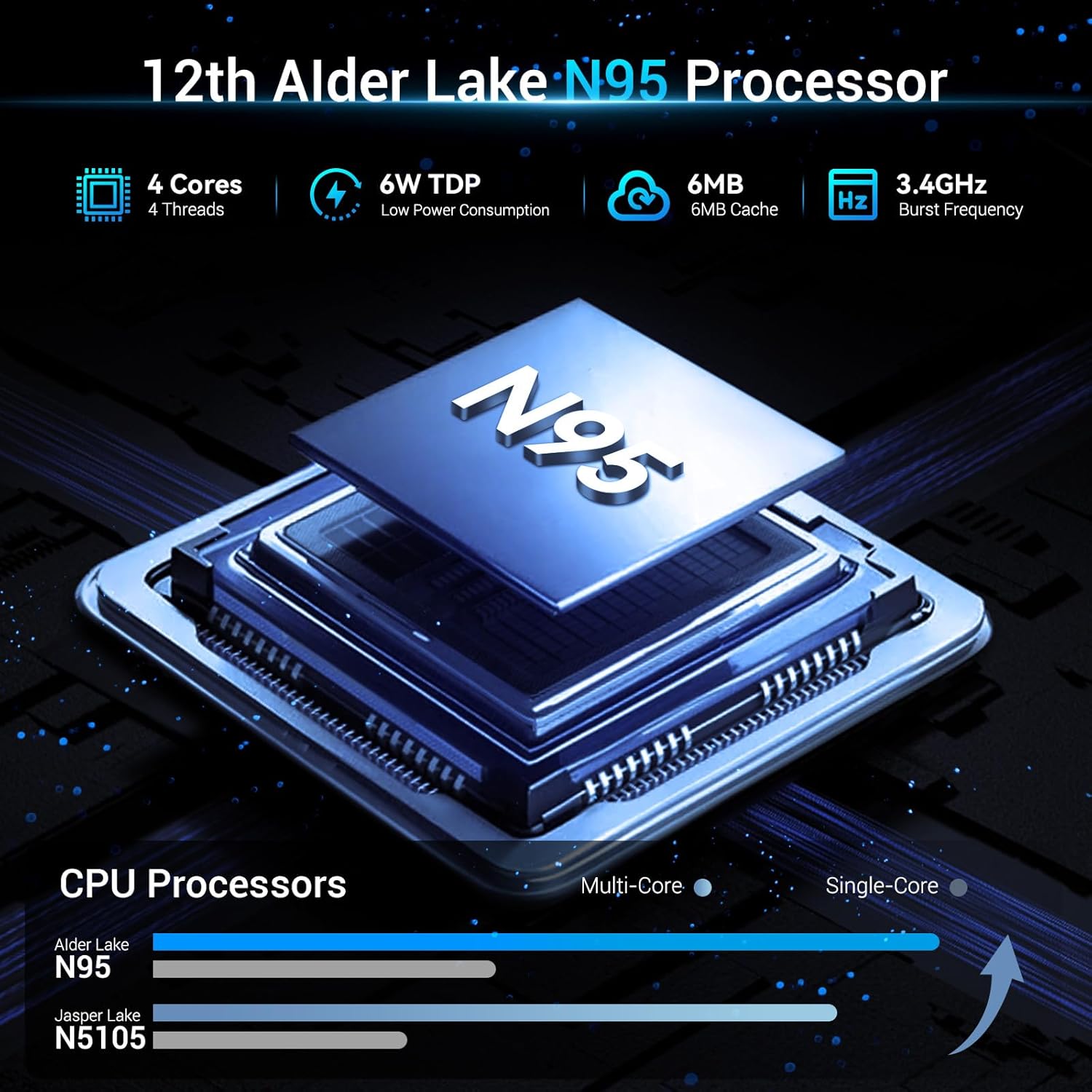
Image: A visual representation of the SOAYAN Mini PC's connectivity features, including Wi-Fi 5, Gigabit Ethernet, and Bluetooth 4.2, with icons indicating stable and fast data transmission.
Expansió d'emmagatzematge:
The Mini PC comes with a 256GB M.2 2280 SSD. For additional storage, you can replace the existing SSD with a larger one (up to 2TB) or add a 2.5-inch 7mm HDD/SSD (up to 2TB) in the available bay. Refer to the internal layout diagram for drive bay location.

Imatge: Primer pla view of the SOAYAN Mini PC's internal components, highlighting the 16GB DDR4 SO-DIMM RAM and the M.2 2280 SSD, illustrating its expandable storage capabilities.
Manteniment
Sistema de refrigeració:
The Mini PC features an ultra-quiet fan and an efficient heat sink to maintain optimal operating temperatures. Ensure proper airflow around the device by keeping vents clear of obstructions. Regular dusting of the vents can help maintain cooling efficiency.

Imatge: Una explosió view diagram of the SOAYAN Mini PC, illustrating the internal silent system fan and heat sink components that contribute to efficient heat dissipation and quiet operation.
Atenció general:
- Keep the device in a clean, dry environment away from direct sunlight and extreme temperatures.
- Eviteu vessar líquids al dispositiu.
- No intenteu obrir la casing unless performing a supported upgrade (e.g., storage expansion).
Resolució de problemes
| Problema | Causa possible | Solució |
|---|---|---|
| No power/Does not turn on | Power adapter not connected, faulty outlet, power button issue. | Assegureu-vos que l'adaptador de corrent estigui connectat correctament tant al Mini PC com a una presa de corrent que funcioni. Proveu una altra presa de corrent. |
| No es mostra al monitor | HDMI cable loose/faulty, incorrect monitor input, monitor off. | Check HDMI cable connections. Ensure monitor is on and set to the correct input source. Try a different HDMI cable or port. |
| No network connection (wired) | Ethernet cable loose/faulty, router issue, network settings. | Check Ethernet cable connection. Restart router/modem. Verify network settings in Ubuntu. |
| No hi ha connexió Wi-Fi | Wi-Fi desactivat, contrasenya incorrecta, problema amb el router. | Ensure Wi-Fi is enabled in Ubuntu settings. Re-enter Wi-Fi password. Restart router. |
| System slow or unresponsive | Too many applications open, low disk space, overheating. | Close unnecessary applications. Check disk space and free up if needed. Ensure proper ventilation for cooling. |
For advanced users, driver updates or operating system reinstallation may require sourcing generic drivers compatible with the Intel Alder Lake N95 platform, as direct manufacturer support resources may be limited.
Especificacions
| Característica | Detall |
|---|---|
| Processador | Intel Alder Lake N95 (up to 3.4GHz, 4 Cores/4 Threads, 6MB L3 Cache, 6W TDP) |
| RAM | 16GB DDR4 (up to 3200 MHz) |
| Emmagatzematge | 256GB M.2 2280 SSD (Expandable to 2TB); Supports 2.5-inch 7mm HDD/SSD (up to 2TB, not included) |
| Gràfics | Integrated Intel UHD Graphics (up to 1000MHz) |
| Sortida de visualització | 2 x HDMI 2.0 (supports Dual 4K@60Hz) |
| Ports USB | 4 x USB 3.2 Gen 2 (10Gbps) |
| Xarxa | Gigabit Ethernet, Wi-Fi 5 |
| Bluetooth | Bluetooth 4.2 |
| Sistema operatiu | Ubuntu Linux |
| Dimensions | 4.41 x 4.41 x 1.54 polzades (11.2 x 11.2 x 3.9 cm) |
| Pes | 0.72 lliures (0.33 kg) |
Garantia i Suport
For warranty claims and technical support, please refer to the seller or the platform where the product was purchased. Specific warranty terms and support channels are typically provided at the point of sale. As per available information, direct manufacturer support details are not publicly provided.
Es recomana conservar el comprovant de compra per a qualsevol consulta relacionada amb la garantia.