
1. Introducció
Thank you for choosing the Cuifati MP3 Player. This device is designed to provide a versatile portable audio experience, featuring Bluetooth connectivity, HiFi sound quality, a voice recorder, FM radio, and e-book functionality. This manual will guide you through the setup, operation, and maintenance of your new MP3 player.
2. Contingut del paquet
Marqueu la casella per als elements següents:
- Cuifati MP3 Player
- Cable USB (tipus C)
- Manual d'usuari
- Optional: Small Memory Card (16G/32G/64G, depending on purchase)
3. Producte acabatview
Familiarize yourself with the device's layout and controls.

Image: Cuifati MP3 Player displaying its main menu interface with various function icons.

Imatge: Frontal view of the Cuifati MP3 Player, highlighting its screen and control buttons.
The device features a 2.01-inch screen and intuitive navigation buttons for easy access to its functions.
4. Configuració
4.1 Encès inicial
To turn on the device for the first time, press and hold the power button located on the side or top of the player until the screen illuminates.
4.2 Càrrega del dispositiu
Before first use, fully charge the MP3 player. Connect the provided USB Type-C cable to the charging port on the device and the other end to a USB power adapter (not included) or a computer's USB port. A full charge typically takes approximately 2 hours and provides up to 48 hours of battery life.

Image: MP3 Player with its USB Type-C charging cable.
4.3 Expansió de l'emmagatzematge
The MP3 player supports memory card expansion up to 128GB. Insert a compatible microSD card into the designated slot to store more music, videos, and other files.
5. Instruccions de funcionament
5.1 Navegació bàsica
Use the circular navigation buttons to move through menus and select options. The central button typically acts as 'Enter' or 'Play/Pause', while the surrounding buttons control direction (Up, Down, Left, Right). A dedicated 'M' button often accesses menu options, and a 'Return' button navigates back.
5.2 Reproducció de música
The player supports various music formats including MP3, WMA, WAV, APE, FLAC, AAC-LC, M4A, and OGG. Navigate to the 'Music' icon on the main menu to browse and play your audio files. The device features HiFi lossless sound quality for an enhanced listening experience.

Image: Illustrates the HiFi sound quality feature of the MP3 player.
5.3 Connexió Bluetooth
The MP3 player is equipped with Bluetooth 5.4 for stable wireless audio transmission. To connect to Bluetooth headphones or speakers:
- Go to the 'Bluetooth' menu on the player.
- Assegureu-vos que els vostres auriculars o altaveu Bluetooth estiguin en mode d'emparellament.
- Selecciona 'Cerca devices' on the MP3 player.
- Trieu el dispositiu de la llista per emparellar-lo.
Note: The Bluetooth function only supports connection to Bluetooth headphones and Bluetooth speakers. It does not support file transfer or connection to smartphones.
5.4 Ràdio FM
To use the FM radio function, connect wired headphones to the 3.5mm headphone jack. The wired headphones act as an antenna. Navigate to the 'FM' icon on the main menu to access radio functions, scan for stations, and listen.

Image: Demonstrates listening to FM radio with wired headphones.
5.5 Gravadora de veu
The device includes a voice recording function with lossless sound quality. Select the 'Record' icon to start, pause, and save audio recordings. This feature is useful for meetings, interviews, o notes personals.
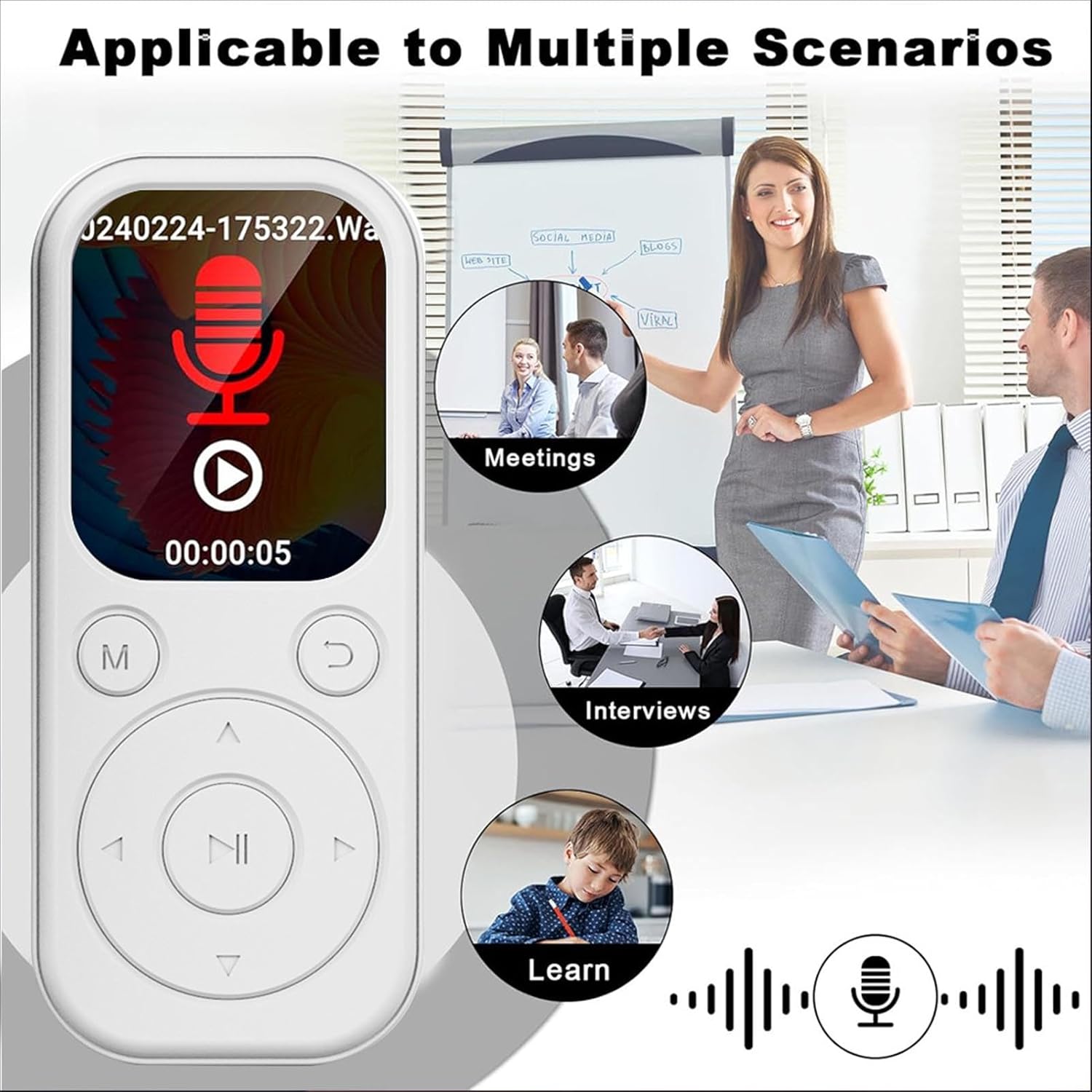
Image: MP3 Player showing its recording function, suitable for various scenarios.
Lector de llibres electrònics 5.6
The MP3 player supports TXT format e-books. Transfer your TXT files to the device's storage and select the 'Ebook' icon to read them on the 2.01-inch screen.
5.7 Video and Picture Viewer
The device can play videos with a resolution of 240x288 in AVI format and display pictures. Use the 'Video' and 'Picture' icons to access these functions.
6. Manteniment
- Mantingueu el dispositiu sec. Eviteu l'exposició a la humitat o a líquids.
- Netegeu la pantalla i el cos amb un drap suau i sec. No utilitzeu productes de neteja abrasius.
- Avoid extreme temperatures. Do not expose the device to direct sunlight or very cold environments.
- Handle with care. Do not drop or subject the device to strong impacts.
- Emmagatzemar en un lloc segur quan no estigui en ús.
7. Solució De Problemes
7.1 El dispositiu no s'encén
- Assegureu-vos que la bateria estigui carregada. Connecteu el dispositiu a una font d'alimentació i deixeu-lo carregar durant almenys 15 minuts abans d'intentar tornar-lo a encendre.
- If the device is unresponsive, try performing a soft reset (refer to the device's specific reset procedure if available, or hold the power button for an extended period).
7.2 Cannot Connect to Bluetooth Device
- Ensure both the MP3 player and the Bluetooth audio device are in pairing mode.
- Verify that the Bluetooth audio device is within range (typically 10 meters or 33 feet).
- Confirm that the Bluetooth function on the MP3 player is enabled.
- Remember that the MP3 player's Bluetooth only connects to headphones and speakers, not other devices like phones.
7.3 No Sound from Headphones
- Comproveu si el volum està pujat.
- Ensure headphones are properly plugged into the 3.5mm jack.
- Test with another pair of headphones to rule out a faulty headphone issue.
8. Especificacions
| Tipus d'element | Reproductor de MP3 |
| Número de model | CUIFATIu1wiqvc6xd-13 |
| Material | ABS |
| Dimensions (LxWxT) | 92 x 39.8 x 8mm / 3.62 x 1.57 x 0.31in |
| Pes | 26g / 0.9 oz (approx.) |
| Color | Blanc |
| Bateria | Bateria Li-ion de 500 mAh integrada |
| Pantalla | 2.01 polzades |
| Versió Bluetooth | 5.4 |
| Port de càrrega | Tipus-C |
| Conector d'auriculars | 3.5 mm |
| Resolució de vídeo | 240 x 288 |
| Format de vídeo | AVI |
| Format de llibre electrònic | TXT |
| Sistemes operatius suportats | For Vista, for OS X 10, 12 above |
| Llenguatge de programari | English, French, German, Russian, Spanish, Korean |
9. Garantia i Suport
For warranty information and customer support, please refer to the documentation provided with your purchase or contact the retailer. Specific warranty terms may vary by region and seller.