
VENTION FKEH0
VENTION Powerhive Laptop Power Bank User Manual
Model: FKEH0
Marca: VENTION
Introducció
Thank you for choosing the VENTION Powerhive Laptop Power Bank. This manual provides essential information for the safe and efficient operation, maintenance, and troubleshooting of your device. Please read this manual thoroughly before use and retain it for future reference.
Informació de seguretat
Per garantir un funcionament segur i evitar danys, observeu les precaucions següents:
- No exposeu el banc d'energia a temperatures extremes (superiors a 60 °C/140 °F) ni a la llum solar directa.
- Eviteu deixar caure, colpejar o desmuntar el dispositiu.
- Mantenir allunyat de l'aigua, la humitat i els materials inflamables.
- No l'utilitzeu si el dispositiu està danyat, inflat o té fuites.
- Use only certified cables and adapters for charging the power bank and your devices.
- Mantenir fora de l'abast dels nens.
- Dispose of the power bank according to local regulations; do not dispose of it with household waste.

This image displays the various safety protections integrated into the VENTION Powerhive power bank, including Over-Discharge, Overtemperature, Overcurrent, Short-Circuit, Overcharge, Flame-Retardant, Overvoltage, Recovery, and Overpower Protection.
Contingut del paquet
Si us plau, comproveu el paquet per veure si hi ha els elements següents:
- 1 x VENTION Powerhive Laptop Power Bank (Model FKEH0)
- 2 cables de càrrega USB-C a USB-C
- 1 x Manual d'usuari (aquest document)
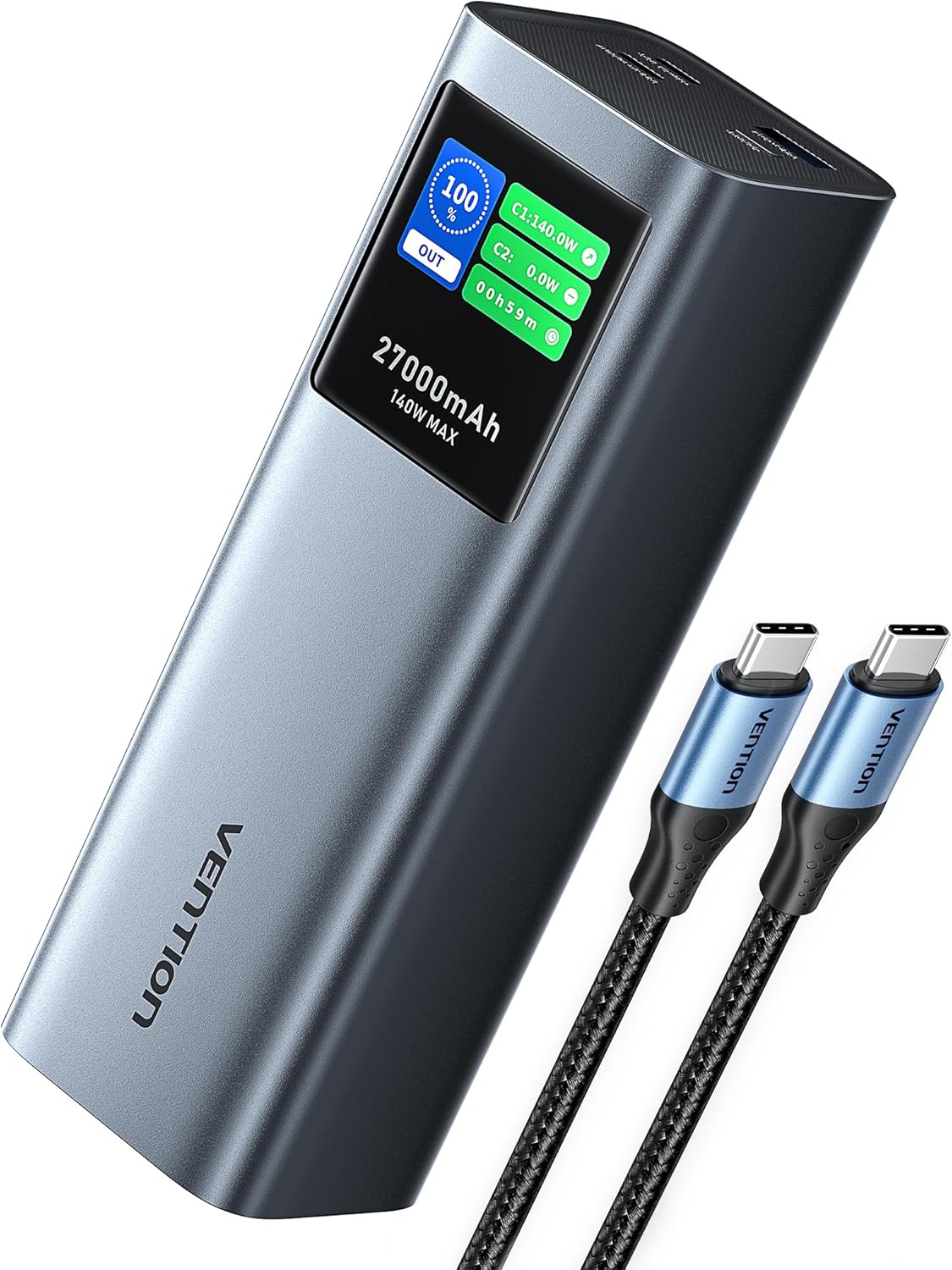
The VENTION Powerhive Laptop Power Bank shown with its included USB-C charging cables.
Producte acabatview
The VENTION Powerhive is a high-capacity portable power bank designed for multi-device charging, featuring PD 3.1 technology and a smart digital display.
Característiques principals:
- Càrrega ràpida de 140 W: Utilizes PD 3.1 technology for rapid charging of compatible devices.
- Capacitat de 27,000 mAh: Provides multiple charges for smartphones, tablets, and laptops.
- Pantalla digital intel·ligent: Shows real-time charging status, power output, temperature, and more.
- Disseny d'aliatge d'alumini: Dissipació de calor duradora i eficient.
- Sortida multiport: Equipped with three charging ports (140W USB-C, 20W USB-C, 18W USB-A) for simultaneous charging.
- Companyia aèria aprovada: Meets airline regulations for portable power banks.

The power bank demonstrating its 140W PD 3.1 fast charging capability while connected to a laptop.

This graphic illustrates the 27,000mAh capacity, indicating approximately 0.8 charges for a MacBook Pro 16", 5.4 charges for an iPhone 15 Pro, 3.9 charges for a Nintendo Switch, and 3.8 charges for a Galaxy S23 Ultra.
Configuració
Before first use, it is recommended to fully charge your VENTION Powerhive Laptop Power Bank.
- Connecteu un extrem del cable USB-C proporcionat al USB-C1 (IN/OUT) port del banc d'energia.
- Connect the other end of the USB-C cable to a compatible USB-C wall charger (not included) with a power output of 100W or higher for optimal charging speed.
- The digital display will show the charging status and estimated time to full charge.
- Once fully charged, the display will indicate 100%. Disconnect the power bank from the charger.
Instruccions de funcionament
Càrrega dels teus dispositius:
The VENTION Powerhive features three output ports: USB-C1 (140W max), USB-C2 (20W max), and USB-A (18W max).
- Connecta el cable de càrrega del dispositiu al port corresponent del banc d'alimentació.
- Connecteu l’altre extrem del cable al dispositiu.
- The power bank will automatically begin charging your device. The digital display will show the output power for each connected port.
- To charge multiple devices simultaneously, connect each device to an available port. The power bank will intelligently distribute power.

The power bank connected to a laptop, smartphone, and wireless earbuds, demonstrating its 3-in-1 simultaneous charging capability.

This image illustrates the bidirectional fast charging feature, showing the power bank charging a MacBook Pro 16-inch to 55% in 30 minutes, and fully charging it in 90 minutes.
Entendre la pantalla digital:
The intuitive TFT digital display provides comprehensive real-time information:
- Bateria Percentage: Shows the remaining power.
- Input/Output Power (W): Displays the current power being drawn or delivered by each port (C1, C2, A1).
- Temps de càrrega estimat: Indicates how long until the power bank is fully charged (when charging the power bank).
- Temps d'execució: Shows how long the power bank has been actively charging devices.
- Last Charged To: El percentatgetage the power bank was charged to in its last full cycle.
- Total Input/Output (Wh): Cumulative energy transferred.
- Cicles de bateria: Number of charge/discharge cycles.
- Temperatura: Internal battery temperature.
To switch the screen display time (30 seconds or Always On), long-press the button located on the power bank.
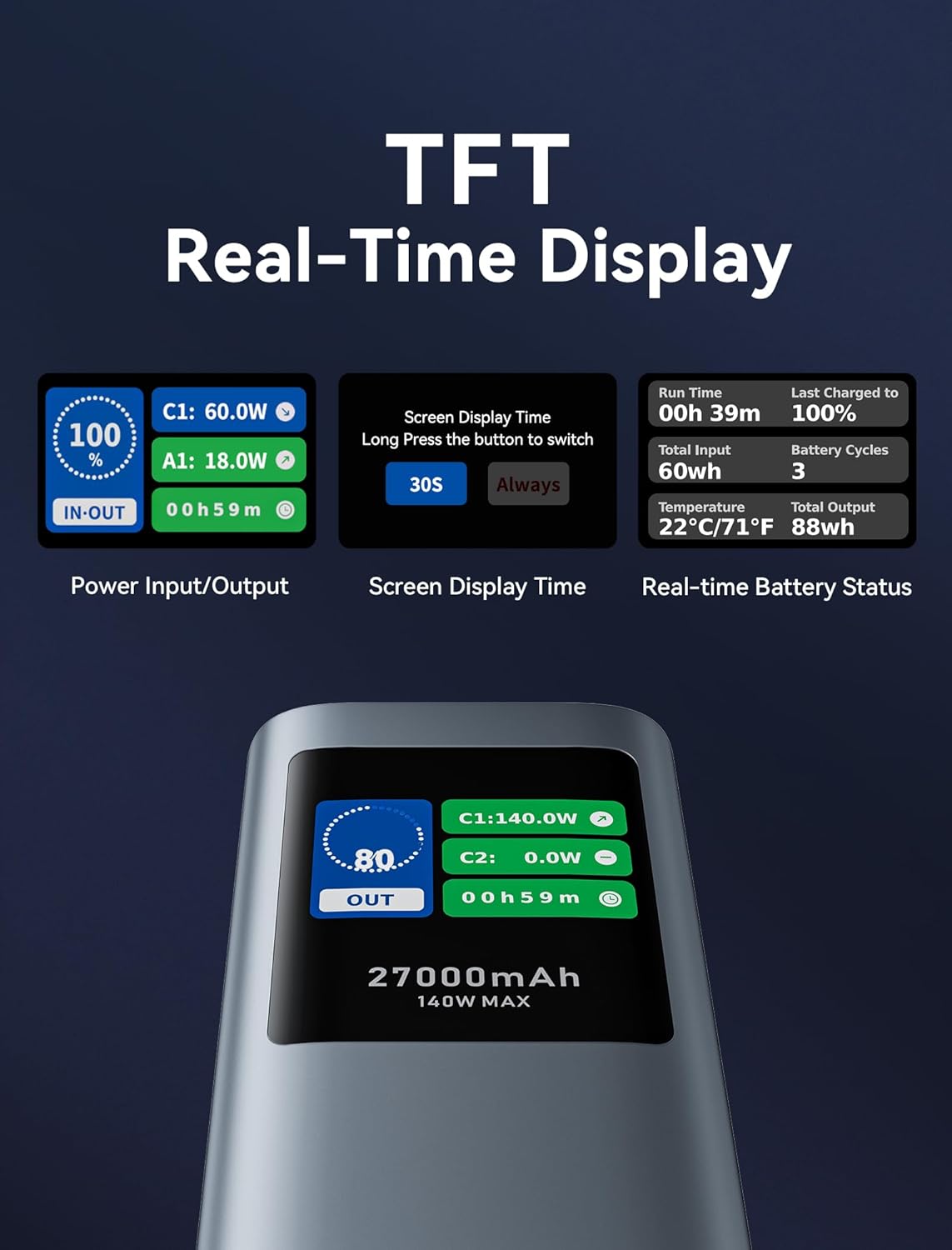
Un detallat view of the TFT real-time display, showing power input/output, screen display time settings, and real-time battery status including run time, total input, temperature, last charged to, battery cycles, and total output.
Manteniment
- Neteja: Feu servir un drap suau i sec per netejar el banc d'energia extern. No utilitzeu netejadors líquids ni aerosols.
- Emmagatzematge: Store the power bank in a cool, dry place away from direct sunlight and extreme temperatures. For long-term storage, charge the power bank to about 50-70% every 3-6 months to preserve battery health.
- Cura de la bateria: Avoid fully discharging the power bank frequently, as this can reduce its lifespan.
Resolució de problemes
| Problema | Causa possible | Solució |
|---|---|---|
| El banc d'energia no carrega els dispositius. | Low battery; incorrect cable; device incompatibility; power bank in protection mode. | Recharge the power bank. Ensure cable is securely connected and compatible. Check device's charging requirements. Disconnect and reconnect to reset. |
| El banc d'energia no es carrega. | Faulty charging cable/adapter; power bank port damage. | Try a different USB-C cable and wall adapter. Ensure the adapter meets power bank input requirements (e.g., 100W for fast charging). |
| Digital display is dim or unreadable outdoors. | Condicions d'il·luminació ambiental. | This is a known characteristic under bright outdoor conditions. Try to view the display in shaded areas or adjust your viewangle de ing. |
| Power bank gets warm during charging/discharging. | Normal operation, especially during high-power transfer. | This is normal. If it becomes excessively hot or emits smoke/odor, discontinue use immediately and contact support. |
Especificacions
| Característica | Detall |
|---|---|
| Número de model | FKEH0 |
| Capacitat de la bateria | 27,000 mAh (99.9 Wh) |
| Dimensions del producte | 6.5 x 2.2 x 2 polzades |
| Pes de l'article | 1.92 lliures |
| Entrada (USB-C1) | Fins a 140 W (PD 3.1) |
| Sortida (USB-C1) | Fins a 140 W (PD 3.1) |
| Sortida (USB-C2) | Fins a 20 W (PD) |
| Sortida (USB-A) | Fins a 18 W |
| Sortida total | Màxim 140W |
| Característiques especials | Digital Display, Fast Charging, Over Charging Protection, Pocket Size, Scratch Resistant |
| Fabricant | VENCIÓ |
Note: Specifications are subject to change without notice. For the most up-to-date information, please refer to the product packaging or VENTION's official weblloc.
Garantia i Suport
The VENTION Powerhive Laptop Power Bank is manufactured by VENTION. For warranty information, technical support, or customer service inquiries, please contact VENTION directly through their official website or the contact information provided with your purchase. Please retain your proof of purchase for warranty claims.
You can visit the VENTION Store on Amazon for more information: Botiga oficial VENTION
Ask a question about this manual
Ask about setup, troubleshooting, compatibility, parts, safety, or missing instructions. Manuals+ will review the question and use this page’s manual context to help answer it.