
Introducció
Thank you for choosing the Baseus 100W USB C Charger Block and Retractable USB C Cable. This product is designed to provide efficient and versatile charging for a wide range of devices, including laptops, tablets, and smartphones. Please read this manual carefully before using the product to ensure safe and optimal performance. Keep this manual for future reference.
Informació de seguretat
- Do not expose the product to water, moisture, or extreme temperatures.
- Avoid dropping, impacting, or disassembling the product.
- Mantenir fora de l'abast dels nens.
- Use only with compatible devices and power outlets.
- Desendolleu el carregador de la presa de corrent quan no l'utilitzeu o durant tempestes elèctriques.
- If the product appears damaged, discontinue use immediately and contact customer support.
Contingut del paquet
- 1 x Baseus 100W USB C Charger Block
- 2 x Baseus Retractable USB C to USB C Cable (6.6ft)
Producte acabatview
Bloc de carregador USB C Baseus de 100 W
The Baseus 100W USB C Charger Block features GaN technology for a compact design and efficient power delivery. It includes two USB-C ports and one USB-A port, allowing for simultaneous charging of up to three devices. The charger incorporates BPS 3.0 smart power allocation technology to dynamically distribute optimal power to each connected device. Advanced high-polymer silicon material and Baseus Cooling Technology (BCT) ensure effective heat dissipation and temperature monitoring for safe and extended device battery life.

Image: The Baseus 100W USB C Charger Block connected to a laptop via a USB-C cable, illustrating 100W maximum power delivery to the laptop. This demonstrates its capability for fast laptop charging.

Image: The Baseus 100W USB C Charger Block showcasing its compact size compared to other chargers and its foldable pins. This highlights its travel-friendly and portable design.

Image: The Baseus 100W USB C Charger Block simultaneously charging a laptop, tablet, and smartphone. This illustrates its 3-in-1 multi-port capability and dynamic power allocation.
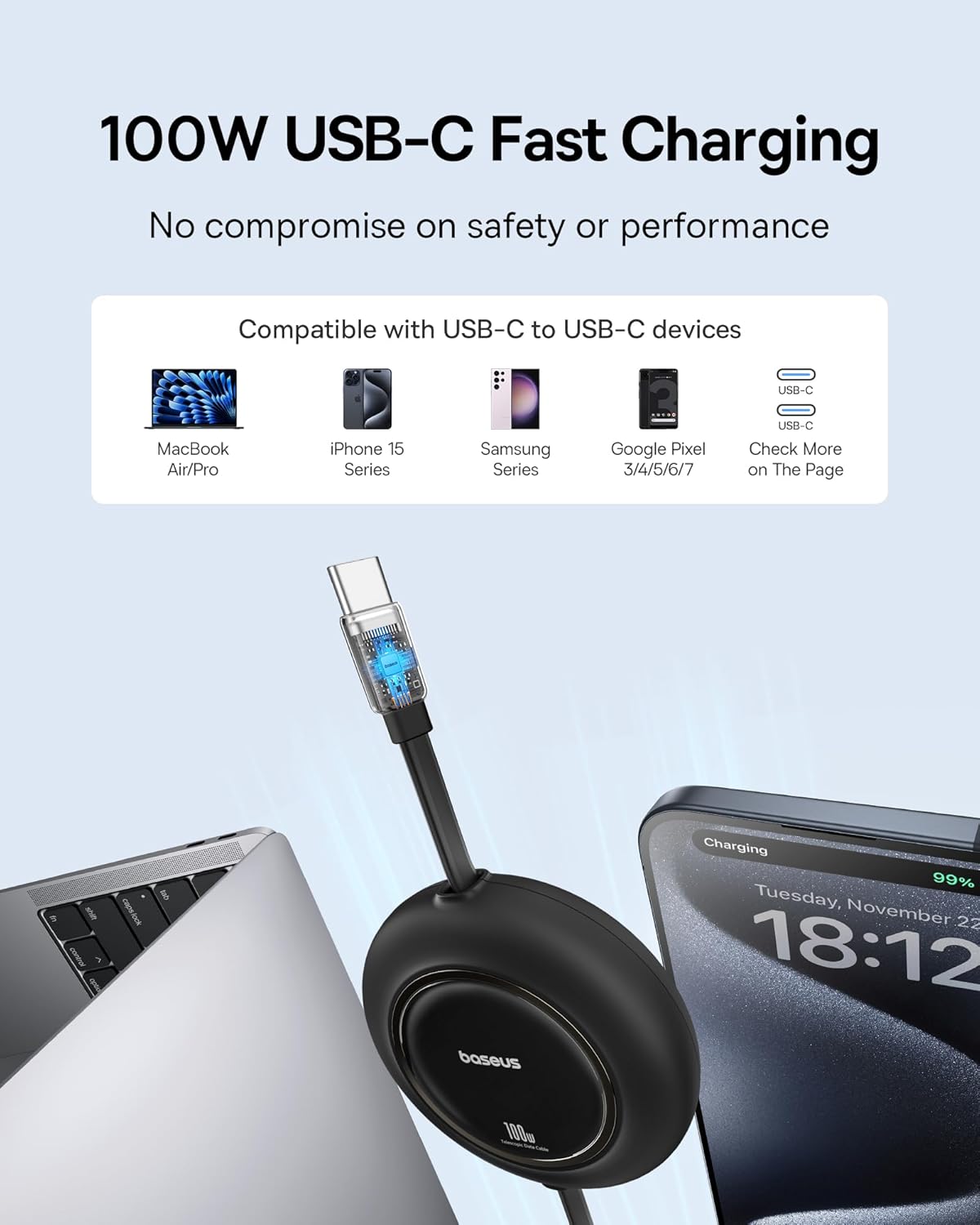
Image: An internal diagram of the Baseus charger highlighting its polymer silicon-based heat dissipation layers. This demonstrates the effective temperature drop technology to prevent overheating.
Baseus Retractable USB C Cable
The included 6.6ft retractable USB C to USB C cable supports 100W fast charging for laptops, tablets, and smartphones. It is designed for data transfer at 480Mbps but does not support video transmission. The retractable design helps maintain a clutter-free charging environment and offers multiple length presets for convenience.
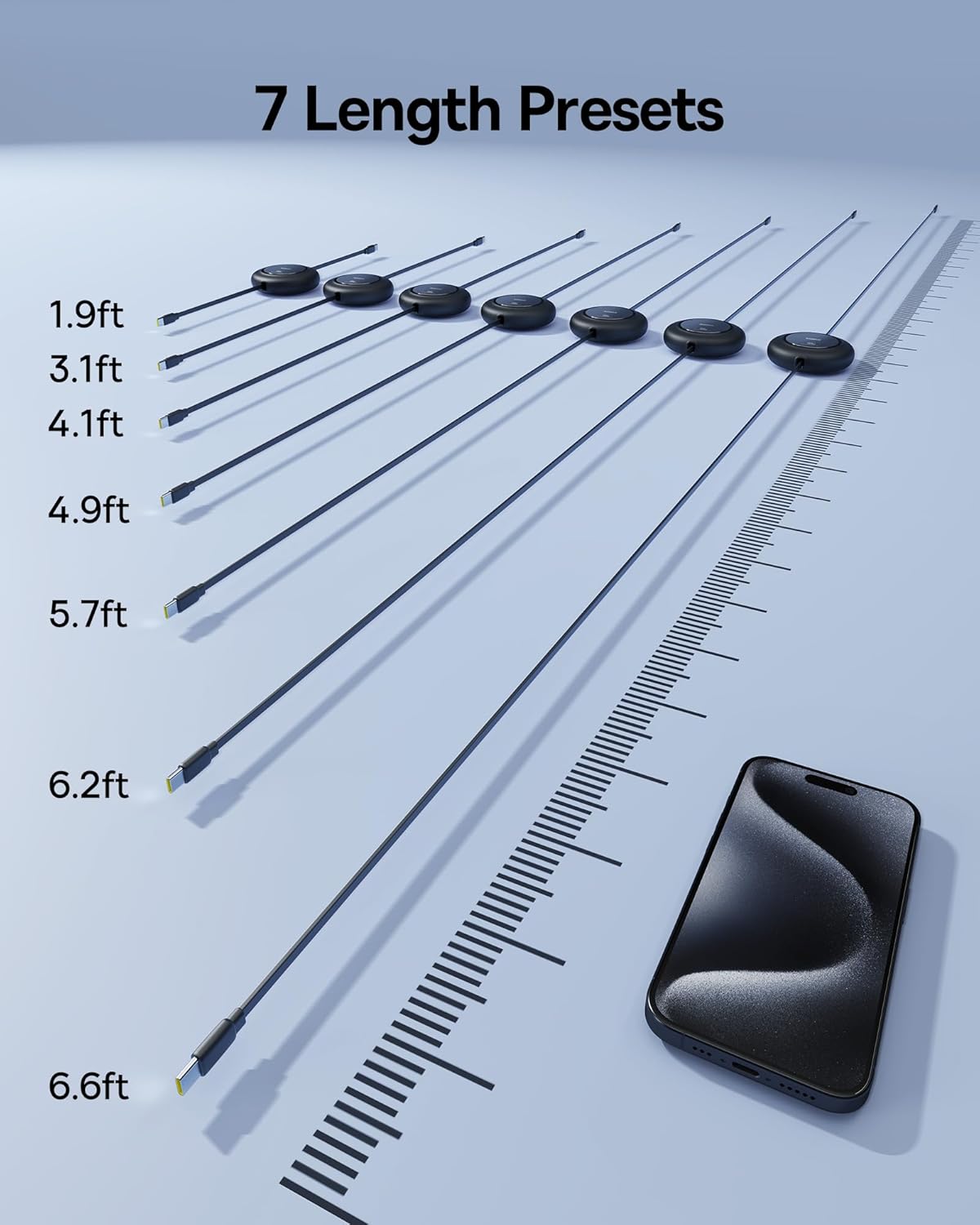
Image: The Baseus 100W USB C retractable cable connected to a laptop and a smartphone, illustrating its fast charging capability and compatibility with various USB-C devices.
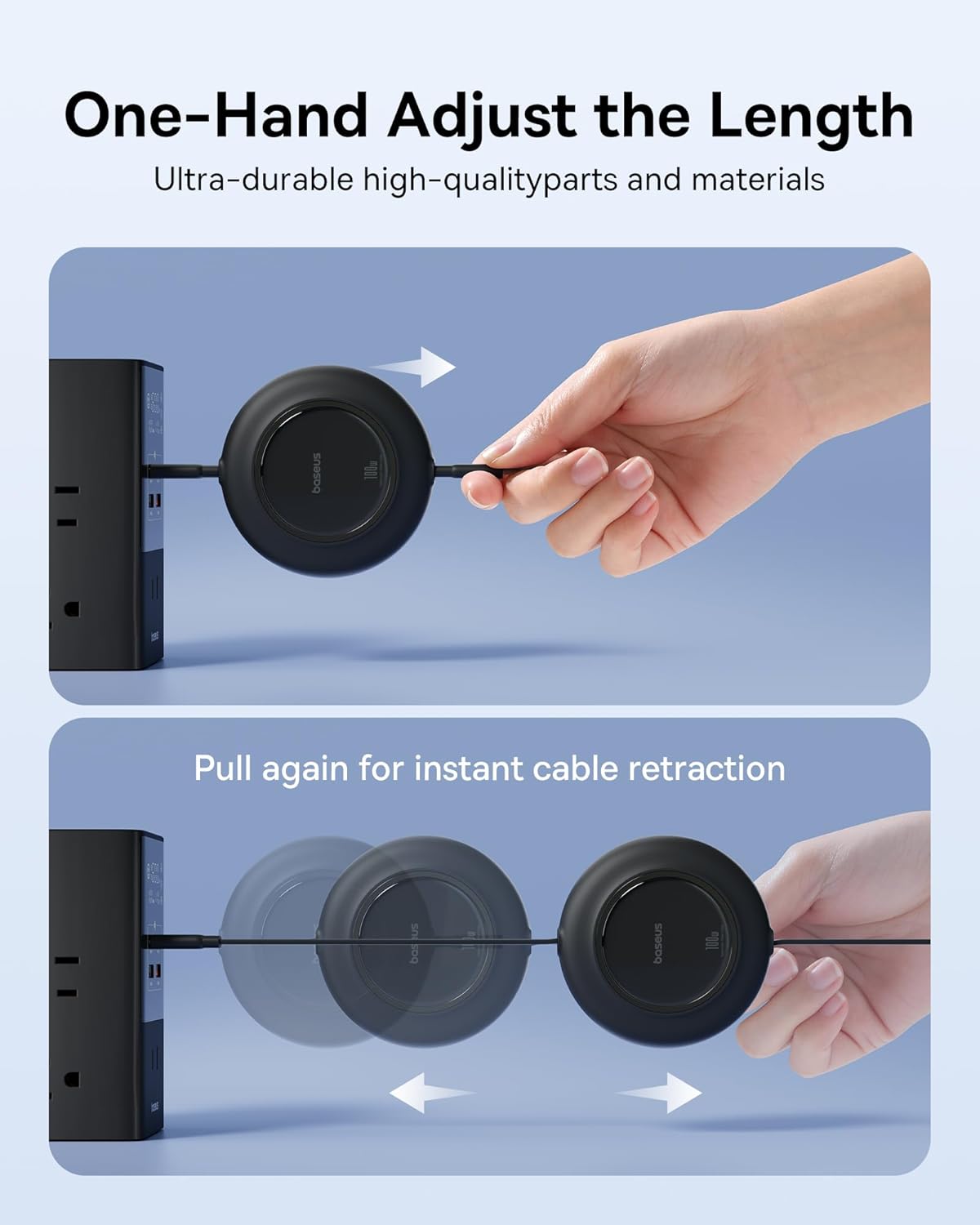
Image: The Baseus retractable USB C cable extended to various lengths, indicating its 7 length presets from 1.9ft to 6.6ft. This highlights its adjustable and versatile design.
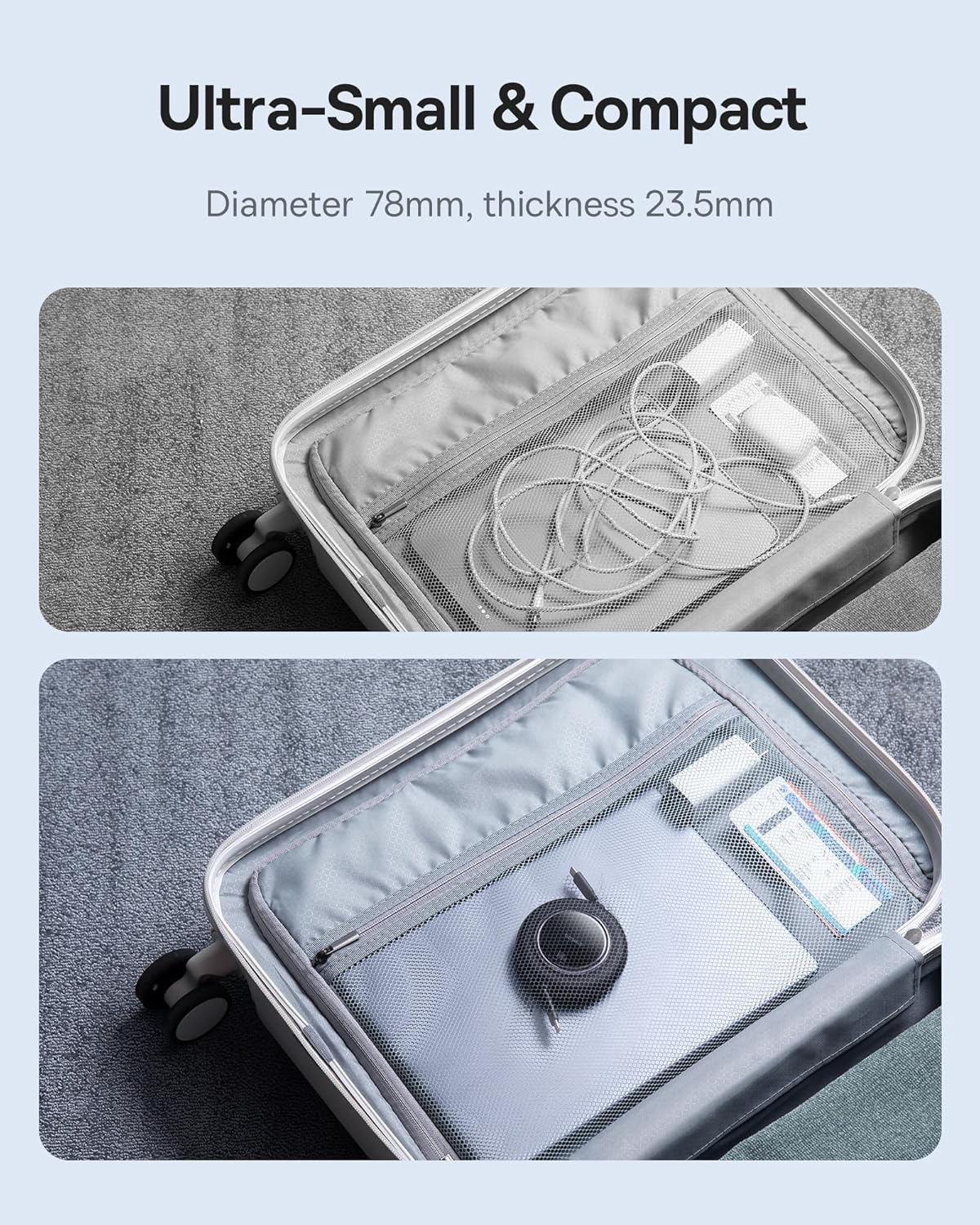
Image: A hand demonstrating how to adjust the length of the Baseus retractable cable by pulling and how to retract it by pulling again. This illustrates the one-hand operation for convenience.
Configuració
Charger Block Setup
- Unfold the AC pins on the Baseus 100W USB C Charger Block.
- Insert the charger block into a standard wall outlet.
- Connect one end of the USB C cable to a USB-C port on the charger block.
- Connect the other end of the USB C cable to your device (laptop, tablet, or smartphone).
- For additional devices, repeat steps 3 and 4 using the other available USB-C or USB-A ports.
Retractable Cable Usage
- To extend the cable, gently pull both ends of the cable simultaneously until it reaches the desired length. The cable has multiple preset lengths.
- To retract the cable, pull both ends again slightly, and the cable will automatically retract into its housing.
Instruccions de funcionament
Dispositius de càrrega
- Once connected, your device should begin charging automatically.
- The charger's BPS 3.0 technology will intelligently allocate power based on the connected devices' requirements. For example, if charging a laptop and a smartphone, the laptop may receive higher wattage.
- For optimal fast charging, ensure your device and cable support the Power Delivery (PD) protocol.
Power Output Distribution
The charger can deliver up to 100W from a single USB-C port. When multiple devices are connected, the power output is distributed as follows:
- Port USB-C únic: Fins a 100 W
- Dos ports USB-C: Power is dynamically allocated (e.g., 65W + 30W)
- Two USB-C Ports + One USB-A Port: Power is dynamically allocated (e.g., 65W + 15W + 15W)
Manteniment
- Neteja: Disconnect the charger from the power outlet and devices before cleaning. Use a soft, dry cloth to wipe the surface. Do not use liquid cleaners or aerosols.
- Emmagatzematge: Store the charger and cables in a cool, dry place away from direct sunlight and extreme temperatures. Ensure the retractable cable is fully retracted before storage to prevent tangling or damage.
- Inspecció: Periodically inspect the charger and cables for any signs of damage, such as frayed wires or cracked casings. If damage is found, discontinue use.
Resolució de problemes
- El dispositiu no es carrega:
- Assegureu-vos que el carregador estigui ben connectat a una presa de corrent que funcioni.
- Verify that the USB cable is firmly connected to both the charger and your device.
- Try using a different USB port on the charger.
- Prova amb un altre cable USB per descartar problemes de cable.
- Confirma que el teu dispositiu és compatible amb la càrrega USB-C.
- Càrrega lenta:
- Ensure your device and cable support fast charging protocols (e.g., USB Power Delivery).
- If multiple devices are connected, the power is shared. Disconnect other devices to see if charging speed improves for a specific device.
- Check if your device's battery is nearly full, as charging speed naturally slows down as the battery approaches 100%.
- El carregador s'escalfa:
- It is normal for the charger to become warm during operation, especially during high-power charging. The Baseus Cooling Technology (BCT) manages heat effectively.
- If the charger becomes excessively hot or emits smoke/odor, unplug it immediately and contact support.
Especificacions
| Marca | Baseus |
| Número de model | B0F4VD9Z42 |
| Tipus de connector | USB tipus C |
| Dispositius compatibles | Laptops, Tablets, Smartphones |
| Models de telèfon compatibles | iPhone 11 and newer, Samsung Galaxy S10 and newer, Google Pixel 3 and newer, and other USB-C PD compatible phone models |
| Ports USB totals | 3 (2x USB-C, 1x USB-A) |
| Wattage | 100 watts (màx.) |
| Vol. De sortidatage | 20 volts (CC) |
| Portàtil | Sí |
| Longitud del cable | 6.6ft (Retractable USB C to USB C Cable) |
| Velocitat de transferència de dades per cable | 480Mbps (Data transfer only, no video transmission) |
Informació de la garantia
Els productes Baseus solen incloure una garantia limitada. Consulteu la targeta de garantia inclosa amb la compra o visiteu el lloc web oficial de Baseus. website for detailed warranty terms and conditions specific to your region and product model. Keep your proof of purchase for warranty claims.
Suport
For technical assistance, troubleshooting, or product inquiries, please contact Baseus customer support. You can usually find contact information on the official Baseus weblloc web o a través del venedor on vau comprar el producte.
Assistència en línia: Visita el Baseus oficial weblloc web amb preguntes freqüents, recursos d'assistència i formularis de contacte.
Suport per correu electrònic: Consulteu l'embalatge del producte o el fitxer Baseus. weblloc web per a l'adreça de correu electrònic del servei d'atenció al client.