
Introducció
Gràcies per la compraasing the GIANTEX 59 Inch Computer Desk with Charging Station. This manual provides important information regarding the safe assembly, operation, and maintenance of your new desk. Please read it thoroughly before assembly and retain it for future reference.
Informació de seguretat
Instruccions importants de seguretat:
- Always assemble the desk according to the provided instructions.
- Assegureu-vos que totes les peces estiguin ben subjectes abans d'utilitzar-les.
- Do not exceed the weight limit of 275 lliures (125 kg) a l'escriptori.
- Do not exceed the weight limit of 55 lliures (25 kg) on each shelf.
- Col·loqueu l'escriptori sobre una superfície plana i estable per evitar que bolqui.
- Keep liquids away from the built-in power strip to avoid electrical hazards.
- Do not attempt to modify the desk or its electrical components.
Contingut del paquet
Before beginning assembly, please verify that all components are present and undamaged. The package should include:
- 1 x Computer Desk (all necessary parts)
- 1 x Guia de l'usuari (aquest manual)
- Maquinari de muntatge (cargols, eines, etc.)
Si falta alguna peça o està danyada, poseu-vos en contacte amb el servei d'atenció al client.
Instruccions de muntatge
Detailed assembly instructions are included in your package. Please follow the step-by-step guide carefully to ensure correct and safe assembly of your desk.
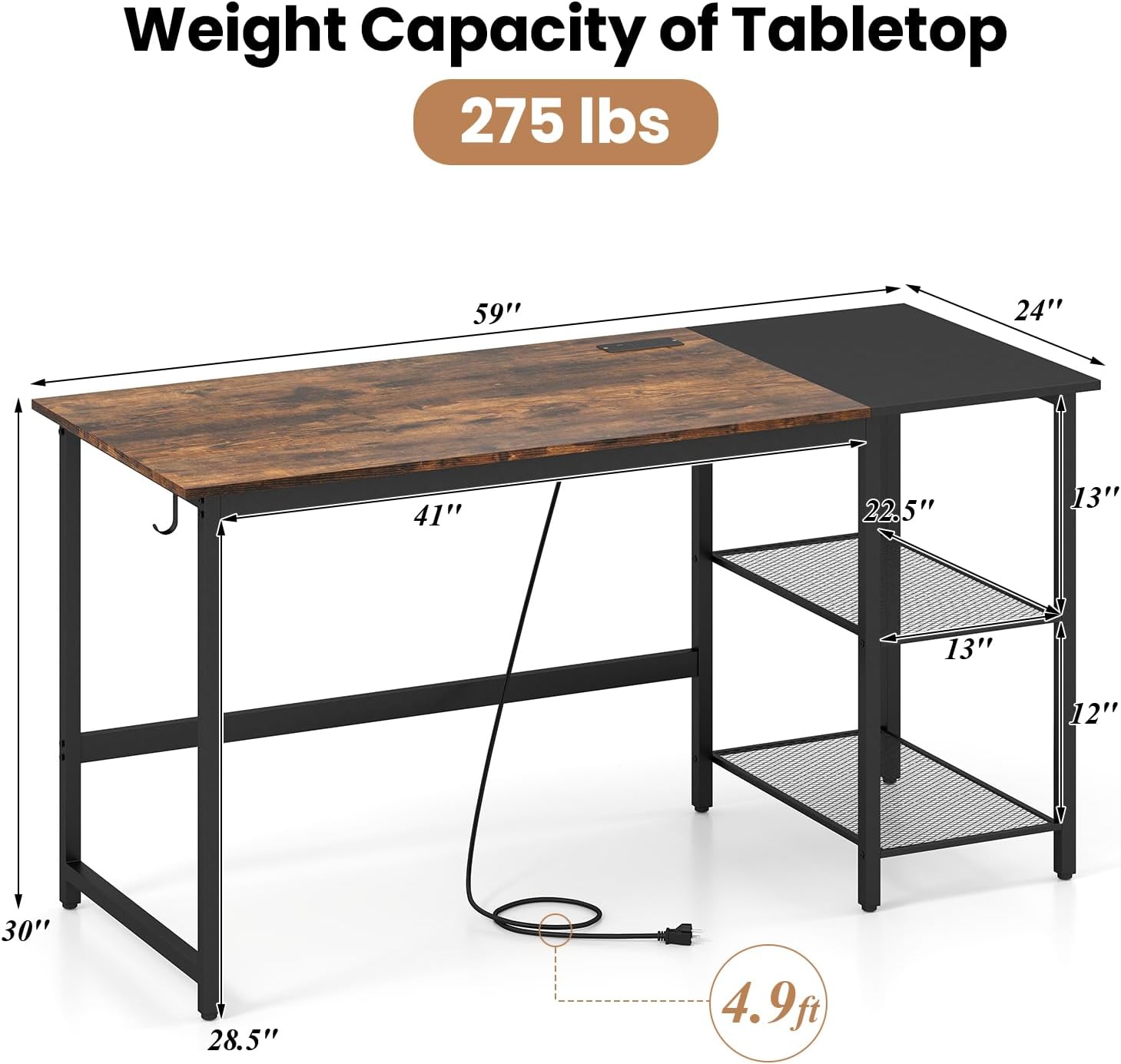
Image: Desk dimensions and components. The desk measures 59 inches wide, 24 inches deep, and 30 inches high. It features a main tabletop, a side storage unit with two shelves, and a power cord extending from the tabletop.
- Desembaleu tots els components i col·loqueu-los sobre una superfície neta i tova per evitar ratllades.
- Identifiqueu totes les peces i el maquinari utilitzant la llista de peces proporcionada.
- Follow the numbered steps in the assembly guide. Do not overtighten screws until all components are aligned.
- Once assembled, ensure the desk is stable and all connections are secure.
Característiques
The GIANTEX Computer Desk is designed with several features to enhance your workspace:
- Ample Workspace: A 59-inch tabletop provides generous space for multiple monitors, keyboards, and other essentials.
- Emmagatzematge integrat: Two metal mesh shelves offer organized storage. The middle shelf is removable to accommodate a computer tower.
- Estació de càrrega integrada: Features 2 AC outlets (125V/12A), 1 USB port (5V/2.4A), and 1 Type-C port (12W Max) for convenient device charging.
- Ganxo dels auriculars: A convenient hook is included for hanging headphones or bags.
- Construcció sòlida: Built with a robust metal frame, reinforced crossbars, and adjustable foot pads for stability.

Image: Built-in Power Strip. This image shows the integrated power strip with two AC outlets, one USB-A port, and one USB-C port, along with a 4.9 ft power cord.
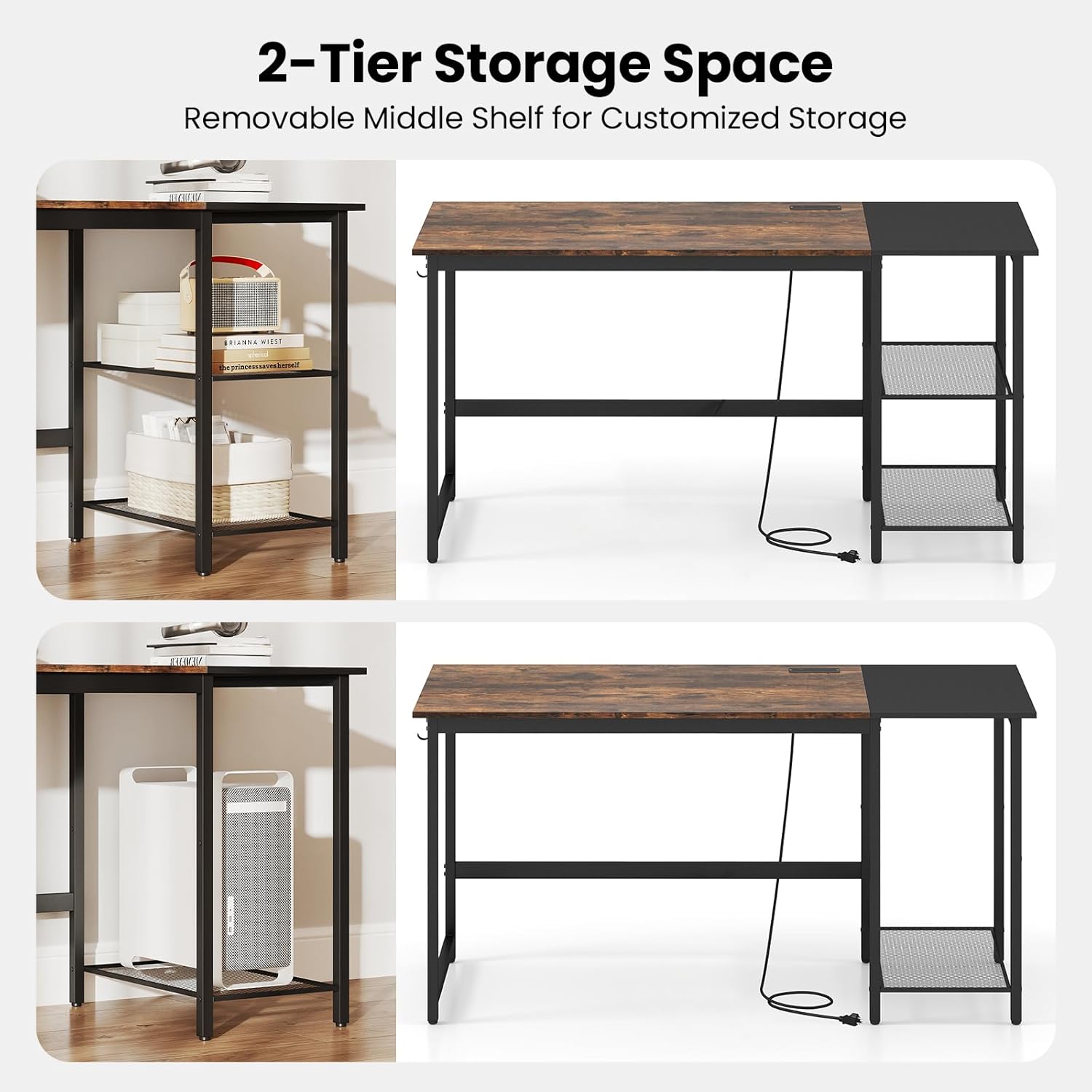
Image: 2-Tier Storage Space. This image illustrates the flexibility of the side shelves, showing how the middle shelf can be removed to create space for larger items like a computer tower.
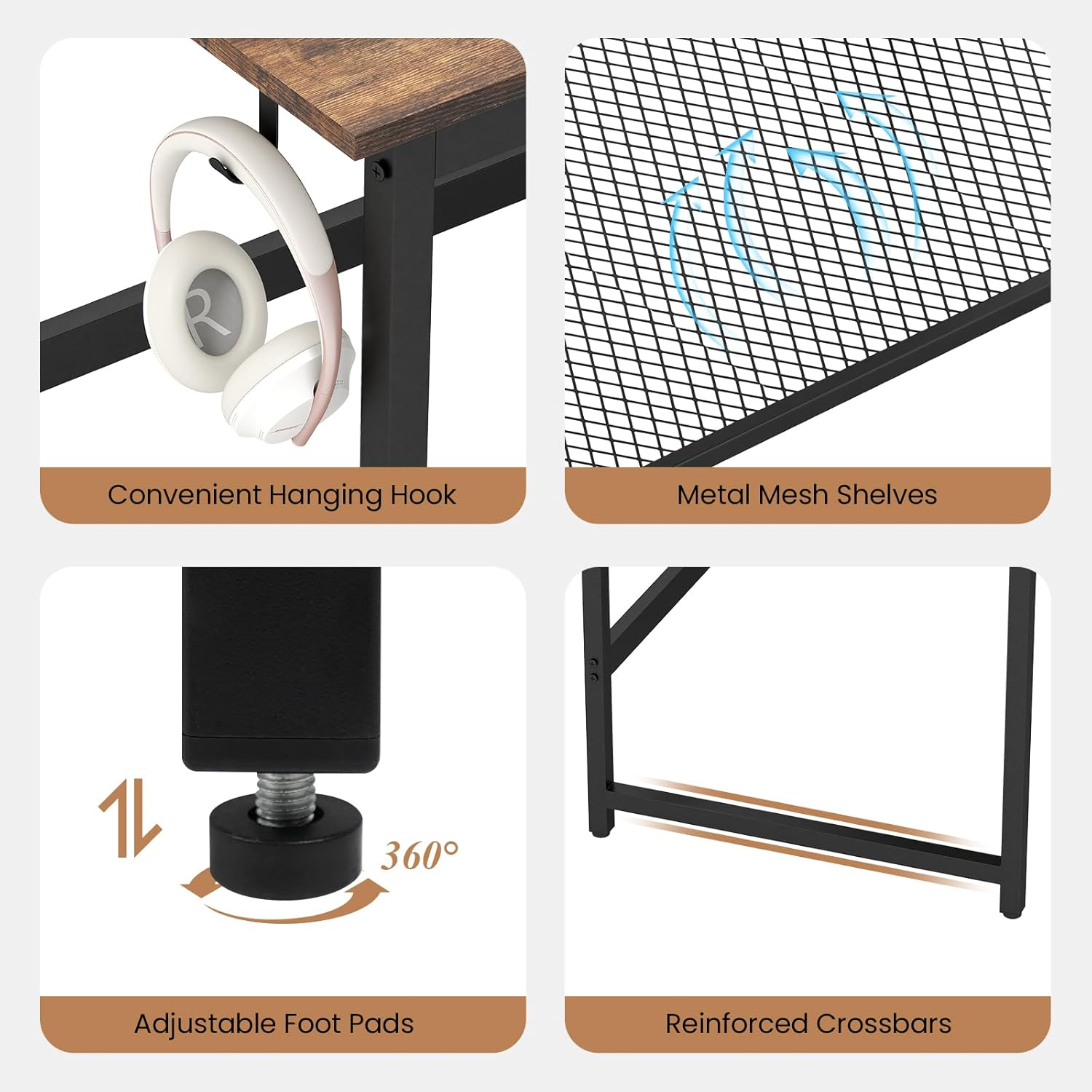
Image: Detailed Features. This composite image highlights the convenient hanging hook for headphones, the durable metal mesh shelves, the adjustable foot pads for stability on uneven floors, and the reinforced crossbars for structural integrity.
Configuració
After assembly, follow these steps for initial setup:
- Col·locació: Choose a suitable location for your desk, ensuring it is on a level surface and away from direct sunlight or heat sources.
- Nivell: Adjust the foot pads at the bottom of the desk legs to ensure stability and prevent wobbling.
- Connexió d'alimentació: Plug the desk's power cord into a standard wall outlet.
- Gestió de cables: Utilize the desk's design to manage cables neatly, preventing clutter and potential hazards.

Image: Desk in a home office setting. This image shows the desk fully set up with a laptop, monitor, and other office supplies, demonstrating its ampl'espai de treball.
Operating the Charging Station
L'estació de càrrega integrada proporciona un accés convenient a l'alimentació dels vostres dispositius electrònics.
- Preses de CA: Plug in devices requiring standard AC power, such as monitors, lamps, or laptops.
- Port USB-A: Connect USB-A compatible devices for charging (e.g., smartphones, tablets).
- Port USB-C: Connect USB-C compatible devices for charging.
Nota: Ensure the total power draw of all connected devices does not exceed the charging station's maximum capacity to prevent overload.
Manteniment
To ensure the longevity and appearance of your desk, follow these maintenance guidelines:
- Neteja: Netegeu les superfícies de l'escriptori amb un drap suau iamp drap. Eviteu productes químics agressius o netejadors abrasius que puguin danyar l'acabat.
- Vessaments: Clean up spills immediately to prevent staining or damage to the wood grain finish.
- Comprovació de maquinari: Reviseu periòdicament tots els cargols i elements de fixació per assegurar-vos que estiguin ben ajustats. Torneu a apretar-los si cal.
- Distribució de pes: Distribute weight evenly across the desktop and shelves to maintain stability and prevent warping.
Resolució de problemes
Si teniu algun problema amb el vostre escriptori, consulteu les solucions habituals següents:
| Problema | Causa possible | Solució |
|---|---|---|
| L'escriptori està inestable | Sòl irregular; fixacions fluixes | Adjust the foot pads; tighten all assembly screws. |
| L'estació de càrrega no funciona | Desk not plugged in; overloaded circuit; faulty device cable | Ensure power cord is securely plugged into a working outlet; reduce number of connected devices; test with a different device cable. |
| Les peces no encaixen durant el muntatge | Orientació incorrecta; s'han utilitzat peces incorrectes | Refer to the assembly instructions and diagrams carefully; ensure correct parts are used for each step. |
If the problem persists, please contact GIANTEX customer support for assistance.
Especificacions
| Característica | Detall |
|---|---|
| Número de model | GX-10887-BC |
| Dimensions del producte (P x A x A) | 24" x 59" x 30" (61 cm x 150 cm x 76 cm) |
| Capacitat de pes de l'escriptori | 275 lliures (125 kg) |
| Capacitat de pes de prestatge (cadascun) | 55 lliures (25 kg) |
| Material | Fusta dissenyada, Metall |
| Color | Rustic Brown & Black |
| Preses de corrent | 2 endolls de corrent altern (125 V/12 A) |
| Ports USB | 1 x USB-A (5V/2.4A), 1 x USB-C (12W Max) |
| Longitud del cable d'alimentació | 4.9 peus (1.5 m) |
Garantia i Suport
GIANTEX products are manufactured with quality and care. For warranty information or technical support, please refer to the contact details provided with your purchase documentation or visit the official GIANTEX weblloc.
Informació de contacte:
- Weblloc: GIANTEX Official Store (per a consultes generals)
- Customer Service: Refer to your purchase receipt or product packaging for specific contact details.