
1. Producte acabatview
L'Orbic Speed (RC400L) és un encaminador de punt d'accés mòbil 4G LTE MiFi compacte i portàtil dissenyat per proporcionar connectivitat Wi-Fi segura i fiable mentre et desplaces. Et permet connectar fins a 10 dispositius amb Wi-Fi simultàniament, oferint accés a Internet d'alta velocitat per a diverses activitats com ara consultar el correu electrònic, reproduir contingut multimèdia en temps real i treballar de forma remota. Aquest dispositiu compta amb una bateria recarregable de llarga durada i Wi-Fi 802.11ac de doble banda per a un rendiment i un abast òptims.
Característiques clau
- Connectivitat desbloquejada: Compatible amb diversos operadors (originalment Verizon).
- Durada de la bateria ampliada: Fins a 12 hores d'ús continu amb una sola càrrega.
- Wi-Fi ràpid: Wi-Fi 802.11ac de doble banda per a dades d'alta velocitat i abast ampliat.
- Suport multidispositiu: Connecteu de manera segura fins a 10 dispositius amb Wi-Fi.
- Compacte i portàtil: Disseny lleuger per facilitar els desplaçaments i una col·locació discreta.
- Pantalla LCD informativa: Proporciona actualitzacions d'estat en temps real del punt d'accés mòbil.
Què hi ha a la caixa
- Router de punt d'accés mòbil Orbic Speed (RC400L)
- Cable USB
- Bateria de ions de liti (preinstal·lada o separada)
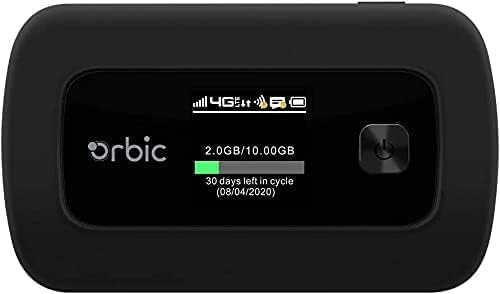
Figura 1: Orbic Speed (RC400L) Frontal View amb Pantalla
2. Introducció: Configuració
2.1. Càrrega del dispositiu
Abans del primer ús, carregueu completament el vostre punt d'accés Orbic Speed. Connecteu el cable USB proporcionat al port de càrrega del dispositiu i l'altre extrem a un adaptador de corrent USB compatible (no inclòs) o al port USB d'un ordinador. La pantalla del dispositiu indicarà l'estat de càrrega.
- Feu servir només accessoris de càrrega aprovats.
- Eviteu deixar el dispositiu connectat durant llargs períodes després d'estar completament carregat per allargar la durada de la bateria.
2.2. Inserció d'una targeta SIM
L'Orbic Speed (RC400L) requereix una targeta SIM 4G LTE compatible (no inclosa) per accedir a les xarxes de dades mòbils. Segueix aquests passos per inserir la targeta SIM:
- Assegureu-vos que el dispositiu estigui apagat.
- Traieu amb cura la coberta posterior del dispositiu. La coberta posterior està dissenyada per treure-se fàcilment sense eines.
- Localitzeu la ranura de la targeta SIM.
- Introduïu la targeta SIM a la ranura amb els contactes daurats cap avall i la cantonada amb osques alineada correctament. Premeu suaument fins que encaixi al seu lloc.
- Torneu a col·locar la coberta posterior, assegurant-vos que encaixi correctament al seu lloc.

Figura 2: Orbic Speed (RC400L) Enrere View (La ranura per a la targeta SIM és sota la tapa)
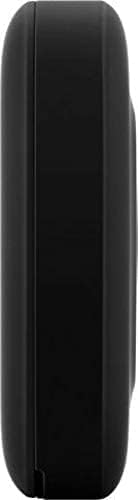
Figura 3: Costat d'Orbic Speed (RC400L) View (Ubicació del port de càrrega)
2.3. Encès / apagat
- Per encendre: Premeu i manteniu premut el botó d'engegada (normalment situat a la part frontal o lateral) fins que la pantalla s'il·lumini.
- Per apagar: Premeu i manteniu premut el botó d'engegada fins que aparegui l'opció "Apagar" a la pantalla i, a continuació, confirmeu. Si no, manteniu premut el botó d'engegada durant uns segons fins que el dispositiu s'apagui.
3. Funcionament del punt d'accés
3.1. Connexió de dispositius mitjançant Wi-Fi
Un cop el punt d'accés Orbic Speed estigui encès i hagi establert una connexió cel·lular, hi podràs connectar els teus dispositius amb Wi-Fi (ordinadors portàtils, tauletes, telèfons intel·ligents, etc.).
- Al dispositiu, obriu la configuració del Wi-Fi.
- Cerca xarxes Wi-Fi disponibles.
- Seleccioneu el nom de la xarxa (SSID) que es mostra a la pantalla del vostre Orbic Speed.
- Introduïu la contrasenya del Wi-Fi (Clau) que també es mostra a la pantalla del punt d'accés.
- El dispositiu ara hauria d'estar connectat a Internet a través del punt d'accés.
L'Orbic Speed admet bandes Wi-Fi de 2.4 GHz i 5 GHz. Podeu canviar entre aquestes o configurar-les a través de web interfície d'administració.
3.2. Accedint al Web Interfície d'administració
Per a configuracions avançades, monitorització de xarxa i configuració, podeu accedir a l'ordinador d'Orbic Speed. web interfície d'administració des d'un dispositiu connectat.
- Assegureu-vos que el dispositiu estigui connectat a la xarxa Wi-Fi de l'Orbic Speed.
- Obre a web navegador (per exemple, Chrome, Firefox, Edge).
- A la barra d'adreces, escriviu l'adreça IP predeterminada del punt d'accés (normalment 192.168.1.1 or 192.168.0.1, consulteu la pantalla o l'embalatge del dispositiu per obtenir l'adreça exacta).
- Introduïu el nom d'usuari i la contrasenya de l'administrador quan se us demani. Les credencials per defecte solen ser "admin" per a tots dos, però es recomana canviar-les per seguretat.
Des del web interfície, podeu gestionar la configuració del Wi-Fi, view dispositius connectats, supervisar l'ús de dades, canviar contrasenyes i configurar altres paràmetres de xarxa.
3.3. Comprensió de la pantalla LCD
La pantalla LCD de l'Orbic Speed proporciona informació essencial d'un cop d'ull:
- Intensitat del senyal: Barres que indiquen la intensitat del senyal de la xarxa mòbil.
- Tipus de xarxa: Icones per a 4G LTE, 3G, etc.
- Estat de la Wi-Fi: Indica si el Wi-Fi està actiu i si els dispositius estan connectats.
- Nivell de bateria: Icona que mostra la càrrega restant de la bateria.
- Ús de dades: Mostra el consum actual de dades (per exemple, GB utilitzats del pla total).
- Dispositius connectats: Nombre de dispositius connectats actualment al punt d'accés.
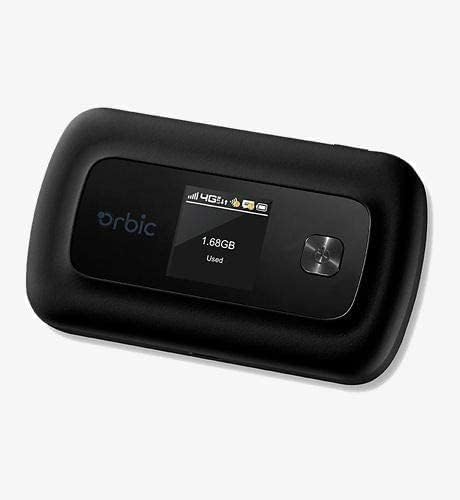
Figura 4: Pantalla Orbic Speed (RC400L) en ús
4. Manteniment
4.1. Cura de la bateria
Per maximitzar la vida útil de la bateria del dispositiu:
- Eviteu temperatures extremes.
- No deixeu el dispositiu connectat contínuament durant períodes prolongats (per exemple, 24 hores al dia, 7 dies a la setmana) si no és necessari, ja que això pot degradar l'estat de la bateria amb el temps.
- Si guardeu el dispositiu durant molt de temps, carregueu-lo al 50% aproximadament abans de guardar-lo.
- La bateria està dissenyada per a una fàcil substitució. Si calgués substituir-la, la tapa posteriorasinLa g es pot trencar per accedir a la bateria sense eines.
4.2. Neteja del dispositiu
Feu servir un drap suau, sec i sense borrissol per netejar l'exterior del dispositiu. No utilitzeu netejadors líquids ni aerosols directament sobre el dispositiu.
4.3. Actualitzacions de programari
Comproveu periòdicament si hi ha actualitzacions de programari a través de web interfície d'administració. Les actualitzacions poden millorar el rendiment, afegir funcions i augmentar la seguretat.
5. Solució De Problemes
| Problema | Causa possible | Solució |
|---|---|---|
| Sense connexió a Internet | Sense targeta SIM, SIM no activada, senyal mòbil deficient, pla de dades esgotat. |
|
| El dispositiu no s'encén | Bateria baixa, carregador/cable defectuós. |
|
| Velocitat Wi-Fi lenta | Senyal mòbil deficient, massa dispositius connectats, interferències. |
|
| No es pot accedir Web UI | Adreça IP incorrecta, no hi ha connexió a la xarxa Wi-Fi. |
|
Si els problemes persisteixen, considereu la possibilitat de restablir les dades de fàbrica (consulteu la web interfície d'administració per obtenir instruccions, ja que això esborrarà tots els paràmetres personalitzats) o poseu-vos en contacte amb l'atenció al client.
6. Especificacions
| Característica | Detall |
|---|---|
| Nom del model | Orbic Speed (RC400L) |
| Tecnologia de connectivitat | USB, Wi-Fi (4G LTE) |
| Estàndard sense fils | 802.11ac (doble banda) |
| Dispositius compatibles | Ordinador portàtil, tauleta, telèfon intel·ligent, etc. |
| Color | Negre |
| Pes de l'article | 7.8 unces |
| Dimensions del paquet | 5.75 x 3.46 x 2.2 polzades |
| Bateria | 1 bateria de ions de liti (inclosa) |
| Característica especial | Indicador LED |
| Fabricant | Orbic |
7. Garantia i Suport
Aquest producte es ven com a Amazon renovat article. Els productes d'Amazon Renewed són de segona mà i restaurats per proveïdors qualificats perquè funcionin i tinguin un aspecte com a nous. Inclouen la garantia d'Amazon Renewed, que ofereix un reemplaçament o un reemborsament en un termini de 90 dies des de la recepció si el producte no funciona com s'esperava.
Per a assistència tècnica o reclamacions de garantia, consulteu els detalls del programa Amazon Renewed o poseu-vos en contacte directament amb el venedor a través del vostre historial de comandes d'Amazon. Per a consultes generals sobre productes o per a la resolució de problemes avançats que no es tracten en aquest manual, també podeu visitar el servei d'assistència oficial d'Orbic. weblloc si està disponible.
Per obtenir més informació sobre la vostra compra, visiteu el vostre Historial de comandes d'Amazon.