
1. Introducció
Welcome to your Blackview W80PRO Smartwatch. This manual provides detailed instructions on how to set up, operate, and maintain your device. Please read this manual carefully before use to ensure optimal performance and longevity of your smartwatch.
El Negreview W80PRO is a rugged smartwatch designed for active lifestyles, featuring Bluetooth calling, GPS, health monitoring, and a durable build.

Image: The Blackview W80PRO Smartwatch, highlighting its rugged design and display.
Vídeo: Un overview del Negreview W80PRO Smartwatch's key features, including charging, GPS, notifications, and durability.
2. Què hi ha a la caixa
Upon opening your Blackview W80PRO Smartwatch package, you should find the following items:
- 1x Blackview W80PRO Smartwatch
- 1x cable de càrrega USB
- 1 x manual d'usuari

Image: Contents of the Blackview W80PRO Smartwatch package, showing the smartwatch, a USB charging cable, the user manual, and a diagram of the product's dimensions.
3. Configuració
3.1 Càrrega del rellotge intel·ligent
Before first use, fully charge your smartwatch. Connect the USB charging cable to the charging port on the back of the watch and to a USB power adapter (not included) or a computer's USB port.
3.2 Instal·lació i emparellament de l'aplicació
To unlock all features, download the "GloryFit" app from your smartphone's app store (compatible with Android and iOS). Follow the in-app instructions to pair your smartwatch via Bluetooth.
- Download the "GloryFit" app.
- Activa el Bluetooth al teu telèfon intel·ligent.
- Open the GloryFit app and create an account or log in.
- Follow the prompts to add a new device and select "Blackview W80PRO".
- Confirma la sol·licitud d'emparellament tant al telèfon com al rellotge intel·ligent.
4. Funcionament del rellotge intel·ligent
4.1 Funcions dels botons
El Negreview W80PRO features four physical buttons:
- Top Left Button: Flashlight Power On/Off
- Bottom Left Button: Funció GPS
- Botó superior dret: Power On/Off / Screen On/Off / Menu Access
- Botó inferior dret: Tornar / Tornar
Imatge: Detallada view of the smartwatch screen and side buttons, indicating their respective functions such as Flashlight, GPS, Power, and Back.
4.2 Navegació bàsica
The smartwatch features a 1.91-inch ultra-HD color touchscreen. Swipe left/right or up/down to navigate through menus and functions. Tap to select items.
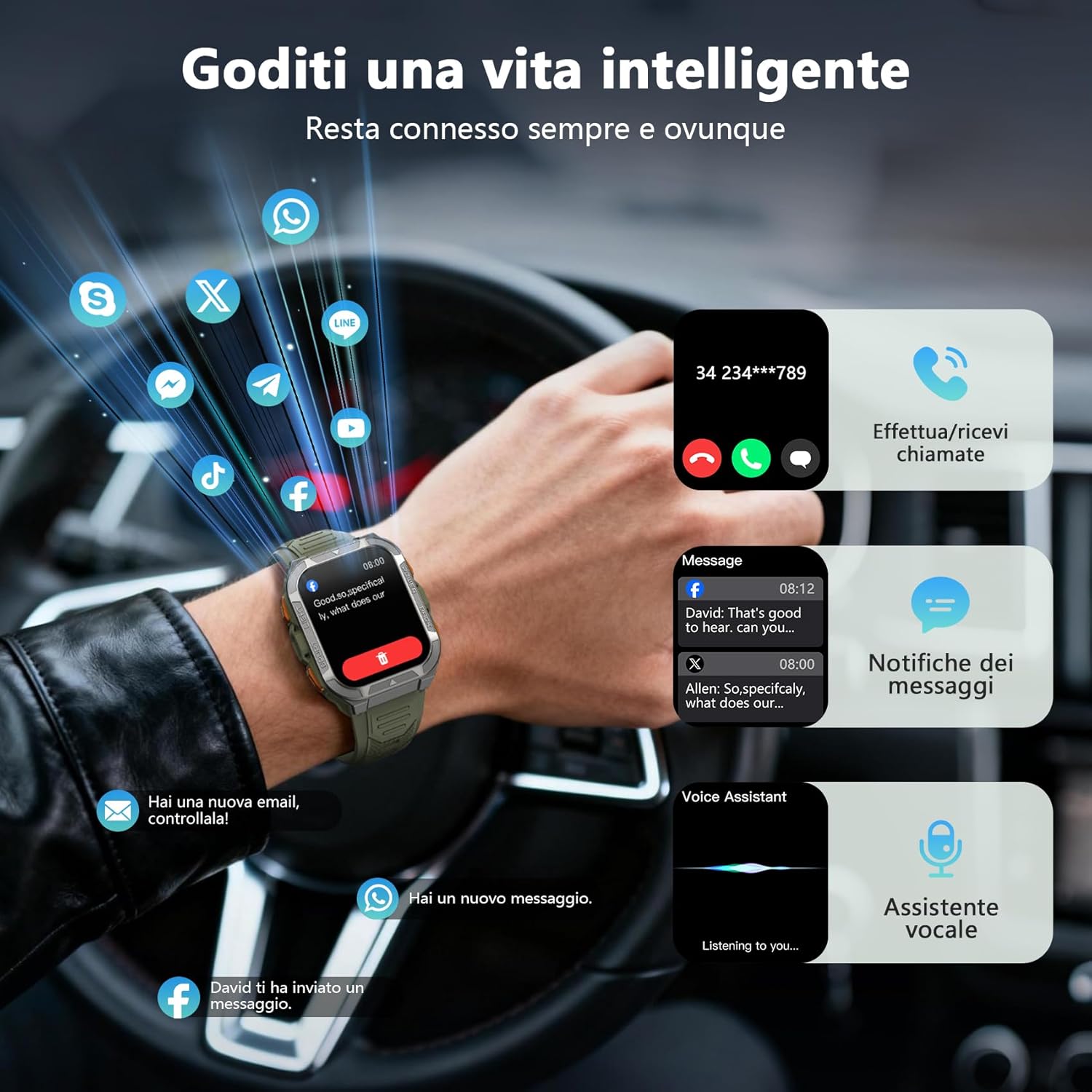
4.3 Trucades i notificacions per Bluetooth
Once paired, you can make and receive calls directly from your smartwatch using its built-in speaker and microphone. You will also receive real-time notifications from your smartphone for messages, social media apps, and emails.
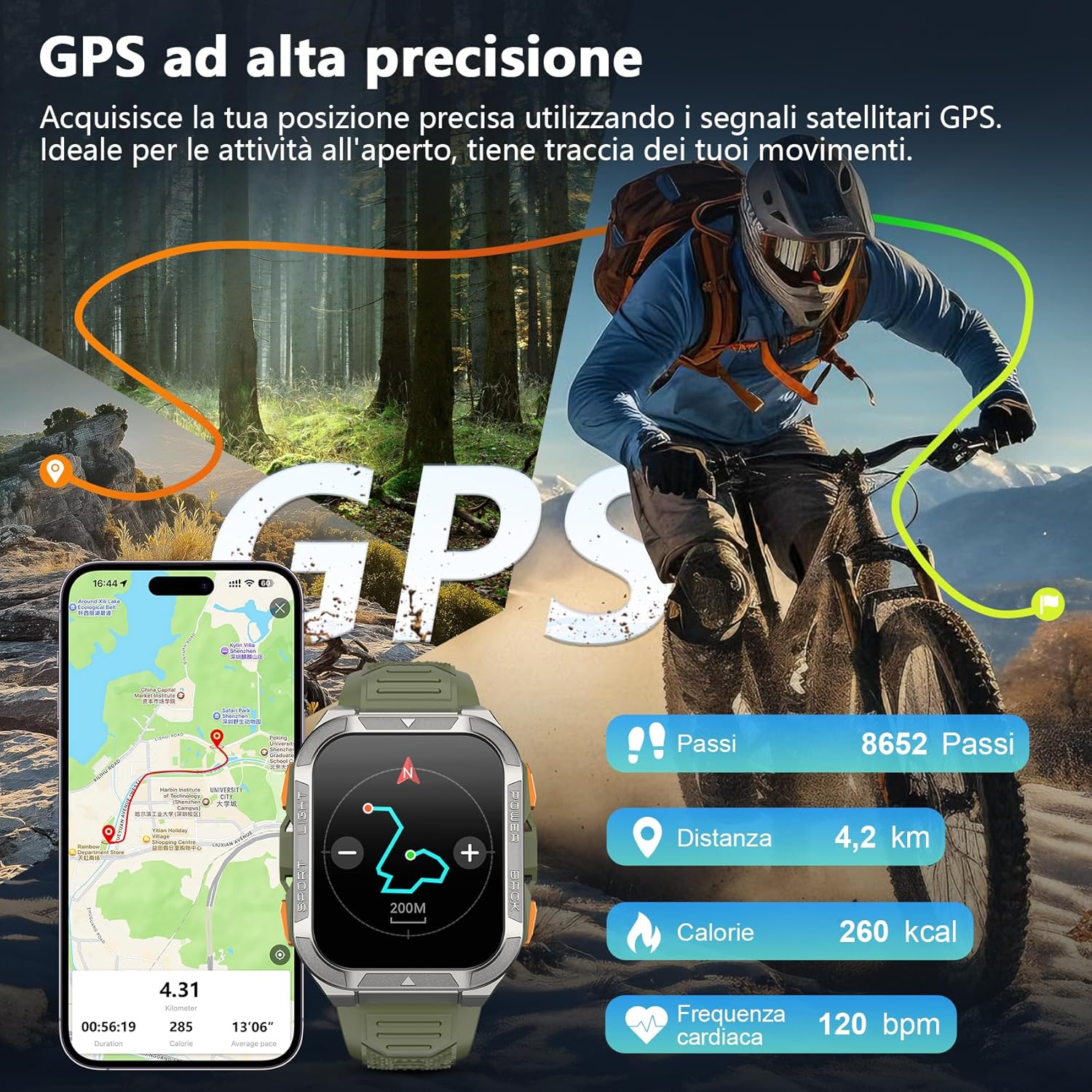
Image: The smartwatch screen displaying an incoming call and various message notifications from social media apps.
4.4 Vigilància de la salut
The smartwatch continuously monitors your health data, including heart rate, blood oxygen (SpO2), emotional stress, and sleep quality. Access these metrics through the watch interface or the GloryFit app for detailed insights.
- Monitorització de la freqüència cardíaca: Registra la teva freqüència cardíaca durant tot el dia.
- Monitorització d'oxigen en sang (SpO2): Mesura els nivells de saturació d'oxigen a la sang.
- Monitorització del son: Analitza els teus patrons i la qualitat del son.
- Monitorització de l'estrès: Provides insights into your emotional stress levels.

Image: A composite image illustrating the smartwatch's health monitoring capabilities, including heart rate, blood oxygen, sleep, and stress tracking, with corresponding data displays.
4.5 Modes esportius i GPS
The W80PRO supports over 110 sports modes. Select the appropriate mode for your activity (running, cycling, hiking, etc.) to track your performance. The integrated high-precision GPS accurately records your location, distance, steps, and calorie consumption during outdoor activities.
Image: The smartwatch screen displaying GPS data, including steps, distance, calories, and heart rate, overlaid on an image of a person cycling outdoors.
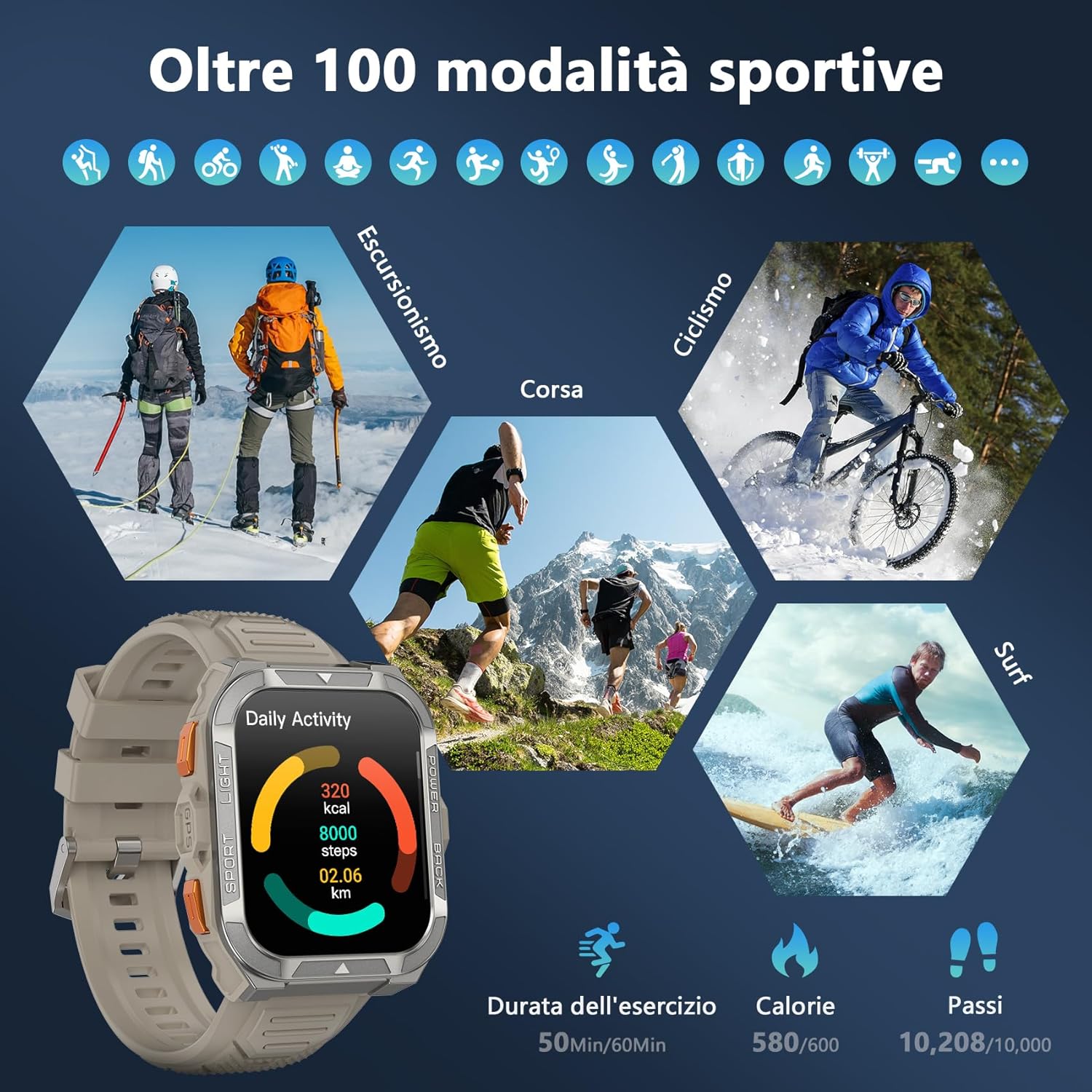
Image: A visual representation of the smartwatch's extensive sports mode selection, featuring icons for activities like hiking, cycling, and running.
4.6 Llanterna i brúixola
The smartwatch includes a powerful LED flashlight with constant and SOS modes for outdoor adventures. The high-precision anti-magnetic compass provides accurate real-time directions, even in remote areas.

Image: The smartwatch demonstrating its LED flashlight feature in a dark environment and its compass function showing directional readings.
4.7 Altres funcions intel·ligents
The W80PRO offers a range of additional features for convenience and intelligence:
- AI Watch Face: Customize your watch face with AI-generated designs or personal photos via the GloryFit app.
- ChatGPT & Translator: Access AI chat and translation functions directly from your wrist.
- Control de música: Controla la reproducció de música al teu telèfon intel·ligent.
- Pronòstic del temps: Rep actualitzacions meteorològiques en temps real.
- Alarm Clock, Timer, Calculator: Essential utility tools.
- Control de la càmera: Activa la càmera del telèfon de manera remota.
- Assistent de veu: Interactua amb l'assistent de veu del teu telèfon.
- Cerca el telèfon: Localitza el teu telèfon intel·ligent perdut.
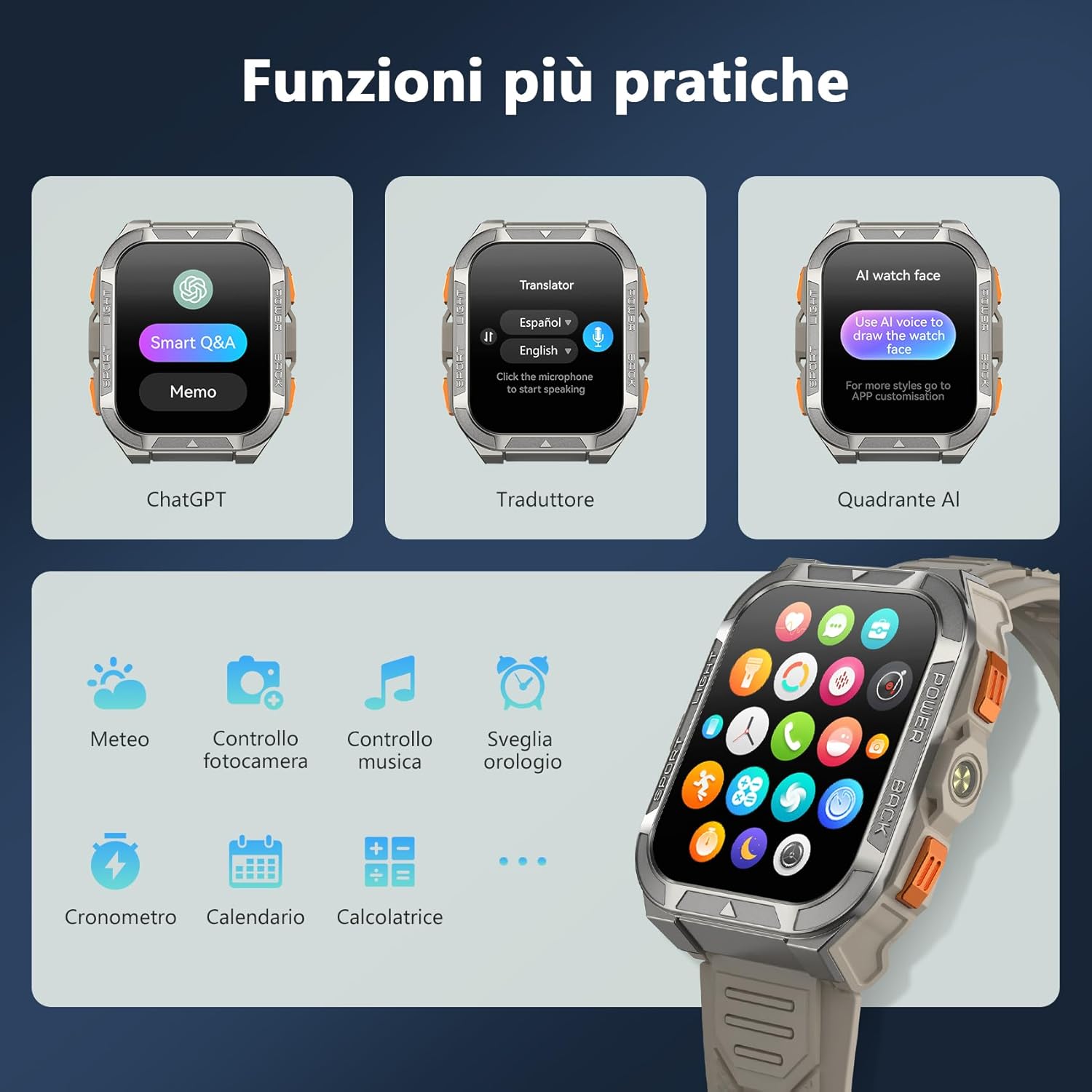
Image: A collage of smartwatch screens showcasing features like ChatGPT, a language translator, AI watch face customization, music control, weather, and other utility applications.
5. Manteniment
5.1 Característiques de durabilitat
El Negreview W80PRO is built to withstand harsh conditions:
- Impermeable: IP68 rated, suitable for swimming and exposure to rain. Avoid hot water or steam.
- A prova de pols: Designed to resist dust ingress.
- Cold Resistant: Operates effectively in low temperatures.
- Drop Resistant: Built with a zinc alloy bezel and stainless steel back case for enhanced shock resistance.

Image: The smartwatch being tested for dust resistance.

Image: The smartwatch undergoing a drop test, showcasing its resistance to impacts.

Image: The smartwatch submerged in water, illustrating its waterproof design.

Image: The smartwatch being used in a snowy environment, highlighting its cold resistance.
5.2 Neteja i cura
To maintain your smartwatch, regularly wipe it with a soft, dry cloth. For stubborn dirt, use a slightly damp drap i després eixugueu-lo bé. Eviteu utilitzar productes químics agressius o materials abrasius.
6. Solució De Problemes
- El rellotge intel·ligent no s'encén: Ensure the device is fully charged. If not, connect it to the charger.
- No es pot emparellar amb el telèfon intel·ligent:
- Assegureu-vos que el Bluetooth estigui habilitat al vostre telèfon.
- Make sure the smartwatch is within range.
- Restart both the smartwatch and your phone.
- Comprova si l'aplicació GloryFit està actualitzada a l'última versió.
- Dades de salut inexactes: Assegureu-vos que el rellotge estigui ben ajustat al canell, ni massa ajustat ni massa fluix. Netegeu els sensors regularment.
- Notificacions no rebudes: Check app permissions in your phone settings and ensure notifications are enabled for the GloryFit app.
7. Especificacions
| Característica | Detall |
|---|---|
| Nom del model | W80PRO |
| Marca | Negreview |
| Sistema operatiu | Compatible amb Android i iOS |
| Mida de la pantalla | 1.91 polzades |
| Resolució | 320 x 320 |
| Tecnologia de connectivitat | Bluetooth |
| GPS | GPS integrat |
| Capacitat de la bateria | 900 mAh |
| Durada mitjana de la bateria | 15 Days (normal use), 60+ Days (standby) |
| Nivell de resistència a l'aigua | Resistent a l'aigua (IP68) |
| Tipus de material de la banda | Silicona |
| Vigilància de la salut | Heart Rate Monitor, Blood Oxygen Monitor, Sleep Duration, Stress |
| Característiques especials | Long battery life, ChatGPT, Translator, AI Watch Face, LED flashlight, Compass, Call answering/making, Notifications, 110+ Sports Modes, Weather, Alarm, Timer, Calculator, Menstrual Cycle Tracking, Sedentary/Water Reminder, Music Control, Camera Remote. |
8. Garantia i Suport
El Negreview W80PRO Smartwatch comes with a Garantia limitada d'1 any des de la data de compra. Aquesta garantia cobreix defectes de fabricació i avaries en condicions d'ús normal.
For technical support, warranty claims, or further assistance, please contact Blackview customer service through their official weblloc web o el distribuïdor on vau comprar el producte. Conserveu el comprovant de compra per validar la garantia.
Disponibilitat de recanvis a la UE: 2 Anys.