
Introducció
This manual provides detailed instructions for the installation, operation, and maintenance of your Otcboimo WiFi Smart Garage Door Opener. This device allows you to control your garage door remotely via the Smart Life app, voice commands, and provides alerts for door status.
Característiques principals:
- Remote control via Smart Life app from anywhere.
- Door-left-open alerts for enhanced security.
- Voice control compatibility with Amazon Alexa, Google Assistant, and Siri.
- Supports 2.4GHz WiFi networks only.
Contingut del paquet
Verifiqueu que tots els elements siguin presents al vostre paquet:
- 1 x Smart garage door opener
- 1 x adaptador USB
- 1 x Door sensor with sensor wire
- 4 x cargols
- 2 x Cintes adhesives de doble cara
- 1 x manual d'usuari
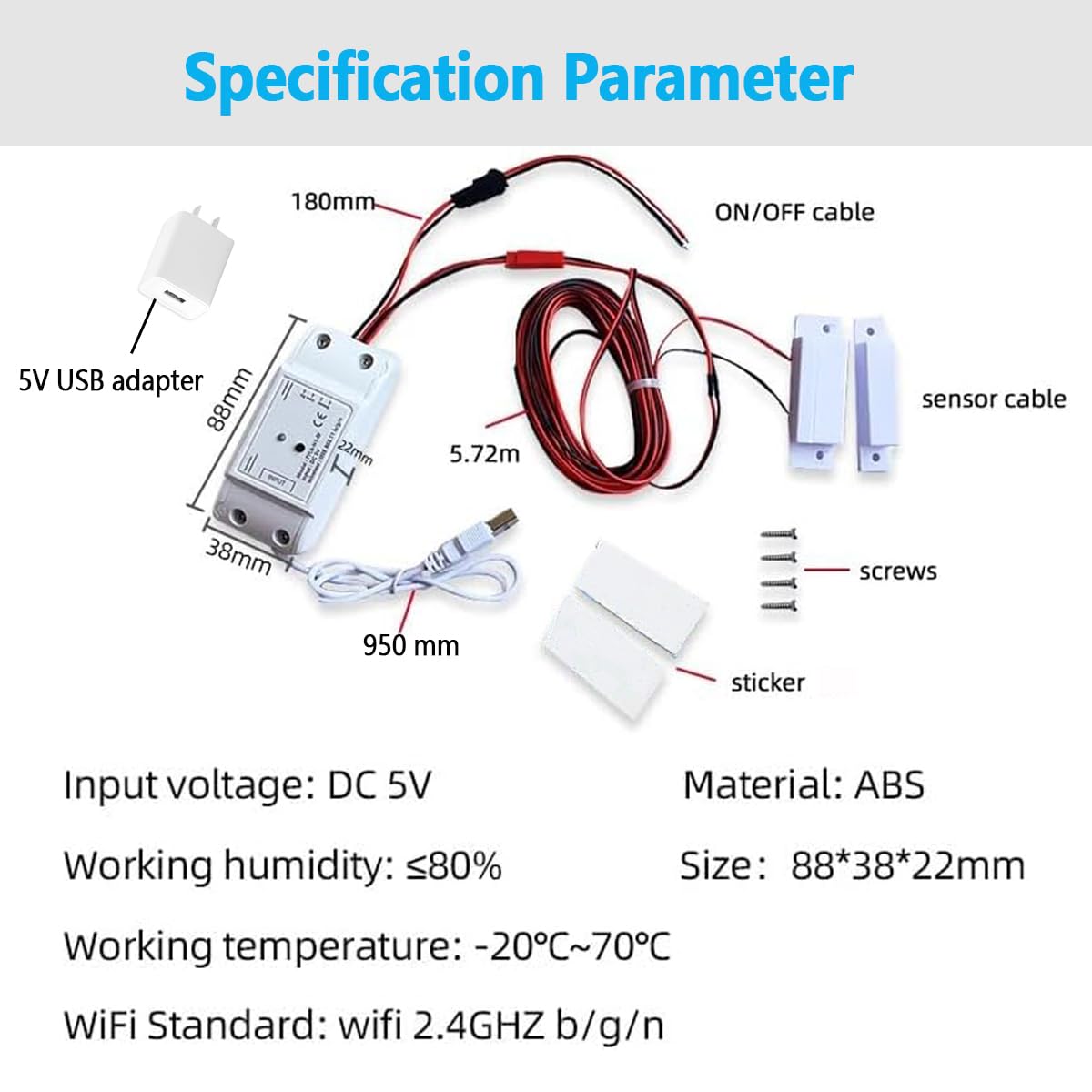
Image: Package contents showing the smart opener, USB adapter, door sensor, screws, adhesive tapes, and user manual.
Comprovació de compatibilitat
Before installation, it is crucial to determine the compatibility of your existing garage door opener. There are two primary methods for wiring, depending on your opener's type.
Method 1: Direct Connection Compatibility
This method applies to most garage door openers that use a simple wall button connection.
- Locate the "Push button" terminals on your garage door opener's motorhead where the wall button wires are connected.
- Using pliers or a short wire, momentarily short the two terminals.
- If the garage door starts to open or close, your opener is compatible with Method 1 wiring.
Note: Openers with yellow or purple learn buttons are generally not compatible with Method 1. If your opener has a yellow or purple learn button, you must use Method 2.

Image: Compatibility check using pliers to short terminals and visual guide for incompatible yellow/purple learn buttons.
Instal·lació i cablejat
The installation process involves connecting the smart opener to your garage door system and installing the door sensor. Ensure your WiFi signal is strong in the garage area.
Wiring Method 1: Direct Connection to Motor Controller
This method is for garage door openers compatible with direct wiring (not yellow or purple learn buttons).
- Locate the "Push button" terminals on your garage door opener.
- Connect the NO (Normally Open) and COM (Common) terminals of the smart garage door opener to the "Push button" terminals of your garage door motor controller. This creates a parallel control system, allowing your existing wall switch to remain functional.
- Connect the USB adapter to the smart opener for power.
Wiring Method 2: Connection to Existing Remote Control
This method is required for garage door openers with yellow or purple learn buttons, as they do not output signals for direct wiring. This method requires basic soldering skills and tools.
- Open your existing garage door remote control (the remote must have a battery).
- Identify the two pins on the remote's button that, when shorted, activate the garage door. You can test this by touching a wire across different pins; the remote's indicator light should turn on.
- Solder the wires from the COM and NO terminals of the smart opener to these two identified pins on your remote control. This effectively simulates a button press on the remote.
- Connect the USB adapter to the smart opener for power.

Image: Two wiring methods for the smart garage door opener, including direct connection and connection to a remote control.
Instal·lació del sensor de la porta
The door magnetic sensor is essential for the smart opener to detect the open/closed status of your garage door.
- Mount the main sensor unit (with the wire) securely to the garage door frame.
- Mount the smaller magnetic component to the garage door itself, ensuring it aligns with the main sensor unit when the door is closed. The gap between the two parts should be minimal when the door is closed.
- Ensure the sensor cable is routed safely and does not interfere with the garage door's movement.

Image: Detailed installation diagram for the smart opener and door sensor placement.
Configuració i connectivitat de l'aplicació
The Otcboimo Smart Garage Door Opener uses the Tuya or Smart Life app for remote control and smart features.
- Descarrega l'aplicació: Download the "Smart Life" or "Tuya Smart" app from your smartphone's app store (iOS or Android).
- Registra't/Iniciar sessió: Creeu un compte nou o inicieu sessió al vostre compte existent.
- Afegeix un dispositiu: Follow the in-app instructions to add a new device. Select "Garage Door Opener" or a similar category.
- Connecteu-vos a WiFi: Ensure your smartphone is connected to a 2.4GHz WiFi network. The smart opener only supports 2.4GHz WiFi (5GHz networks are not supported). Follow the app's prompts to connect the device to your home WiFi network.
- Maridatge: The app will guide you through the pairing process, which usually involves putting the device into pairing mode (often by pressing a button on the device).

Image: Remote control via Tuya / Smart Life app.
Operating the Smart Garage Door Opener
Control remot mitjançant App
Once successfully set up, you can control your garage door from anywhere with an internet connection using the Smart Life or Tuya Smart app.
- Open the app and select your garage door opener device.
- Tap the designated button to open or close the garage door.
- The app will display the current status of your garage door (open or closed) based on the magnetic sensor.
Notificacions i recordatoris
The app provides useful notifications to keep you informed about your garage door's status.
- Door Left Open Alert: Receive alerts if your garage door has been left open for a customizable period.
- Open/Close Reminders: Set reminders to ensure the door is closed at specific times or after certain events.

Image: Smart Life app interface displaying notification and reminder options.
Control de veu
Integrate your smart garage door opener with popular voice assistants for hands-free operation.
- Compatibilitat: Works with Amazon Alexa, Google Assistant, and Apple Siri.
- Enllaç de comptes: Follow the instructions in your Smart Life/Tuya Smart app to link your account with Alexa, Google Home, or Siri.
- Comandaments de veu:
- "Alexa, open the garage door."
- "Hey Google, close the garage."
- "Siri, open my garage door." (You may need to set up a shortcut for Siri.)
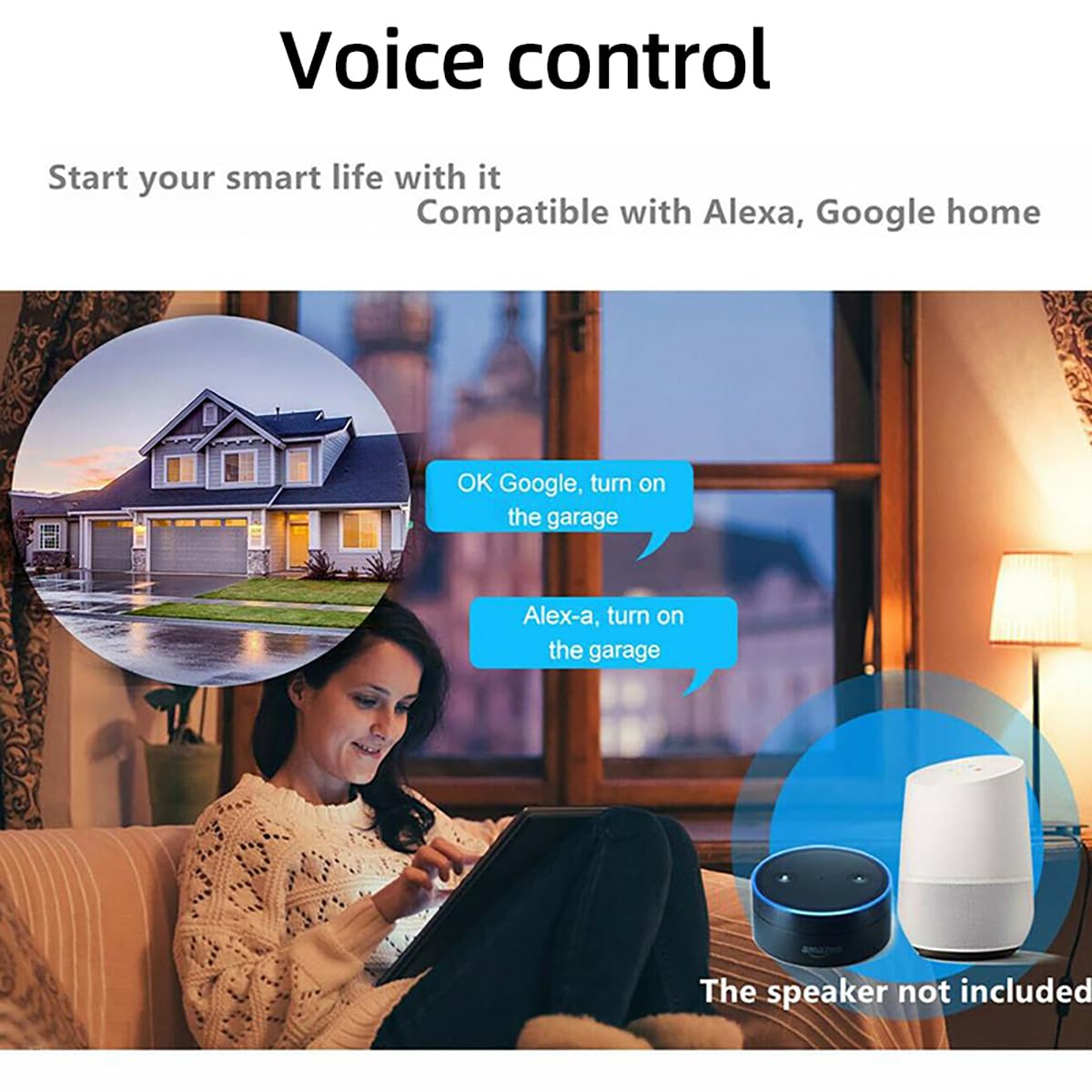
Image: Voice control integration with Amazon Alexa and Google Home.
Manteniment
To ensure optimal performance and longevity of your smart garage door opener, consider the following maintenance tips:
- Neteja regular: Keep the main unit and sensor free from dust and debris. Use a soft, dry cloth for cleaning.
- Alineació del sensor: Periodically check that the magnetic door sensor components remain properly aligned for accurate open/closed status detection.
- Inspecció del cable: Inspect all wiring for any signs of wear, damage, or loose connections. Ensure cables are securely fastened and not pinched by moving parts.
- Actualitzacions de l'aplicació: Keep the Smart Life/Tuya Smart app updated to the latest version to benefit from new features and security enhancements.
- Senyal WiFi: Ensure a stable 2.4GHz WiFi signal in your garage for consistent connectivity.
Resolució de problemes
If you encounter issues with your smart garage door opener, refer to the following common troubleshooting steps:
- El dispositiu no respon:
- Check if the device is powered on and the USB adapter is securely connected.
- Verify your home WiFi network is active and the device is within range of the router.
- Ensure your smartphone has an internet connection.
- Restart the smart opener by unplugging and re-plugging the power.
- Door Status Incorrect:
- Check the alignment and proximity of the magnetic door sensor components. They should be close together when the door is closed.
- Inspect the sensor wire for any damage or loose connections to the main unit.
- No es pot connectar a la xarxa Wi-Fi:
- Confirma que la teva xarxa Wi-Fi és de 2.4 GHz. El dispositiu no admet Wi-Fi de 5 GHz.
- Ensure your WiFi password is entered correctly in the app.
- Move the smart opener closer to your WiFi router during the initial setup.
- Try resetting the device to factory settings (refer to the app or device instructions for specific reset procedures) and attempt pairing again.
- El control per veu no funciona:
- Verify that your Smart Life/Tuya Smart account is correctly linked to your Alexa, Google Home, or Siri account.
- Assegureu-vos que el vostre dispositiu d'assistent de veu estigui en línia i funcioni correctament.
- Use the exact voice commands as specified in the app or voice assistant settings.
Especificacions
| Paràmetre | Valor |
|---|---|
| Entrada Voltage | DC 5V |
| Estàndard WIFI | IEEE 802.11 b/g/n |
| Mecanisme de seguretat | WPA-PSK/WPA2-PSK |
| Protocol WIFI | Only support 2.4GHz (does not support 5GHz) |
| Temperatura de treball | -20℃ ~ 70℃ (-4°F ~ 158°F) |
| Humitat de treball | ≤80% |
| Material | ABS |
| Mida (L x A x A) | 88 x 38 x 22 mm (3.47 x 1.54 x 0.95 polzades) |
| Valoració actual | 10 Amps |
| Vol. Operatiutage | 5 Volts |
| Mètode de control | Aplicació, veu |
| Dispositius compatibles | Amazon Echo, Google Home, Apple devices, Standard garage door openers, Standard garage door remotes |
| Pes de l'article | 6.1 unces |
| Número de model | TYCKM |
Garantia i Suport
For warranty information or technical support, please refer to the contact details provided with your purchase documentation or visit the official Otcboimo weblloc web. Conserveu el rebut de compra com a comprovant de compra.