1. Introducció
This user manual provides comprehensive instructions for the setup, operation, and maintenance of your Mortal Q8 Android 14 4K TV Stick. The Mortal Q8 transforms any television with an HDMI port into a smart entertainment system, offering access to a wide range of streaming services and applications in 4K Ultra HD resolution. Please read this manual carefully before using the device to ensure optimal performance and safety.
2. Contingut del paquet
Verifiqueu que tots els elements siguin presents al vostre paquet:
- Mortal Q8 Android 14 4K TV Stick
- Remote Control with Voice Command
- Cable d'alimentació USB
- HDMI Extension Cable (if included)
- Manual d'usuari (aquest document)
3. Producte acabatview
The Mortal Q8 TV Stick is a compact device designed for seamless streaming. It features an HDMI connector for direct plug-in to your TV and is controlled by an ergonomic remote with integrated voice command capabilities.

Figure 3.1: Mortal Q8 Android TV Stick and its accompanying remote control. The stick is black with a blue indicator light, and the remote is black with dedicated buttons for popular streaming services and a Google Assistant button.
3.1 Característiques clau
- Sistema operatiu Android 14: Provides a fluid and modern user interface with access to the Google Play Store.
- 4K Ultra HD Streaming: Supports high-resolution video playback for a detailed viewexperiència.
- Connectivitat WiFi 6: Offers faster speeds and improved network stability for uninterrupted streaming.
- Chromecast integrat: Allows easy casting of content from mobile devices to your television.
- Voice Control Remote: Ergonomic remote with a dedicated voice command button for intuitive navigation and search.
- Aplicacions preinstal·lades: Direct access to popular streaming platforms such as Netflix, Prime Video, and YouTube.

Figure 3.2: The Mortal Q8 TV Stick and remote, highlighting key features like Android 14, 4K video decoding, WiFi 6, and Bluetooth 5.0. Icons for Netflix, YouTube, Google Play, Prime Video, and TikTok are also shown.
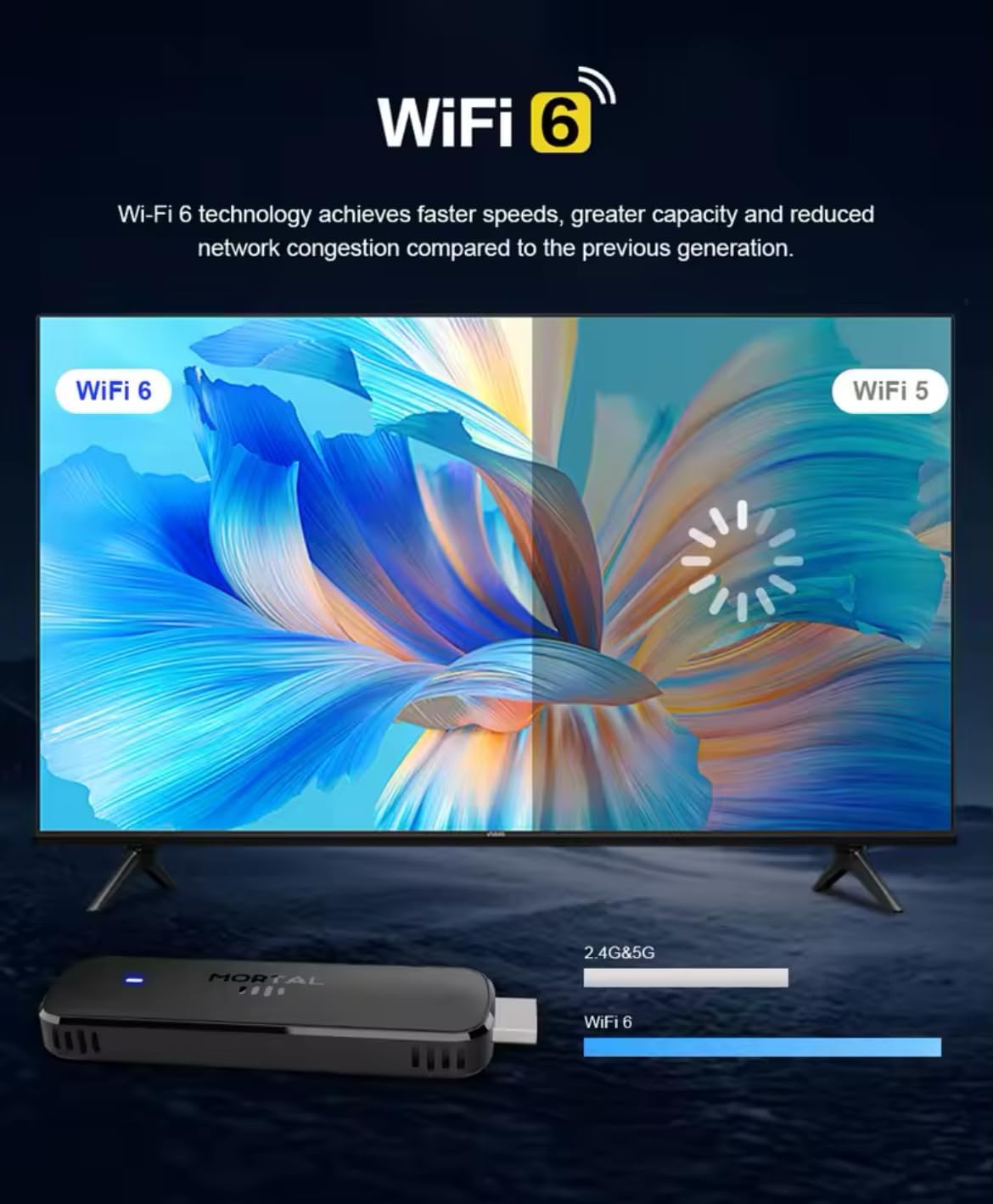
Figure 3.3: Illustration demonstrating the enhanced speed and stability of WiFi 6 technology compared to WiFi 5, with the Mortal Q8 TV Stick supporting dual-band 2.4G/5G connectivity.
4. Guia de configuració
Follow these steps to set up your Mortal Q8 TV Stick:
- Connecteu el pal de televisió: Plug the Mortal Q8 TV Stick directly into an available HDMI port on your television. If space is limited, use the HDMI extension cable (if provided).
- Alimentació del dispositiu: Connect the USB power cable to the TV Stick and then to a USB port on your TV or a wall adapter (not always included). Ensure the device receives sufficient power.
- Seleccioneu l'entrada HDMI: Turn on your television and use your TV remote to select the correct HDMI input source where the Mortal Q8 is connected.
- Vincular el comandament a distància:
- Introduïu dues piles AAA (no incloses) al comandament a distància.
- Follow the on-screen instructions to pair the remote with your TV Stick. This usually involves holding down specific buttons on the remote until a pairing confirmation appears.
- Connexió de xarxa:
- Once the device boots up, navigate to the Wi-Fi settings.
- Select your home Wi-Fi network from the list and enter the password. The Mortal Q8 supports WiFi 6 for optimal performance.
- Google Account Login: Sign in with your Google account to access the Google Play Store and synchronize your settings and applications.
- Actualitzacions del sistema: Check for and install any available system updates to ensure your device has the latest features and security patches.
5. Instruccions de funcionament
5.1 Navegació per la interfície
Use the directional pad and select button on your remote control to navigate through the Android TV interface. The home button will always return you to the main screen.

Figure 5.1: The Mortal Q8 TV Stick connected to a television, showing the Android TV home screen with various streaming applications like Kodi, HBO Go, Hulu, Netflix, Prime Video, and YouTube.
5.2 Ús del control per veu (Assistent de Google)
The remote control features a dedicated button for Google Assistant. Press this button and speak into the remote to:
- Cerca movies, TV shows, or videos.
- Open applications (e.g., "Open YouTube").
- Control playback (e.g., "Pause," "Play," "Fast forward").
- Ask questions or get information.

Figure 5.2: An illustration of using the "Ok Google" voice command feature on the Mortal Q8 TV Stick remote to open applications like YouTube, with the response displayed on the TV screen.
5.3 Contingut en streaming
Access your favorite streaming services directly from the home screen or by downloading new apps from the Google Play Store. The Mortal Q8 supports 4K Ultra HD resolution for compatible content.

Figure 5.3: The Mortal Q8 TV Stick and remote in front of a television displaying vibrant 4K Ultra HD content, emphasizing the device's capability to deliver high-resolution visuals.
5.4 Using Chromecast Built-in
The integrated Chromecast feature allows you to cast content from your compatible mobile devices (phones, tablets) or computers directly to your television screen. Look for the Cast icon ▶ in supported applications on your mobile device.

Figure 5.4: An image illustrating the Chromecast built-in feature of the Mortal Q8 TV Stick, showing content being streamed from a smartphone to the television screen.
6. Manteniment
- Neteja: Use a soft, dry cloth to clean the TV Stick and remote control. Do not use liquid cleaners or abrasive materials.
- Emmagatzematge: Quan no l'utilitzeu durant períodes prolongats, guardeu el dispositiu en un lloc fresc i sec, allunyat de la llum solar directa i de temperatures extremes.
- Actualitzacions de programari: Comproveu i instal·leu regularment si hi ha actualitzacions del sistema per garantir un rendiment i una seguretat òptims.
7. Solució De Problemes
| Problema | Possible solució |
|---|---|
| Sense alimentació/El dispositiu no s'encén | Ensure the USB power cable is securely connected to both the TV Stick and a power source. Try a different USB port or wall adapter. |
| Sense senyal a la pantalla del televisor | Verify the TV Stick is fully inserted into the HDMI port. Select the correct HDMI input source on your television. Try a different HDMI port. |
| El comandament a distància no respon | Check the batteries and replace them if necessary. Ensure the remote is paired with the TV Stick (refer to setup instructions). Remove any obstructions between the remote and the device. |
| Problemes de connexió Wi-Fi | Restart your Wi-Fi router. Re-enter the Wi-Fi password on the TV Stick. Ensure the device is within range of your router. |
| Les aplicacions són lentes o es bloquegen | Close unused applications. Clear the cache of the problematic app in settings. Restart the TV Stick. Ensure sufficient storage space is available. |
8. Especificacions
| Característica | Detall |
|---|---|
| Nom del model | Q8 |
| Sistema operatiu | Android 14.0 |
| Resolució | 4K Ultra HD |
| Connectivitat | WiFi 6 (2.4G/5G Dual-band), Bluetooth 5.0, HDMI, USB |
| Característiques especials | Chromecast Built-in, Voice Control (Google Assistant) |
| Serveis d'Internet compatibles | Google Play, HBO Go, Hulu, Kodi, Netflix, Prime Video, YouTube |
| Tipus de controlador | Control remot |
| Factor de forma | Pal |
| Color | Negre |
| Dispositius compatibles | Monitor, Projector, Television, HDMI Screen |

Figure 8.1: A visual summary of the Mortal Q8 TV Stick's specifications, including 2GB+8GB memory, 4K video decoding, Allwinner H313 Quadcore processor, Android 14, and 2.4G/5.8G Dual WiFi.
9. Garantia i Suport
Per obtenir informació sobre la garantia i assistència tècnica, consulteu la documentació que s'inclou amb la compra o poseu-vos en contacte amb el distribuïdor. Conserveu el comprovant de compra per a reclamacions de garantia.


