
1. Introducció
Thank you for choosing the TELESIN C03 Magnetic Phone Selfie Light. This device is designed to enhance your photography and videography with adjustable lighting and convenient features. Please read this manual carefully to ensure proper use and maintenance.
2. Contingut del paquet
- TELESIN C03 Magnetic Phone Selfie Light
- Cable de càrrega USB tipus C
- Metal Ring Adhesive Adapter (for non-MagSafe devices)
- Manual d'usuari
3. Producte acabatview
The TELESIN C03 features a compact, foldable design with a magnetic attachment for easy use. It includes a built-in mirror and offers multiple lighting modes.
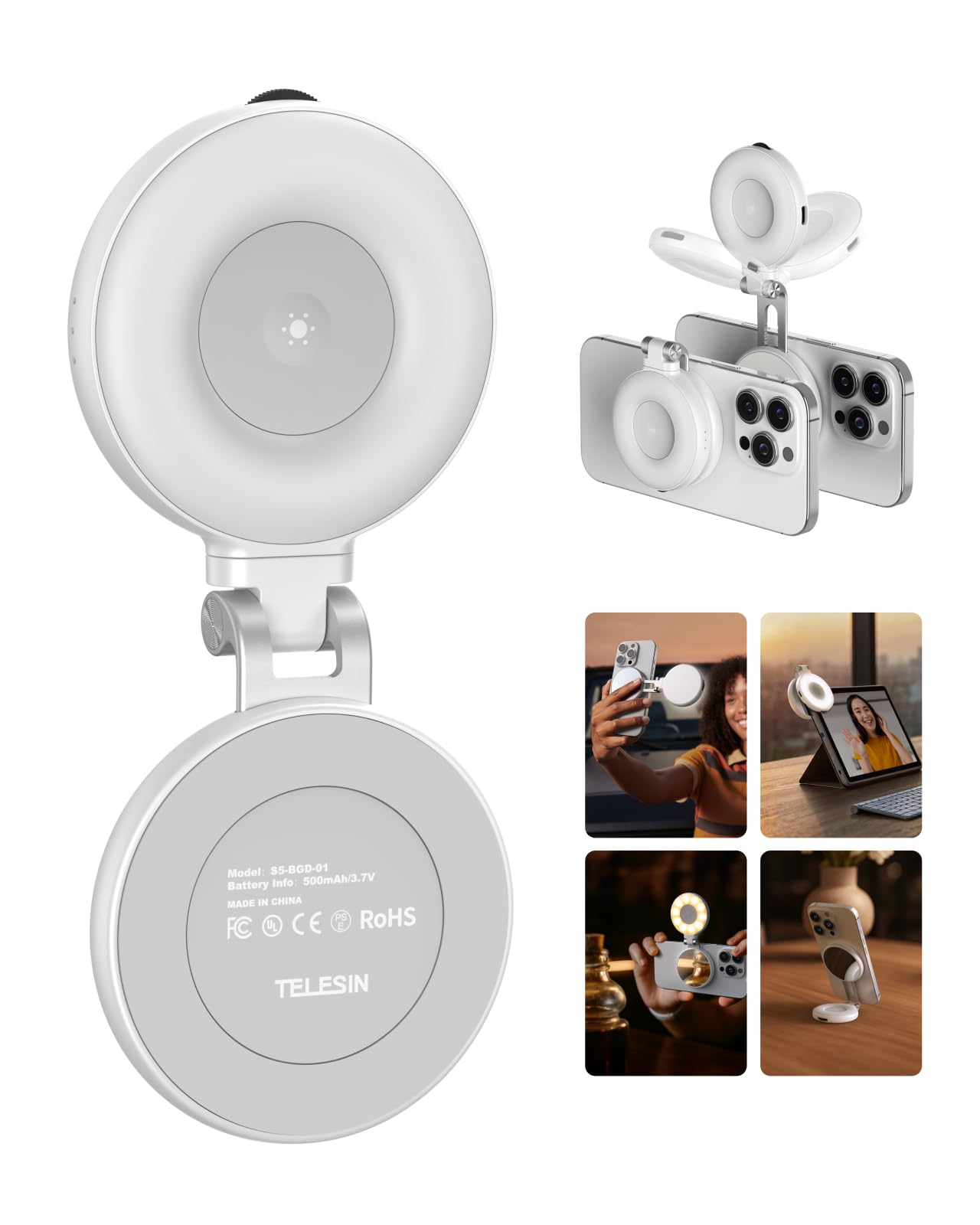
Figure 1: TELESIN C03 Magnetic Phone Selfie Light (folded)
4. Configuració i instal·lació
4.1 Càrrega del dispositiu
Before first use, fully charge the selfie light. Connect the provided USB Type-C cable to the charging port on the device and to a compatible USB power source. The indicator light will show charging status.

Figure 2: Charging the Selfie Light
4.2 Attaching to Your Phone
The TELESIN C03 is designed for magnetic attachment. For MagSafe compatible iPhones (iPhone 12 series and newer), simply align the selfie light with the MagSafe area on the back of your phone until it snaps into place securely.

Figure 3: Magnetic Attachment
For non-MagSafe phones, laptops, or other devices, use the included metal ring adhesive adapter. Peel off the protective film from the adhesive side of the metal ring and firmly attach it to the desired location on your device. Ensure the surface is clean and dry for optimal adhesion. Once the ring is attached, the selfie light can be magnetically connected to it.
5. Instruccions de funcionament
5.1 Engegada/Apagada i Ajust de la Brillantor
Press and hold the power button to turn the light on or off. Once on, rotate the wave wheel on the side of the device to adjust the brightness from 10% to 100% steplessly.
5.2 Selecció de la temperatura de color
Short press the power button to cycle through the three available color temperatures:
- Warm Light (2700K): For a cozy ambiance.
- Natural Light (5600K): For a balanced, natural glow.
- Cool Light (7500K): For a chic, bright illumination.

Figure 4: Light Modes and Brightness Control
5.3 360° Rotation and 180° Flip
The selfie light features a hinge that allows for 360° rotation and a 180° flip. This enables you to direct the light from various angles, whether for front-facing selfies, rear-camera photography, or as a small desktop stand.

Figure 5: Rotatable and Flippable Design
5.4 Using the Built-in Mirror
The device includes a 56mm high-definition makeup mirror. This mirror can be used for quick touch-ups or to assist with framing shots when using your phone's rear camera.
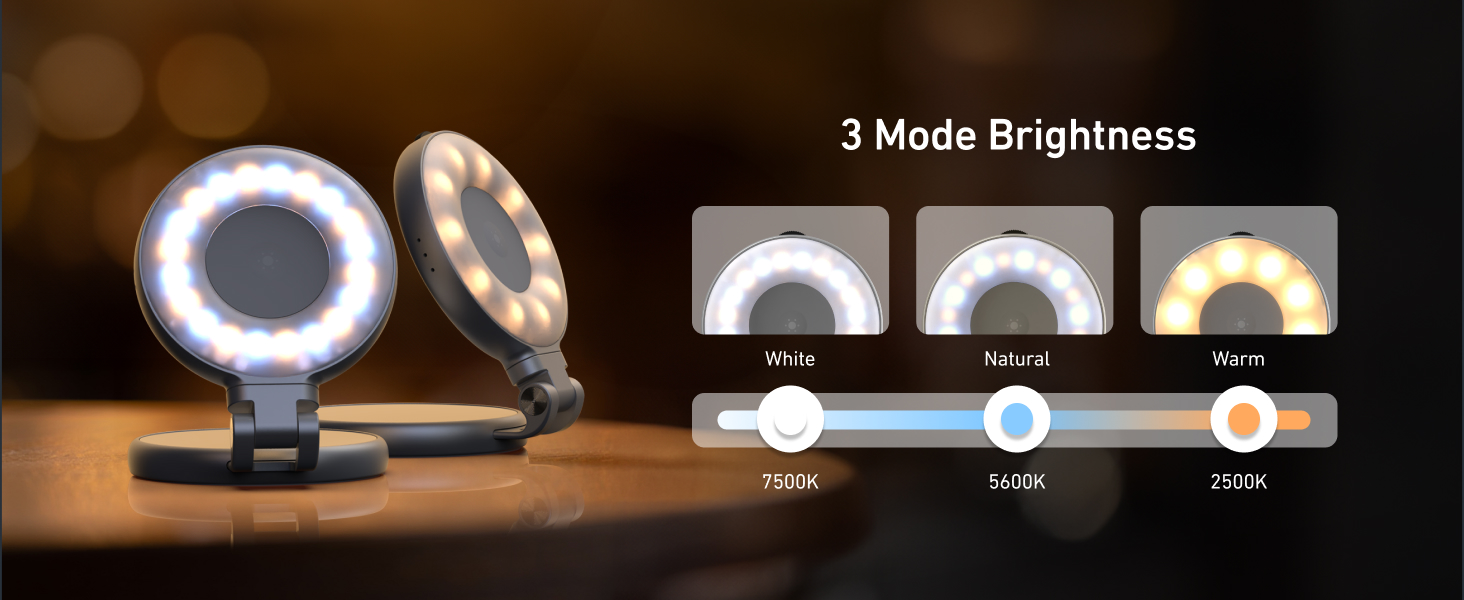
Figure 6: Built-in Makeup Mirror
6. Característiques
- Enganxament magnètic: Compatible with MagSafe iPhones and other devices via adhesive metal ring.
- Il·luminació ajustable: 3 color temperatures (2700K, 5600K, 7500K) and 10-100% stepless brightness adjustment.
- 360° Rotation & 180° Flip: Flexible positioning for various shooting angles and use as a stand.
- Built-in Mirror: 56mm high-definition mirror for convenience.
- Recarregable i portàtil: Compact pocket size with a built-in 500mAh battery, charged via USB Type-C.
7. Manteniment
- Mantingueu el dispositiu net netejant-lo amb un drap suau i sec.
- Eviteu exposar el dispositiu a temperatures extremes, humitat o llum solar directa.
- No intenteu desmuntar ni reparar el dispositiu vosaltres mateixos, ja que això podria anul·lar la garantia.
- Emmagatzemar en un lloc fresc i sec quan no s'utilitzi.
8. Solució De Problemes
- La llum no s'encén: Ensure the device is fully charged. Connect it to a power source using the USB Type-C cable.
- Llum parpellejant o tènue: Recharge the device. If the issue persists, contact customer support.
- L'adhesió magnètica és feble: Ensure the device is properly aligned with the MagSafe area or the metal ring adapter. Clean the surfaces to remove any debris.
- El dispositiu no respon: Try resetting the device by fully discharging and then recharging it.
9. Especificacions
| Atribut | Detall |
|---|---|
| Marca | TELESIN |
| Nom del model | TELESIN-SL-MAG-WHT-001 |
| Pes de l'article | 80 grams |
| Tecnologia de connectivitat | USB |
| Interfície del maquinari | USB tipus C |
| Durada mitjana de la bateria | 272.5 minuts |
| Descripció dels modes de flaix | Adjustable brightness and color temperature (cold, natural, warm) for constant illumination |
| Nivell de resistència a l'aigua | No resistent a l'aigua |
| Dispositius compatibles | iPhone, Android phones, laptops, magnetic selfie stick tripod |
10. Vídeos oficials de productes
TELESIN C03 Magnetic Selfie Light Overview
Aquest vídeo ofereix un breu resumview of the TELESIN C03 Magnetic Selfie Light, demonstrating its magnetic attachment and basic lighting functions.
TELESIN C03 Mirror Selfie Light Demonstration
This video showcases the mirror feature of the TELESIN C03 Selfie Light, highlighting its utility for self-monitoring during content creation.
TELESIN C03 Magnetic Phone Light Features
This video demonstrates various features of the TELESIN C03 Magnetic Phone Light, including its magnetic attachment and adjustable lighting.
11. Garantia i Suport
The TELESIN C03 Magnetic Phone Selfie Light comes with a 2-year warranty. For warranty claims, technical support, or any product-related inquiries, please contact TELESIN customer service through their official weblloc web o el venedor on es va comprar el producte.
Per obtenir més ajuda, visiteu el TELESIN Store on Amazon.
