
Producte acabatview
The NDYIN PrintPods Mini Printer D21 is a compact and lightweight portable thermal printer designed for on-the-go printing of various items such as tickets, labels, notes, and stickers. Its inkless thermal printing technology eliminates the need for ink cartridges, offering a convenient and economical printing solution.
This device connects wirelessly via Bluetooth to your smartphone or tablet, utilizing the NADA Print App for content creation and management. It supports the creation of personalized stickers and notes, making it suitable for journaling, DIY projects, and educational activities.
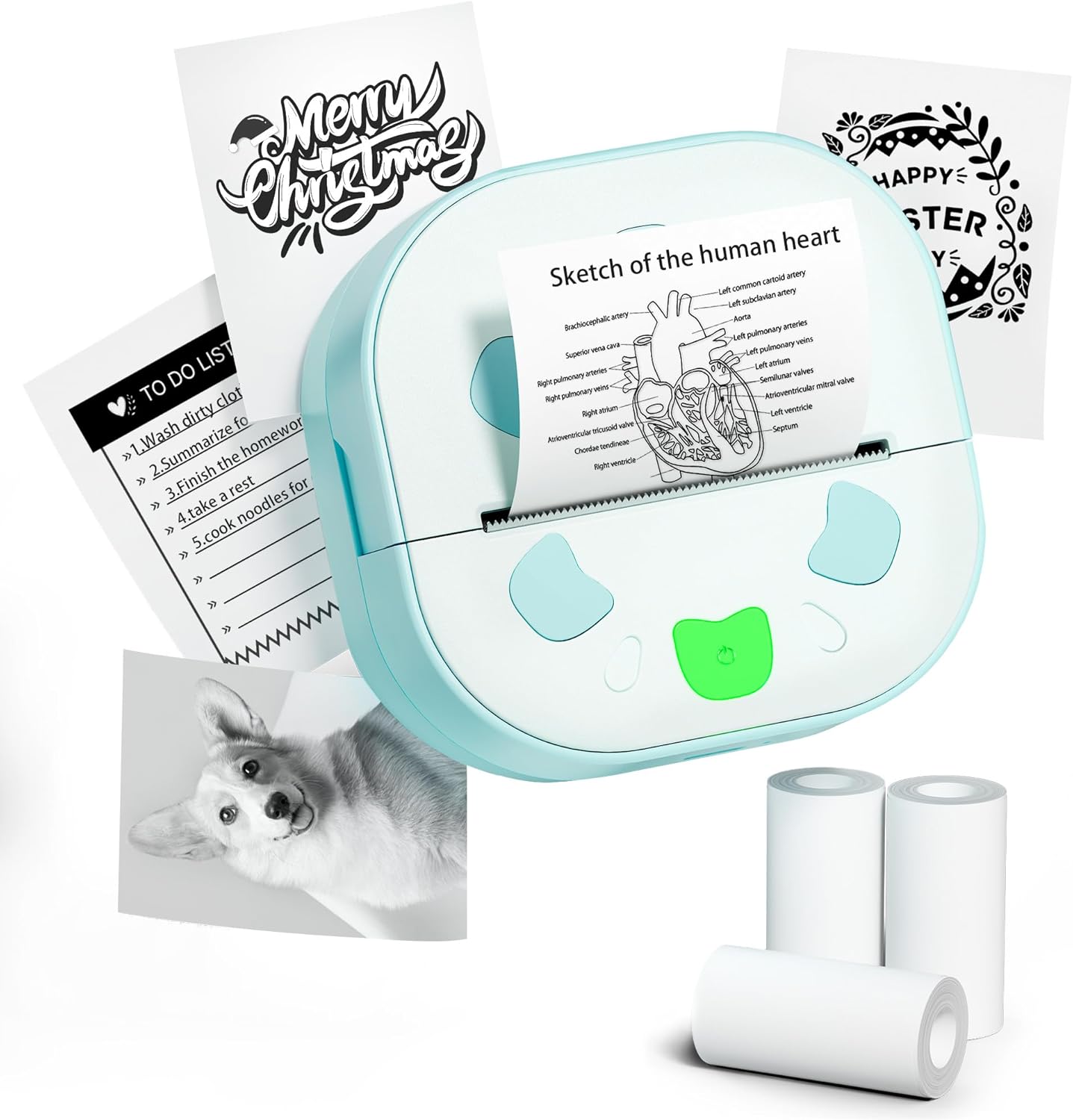
Image: The NDYIN PrintPods Mini Printer D21, showcasing its compact design alongside examples of printed notes, to-do lists, and stickers, and three rolls of thermal paper.
Guia de configuració
Contingut del paquet
Before beginning, please verify that all components are present in the package:
- 1 x D21 Sticker Printer
- 1 x cable USB tipus C
- 1 x Manual d'usuari (aquest document)
- 3 Rolls of Sticker Papers

Image: A clear display of all items included in the product package: the D21 printer, USB Type-C charging cable, user manual, and three rolls of thermal sticker paper.
Passos de configuració inicials
- Carregueu la impressora: Connect the D21 printer to a power source using the provided USB Type-C cable. Ensure the printer is fully charged before first use.
- Carregueu paper tèrmic:
Open the printer's paper compartment. Insert a roll of 2.24-inch (57mm) thermal paper, ensuring the paper feeds smoothly through the output slot. Close the compartment securely.

Image: The D21 printer with its top cover open, illustrating the correct way to insert a 57mm thermal paper roll into the designated slot.
- Encès: Long press the power button located on the printer to turn it on.
- Download the NADA Print App: Cerca "NADA Print" in your device's app store (available on iOS App Store and Google Play Store) and install it.

Image: A visual representation highlighting the NADA Print App and the printer's Bluetooth connectivity, along with icons indicating no ink or toner is required.
- Connecteu-vos mitjançant Bluetooth:
- Open the NADA Print App on your smartphone or tablet.
- Navigate to the connection section within the app.
- Select the corresponding printer model (D21) from the list of available devices to establish a Bluetooth connection. Ensure Bluetooth is enabled on your mobile device.

Image: A step-by-step guide illustrating how to power on the printer, connect it within the NADA Print App, and select the correct printer model for Bluetooth pairing.
Instruccions de funcionament
Using the NADA Print App
The NADA Print App is the primary interface for creating and managing your prints. It offers various functionalities:
- Print Images: Select photos or images from your device's gallery to print.
- Imprimeix documents: Print text documents or notes created within the app.
- Plantilles: Access a library of pre-designed templates for labels, notes, to-do lists, and decorative graphics.
- Edició de text: Create and edit text directly within the app for printing.
- Disseny gràfic: Utilize built-in graphic tools to add icons, borders, and other design elements to your prints.

Imatge: Un cop mésview of the NADA Print App's user interface, displaying its main menu, graphic design options, and a marketplace for various printing templates.
Procés d'impressió
- Prepare Content: Within the NADA Print App, create or select the content you wish to print (e.g., text, image, template).
- Iniciar la impressió: Tap the "Print" button or icon within the app. The printer will begin thermal printing.
- Retrieve Print: Once printing is complete, gently tear off the printed output from the printer's output slot. The printer features a built-in cutter for clean tears.
The D21 printer produces monochrome (black and white) prints only. It is compatible with 2.24-inch (57mm) continuous thermal paper rolls.
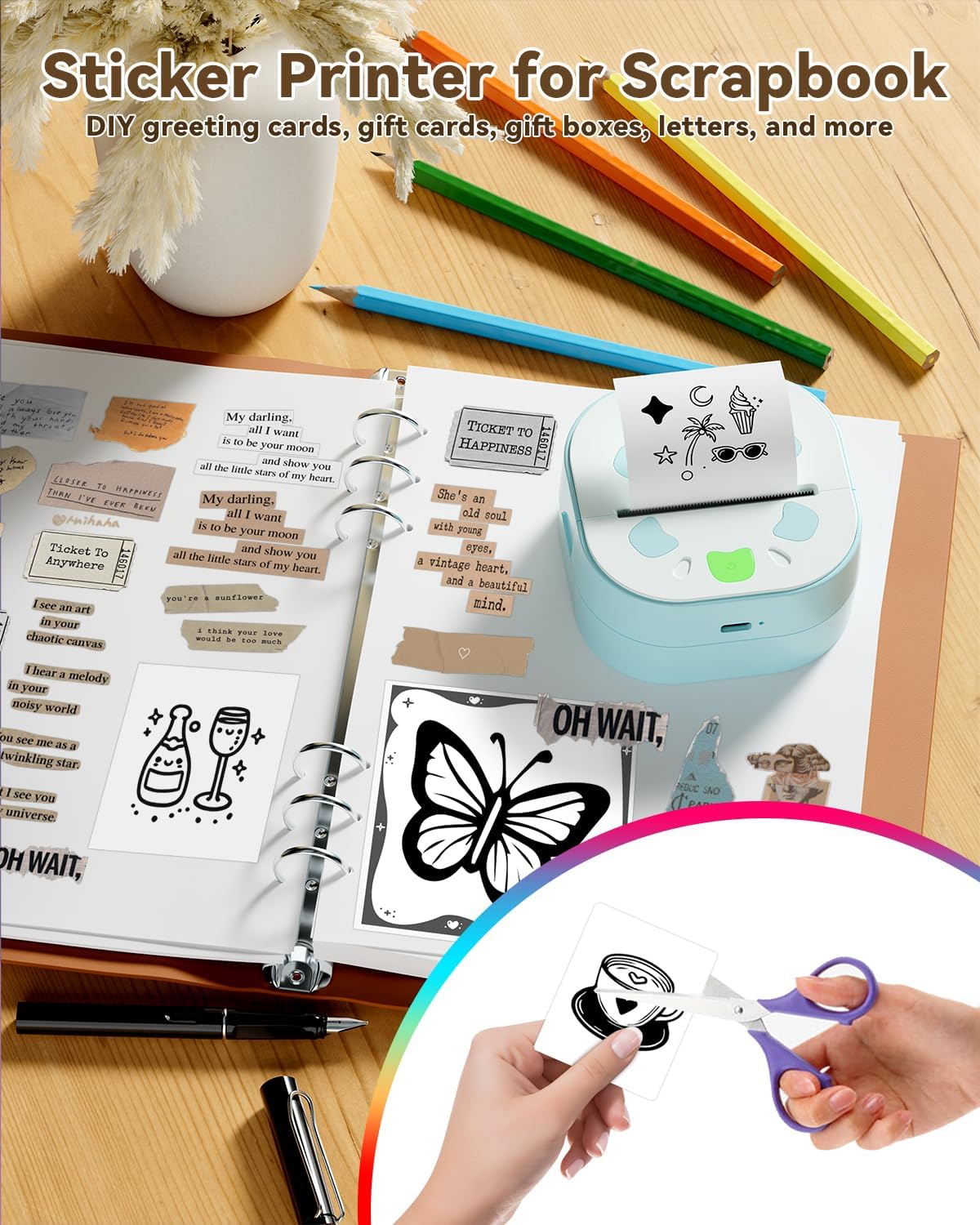
Image: The D21 printer in use, positioned next to an open scrapbook, illustrating how it can be used to print various stickers and notes for creative and organizational purposes.

Image: A collage demonstrating the versatility of the D21 printer, showcasing examples of printed photos, study notes, personalized gift cards, and various stickers.
Manteniment
The NDYIN PrintPods Mini Printer D21 is designed for low maintenance due to its inkless thermal printing technology. Regular cleaning and proper handling will ensure optimal performance and longevity.
- Neteja del capçal d'impressió: If print quality degrades (e.g., faded lines, streaks), gently wipe the thermal print head with a lint-free cloth lightly dampened with isopropyl alcohol. Ensure the printer is turned off and completely dry before use.
- Neteja exterior: Clean the exterior of the printer with a soft, dry cloth. Avoid using abrasive cleaners or solvents.
- Emmagatzematge: Guardeu la impressora en un lloc fresc i sec, allunyat de la llum solar directa i de temperatures extremes.
- Manipulació del paper: Use only high-quality thermal paper designed for your printer model. Store paper rolls in a cool, dark place to prevent premature fading.
Resolució de problemes
| Problema | Causa possible | Solució |
|---|---|---|
| La impressora no s'encén. | Problema de bateria baixa o energia. | Ensure the printer is charged using the provided USB Type-C cable. Verify the charging cable and adapter are functioning correctly. |
| No es pot connectar per Bluetooth. | Bluetooth is off on device, printer not in pairing mode, or app issue. |
|
| Poor print quality (faded, unclear, streaks). | Dirty print head, low battery, or poor paper quality. |
|
| Paper encallat o no s'alimenta el paper. | Improper paper loading or foreign object. |
|
Especificacions del producte
| Característica | Detall |
|---|---|
| Marca | NDYIN |
| Nom del model | D21 |
| Tecnologia d'impressió | Tèrmica |
| Sortida de la impressora | Monocrom (blanc i negre) |
| Tecnologia de connectivitat | Bluetooth |
| Tipus de tinta de la impressora | No cal tinta |
| Mida màxima del suport | 57 millimeters (2.24 inches) |
| Capacitat màxima del full d'entrada | 3 rotllos |
| Resolució màxima d'impressió en blanc i negre | 300 DPI |
| Velocitat màxima d'impressió en monocrom | 60 ppm (pàgines per minut) |
| Dimensions del producte | 3.34 x 3.38 x 1.69 polzades |
| Pes de l'article | 5.8 unces |
| Bateries | 1 bateria de 12 V (inclosa) |
| UPC | 762849575100 |
| Components inclosos | 1 x D21 Sticker Printer, 1 x USB Type-C Cable, 1 x User Manual, 3 Rolls Sticker Papers |
Garantia i Suport
Informació de la garantia
The NDYIN PrintPods Mini Printer D21 comes with a limited warranty. Please refer to the warranty card included in your package or contact the manufacturer for specific terms and conditions regarding coverage and duration.
Atenció al client
For technical assistance, troubleshooting not covered in this manual, or warranty claims, please contact NDYIN customer support. Contact information can typically be found on the product packaging, the manufacturer's official weblloc web o a través del vostre punt de compra.
When contacting support, please have your product model (D21) and purchase information readily available.
Informació important de seguretat
- Do not disassemble or modify the printer.
- Manteniu la impressora allunyada de l'aigua i altres líquids.
- Eviteu exposar la impressora a temperatures extremes o a la llum solar directa.
- Feu servir només el cable de càrrega i l'adaptador de corrent especificats.
- Keep out of reach of small children to prevent accidental ingestion of small parts or paper.