Introducció
This manual provides comprehensive instructions for the operation, maintenance, and troubleshooting of your Tengsen MP3 Player. Please read this manual thoroughly before using the device to ensure proper functionality and to maximize your user experience.
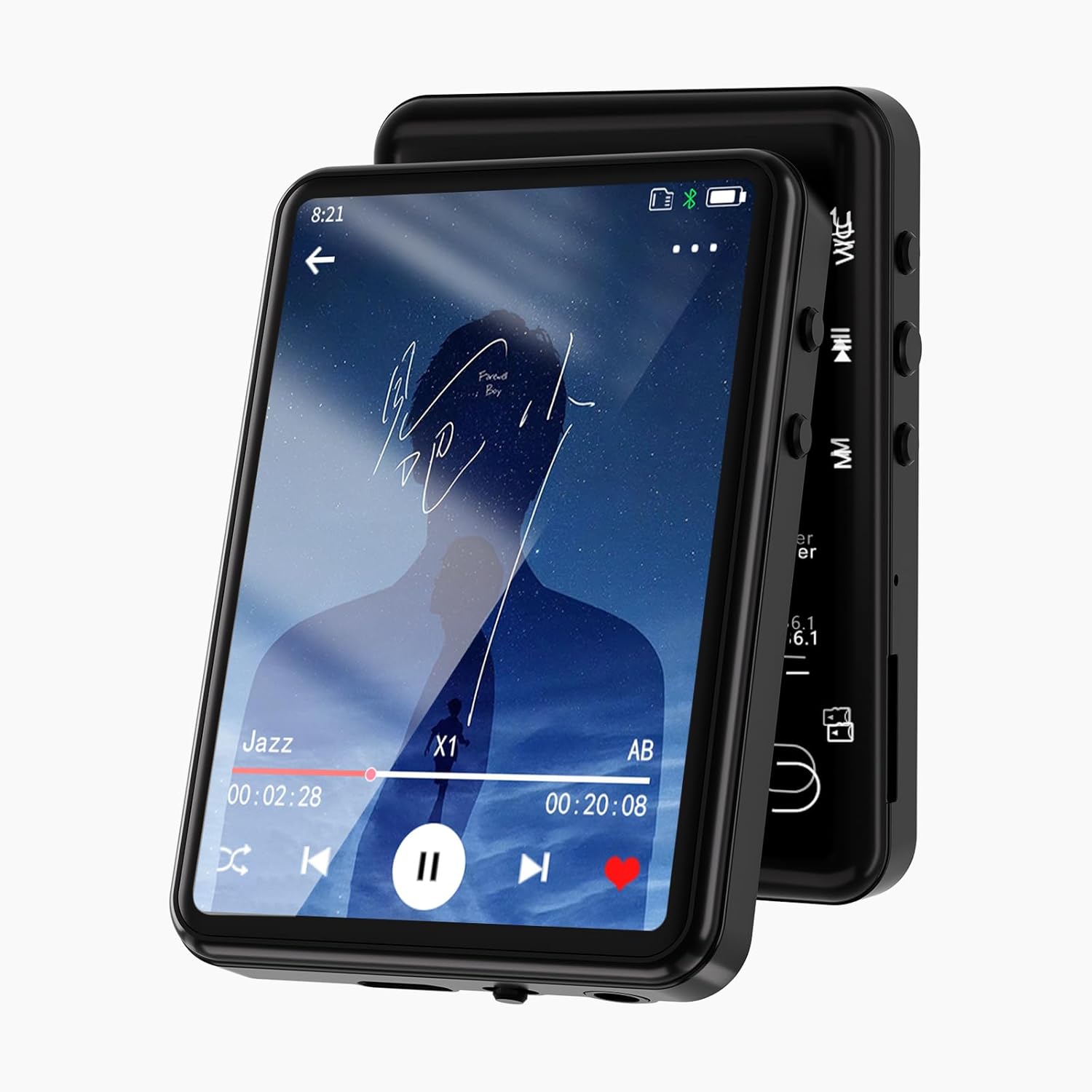
Imatge: Frontal view of the Tengsen MP3 Player displaying a music playback screen. The device features a sleek black design with a large touch screen.
Contingut del paquet
En obrir el paquet, comproveu que hi hagi tots els components:
- 1 x Tengsen MP3 Player
- 1 cable USB (tipus C)
- 1 x Auriculars
- 1 x Manual d'usuari
Dispositiu acabatview
Familiarize yourself with the physical components and interface of your MP3 player.
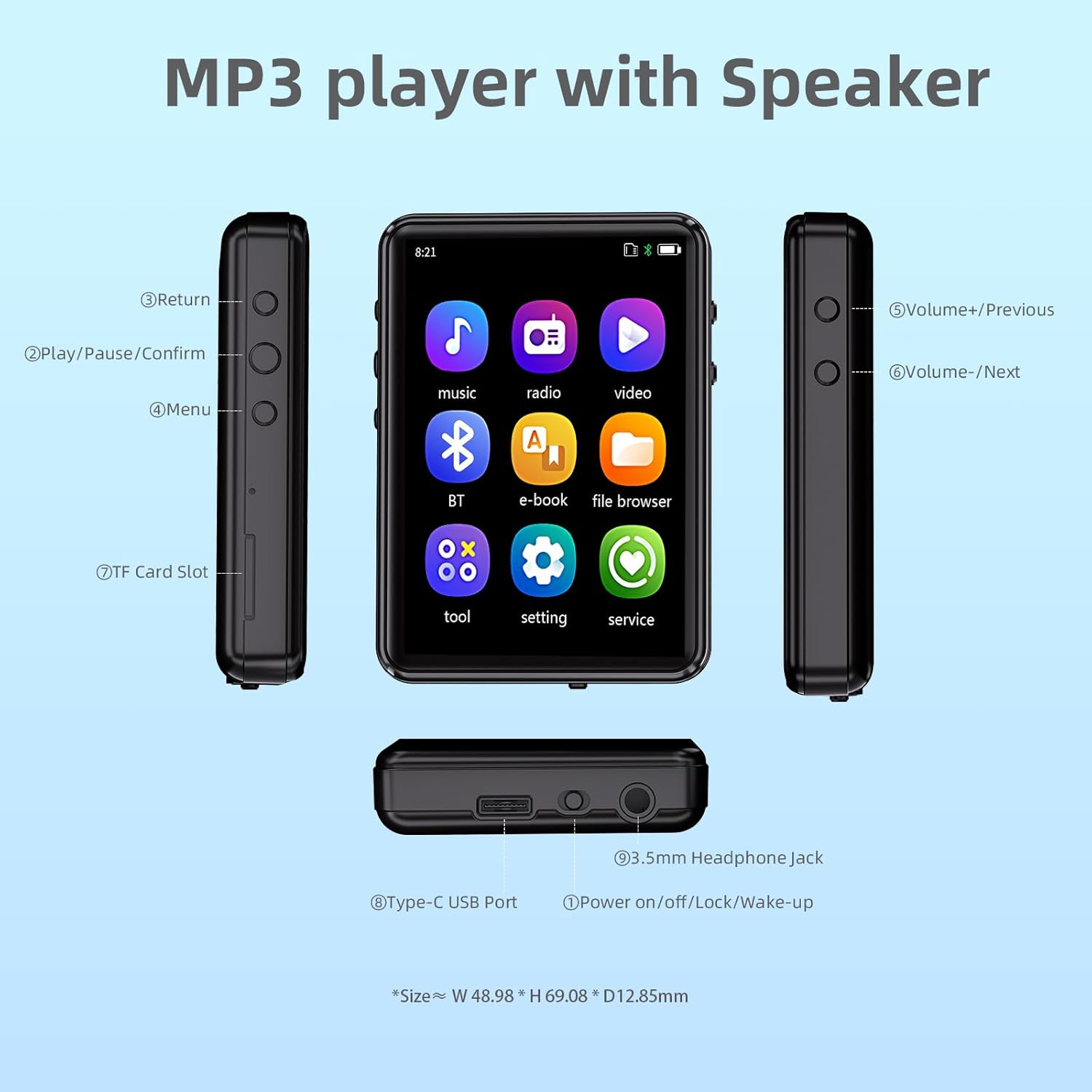
Image: Diagram illustrating the various buttons, ports, and features of the MP3 player, including the Type-C USB Port, 3.5mm Headphone Jack, Power button, Volume/Navigation buttons, Return button, Play/Pause/Confirm button, Menu button, and TF Card Slot.
- Botó de retorn: Navega de tornada a la pantalla anterior.
- Play/Pause/Confirm Button: Controls media playback and confirms selections.
- Botó de menú: Accedeix a les opcions del menú.
- Volume+/Previous Button: Augmenta el volum o navega a la pista anterior.
- Volume-/Next Button: Disminueix el volum o navega a la pista següent.
- Ranura per a targetes TF: For inserting a MicroSD card (up to 128GB, not included).
- Port USB tipus C: Per a càrrega i transferència de dades.
- Power on/off/Lock/Wake-up Button: Controls power and screen lock.
- Presa d'auriculars de 3.5 mm: Per a la connexió d'auriculars amb cable.
Configuració
Càrrega del dispositiu
Before first use, fully charge the MP3 player. Connect the provided USB Type-C cable to the device's Type-C USB Port and the other end to a USB power adapter (not included) or a computer's USB port. The charging indicator will show progress. A full charge typically takes approximately 2 hours.

Image: The MP3 player being charged via its Type-C port, highlighting its built-in 32GB storage and support for up to 128GB TF card expansion.
Inserció d’una targeta MicroSD
To expand storage, insert a MicroSD card (TF card) into the TF Card Slot until it clicks into place. The device supports cards up to 128GB. Ensure the card is inserted correctly to avoid damage.
Transferring Music and Files
Connect the MP3 player to your computer using the provided USB cable. The device will appear as a removable disk. You can then drag and drop music files (MP3, WMA, APE, FLAC, WAV, M4A), videos, and e-books into the appropriate folders on the device or MicroSD card.
Instruccions de funcionament
Engegada/Apagada i Bloqueig de Pantalla
- Encès: Manteniu premut el botó d'engegada fins que la pantalla s'encengui.
- Apagar: Mantingueu premut el botó d'engegada i, a continuació, seleccioneu "Apagar" a la pantalla.
- Screen Lock/Wake-up: Briefly press the Power button to lock or wake up the screen.
Navegant per la interfície
The device features a 2.4-inch full touch screen for intuitive navigation. Swipe to browse through menus and tap icons to select functions.

Image: A finger touching the screen of the MP3 player, demonstrating its full touch screen functionality and ease of operation.
Reproducció de música
From the main menu, tap the "Music" icon. You can browse by song category, create playlists, view lyrics, and use the equalizer. The player supports MP3, WMA, APE, FLAC, WAV, and M4A formats.
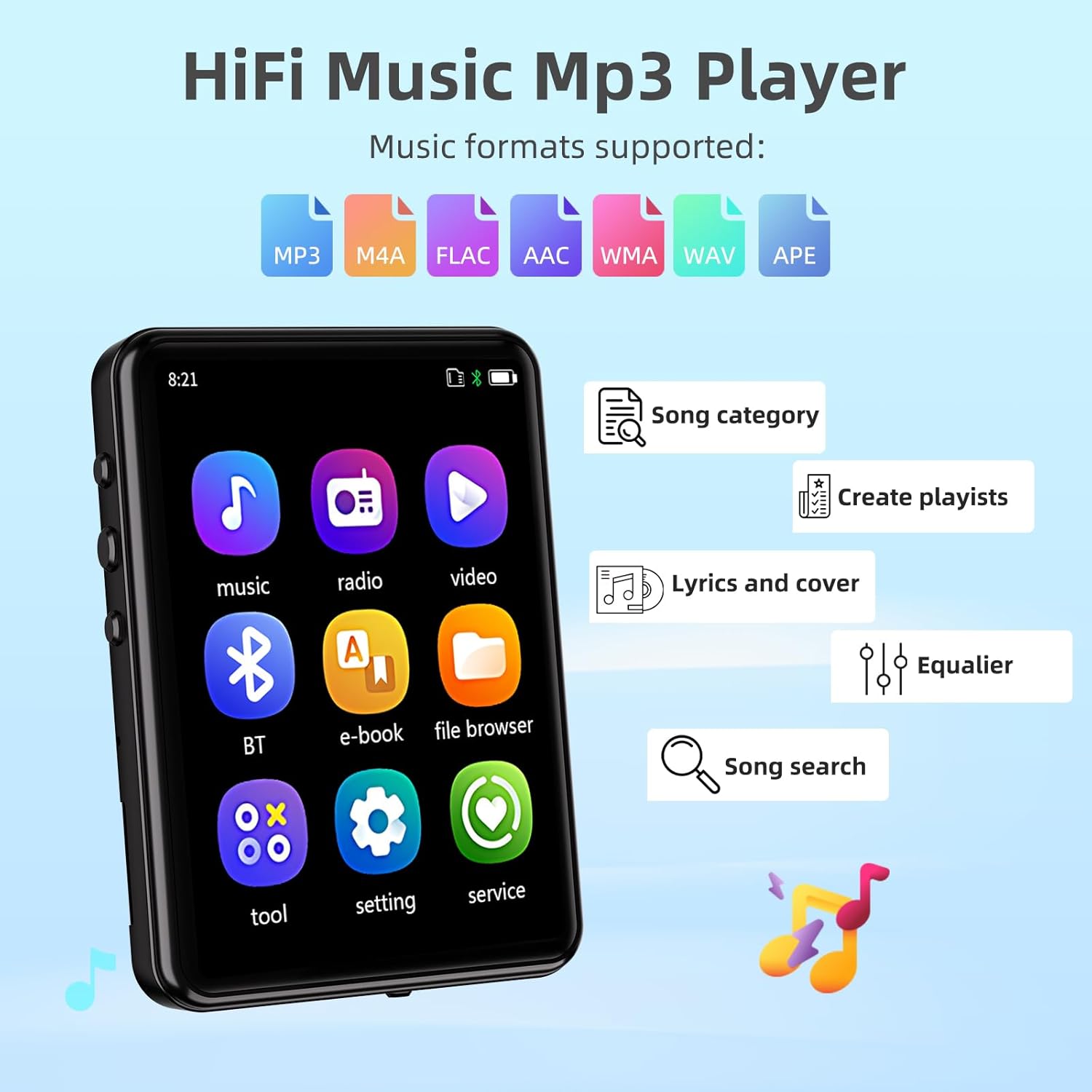
Image: The MP3 player's screen displaying music-related features such as song category, playlist creation, lyrics, equalizer, and song search, along with icons for supported audio formats (MP3, M4A, FLAC, AAC, WMA, WAV, APE).
Playback modes include sequential play, list repeat, single repeat, and shuffle-play. Adjust volume using the physical Volume buttons on the side.
Connectivitat Bluetooth
The MP3 player features Bluetooth 5.3 for stable and faster connections to Bluetooth headphones or speakers. To connect:
- Aneu al menú "Bluetooth".
- Activa el Bluetooth.
- Selecciona "Cerca device" to find available Bluetooth devices.
- Seleccioneu el dispositiu desitjat de la llista per emparellar-lo.
Nota: This device does not support pairing with mobile phones or computers via Bluetooth.

Image: The MP3 player displaying its Bluetooth connectivity feature, showing connections to a Bluetooth speaker, Bluetooth earbuds, and a Bluetooth headset.
Altres Funcions
The MP3 player includes various other functions accessible from the main menu:
- Ràdio FM: Listen to FM radio stations. Requires wired headphones to act as an antenna.
- Gravació: Feu servir el micròfon integrat per gravar àudio.
- Llibres electrònics: Llegeix el text files (format TXT).
- Calendari: View la data actual.
- Alarma: Establir alarmes.
- Cronòmetre: Use as a stopwatch.
- Fotos: View imatge files (JPG, BMP).
- Reproducció de vídeo: Reprodueix el vídeo files (MP4 format).
- Altaveu integrat: Enjoy music without headphones.
- Timing Shutdown: Set a timer for automatic power off.
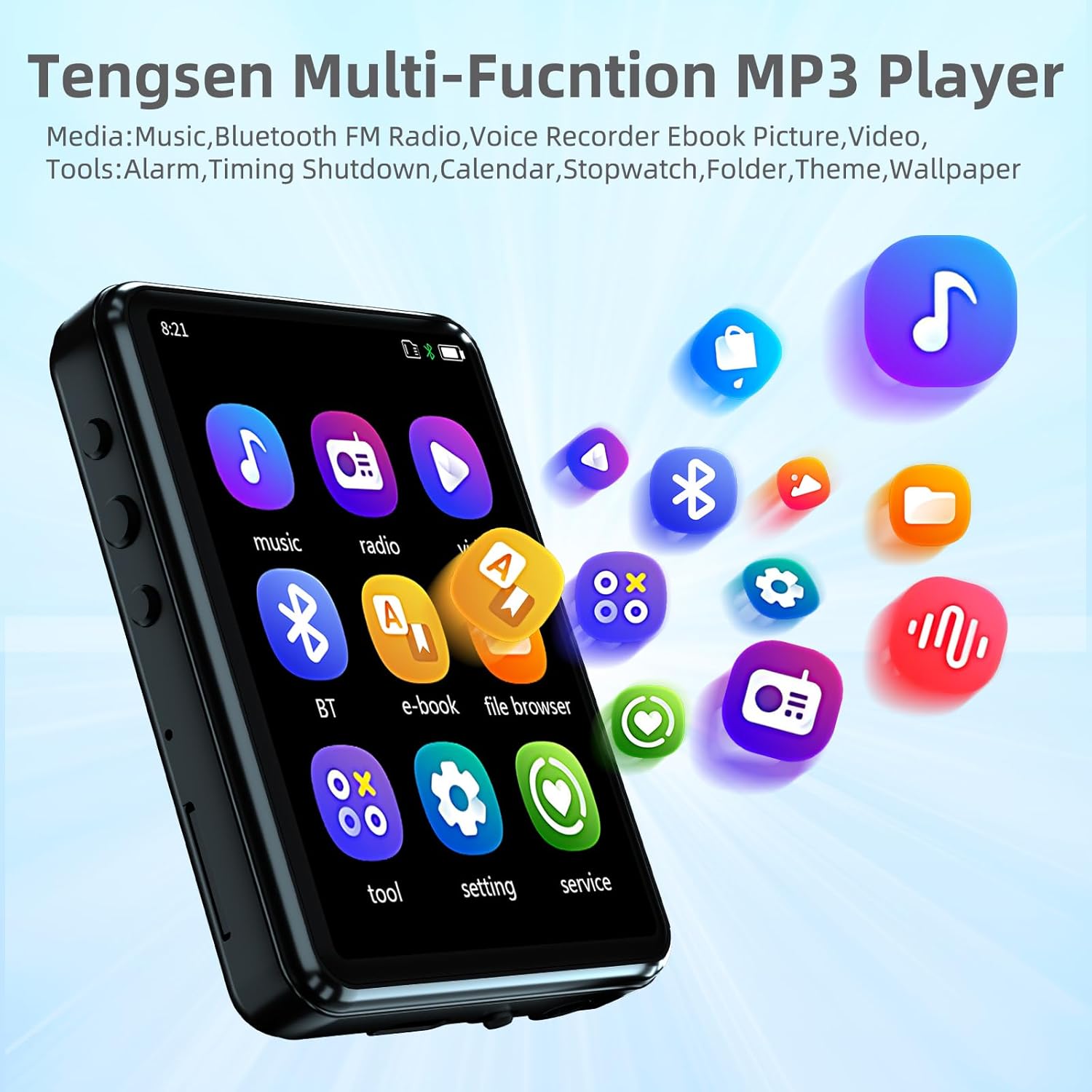
Image: The MP3 player's home screen showing icons for Music, Radio, Video, Bluetooth, E-book, File Browser, Tools, Settings, and Service, indicating its multi-functional capabilities.
Manteniment
- Mantingueu el dispositiu sec. Eviteu l'exposició a la humitat o a líquids.
- Netegeu la pantalla i el cos amb un drap suau i sec. No utilitzeu productes de neteja abrasius.
- Eviteu temperatures extremes.
- Do not disassemble the device. This will void the warranty.
- Guardeu el dispositiu en un entorn net i sense pols quan no l'utilitzeu.
Resolució de problemes
| Problema | Causa possible | Solució |
|---|---|---|
| El dispositiu no s'encén. | Bateria baixa; Fallada del sistema. | Charge the device fully. If unresponsive, press and hold the power button for 10-15 seconds to force a restart. |
| No es pot connectar al dispositiu Bluetooth. | Bluetooth not enabled; Device out of range; Incompatible device. | Ensure Bluetooth is on for both devices. Move devices closer. Remember, the MP3 player does not pair with phones/computers. |
| No se sent so dels auriculars. | Headphones not properly connected; Volume too low; Corrupt audio file. | Ensure headphones are fully plugged in. Increase volume. Try a different audio file. |
| No es pot transferir files. | USB cable issue; Driver issue; Device not recognized. | Try a different USB port or cable. Ensure the device is connected as a storage device. Restart computer and MP3 player. |
| La pantalla no respon. | Error temporal de programari. | Reinicieu el dispositiu mantenint premut el botó d'encesa. |
Especificacions
| Característica | Detall |
|---|---|
| Model | B0F5TDWTCH |
| Marca | Tengsen |
| Mostra | 2.4-inch Full Touch Screen, LCD |
| Emmagatzematge intern | 32 GB |
| Emmagatzematge ampliable | Micro SD Card up to 128 GB (not included) |
| Connectivitat | Bluetooth 5.3, Aux (3.5mm headphone jack), USB Type-C |
| Formats d'àudio compatibles | MP3, WMA, APE, FLAC, WAV, M4A |
| Formats de vídeo compatibles | MP4 |
| Formats d'imatge compatibles | JPG, BMP |
| Supported E-book Formats | TXT |
| Característiques especials | Built-in Speaker, FM Radio, Voice Recorder, Equalizer, Timing Shutdown, Calendar, Alarm, Stopwatch |
| Bateria | 1 bateria de ions de liti (inclosa) |
| Dimensions del producte | 2.72 x 1.89 x 0.49 polzades |
| Pes de l'article | 3.52 unces |

Image: The MP3 player highlighting its long battery life, with estimates of 15 hours for music with Bluetooth, 19 hours for music with speaker, and 25 hours for music with headphones.
Garantia i Suport
For warranty information and technical support, please refer to the contact details provided with your purchase or visit the official Tengsen weblloc web. Conserveu el rebut de compra com a comprovant de compra per a reclamacions de garantia.
For further assistance, you may also refer to the "service" section within the device's menu.