
Introducció
The LEOBOG F99 Pro is a versatile mechanical keyboard designed for both work and gaming. It features a 99-key layout, RGB backlighting, hot-swappable switches, and multiple connectivity options. This manual provides detailed instructions for setting up, operating, maintaining, and troubleshooting your keyboard.

Image: LEOBOG F99 Pro Mechanical Keyboard showcasing its custom design and key features like Gasket Structure, Pre-lubed Linear Switches, RGB Backlit, 8000mAh Battery, PBT Keycaps, Hot Swappable, and 96% Layout with Numpad.
Contingut del paquet
- 1x LEOBOG F99 Pro Mechanical Keyboard
- 2x PBT Keycaps (for customization)
- 1 x manual d'usuari
- 1x cable USB-C
- 1x 2.4GHz Wireless Receiver
- Keycap/Switch Puller (included for hot-swapping)
Configuració
1. Càrrega del teclat
Before first use, fully charge the keyboard using the provided USB-C cable. Connect the USB-C end to the keyboard and the USB-A end to a power source (e.g., computer USB port, wall adapter). The keyboard features an 8000mAh battery for extended use.
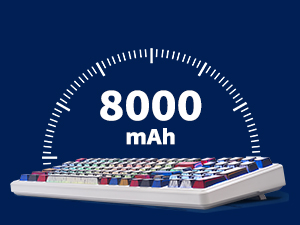
Image: An illustration indicating the 8000mAh battery capacity of the keyboard.
2. Modes de connexió
The LEOBOG F99 Pro supports three connection modes: Bluetooth 5.0, 2.4GHz Wireless, and USB-C Wired.

Image: The LEOBOG F99 Pro keyboard displaying its triple-mode connection capabilities (BT5.0, 2.4GHz, USB-C Wired) and compatibility with various devices like Windows, Mac, iOS, Android, Xbox, PC, Laptops, and Tablets.
2.1. Connexió sense fil de 2.4 GHz
- Locate the 2.4GHz USB receiver, usually stored in a compartment on the keyboard.
- Connecteu el receptor a un port USB disponible de l'ordinador.
- Switch the keyboard's mode selector to "2.4G" (if available, otherwise it might auto-detect).
- El teclat s'hauria de connectar automàticament.
2.2. Connexió Bluetooth
- Switch the keyboard's mode selector to "BT".
- Mantén premut Fn + 1, Fn + 2, o Fn + 3 for 3-5 seconds to enter pairing mode. The indicator light will flash rapidly.
- On your device (PC, laptop, tablet, smartphone), go to Bluetooth settings and search for "LEOBOG F99 Pro".
- Seleccioneu el teclat per emparellar-lo. L'indicador lluminós s'il·luminarà fixament un cop connectat.
- You can pair up to three Bluetooth devices and switch between them using Fn + 1/2/3.
2.3. Connexió amb cable USB-C
- Connecteu el cable USB-C proporcionat al port USB-C del teclat.
- Connecteu l'altre extrem del cable a un port USB de l'ordinador.
- Switch the keyboard's mode selector to "USB" or "Wired".
- El teclat funcionarà com un dispositiu amb cable i es carregarà simultàniament.
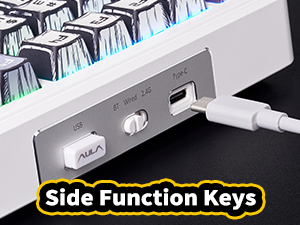
Image: A close-up of the keyboard's side, showing the USB-C port and connection switch for wired mode.
Instruccions de funcionament
1. Combinacions de tecles de funció (Fn)
El Fn key allows access to secondary functions printed on certain keycaps. Common combinations include:
- Fn + F1-F12: Multimedia controls (e.g., volume, play/pause, track skip).
- Fn + 1/2/3: Switch between paired Bluetooth devices.
- Fn + Retrocés: Delete.
- Fn + Maj dreta: Toggle lighting effects.
- Fn + Arrow Keys: Adjust lighting brightness and speed.
- Fn + Tab: Switch lighting color.
2. Control de la il·luminació RGB
The LEOBOG F99 Pro features 16 RGB lighting effects and 16.8 million customizable colors. Use the dedicated knob or Fn key combinations to adjust lighting.
- Pom: Rotate to adjust lighting brightness or switch between lighting modes (functionality may vary based on software settings). Press the knob to turn RGB on/off.
- Fn + Maj dreta: Cycle through different RGB lighting effects.
- Fn + Fletxa amunt: Increase lighting brightness.
- Fn + Fletxa avall: Decrease lighting brightness.
- Fn + Fletxa esquerra: Decrease lighting speed.
- Fn + Fletxa dreta: Increase lighting speed.
- Fn + Tab: Change lighting color.
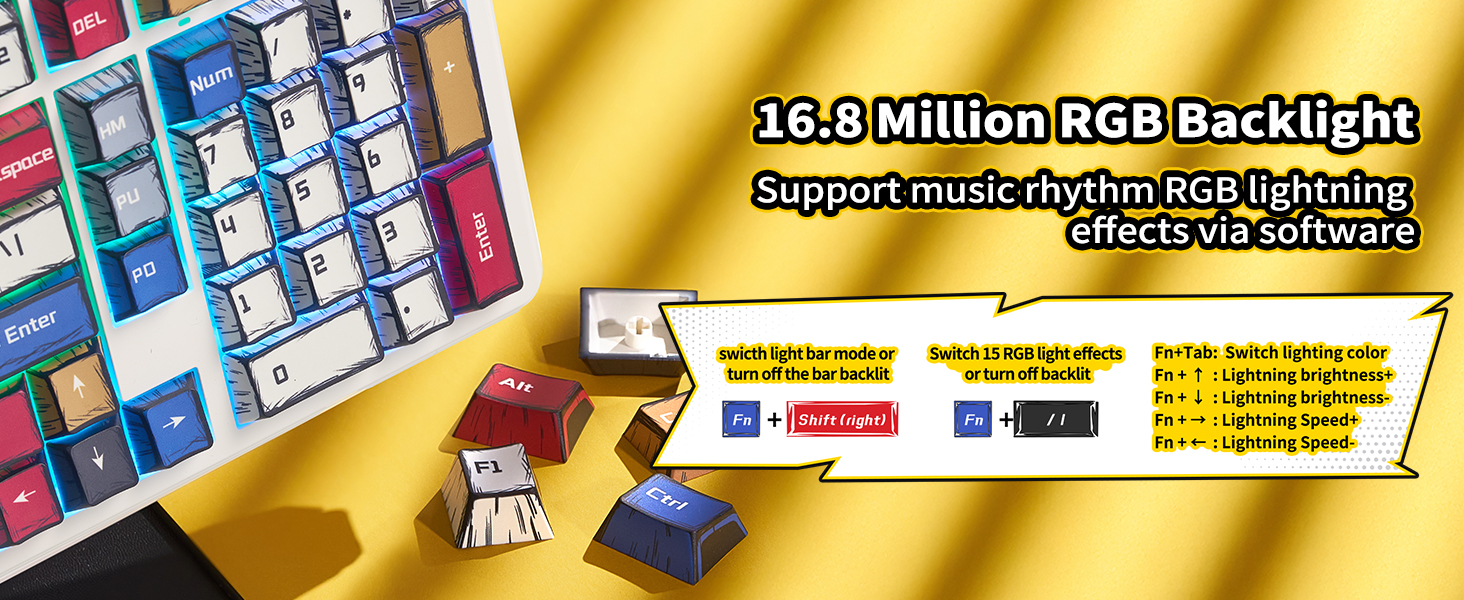
Image: The LEOBOG F99 Pro keyboard illuminated with vibrant RGB backlighting, highlighting its customizable lighting features.
3. Macro Customization
The keyboard supports macro recording and editing, as well as custom shortcut keys, via dedicated driver software. Please refer to the official LEOBOG website for software downloads and detailed instructions on macro programming.
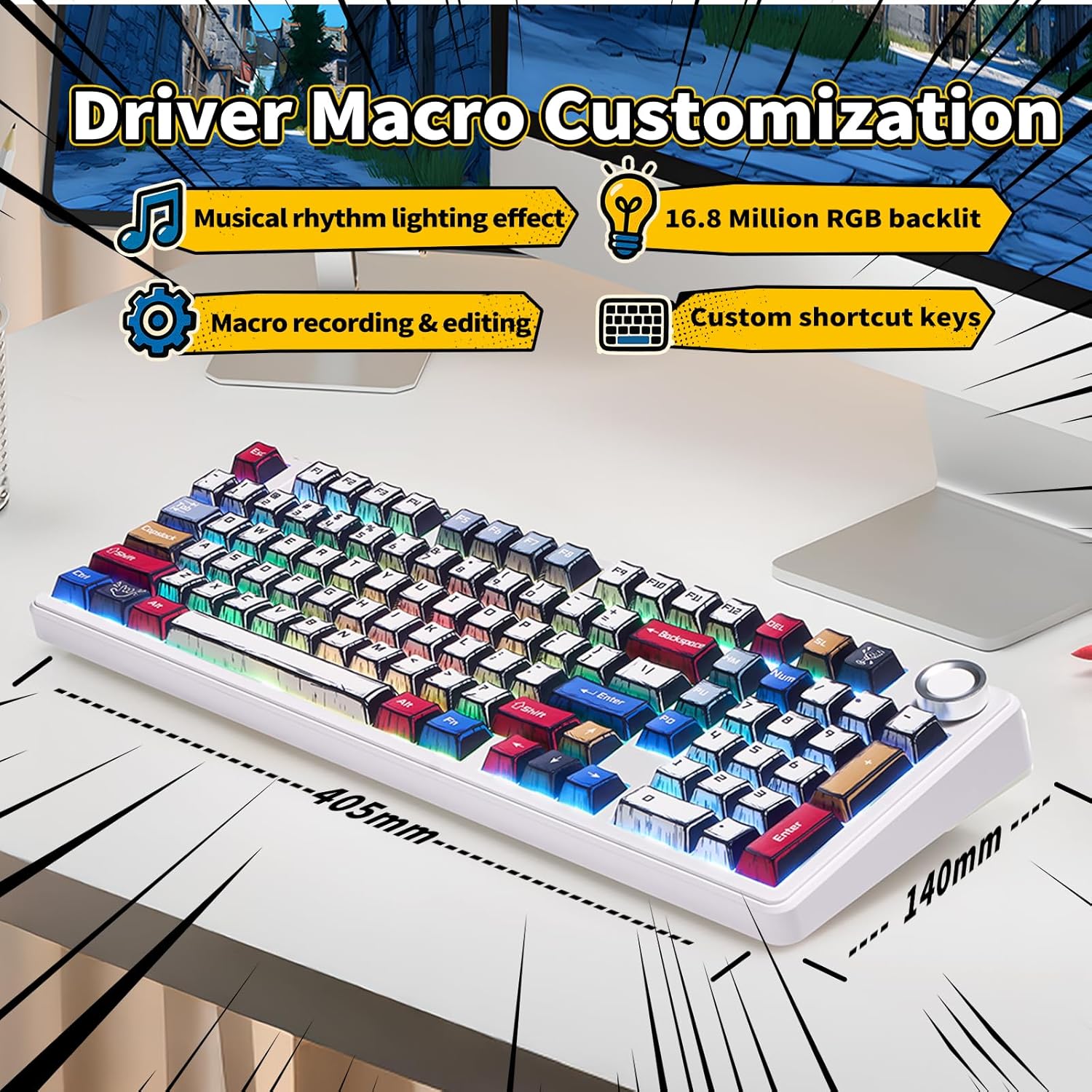
Image: A visual representation of the keyboard's macro customization features, including musical rhythm lighting effects, 16.8 million RGB backlight, macro recording & editing, and custom shortcut keys.
4. Hot-Swapping Switches and Keycaps
The F99 Pro features a hot-swappable PCB, allowing you to easily replace 3-pin or 5-pin mechanical switches without soldering. The PBT keycaps are also replaceable.
- Feu servir l'extractor de tecles proporcionat per treure suaument la tecla desitjada.
- Use the switch puller to carefully remove the switch from the PCB.
- Alineeu els pins del nou interruptor amb els forats de la placa de circuit imprès i premeu fermament fins que encaixi al seu lloc.
- Place the new keycap onto the switch stem.

Image: A close-up showing the hot-swappable feature of the keyboard, with a switch being removed and highlighting pre-lubed switches for smooth, quiet, and quick response.
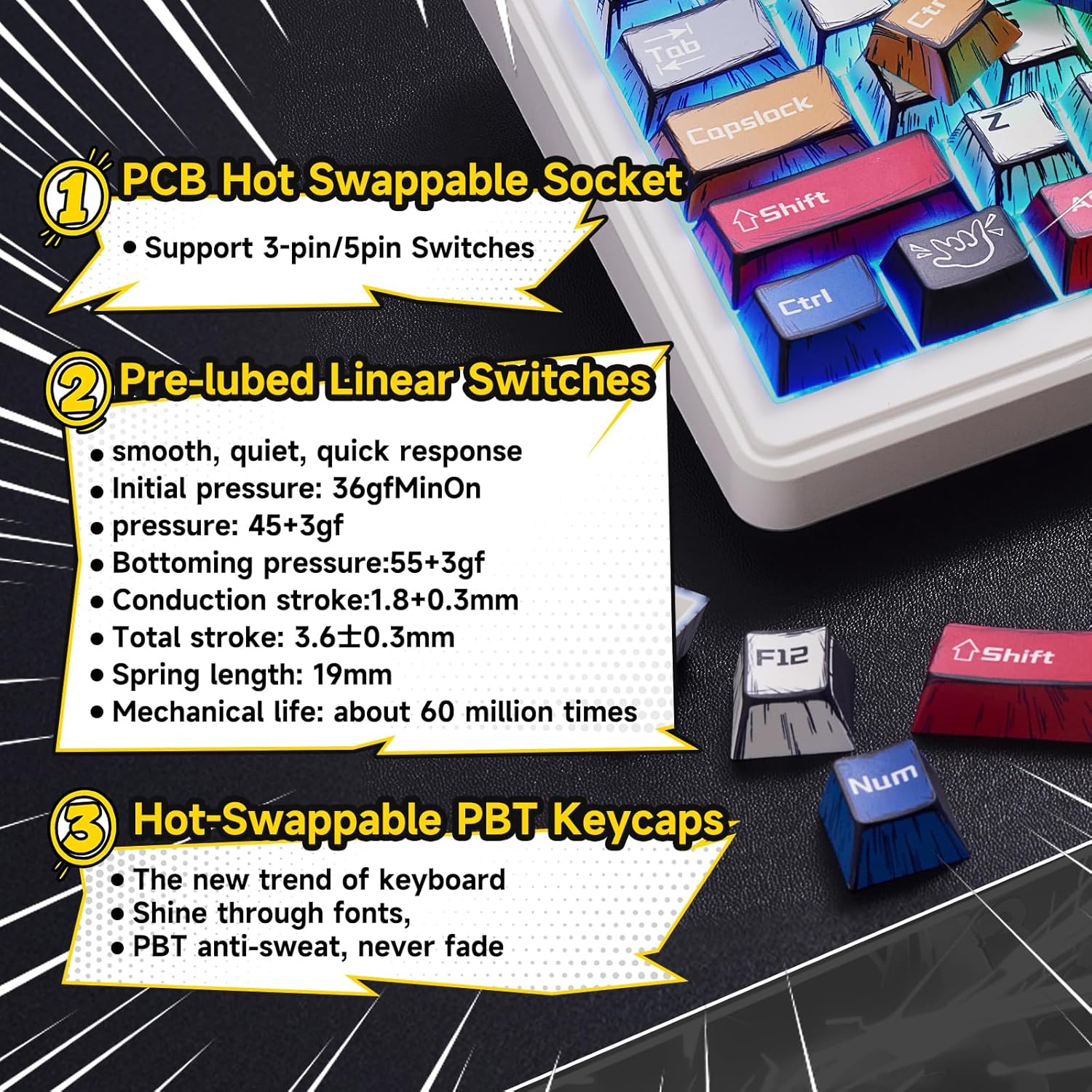
Imatge: Detallada view of the keyboard's internal components, emphasizing the PCB hot-swappable socket supporting 3-pin/5-pin switches, pre-lubed linear switches with specifications, and hot-swappable PBT keycaps.
Manteniment
1. Neteja
- Desconnecteu el teclat de totes les fonts d'alimentació abans de netejar-lo.
- Utilitzeu un drap suau i sense pelusa dampened with a small amount of water or isopropyl alcohol to wipe the keycaps and chassis.
- For deeper cleaning, remove keycaps using the keycap puller and use compressed air to clear debris from between switches.
- Eviteu ruixar líquids directament sobre el teclat.
2. Cura de la bateria
- To prolong battery life, avoid fully discharging the keyboard frequently.
- Carregueu el teclat regularment, sobretot si el guardareu durant un període prolongat.
- The 8000mAh battery provides approximately 53 hours of use with backlighting on and up to 400 hours with backlighting off.
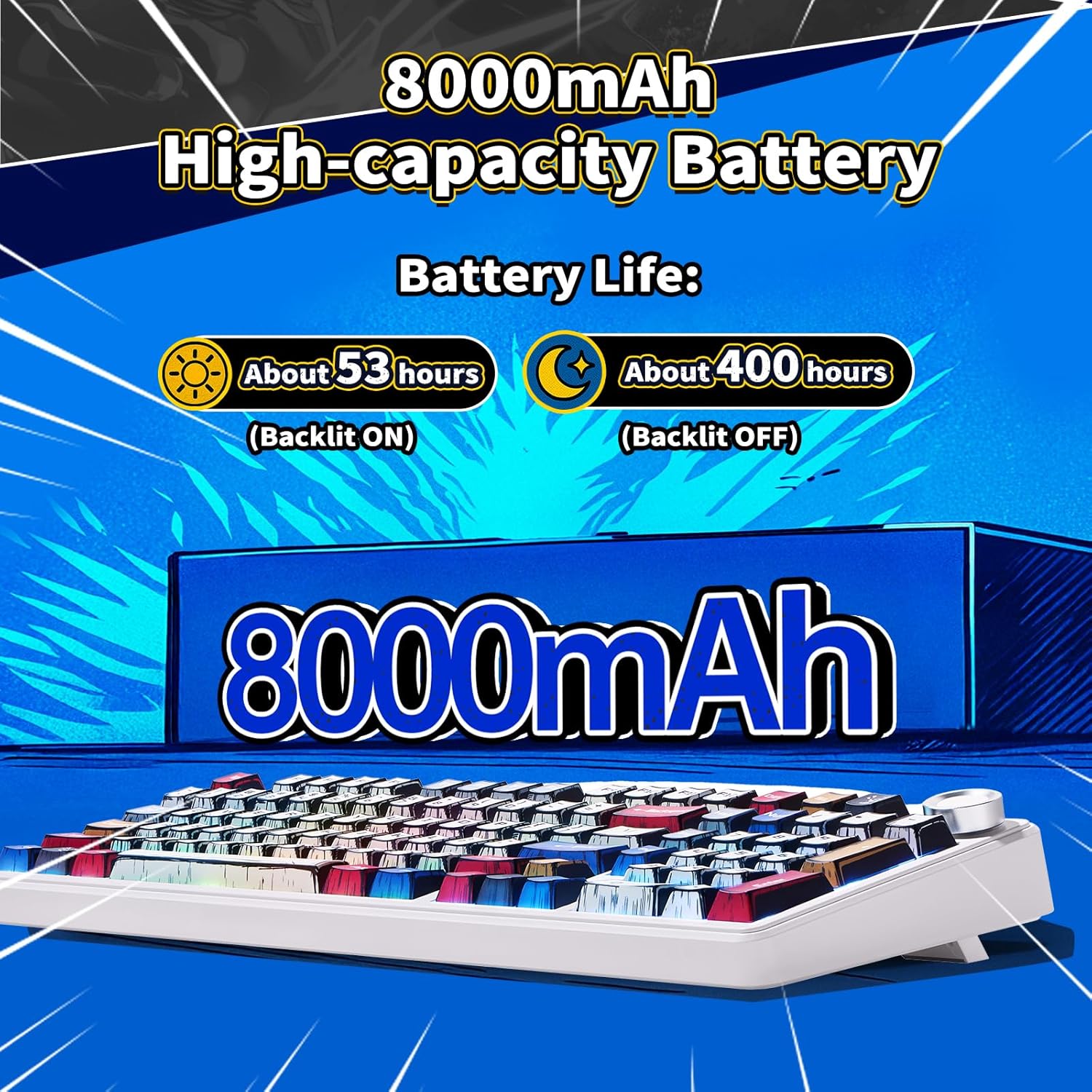
Image: A graphic illustrating the 8000mAh high-capacity battery and its estimated battery life: about 53 hours with backlight ON and about 400 hours with backlight OFF.
Resolució de problemes
| Problema | Possible solució |
|---|---|
| El teclat no respon en mode sense fil. |
|
| RGB lighting not working or stuck. |
|
| Les claus no es registren o s'escriuen dues vegades. |
|
| Connexió Bluetooth inestable. |
|
Especificacions
| Característica | Detall |
|---|---|
| Model | F99 Pro |
| Marca | LEOBOG |
| Disposició del teclat | 99 Keys (96% Compact with Numpad) |
| Connectivitat | Bluetooth 5.0, sense fil de 2.4 GHz, USB-C amb cable |
| Interruptors | Pre-lubed Linear (Hot-Swappable 3-pin/5-pin) |
| Taps de claus | PBT de doble tret |
| Il·luminació de fons | RGB (16.8 Million Colors, 16 Effects) |
| Capacitat de la bateria | 8000 mAh |
| Durada de la bateria (aprox.) | 53 hours (backlight ON), 400 hours (backlight OFF) |
| Dimensions (L x A x A) | 16.34" x 7.09" x 1.97" |
| Pes | 3.37 lliures |
| Sistema operatiu compatible | Windows, Android, iOS, Mac, PS, XBOX |

Image: An exploded diagram illustrating the Gasket Structure of the keyboard, detailing layers like the multifunctional knob, PBT keycaps, Star vector Switch, upper cover, slotted PC positioning plate, PORON cotton, IXPE shaft underpad, PET voice actor pad, single key slotted PCBA board, PORON base cotton, silicone base pad, and bottom case.
Garantia i Suport
Informació de la garantia
The LEOBOG F99 Pro Mechanical Keyboard comes with a 1-Year Manufacturer Warranty. This warranty covers defects in materials and workmanship under normal use. It does not cover damage caused by misuse, accidents, unauthorized modifications, or normal wear and tear.
Atenció al client
For technical assistance, warranty claims, or general inquiries, please contact LEOBOG customer support through their official website or the retailer where the product was purchased. Please have your product model number (F99 Pro) and proof of purchase ready when contacting support.
Vídeo oficial del producte
Video: An official product video from LEOBOG Direct showcasing the LEOBOG F99 Custom Mechanical Gaming Keyboard - Pro Version, highlighting its features and design.