
1. Introducció
This manual provides detailed instructions for the installation, operation, and maintenance of your Haudio 10.1-inch 2 DIN Car Stereo. This unit features wireless Apple CarPlay and Android Auto, a high-definition touchscreen, and various multimedia capabilities to enhance your driving experience. Please read this manual thoroughly before use to ensure proper functionality and safety.
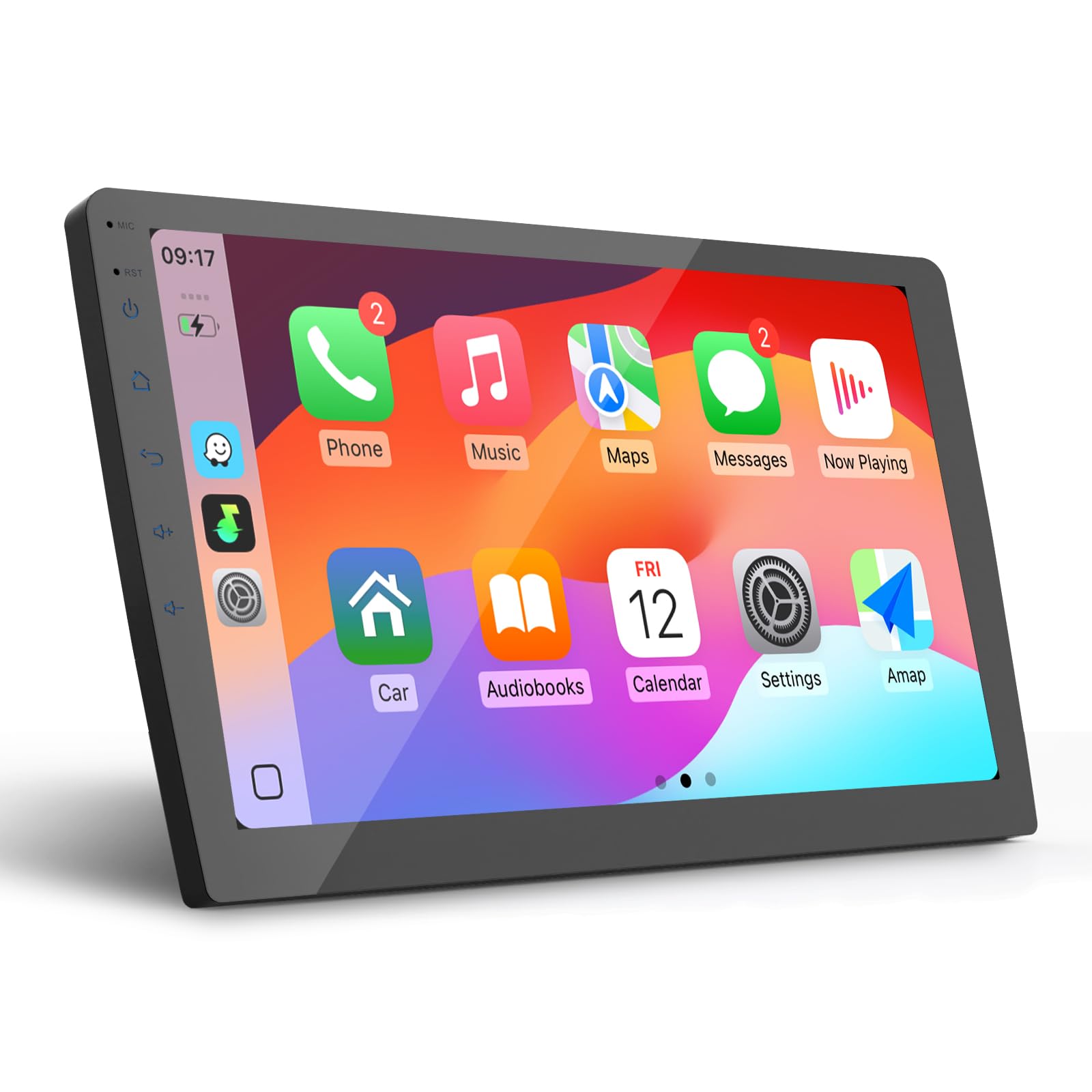
Figure 1: Haudio 10.1-inch 2 DIN Car Stereo
2. Característiques del producte
- Connectivitat sense fils: Supports wireless Apple CarPlay and Android Auto for seamless smartphone integration.
- Enllaç mirall: Project your mobile phone screen onto the 10.1-inch car navigation display.
- Pantalla d'alta resolució: 10.1-inch IPS touchscreen with 720 x 1280 resolution for clear visuals.
- Rendiment potent: Equipped with a 1.3 GHz Quad-core CPU and 2GB RAM + 64GB storage for smooth operation.
- Àudio millorat: Integrated DSP technology and multi-zone audio control for clear sound. Supports lossless music formats (MP3, FLAC).
- Navegació: Built-in GPS navigation system.
- Càmera de seguretat: Includes a 720P AHD backup camera with a 140° wide-angle view for safe reversing.
- Multitasca: Features split-screen and picture-in-picture functionality.
- Personalització: Supports 25 sets of UI theme changes.
- Sistema operatiu: Based on Android 13, allowing APK installation and removal.
- Control de veu: Compatible with SIRI and Google voice commands for hands-free operation.
- Ràdio: FM/AM/RDS radio tuner.
- Ports de connectivitat: Two USB ports and RCA connections.

Figura 2: CarPlay sense fil, Android Auto i Mirror Link

Figure 3: HD Display and App Interface

Figure 4: High Fidelity Sound Quality with EQ/ASP

Figure 5: Live Map Navigation and Voice Assistant
3. Configuració i instal·lació
The Haudio 2 DIN Car Stereo is designed for universal fit in vehicles with a compatible 2 DIN dashboard opening. Professional installation is highly recommended to ensure correct wiring and optimal performance. Before installation, verify that your vehicle's dashboard opening matches the stereo's dimensions.
3.1 Contingut del paquet
Marqueu la casella per als elements següents:
- Haudio 10.1-inch Car Stereo Unit
- Antena GPS
- Manual d'instruccions (aquest document)
- Càmera posterior
- Cables RCA
- Cable d'alimentació
- Cable d'entrada de càmera
- Cables USB (x2)
- Suport de muntatge

Figura 6: Contingut i dimensions del paquet
3.2 Notes importants d'instal·lació
- Ensure your dashboard opening size corresponds to the 2 DIN stereo. If not, an additional dashboard kit may be required.
- Read all instructions before attempting installation.
- Consider professional installation by a car audio specialist.
- Some car models may require additional accessories such as a wiring harness adapter or radio antenna adapter.
4. Instruccions de funcionament
4.1 CarPlay sense fil i Android Auto
- Assegureu-vos que el Bluetooth i el Wi-Fi estiguin activats al telèfon intel·ligent i a l'estèreo del cotxe.
- A l'equip de música del cotxe, navegueu fins a l'aplicació CarPlay o Android Auto.
- Follow the on-screen prompts to pair your smartphone. For Apple CarPlay, select your car stereo from your iPhone's Bluetooth settings. For Android Auto, ensure the Android Auto app is installed on your phone.
- Once connected, your phone's interface will appear on the stereo display, allowing access to navigation, music, calls, and messages.
4.2 Enllaç de mirall
Mirror Link allows you to project your smartphone's screen onto the car stereo display. This feature is compatible with both iOS and Android devices via USB or Wi-Fi connection. Refer to the on-screen Mirror Link application for specific connection steps.
4.3 Connexió Bluetooth
Connecta el teu telèfon intel·ligent mitjançant Bluetooth per a trucades de mans lliures i transmissió d'àudio.
- Activa el Bluetooth al telèfon i a l'estèreo del cotxe.
- On your phone, search for available Bluetooth devices and select "Haudio-bt" (or similar name).
- Confirma el codi d'emparellament en tots dos dispositius.
- Once paired, you can make/receive calls and play music through the car stereo.

Figure 7: Bluetooth Connection Steps
4.4 Radio Operation (FM/AM/RDS)
Access the Radio application on the main menu. You can scan for stations, save presets, and utilize RDS features where available.
4.5 Navegació GPS
The unit comes with pre-installed navigation software. Ensure the GPS antenna is properly connected for accurate positioning. You can also use navigation apps via CarPlay or Android Auto.
4.6 Càmera de marxa enrere
When the vehicle is shifted into reverse, the display will automatically switch to the backup camera view, showing guidelines for assistance. Ensure the camera is properly installed and connected.

Figure 8: 720P HD Backup Camera View
4.7 Control de veu
Activate SIRI or Google Assistant through your connected smartphone for hands-free control of navigation, calls, and music.
4.8 Personalització
The Android 13 operating system allows for extensive customization, including changing UI themes (25 options available) and installing/uninstalling applications (APKs).
5. Manteniment
- Neteja de pantalla: Feu servir un drap suau i sense borrissol per netejar la pantalla tàctil. Eviteu productes de neteja o dissolvents abrasius.
- Neteja general: Netegeu l'exterior de la unitat amb un drap sec o lleugerament humit.amp drap. No utilitzeu humitat excessiva.
- Comprovacions de connexió: Reviseu periòdicament totes les connexions del cablejat per assegurar-vos que estiguin ben fixades i que no presentin corrosió.
- Actualitzacions de programari: Check for available software updates to ensure optimal performance and access to new features.
6. Solució De Problemes
If you encounter issues with your Haudio car stereo, refer to the following common problems and solutions:
- Sense energia: Check the power cable connection and vehicle's fuse box. Ensure the ignition is on.
- Sense so: Verify speaker connections, volume settings, and audio source selection. Check if the mute function is active.
- Pantalla tàctil que no respon: Try restarting the unit. If the issue persists, a factory reset might be necessary (note: this will erase all custom settings).
- Problemes de connexió Bluetooth/CarPlay/Android Auto: Ensure Bluetooth and Wi-Fi are enabled on both devices. Try unpairing and re-pairing the devices. Check for software updates on your smartphone and the car stereo.
- Pèrdua de senyal GPS: Assegureu-vos que l'antena GPS estigui instal·lada correctament i que tingui una vista clara view del cel.
- Càmera de marxa enrere no es mostra: Check the camera's power and video connections. Ensure the reverse gear signal wire is correctly connected.
For persistent issues or problems not listed here, please contact Haudio customer support.
7. Especificacions
| Característica | Especificació |
|---|---|
| Número de model | 10.1"-CPU1.3GHz(2+64G) |
| Mida de la pantalla | 10.1 polzades |
| Resolució de visualització | 720 x 1280 |
| Processador | CPU de quatre nuclis de 1.3 GHz |
| RAM | 2 GB |
| Emmagatzematge intern | 64 GB |
| Sistema operatiu | Android 13 |
| Connectivitat | USB, RCA, Bluetooth, Wi-Fi |
| Versió Bluetooth | 4.1 (as per feature bullets, though some images suggest V5.0) |
| Freqüència Wi-Fi | 2.4 GHz |
| Característiques especials | Apple CarPlay, Android Auto, Mirror Link, Touchscreen, DSP, GPS, Backup Camera |
| Dispositius compatibles | Telèfons intel·ligents |
| Ports HDMI | 1 |
| Mode de sortida d'àudio | Stereo, 5.1 Surround Sound |
| Codificació de vídeo | H.264, H.265/HEVC |
| Format de mitjans digitals | MPEG-2.5 |
| Dimensions (P x L x H) | 4.1 x 25.2 x 14.6 cm |
8. Garantia i Suport
Haudio is committed to providing reliable products and excellent customer service.
- Garantia del fabricant: This product comes with a 1-year manufacturer's warranty.
- Devolucions i canvis: Enjoy 30 days for returns and exchanges.
- Atenció al client: Haudio offers lifetime after-sales consultation and technical support. Expect a quick response within 12 hours for any inquiries.

Figure 9: Haudio Warranty and Support Overview
For support, please refer to the contact information provided with your purchase or visit the official Haudio weblloc.