
1. Introducció
This manual provides comprehensive instructions for the setup, operation, and maintenance of your Yaregelun MK321 Programmable Macro Mini Keyboard. Please read this manual thoroughly before using the device to ensure proper functionality and to maximize your user experience.
2. Producte acabatview
2.1. Característiques clau
- Interruptors blaus mecànics: Designed for a tactile and audible typing experience with a crisp sound.
- Disseny ergonòmic: Button curve fits ergonomic principles for comfortable use.
- Funcions programables: Customize buttons for keyboard functions, mouse functions, multimedia controls, character strings, game functions, and macro definitions.
- Coixinets antilliscants: Equipped with anti-slip pads on the bottom to prevent movement during use.
- Aplicació àmplia: Suitable for various uses including office tasks, gaming, and multimedia control.
2.2. Contingut del paquet
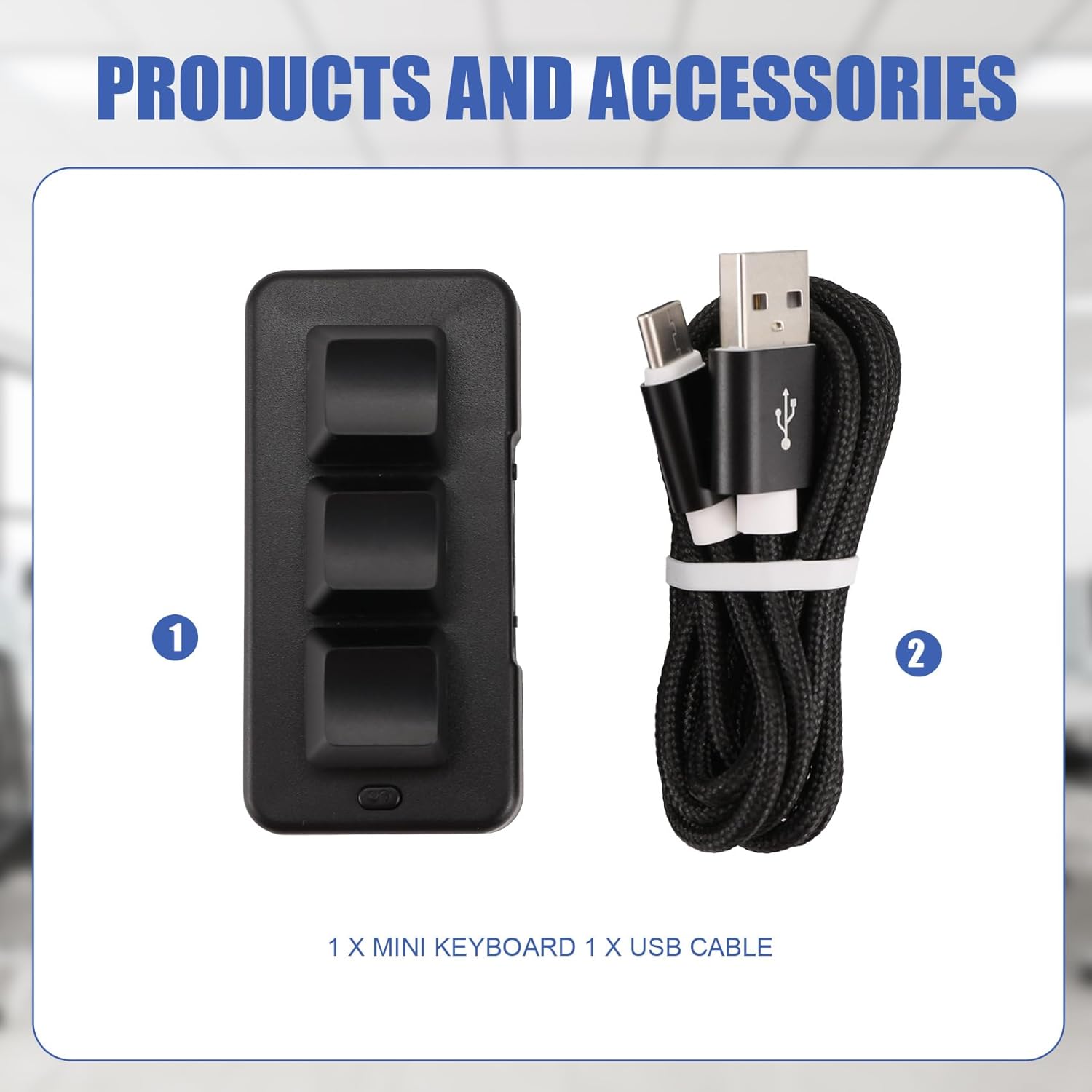
Imatge 2.2.1: The Yaregelun MK321 Mini Keyboard and its accompanying USB cable. The keyboard is black with three keys, and the cable is braided black with USB-A and USB-C connectors.
- 1 x Yaregelun MK321 Mini Keyboard
- 1 x USB Cable (Type-A to Type-C)
3. Configuració
The Yaregelun MK321 Mini Keyboard is a plug-and-play device for basic functionality. For advanced programming, software is required.
3.1. Connexió inicial
- Connect the USB-C end of the provided cable to the port on the Yaregelun MK321 Mini Keyboard.
- Connecteu l'extrem USB-A del cable a un port USB disponible de l'ordinador.
- The device should be recognized automatically by your operating system.
3.2. Software Installation for Programming
To customize the key functions and macros, you will need to use the dedicated key definition setting software. This software is typically provided by the manufacturer or available for download from their official support website. Refer to the label on the back of the device for potential QR codes or webenllaços del lloc.

Imatge 3.2.1: Diversos views of the MK321 Mini Keyboard. One view shows the back of the device with a label that may contain a QR code for software download or instructions.
Note for Linux/macOS Users: If you are using Linux or macOS, you may need to perform the initial setup and programming on a Windows-based system first. After programming, the customized functions will be stored on the device and can then be used on your Linux or macOS device.
4. Instruccions de funcionament
4.1. Funcionament bàsic
Once connected, the mini keyboard will execute the functions assigned to its keys. If no custom programming has been done, the keys will likely perform default functions or no function until programmed.
4.2. Programming Key Functions
The MK321 allows for extensive customization of its three keys. This is done through the dedicated software.
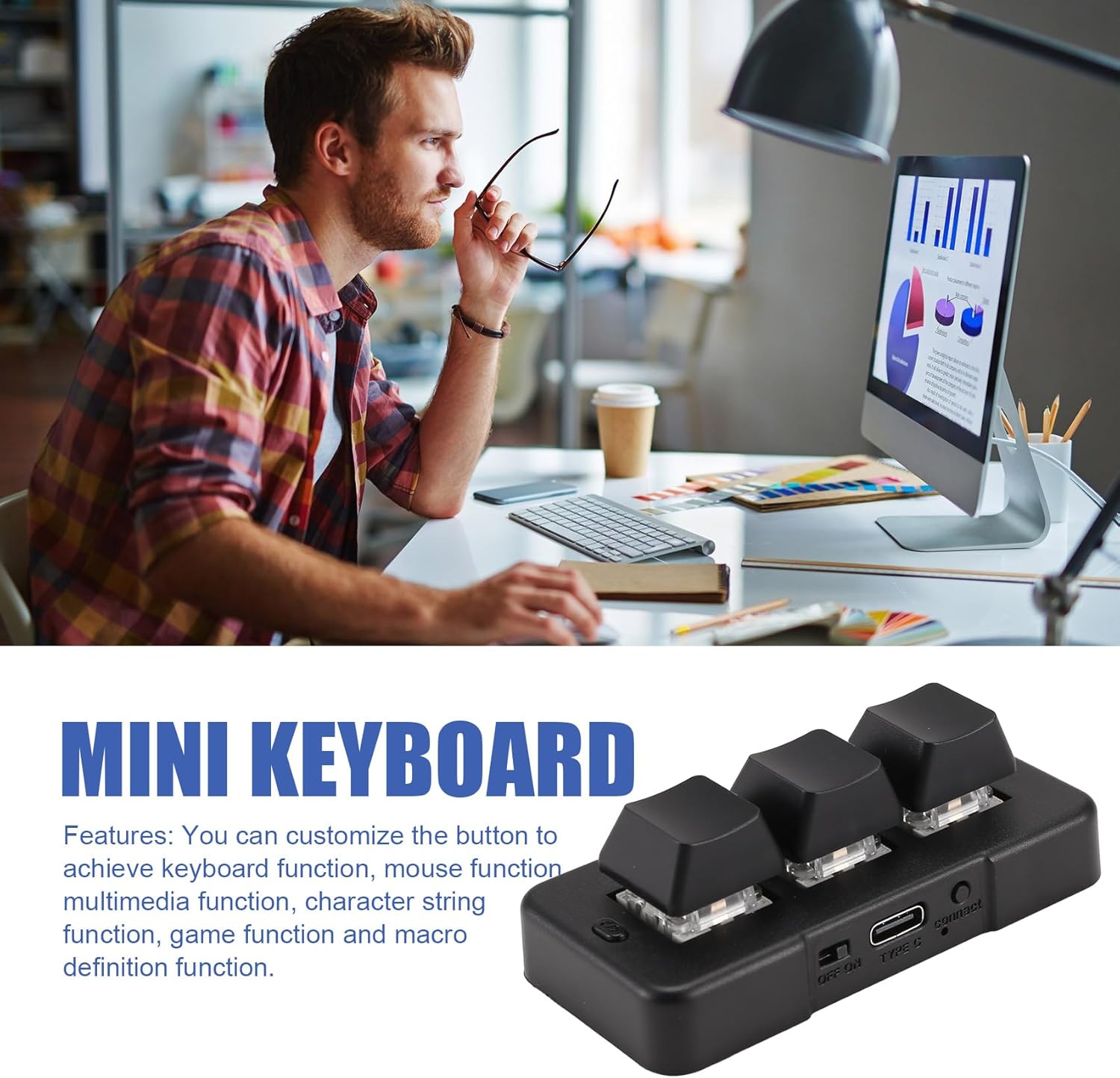
Imatge 4.2.1: The MK321 Mini Keyboard, emphasizing its customizable nature for various functions.
- Instal·lar programari: Download and install the key definition setting software on a compatible computer (preferably Windows for initial setup).
- Connecta el teclat: Ensure the MK321 is connected to the computer via the USB cable.
- Programari de llançament: Open the installed programming software.
- Seleccioneu la clau: Within the software interface, select the key you wish to program.
- Assign Function: Choose from the available function types:
- Funció del teclat: Assign any standard keyboard key (e.g., A, Ctrl, Shift, F1).
- Funció del ratolí: Assign mouse clicks (left, right, middle) or scroll functions.
- Funció multimèdia: Control media playback (e.g., Play/Pause, Volume Up/Down, Next Track).
- Character String Function: Input a predefined sequence of characters (e.g., a password, a common phrase).
- Game Function: Assign specific in-game commands.
- Macro Definition Function: Record and assign a sequence of key presses and/or mouse actions.
- Desa la configuració: Apply and save your programmed settings to the device through the software. The settings are stored directly on the keyboard's internal memory.
Once programmed, the mini keyboard will retain these settings even when disconnected and reconnected to a different computer or operating system (with the Linux/macOS note above). The device is designed to be versatile for various applications.
5. Manteniment
The Yaregelun MK321 Mini Keyboard requires minimal maintenance to ensure its longevity and performance.
- Neteja: Feu servir un drap suau i sec per netejar la superfície del teclat. Per a la brutícia persistent, netegeu lleugerament.amp Es pot fer servir un drap amb sabó suau, assegurant-se que no entri líquid al dispositiu.
- Eviteu líquids: Do not expose the keyboard to excessive moisture or immerse it in liquids.
- Emmagatzematge: Guardeu el teclat en un lloc fresc i sec, allunyat de la llum solar directa i de temperatures extremes.
- Cura del cable: Handle the USB cable gently. Avoid sharp bends or excessive pulling to prevent damage.
6. Solució De Problemes
| Problema | Causa possible | Solució |
|---|---|---|
| Keyboard not recognized by computer. | Loose USB connection, faulty USB port, damaged cable. |
|
| Keys do not perform desired functions. | Incorrect programming, software not applied, default settings. |
|
| Software does not detect the keyboard. | Driver issue, connection problem, software compatibility. |
|
7. Especificacions
| Model | MK321U |
| Fabricant | Yaregelun |
| Connectivitat | Wired USB (USB-A to USB-C) |
| Tipus de clau | Interruptors blaus mecànics |
| Nombre de claus | 3 |
| Material | Plàstic |
| Color | Negre |
| Dimensions del producte | 3.94 x 3.15 x 0.79 polzades (10 x 8 x 2 cm) |
| Pes de l'article | 2.5 unces (70.87 grams) |
| Compatibilitat | Windows (for programming), Linux, macOS (after programming) |
8. Garantia i Suport
Specific warranty information for the Yaregelun MK321 Mini Keyboard is not provided in the product details. For warranty claims, technical support, or further assistance, please contact the retailer where you purchased the product or visit the official Yaregelun support weblloc si està disponible.
Conserveu sempre el comprovant de compra per motius de garantia.