
Producte acabatview
The FREEWOLF M75 is a versatile wireless gaming keyboard designed for optimal performance and user experience. It features dual-mode connectivity, a smart OLED display with a multi-functional knob, gradient PBT keycaps, and anti-ghosting technology, making it suitable for both gaming and professional use.

Imatge: Més deview of the FREEWOLF M75 Wireless Gaming Keyboard, highlighting its compact design and RGB backlighting.
Característiques clau
- Dual-Mode Wireless Connectivity: Bluetooth 5.1/5.2 and ultra-stable 2.4GHz wireless for seamless switching across multiple operating systems.
- Smart OLED Display & Multi-functional Knob: Provides real-time battery, connection mode, and charging status. The knob controls volume and backlight settings.
- Gradient PBT Keycaps: World's first membrane keyboard with fade-resistant, double-shot PBT keycaps for ergonomic comfort and durability.
- Disseny compacte de 82 tecles: 75% layout retains essential functions while saving desk space.
- Anti-fantasma: 26-key rollover technology ensures accurate input during complex commands.
- Bateria de llarga durada de 2000 mAh: Offers extended usage with up to 150 hours (backlight off) on a single charge.
- Rainbow Backlit: Customizable RGB lighting modes and brightness levels.
Configuració i connectivitat
Connexió sense fil de mode dual
The M75 keyboard supports both 2.4GHz wireless and Bluetooth connectivity, allowing you to connect to various devices and operating systems.
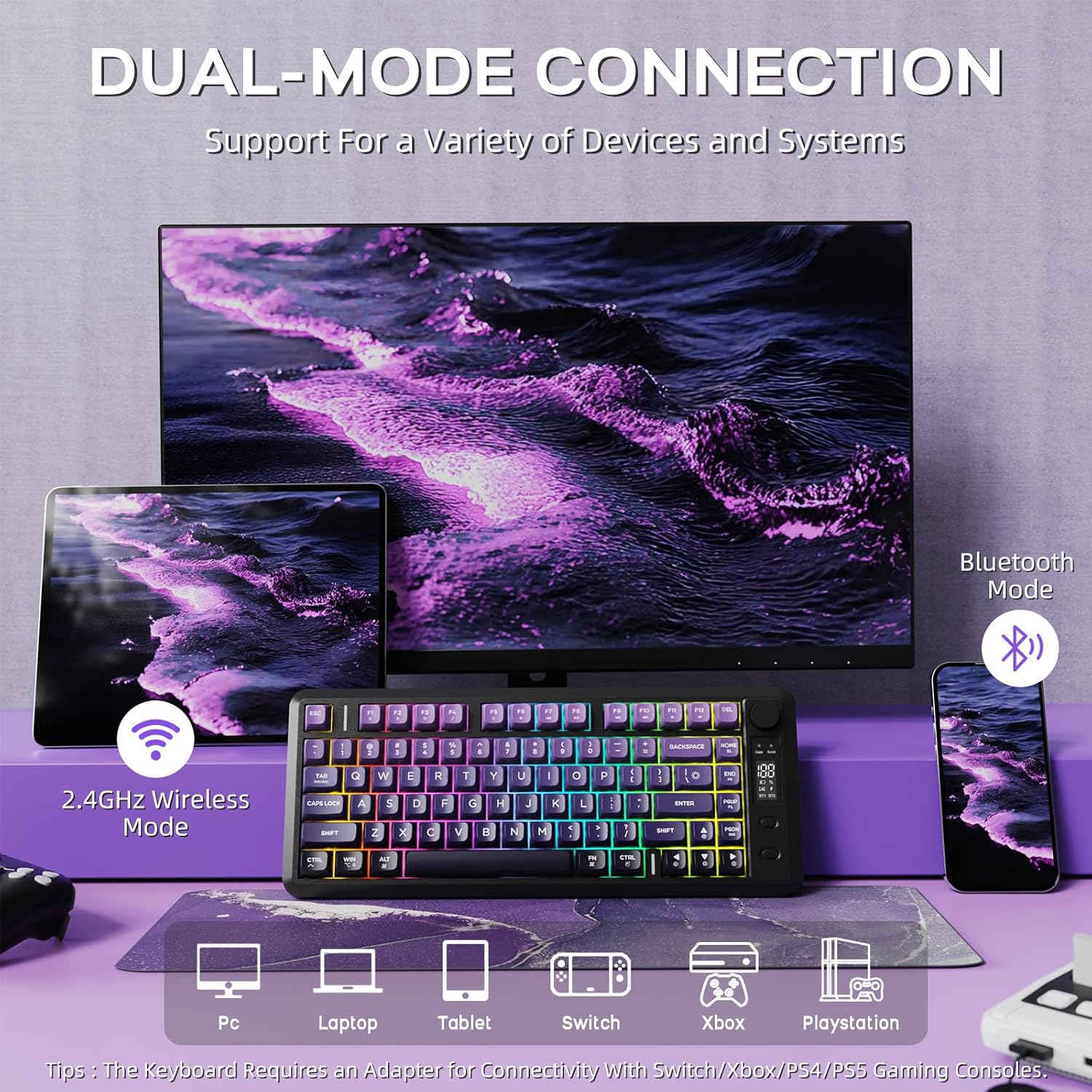
Image: The FREEWOLF M75 keyboard connected to multiple devices via 2.4GHz wireless and Bluetooth mode.
Mode sense fil de 2.4 GHz:
- Locate the 2.4GHz USB receiver (dongle) stored in the keyboard's back compartment.
- Connecteu el receptor USB a un port USB disponible de l'ordinador o dispositiu.
- Ensure the keyboard's mode switch (located on the side/back) is set to 2.4G mode. The keyboard should automatically connect.
Mode Bluetooth:
- Ensure the keyboard's mode switch is set to BT (Bluetooth) mode.
- On your device (PC, Mac, Tablet), go to Bluetooth settings and search for new devices.
- Select 'FREEWOLF M75' or a similar name from the list of available devices to pair.
- The OLED display will indicate the successful connection.
Connexió per cable:
For a direct connection or while charging, use the provided USB-C cable to connect the keyboard to your device. The keyboard will function in wired mode and charge simultaneously.
Instruccions de funcionament
Smart OLED Display & Multi-functional Knob
The M75 features an OLED display and a multi-functional knob for quick adjustments and status checks.
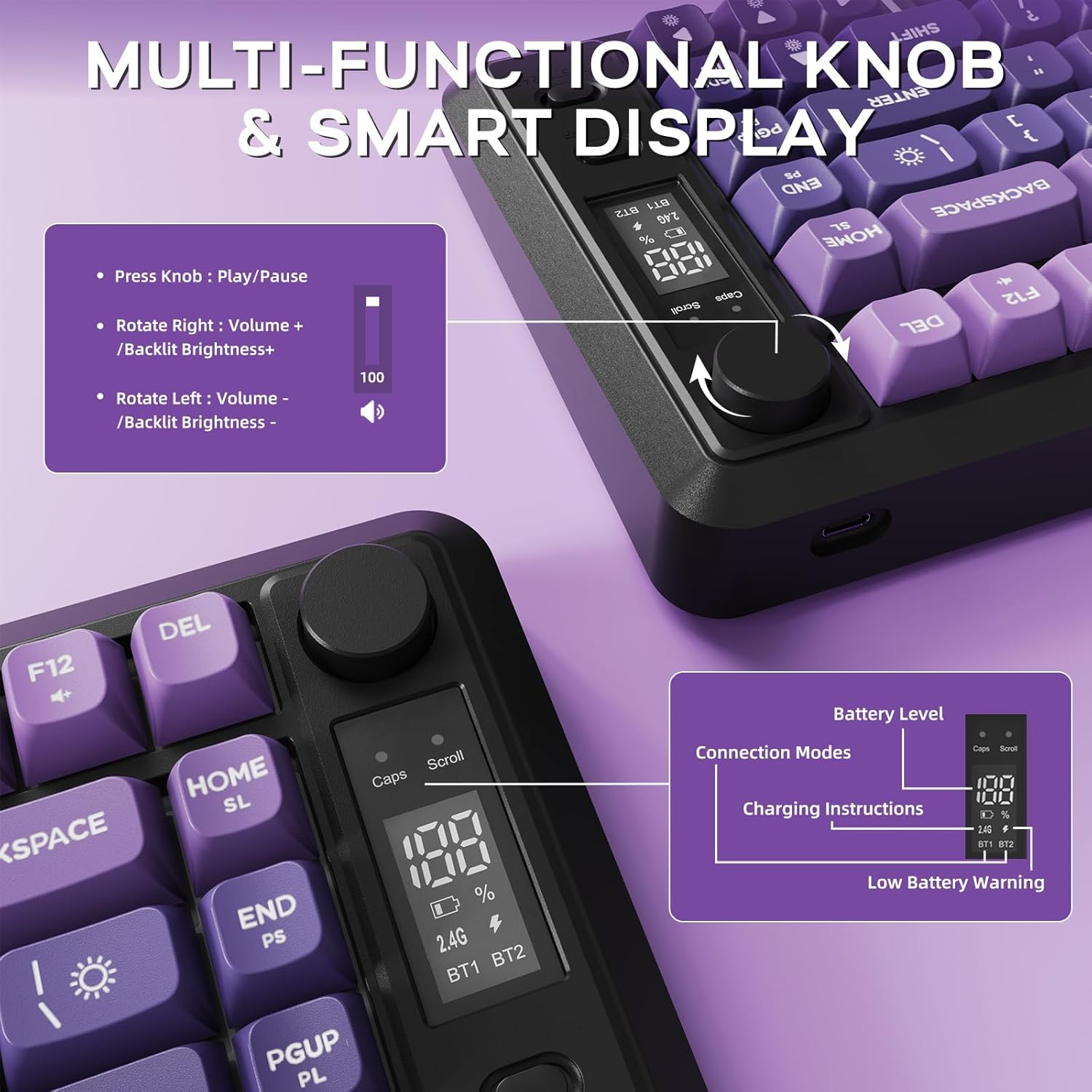
Image: Close-up of the OLED display showing battery level and connection modes, along with the multi-functional knob and its controls.
- Funcionalitat del botó:
- Rotate left/right to adjust volume.
- Press down for 5 seconds to adjust backlight settings.
- Pantalla OLED: Mostra el percentatge de bateria en temps realtage, current connection mode (2.4G, BT1, BT2), and charging status.
Control de la llum de fons
The keyboard features vibrant rainbow backlighting with adjustable settings.
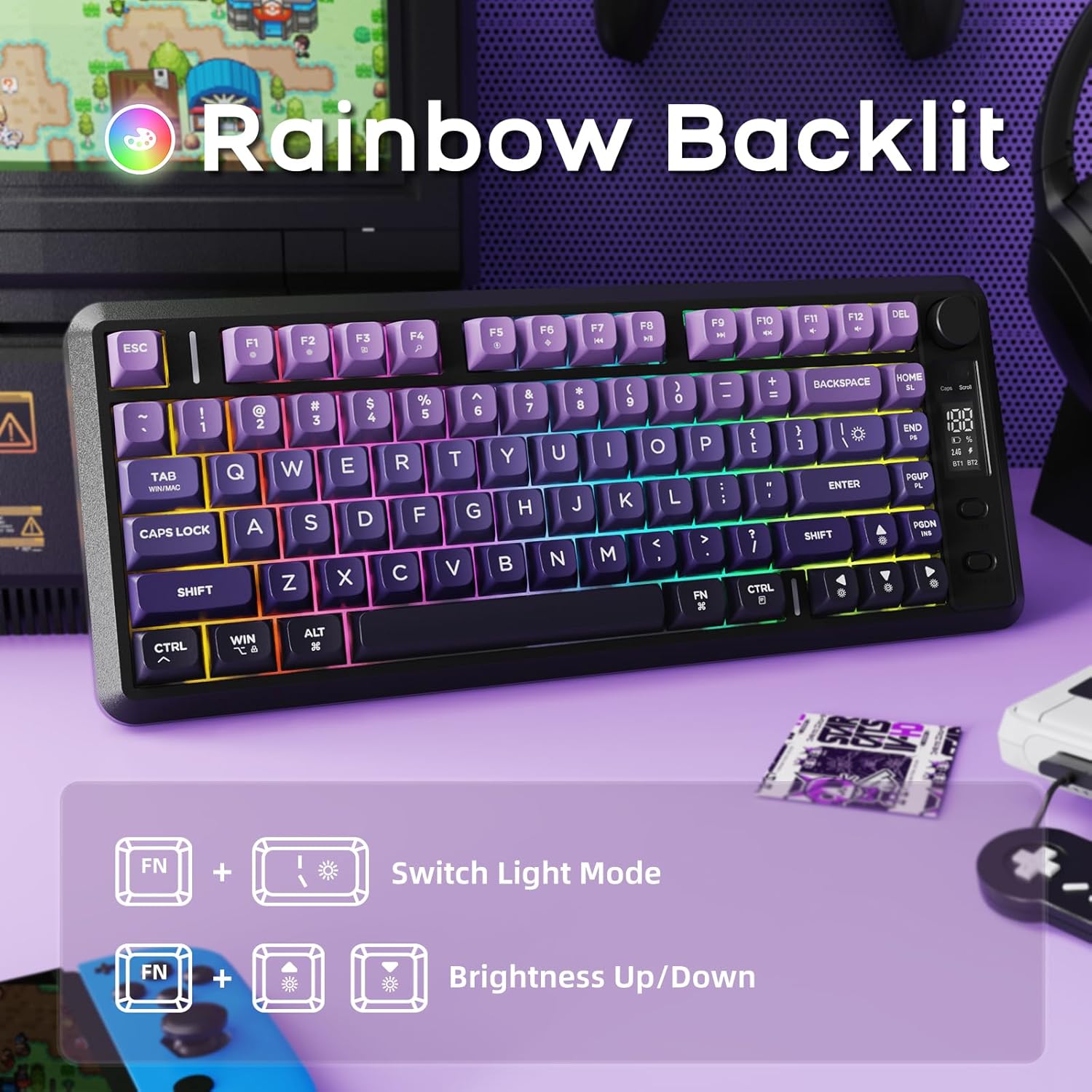
Image: Illustration of Fn key combinations for switching light modes and adjusting brightness on the FREEWOLF M75 keyboard.
- Canvia el mode de llum: Premeu Fn + I per alternar entre diferents efectes d'il·luminació.
- Ajusta la brillantor: Premeu Fn + ↑ (Fletxa amunt) per augmentar la brillantor i Fn + ↓ (Fletxa avall) per disminuir la brillantor.
- Note: The keycaps are opaque, meaning the light illuminates around the keys, not through the legends.
Gestió de la bateria
The M75 keyboard is equipped with a robust 2000mAh rechargeable battery.
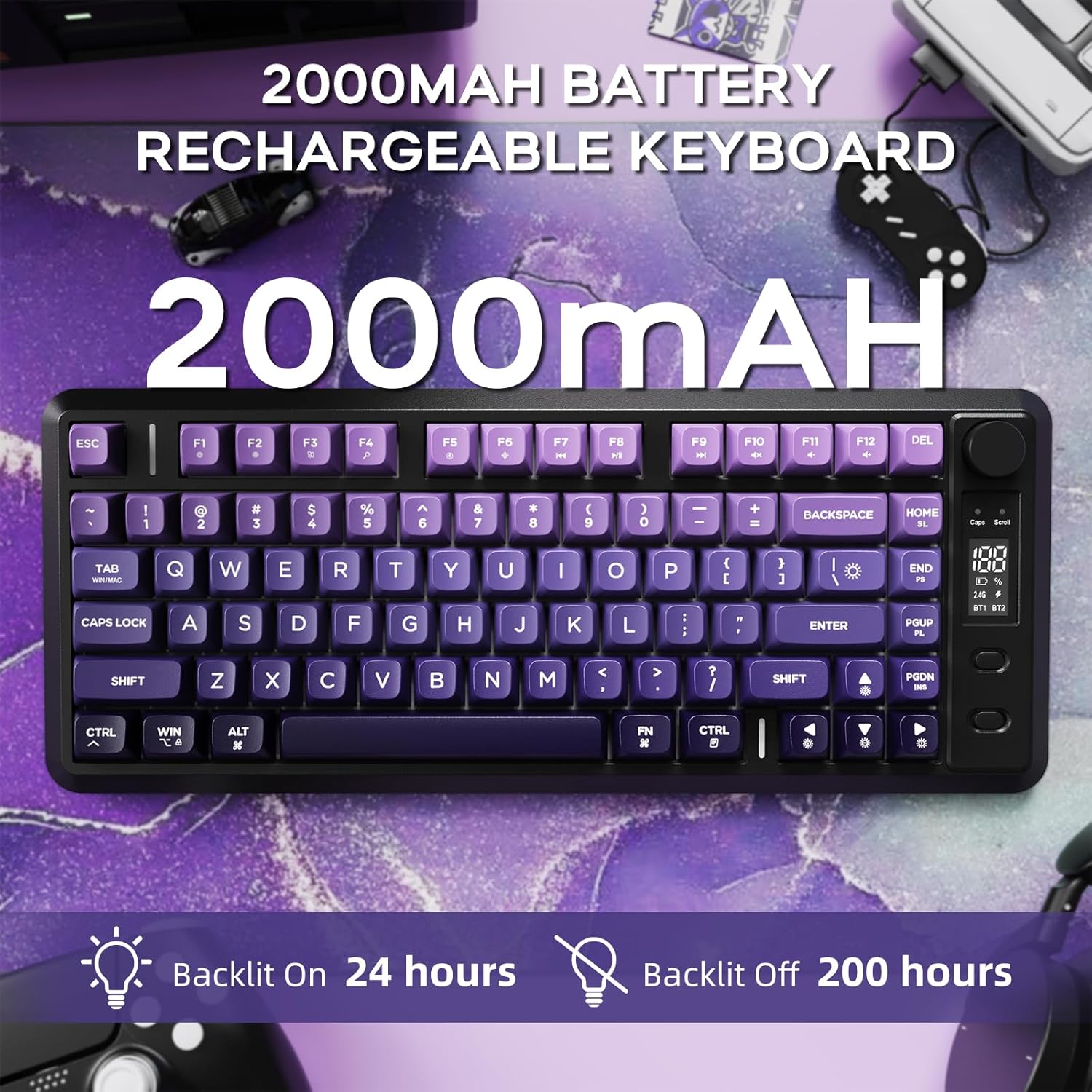
Image: The FREEWOLF M75 keyboard highlighting its 2000mAh battery and estimated battery life with backlight on (24 hours) and off (200 hours).
- Capacitat de la bateria: 2000 mAh.
- Temps d'execució: Up to 150 hours with backlight off, or approximately 24 hours with backlight on (lab-tested).
- Càrrega: Connect the keyboard using the provided USB-C cable to a power source. The OLED display will show charging status.
- Avís de bateria baixa: The OLED display will indicate when the battery is low.
Keycap & Layout Details
Gradient PBT Keycaps
The keyboard features durable and comfortable PBT keycaps.
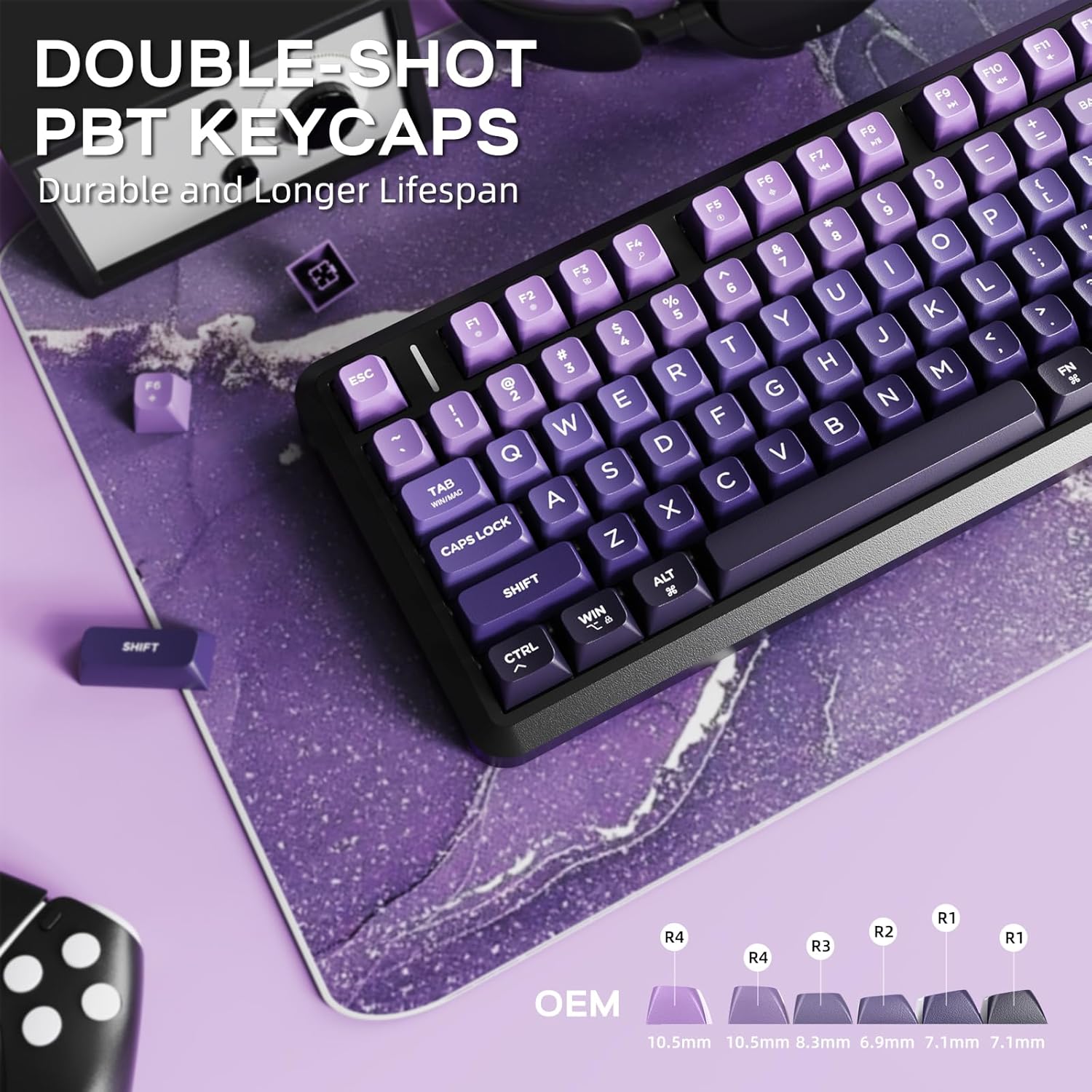
Image: Close-up of the FREEWOLF M75 keyboard's double-shot PBT keycaps, showing their gradient color and OEM profile.
- Material: Double-shot PBT (Polybutylene Terephthalate) for enhanced durability.
- Disseny: Gradient colors and spherical concave design for ergonomic comfort.
- Resistència: Resistant to oils, fading, and yellowing, ensuring a longer lifespan compared to ABS alternatives.
82-Key Compact Layout & Anti-Ghosting
The 75% layout provides essential keys in a compact form factor, complemented by anti-ghosting technology.
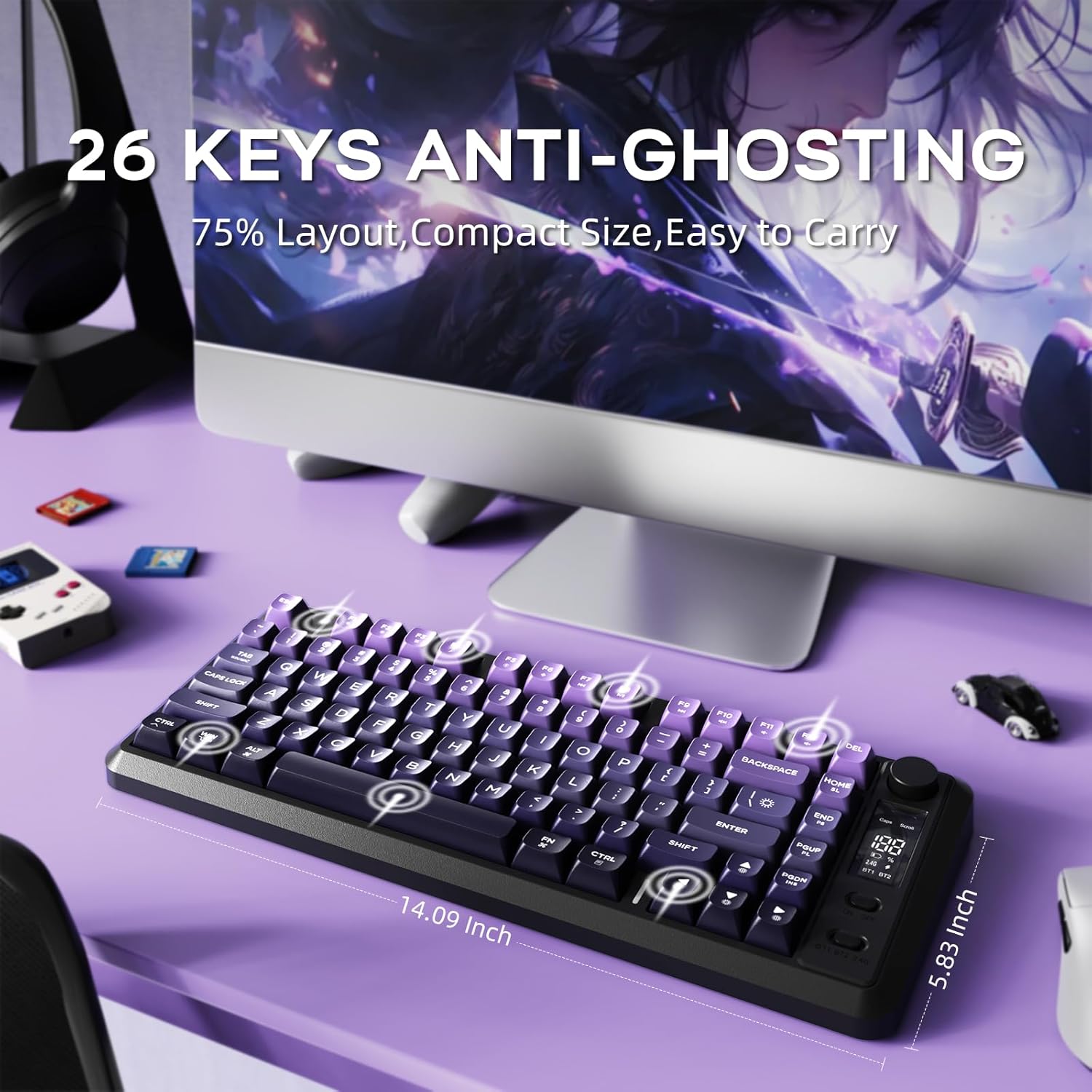
Image: The FREEWOLF M75 keyboard on a desk, illustrating its 75% layout and the concept of 26-key anti-ghosting.
- Disseny: 82-key compact layout (75%) for space efficiency without sacrificing functionality.
- Anti-fantasma: 26-key rollover technology prevents missed key presses during rapid or simultaneous inputs, crucial for gaming.
Manteniment
- Neteja: Use a soft, dry cloth to wipe the keyboard surface. For deeper cleaning, use compressed air to remove debris between keycaps. Avoid harsh chemicals.
- Eliminació de la tapa de les tecles: If necessary, use a keycap puller to carefully remove keycaps for cleaning. Reinstall by pressing firmly until they click into place.
- Emmagatzematge: Guardeu el teclat en un lloc fresc i sec, allunyat de la llum solar directa i de temperatures extremes.
Resolució de problemes
- El teclat no es connecta:
- Assegureu-vos que el teclat estigui carregat.
- Verify the mode switch (2.4G or BT) matches your connection method.
- Per a 2.4 GHz, assegureu-vos que el receptor USB estigui ben connectat.
- For Bluetooth, ensure Bluetooth is enabled on your device and the keyboard is paired correctly. Try re-pairing if issues persist.
- Backlight Not Working/Dim:
- Check battery level on the OLED display; low battery can affect backlight performance.
- Adjust brightness using Fn + Up/Down Arrow keys.
- Les tecles no responen:
- Assegureu-vos que el teclat estigui connectat correctament.
- Try connecting via a different mode (e.g., wired if using wireless) to isolate the issue.
- Reinicieu el dispositiu i el teclat.
Especificacions
| Marca | LLOP LLIURE |
| Model | M75 |
| Tecnologia de connectivitat | Sense fil 2.4G, Bluetooth |
| Descripció del teclat | Membrane, Wireless |
| Dispositius compatibles | Portàtil, PC, tauleta |
| Característica especial | Backlit, Ergonomic, Rechargeable, Silent, Volume Roller |
| Color | Purple (for this variant) |
| Material | Plastic, Polybutylene Terephthalate |
| Font d'alimentació | Funciona amb bateria |
| Pes de l'article | 1.65 lliures |
| Dimensions del paquet | 15.75 x 6.02 x 1.89 polzades |
Contingut del paquet
The FREEWOLF M75 Wireless Gaming Keyboard package includes the following items:
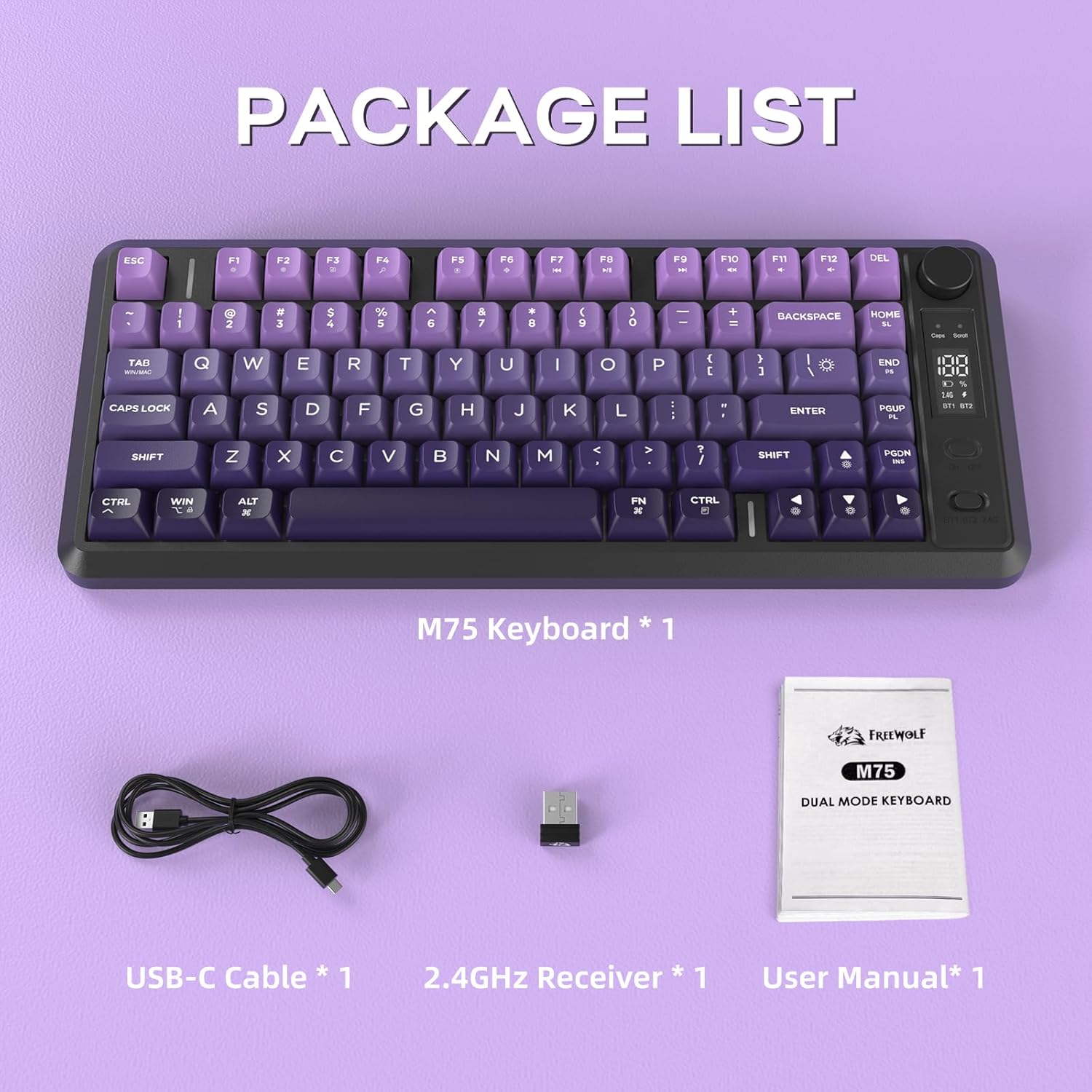
Image: The FREEWOLF M75 keyboard, USB-C cable, 2.4GHz receiver, and user manual laid out as package contents.
- M75 Keyboard x 1
- Cable USB-C x 1
- 2.4GHz Receiver x 1
- Manual d'usuari x 1