
Introducció
The AZIJYV B3 OBD2 Gauge Display is a head-up display system designed to provide essential vehicle data directly to the driver's line of sight. This speedometer connects to your car's On-Board Diagnostics (OBD2) port, allowing it to read and display critical information such as vehicle speed, engine RPM, water temperature, and fuel consumption. Its 5.5-inch screen features a clear, gradient color display and automatic light sensitivity for optimal visibility in various lighting conditions. The B3 also incorporates multiple safety alarm functions, including overspeed, water temperature, and fatigue driving reminders, enhancing driving safety and awareness.

Figura 1: Frontal view of the AZIJYV B3 OBD2 Gauge Display.
Característiques clau
- Visualització completa de dades: Shows vehicle speed, engine RPM, water temperature, fuel consumption, single travel time, single travel distance, and voltage.
- Funcions d'alarma avançades: Includes overspeed alarm, speed alarm, water temperature alarm, voltage alarm, and fatigue driving reminder to enhance driving safety.
- Sensibilitat automàtica a la llum: Adjusts display brightness automatically based on ambient light, ensuring clear visibility day or night. Manual adjustment is also available.
- Disseny fàcil d'utilitzar: Features a graceful curved design with a 30mm deep brim to prevent display leakage. A single dial button allows for easy operation and mode switching.
- Rendiment optimitzat: Equipped with a new low-power chip for reduced standby consumption and a numerical lubrication algorithm for smooth, coherent data display without lag.
- Interfícies de pantalla múltiple: Offers various display modes to show different combinations of data simultaneously, allowing users to customize their view.

Figura 2: Mésview of B3 display functions including speed, clock, RPM, water temperature, driving time, driving distance, fuel consumption, and voltage.
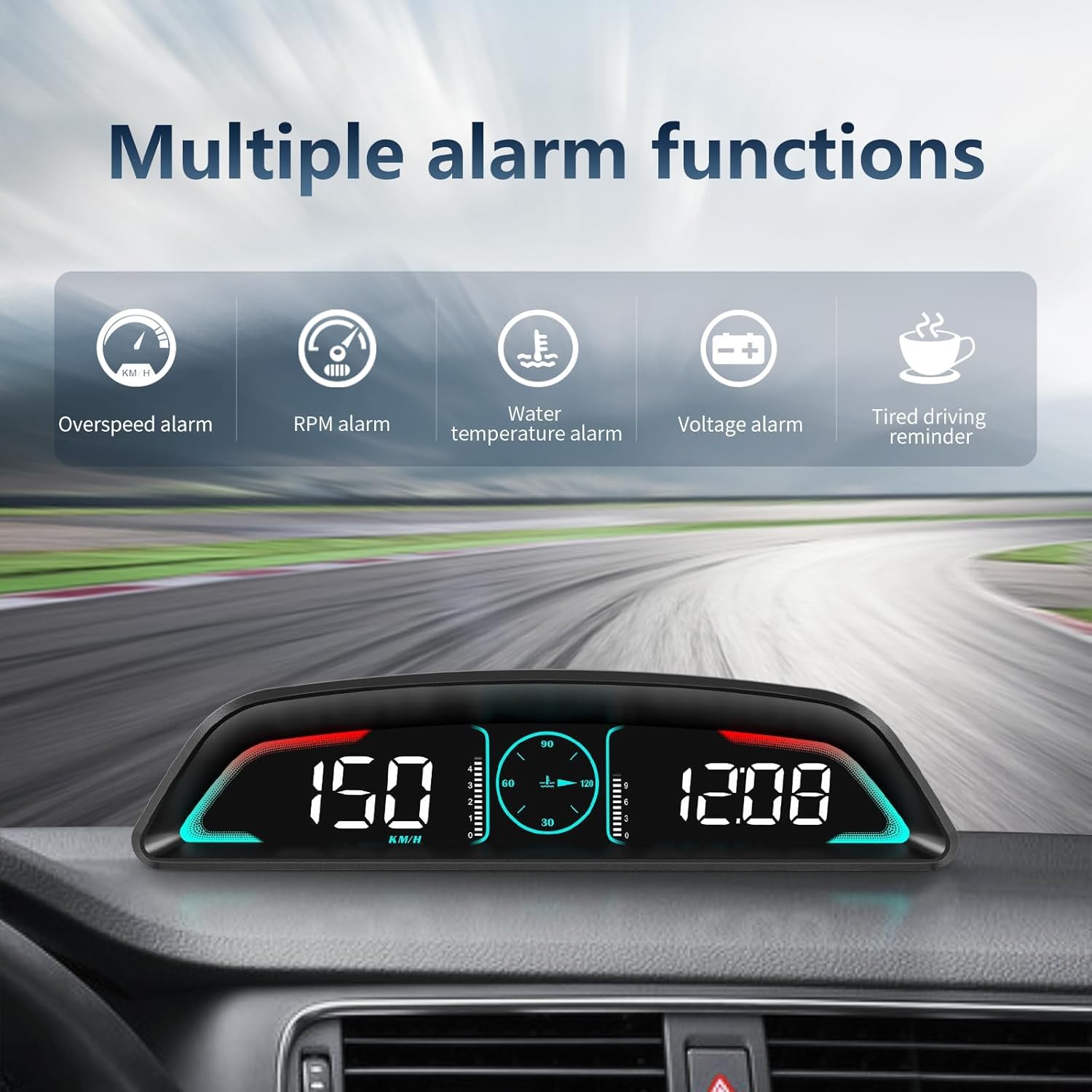
Figure 3: Visual representation of multiple alarm functions: overspeed, RPM, water temperature, voltage, and tired driving reminder.

Figura 4: Examples of various display interfaces available on the B3, combining different data points.
Contingut del paquet
Please verify that all items are present in the product box:
- 1 x B3 OBD2 Meter (HUD unit)
- 1 x OBD Cable
- 1 x Estora antilliscant
- 1 x manual d'instruccions

Figure 5: All items included in the B3 product package.
Configuració i instal·lació
The B3 OBD2 Gauge Display offers a non-destructive, plug-and-play installation process. It automatically powers on and off with your vehicle, ensuring convenience and preventing damage to your car's electrical system.
Passos d'instal·lació:
- Locate OBD Socket: Identify your vehicle's OBD2 socket connector, typically located under the dashboard on the driver's side.
- Connecteu el cable OBD: Insert one end of the provided OBD cable into the vehicle's OBD2 socket.
- Cable de ruta: Carefully route the OBD cable along the A-pillar sealing strip to conceal it and ensure it does not interfere with driving.
- Connecta't al HUD: Connect the other end of the OBD cable to the B3 HUD unit.
- HUD de posició: Place the B3 HUD unit on your dashboard in a position that allows for convenient viewing of the data without obstructing your view of the road. Use the included non-slip mat to secure the device.
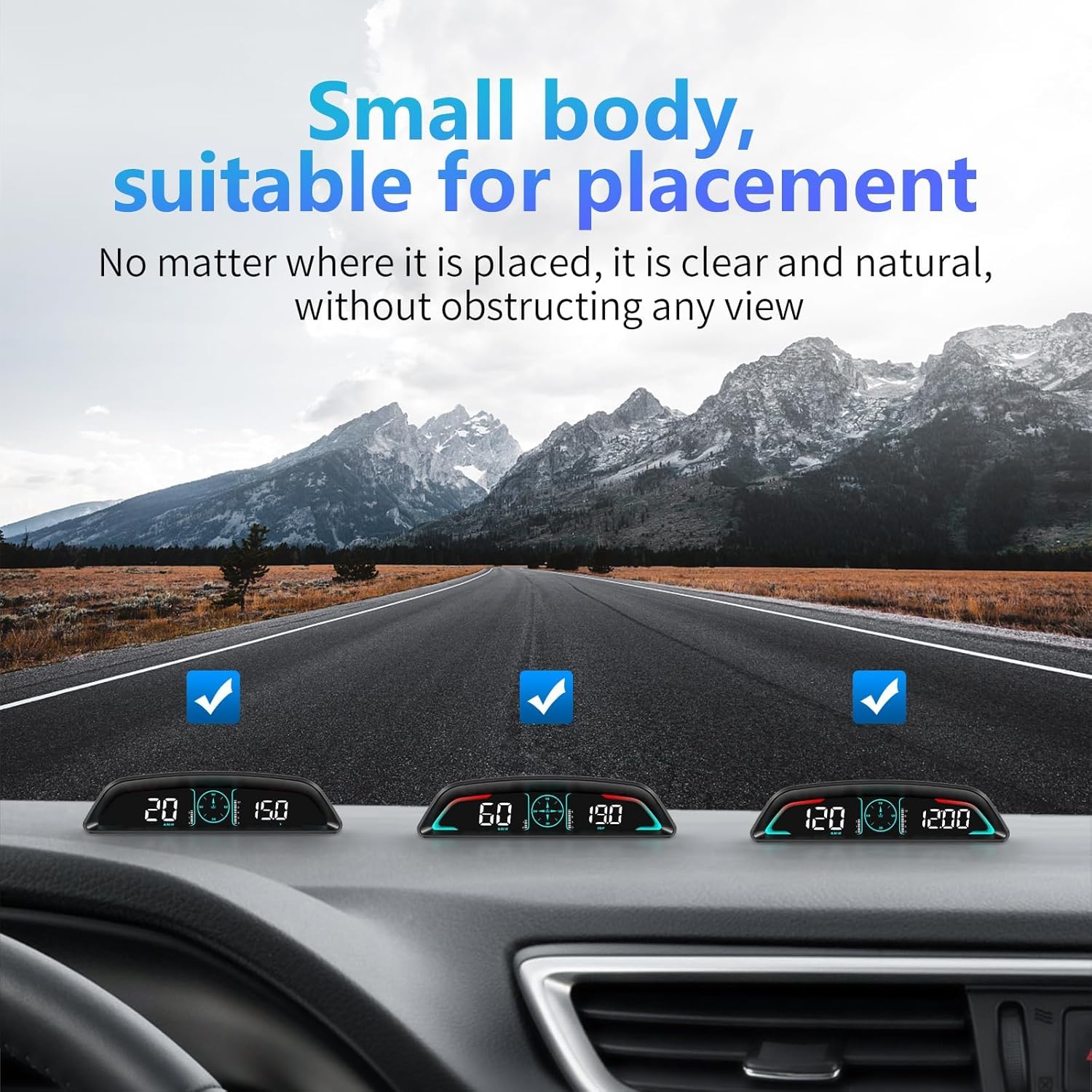
Figure 6: The compact design of the B3 allows for discreet placement on the dashboard without obstructing the driver's view.
Video 1: Demonstrates the installation process and various display modes of the AZIJYV B3 Head Up Display.
Instruccions de funcionament
The B3 unit is designed for simple, one-click operation using its dial button.
Operacions bàsiques:
- Encès/apagat: The device automatically turns on when the car starts and turns off when the car is shut down.
- Enter Settings Menu: Long press the dial button vertically for 2 seconds.
- Canvia el mode de visualització: Short press the dial button.
- Switch Speed and Water Temperature: Click the dial button to the left.
- Switch Time, Speed, Voltage, Driving Distance, Driving Time: Click the dial button to the right.
- Turn Buzzer Off: Turn the dial button to the left for 2 seconds until you hear a beep.
- Turn Buzzer On: Turn the dial button to the left again for 2 seconds until you hear a beep.
Understanding Displayed Data:
- Velocitat: Displays current vehicle speed (MPH or KM/H).
- RPM: Mostra les revolucions del motor per minut.
- Temperatura de l'aigua: Indicates engine coolant temperature (°C/°F).
- Consum de combustible: Proporciona dades de consum de combustible en temps real.
- Voltage: Displays the vehicle's battery voltage.
- Rellotge: Mostra l'hora actual.
- Single Travel Time: Records the duration of the current trip.
- Single Travel Distance: Records the distance covered in the current trip.

Figure 7: The B3 display showing multiple functions clearly visible on the dashboard.
Resolució de problemes
If you encounter issues with your B3 OBD2 Gauge Display, please refer to the following common problems and solutions:
- Sense pantalla/alimentació:
- Ensure the OBD cable is securely connected to both the B3 unit and the vehicle's OBD2 port.
- Verify that your vehicle is compatible with the OBD2 system. The B3 is generally suitable for most models after 2009.
- Certain car brands/models are known to have compatibility issues with OBD2 devices, including Suzuki, Chevrolet, Subaru, Renault, Peugeot, Citroen, Fiat, DS, Lamborghini, Jeep, SIMCA, Maserati, Dodge, Jazz, CRV, and Hummer. If your car is one of these or an older model, compatibility may be limited.
- Lectures incorrectes:
- Ensure the unit is properly configured for your region's speed units (MPH/KM/H).
- If readings appear erratic, try disconnecting and reconnecting the OBD cable.
- Warning Lights on Dashboard:
- In rare cases, connecting an OBD device can trigger certain vehicle warning lights or affect vehicle systems. If this occurs, immediately disconnect the B3 unit. Consult your vehicle's manual or a qualified mechanic if issues persist after disconnection.
- Display Brightness Issues:
- The B3 has automatic light sensitivity. If you are not satisfied with the automatic adjustment, you can manually adjust the brightness through the settings menu (long press dial button vertically for 2 seconds).
Per a més ajuda, poseu-vos en contacte amb l'atenció al client.
Especificacions
| Atribut | Detall |
|---|---|
| Número de model | B3 |
| Marca | AZIJYV |
| Mida de la pantalla | 5.5 polzades |
| Dimensions del producte (L x A x A) | 6.62 x 1.63 x 1.7 polzades |
| Pes de l'article | 40 grams (1.41 unces) |
| Material | Acrilonitril butadiè estirè (ABS) |
| Connectivitat | Interfície OBD2 |
| Compatibilitat | Most post-2008 models (refer to troubleshooting for exceptions) |

Figure 8: Detailed dimensions and design elements of the B3 unit.
Manteniment
To ensure the longevity and optimal performance of your AZIJYV B3 OBD2 Gauge Display, follow these maintenance guidelines:
- Neteja: Use a soft, dry cloth to clean the display and exterior. Avoid using abrasive cleaners, solvents, or strong chemicals, as these can damage the surface.
- Emmagatzematge: Quan no l'utilitzeu durant períodes prolongats, guardeu el dispositiu en un lloc fresc i sec, allunyat de la llum solar directa i de temperatures extremes.
- Manipulació: Handle the device with care to prevent drops or impacts that could damage internal components or the screen.
- Cura del cable: Ensure the OBD cable is not kinked, pinched, or subjected to excessive tension, which could damage the wiring.
Garantia i Suport
AZIJYV is committed to providing high-quality products and customer satisfaction. While specific warranty details are not provided in this manual, we offer 24-hour online service to assist you with any questions or issues you may encounter.
For support, please contact us through the platform where you purchased the product or refer to the contact information provided on the product packaging or our official weblloc.
Please retain your purchase receipt as proof of purchase for any warranty claims or support inquiries.

