
GZCRDZ X7S
GZCRDZ X7S IPX8 Waterproof Bone Conduction Headphones User Manual
Model: X7S
1. Introducció
Thank you for choosing the GZCRDZ X7S IPX8 Waterproof Bone Conduction Headphones. This manual provides essential information for the proper setup, operation, and maintenance of your device. Please read it thoroughly before use to ensure optimal performance and longevity.
2. Contingut del paquet
Verifiqueu que tots els elements siguin presents al vostre paquet:
- 1x GZCRDZ X7S Bone Conduction Headphone
- 1x Cable de càrrega magnètic
- 1x Manual d'usuari (Aquest document)

Image: The GZCRDZ X7S Bone Conduction Headphones, showing the main unit and its design.
3. Producte acabatview i Característiques
The GZCRDZ X7S headphones are designed for active lifestyles, featuring bone conduction technology and IPX8 waterproofing.
- Classificació impermeable IPX8: Suitable for swimming and water sports.
- Funcionament en mode dual: Switch between Bluetooth for wireless streaming and MP3 mode with 32GB built-in memory for offline playback.
- Tecnologia de conducció òssia: Delivers sound through your cheekbones, leaving your ears open to ambient sounds.
- Ajust còmode i segur: Lightweight design (30g) with a secure fit for exercise.
- Càrrega magnètica: Convenient and waterproof charging interface.

Image: Diagram illustrating bone conduction technology and sound leakage reduction features.
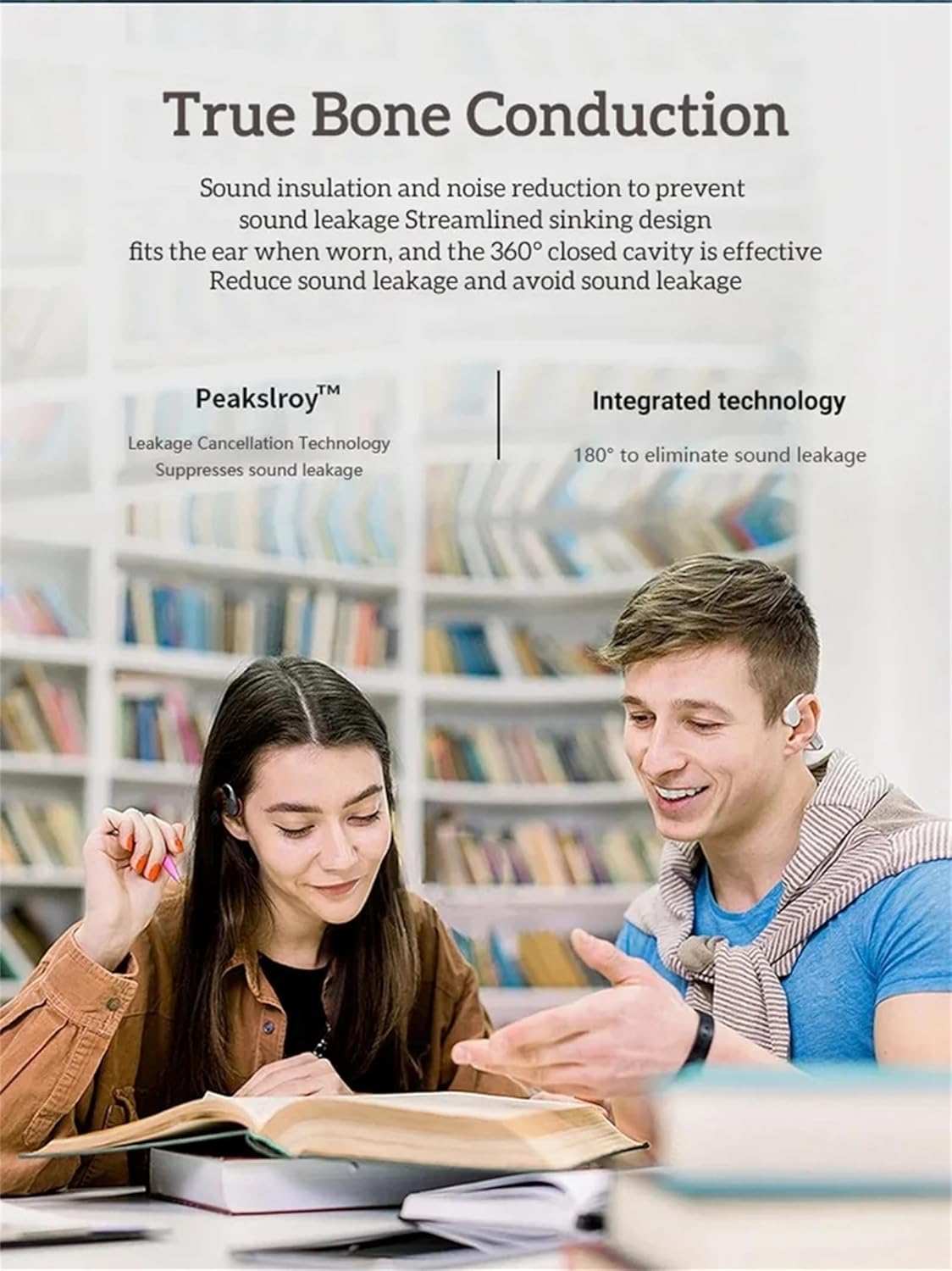
Image: Two individuals wearing bone conduction headphones, demonstrating the comfortable and open-ear design.
4. Configuració i ús inicial
4.1 Càrrega dels auriculars
Before first use, fully charge the headphones. Use the provided magnetic charging cable and a 5V 1A or 5V 2A charging adapter. Do not use fast chargers.
- Connect the magnetic end of the charging cable to the charging port on the headphones.
- Connect the USB end of the cable to a compatible USB power adapter or computer USB port.
- Charging time is approximately 1-2 hours. The indicator light will change to show charging status (refer to LED indicator section if available, otherwise assume standard behavior).

Image: Illustration of the magnetic charging interface and battery specifications.
4.2 Engegada/apagada
- Encès: Press and hold the Power button (often combined with Play/Pause) for a few seconds until you hear an audible prompt or see an indicator light.
- Apagar: Premeu i manteniu premut el botó d'engegada de nou durant uns segons fins que sentiu un missatge audible o l'indicador lluminós s'apagui.
4.3 Vinculació Bluetooth
Per connectar els auriculars a un dispositiu amb Bluetooth:
- Assegureu-vos que els auriculars estiguin apagats.
- Premeu i manteniu premut el botó d'engegada fins que el llum indicador parpellegi ràpidament (normalment blau i vermell), cosa que indica el mode d'emparellament.
- Al dispositiu (telèfon intel·ligent, tauleta, ordinador), aneu a la configuració de Bluetooth i activeu-lo.
- Cerca available devices and select "X7S" or similar from the list.
- Once connected, the indicator light will typically stop flashing and remain solid blue.
4.4 Loading Music to MP3 Mode (32GB Internal Memory)
The headphones have 32GB of internal storage for MP3 and WMA audio formats.
- Connect the headphones to your computer using the magnetic charging cable. The computer should recognize the headphones as a removable disk.
- Arrossega i deixa anar l'àudio MP3 o WMA files directly into the recognized drive folder.
- Expulseu els auriculars de l'ordinador de manera segura abans de desconnectar el cable.
5. Instruccions de funcionament
5.1 Controls bàsics
The headphones feature intuitive button controls. Refer to the image below for button locations:

Imatge: Detallada view of the headphone controls, including volume buttons, power/play/pause, and the magnetic charging/transmission interface.
- Botó d'engegada/reproducció/pausa:
- Press and hold: Power On/Off.
- Short press: Play/Pause music, Answer/End calls.
- Double press: Switch between Bluetooth and MP3 mode.
- Botó per pujar el volum (+):
- Pressió curta: Augmenta el volum.
- Long press: Next song.
- Botó per baixar el volum (-):
- Premsa curta: Disminuir el volum.
- Long press: Previous song.
5.2 Switching Between Bluetooth and MP3 Mode
Double-press the Power/Play/Pause button to toggle between Bluetooth streaming and playing music from the internal 32GB MP3 player.
5.3 Using in Water (IPX8)
The IPX8 rating means these headphones are designed to withstand continuous immersion in water. For optimal performance in water, it is recommended to use the MP3 mode as Bluetooth connectivity can be limited underwater.

Image: A person wearing the headphones while swimming, demonstrating their use in water.

Image: The headphones shown with water splashing, highlighting their waterproof design.
6. Manteniment i cura
Proper maintenance ensures the longevity and performance of your headphones:
- After Saltwater Use: If used in seawater or saltwater, rinse the headphones thoroughly with fresh water immediately after use and dry them completely. Pay special attention to the magnetic charging contacts, as they are susceptible to corrosion.
- Després de l'exercici: After each exercise session, wipe any sweat or water from the surface of the earphones, especially the magnetic charging area, to prevent corrosion.
- Emmagatzematge a llarg termini: If not used for an extended period, fully charge the headphones at least once a month to maintain battery health.
- Atenció general:
- Keep the product away from fire, excessive heat, freezing temperatures, and harsh chemicals.
- Avoid violent impacts, disassembly, or unauthorized modifications to the product.
- Precaucions de càrrega: Always use a 5V 1A or 5V 2A charging adapter. Do not use fast chargers.
7. Solució De Problemes
Si teniu problemes amb els auriculars, consulteu les solucions habituals següents:
- Els auriculars no s'encenen:
- Ensure the headphones are fully charged. Connect them to the charger for at least 30 minutes.
- Prova de prémer i mantenir premut el botó d'engegada durant un període més llarg (5-10 segons).
- No es pot emparellar per Bluetooth:
- Assegureu-vos que els auriculars estiguin en mode d'emparellament (indicador lluminós intermitent).
- Desactiva i activa el Bluetooth al dispositiu.
- Acosta els auriculars al dispositiu.
- Esborra les connexions Bluetooth anteriors del dispositiu i torna a intentar l'emparellament.
- Assegureu-vos que no hi hagi altres dispositius connectats activament als auriculars.
- No sound in MP3 mode:
- Ensure the headphones are switched to MP3 mode (double-press Power button).
- Verify that MP3 or WMA files are correctly loaded onto the internal memory.
- Comproveu el nivell de volum.
- Problemes de càrrega:
- Assegureu-vos que el cable de càrrega magnètic estigui connectat correctament tant als auriculars com a la font d'alimentació.
- Try a different USB power adapter (ensure it's 5V 1A or 5V 2A).
- Clean the magnetic charging contacts on both the headphones and the cable with a dry cloth.
- Problemes de qualitat del so:
- Assegureu-vos que els auriculars estiguin col·locats correctament als pòmuls.
- Ajusteu el volum tant dels auriculars com del dispositiu connectat.
- If using in water, ensure the headphones are in MP3 mode for best performance.
8. Especificacions tècniques
| Característica | Especificació |
|---|---|
| Model | X7S |
| Versió Bluetooth | 5.3 |
| Classificació impermeable | IPX8 |
| Memòria interna | 32 GB |
| Capacitat de la bateria | 200 mAh |
| Temps de reproducció de música | Fins a 10 hores |
| Temps de conversa | Fins a 10 hores |
| Temps d'espera | 300 hores |
| Temps de càrrega | 1-2 hores |
| Rang de treball sense fils | >10 meters (33 feet) |
| Formats d'àudio compatibles | MP3, WMA |
| Protocols compatibles | A2DP, AVRCP, HSP, HFP |
| Sensibilitat de l'altaveu | 100dB at 1KHz/1mW |
| Resposta de freqüència de l'altaveu | 20Hz-20KHz |
| Material | ABS+PC |
| Pes de l'article | 30 g (1.06 oz) |
9. Garantia i Suport
For warranty information and customer support, please refer to the documentation provided at the time of purchase or visit the official GZCRDZ weblloc web. Conserveu el comprovant de compra per a reclamacions de garantia.
If you experience any issues not covered in this manual, please contact GZCRDZ customer service for assistance.
Ask a question about this manual
Ask about setup, troubleshooting, compatibility, parts, safety, or missing instructions. Manuals+ will review the question and use this page’s manual context to help answer it.