
1. Introducció
This manual provides essential information for the safe and effective operation of your NBD 4K Digital Camera. Please read it thoroughly before use and retain it for future reference. The NBD 4K Digital Camera is designed for capturing high-resolution photos and videos with ease, featuring advanced functions for various shooting scenarios.
2. Contingut del paquet
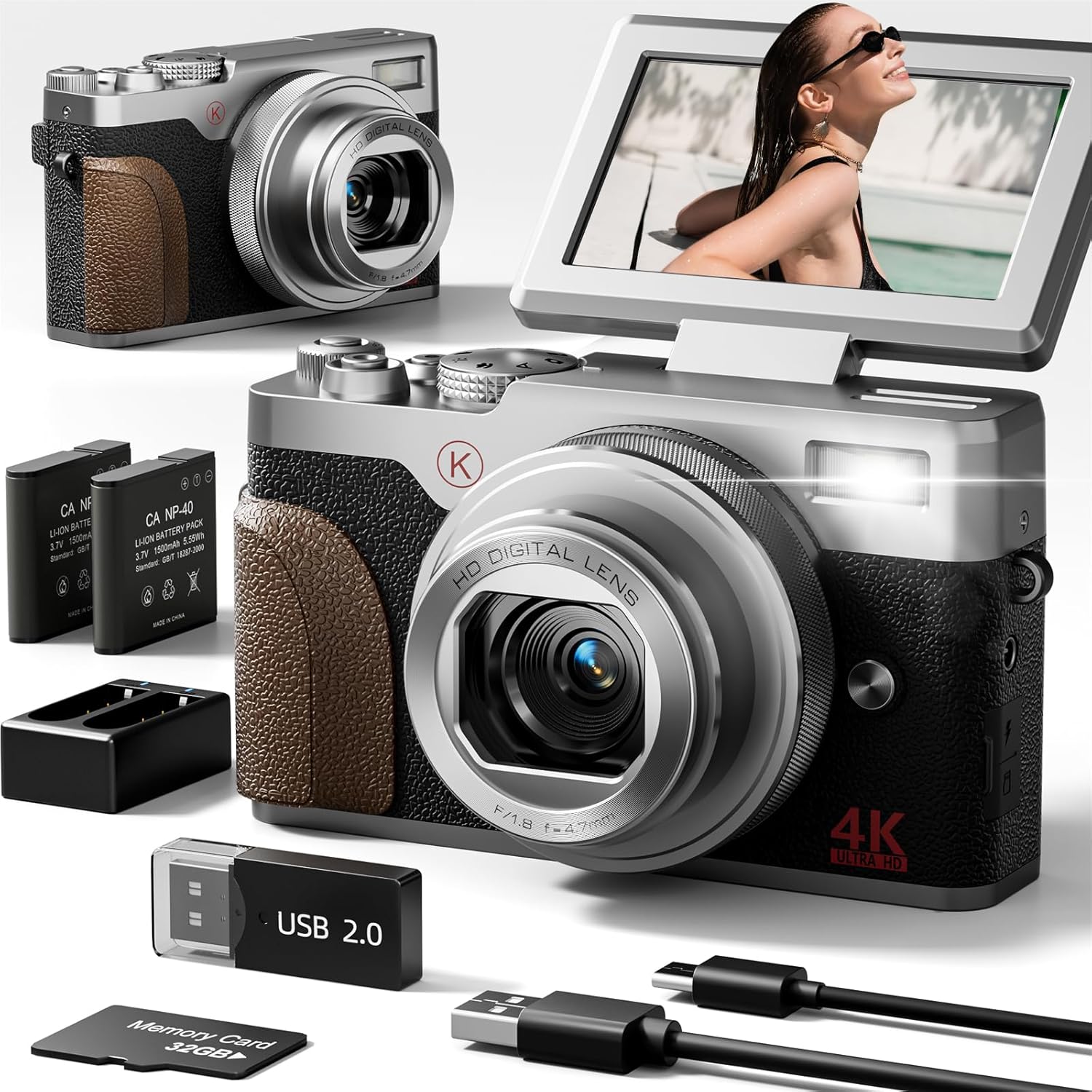
Verifiqueu que tots els elements que s'enumeren a continuació s'inclouen al vostre paquet:
- NBD 4K & 48MP Camera
- 2 bateries de ions de liti
- Base de càrrega de bateries
- Targeta SD de 32 GB
- Cable USB
- Camera Neck Rope

3. Càmera acabadaview
The NBD 4K Digital Camera is a compact and user-friendly device. It features a 180° flip screen for versatile shooting angles, a 4.7mm F/1.8 lens, and intuitive controls for easy operation.
4. Configuració inicial
4.1 Inserting the Battery and SD Card
- Localitzeu la tapa del compartiment de la bateria a la part inferior de la càmera.
- Slide the cover to open it.
- Insert the Lithium Ion battery into the compartment, ensuring correct polarity.
- Insert the 32GB SD card into the designated slot next to the battery. Ensure the metal contacts face the correct direction.
- Tanqueu bé la tapa del compartiment de la bateria.
4.2 Càrrega de la bateria
Before first use, fully charge the battery. The camera comes with a USB cable and a charging base.
- Connect the USB cable to the charging base and a compatible USB power adapter (not supplied).
- Introduïu la bateria a la base de càrrega.
- The indicator light on the charging base will show the charging status.
- Alternatively, you can charge the battery directly in the camera using the USB cable connected to a power source.
5. Modes de funcionament
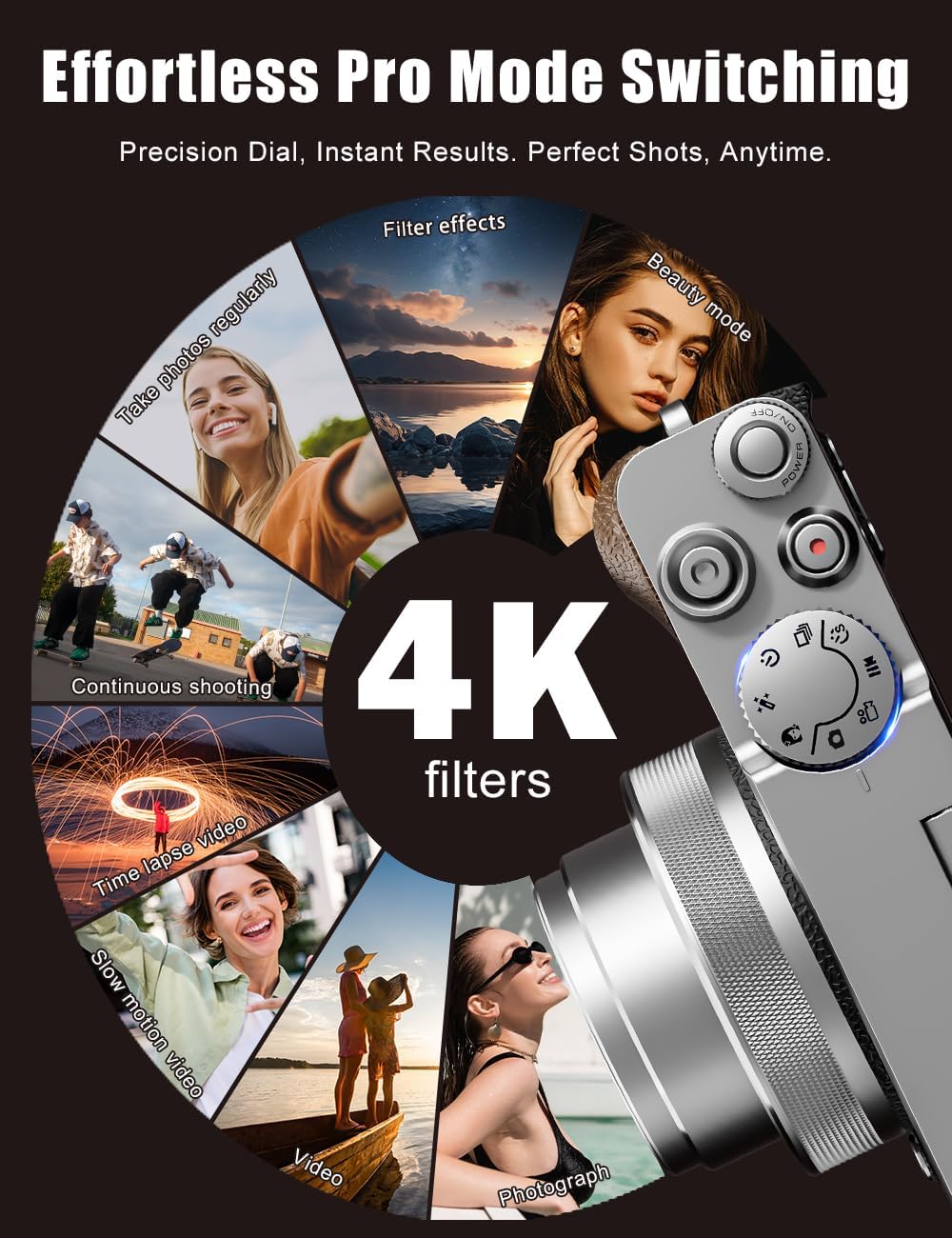
The NBD 4K Digital Camera offers various modes to suit different shooting needs. Use the physical mode dial on top of the camera to switch between functions quickly.
- Mode de fotografia: For capturing still images at 48MP resolution.
- Mode de vídeo: For recording 4K videos.
- càmera lenta: Capture action in slow motion.
- Time-lapse: Create stunning time-lapse videos.
- Filtres: Apply artistic filters to your photos and videos.

6. Image and Video Features
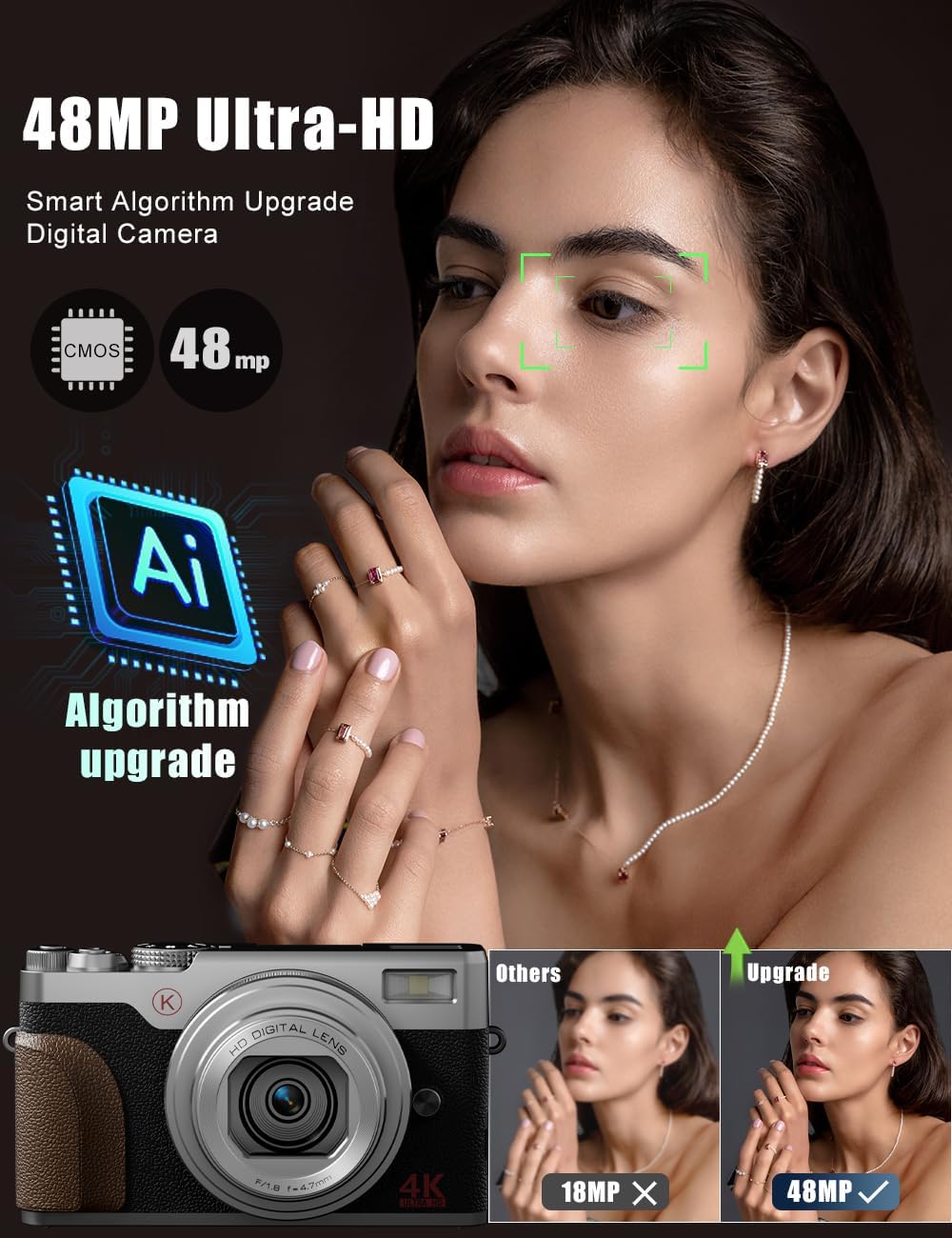
6.1 4K Video & 48MP Photography
The camera records stunning 4K videos and captures high-resolution 48MP photos, ensuring clear and detailed content.
Zoom digital de 6.2 augments
Utilize the powerful 18X digital zoom to get closer to distant subjects without significant loss of detail.
6.3 Autofocus and Anti-Shake
The camera features autofocus for sharp images and anti-shake technology to minimize blur, especially useful for handheld shots and in challenging lighting conditions.

7. Connectivitat
The NBD 4K Digital Camera supports Wi-Fi connectivity for easy transfer of photos and videos to your smartphone or computer. It can also function as a webcàmera per a transmissió en directe o videotrucades.
8. Manteniment
- Keep the camera lens clean using a soft, dry cloth.
- Store the camera in a cool, dry place away from direct sunlight and moisture.
- Ensure batteries are fully charged before extended storage.
9. Solució De Problemes
- La càmera no s'encén: Assegureu-vos que la bateria estigui inserida correctament i completament carregada.
- Poca qualitat d'imatge: Check lighting conditions, clean the lens, and ensure autofocus is engaged. Adjust settings like exposure and white balance if necessary.
- Problemes de connexió Wi-Fi: Refer to the user manual for detailed Wi-Fi setup instructions and ensure the camera's Wi-Fi mode is activated.
10. Especificacions
| Característica | Valor |
|---|---|
| Marca | NBD |
| Nom del model | NBD |
| Resolució de fixes efectius | 48 MP |
| Màxim WebResolució d'imatge de càmera | 56 MP |
| Zoom òptic | 18 x |
| Tecnologia del sensor fotogràfic | CMOS |
| Mida del sensor fotogràfic | 1/3 polzades |
| Factor de forma | Compacte |
| Mida de la pantalla | 3 polzades |
| Enfocament automàtic | Sí |
| Anti-shake | Sí |
| Capacitat d'emmagatzematge de memòria | 32 GB (inclosos) |
| Nombre de bateries | 2 bateries d'ions de liti (incloses) |
| Pes de l'article | 0.52 quilos |
11. Garantia i Suport
For warranty information or technical support, please refer to the contact details provided in your product packaging or visit the official NBD weblloc web. Conserveu el rebut de compra com a comprovant de compra.