
1. Introducció
Thank you for choosing the KLIM KLCD-0582 CD Cassette Boombox. This versatile audio system combines classic and modern features, allowing you to enjoy music from various sources including CDs, cassette tapes, AM/FM radio, Bluetooth-enabled devices, USB drives, and auxiliary input. This manual provides detailed instructions for safe operation, setup, and maintenance of your device. Please read it thoroughly before use and retain it for future reference.
2. Instruccions de seguretat importants
- Llegiu atentament aquestes instruccions abans d'utilitzar la unitat.
- Conserveu aquestes instruccions per a referència futura.
- Tingueu en compte totes les advertències del producte i de les instruccions d'ús.
- Seguiu totes les instruccions.
- No utilitzeu aquest aparell prop de l'aigua.
- Netegeu només amb un drap sec.
- No bloquegeu cap obertura de ventilació. Instal·leu-ho d'acord amb les instruccions del fabricant.
- No instal·leu a prop de cap font de calor com ara radiadors, registres de calor, estufes o altres aparells (inclosos amplificadors) que produeixen calor.
- Eviteu que el cable d'alimentació sigui trepitjat o pessigat, especialment als endolls, els endolls i el punt on surten de l'aparell.
- Utilitzeu només accessoris/accessoris especificats pel fabricant.
- Desendolleu aquest aparell durant les tempestes amb llamps o quan no l'utilitzeu durant llargs períodes de temps.
- Demaneu tot el servei a personal de servei qualificat. El manteniment és necessari quan l'aparell s'ha fet malbé d'alguna manera, com ara el cable d'alimentació o l'endoll està danyat, s'ha vessat líquid o han caigut objectes a l'aparell, l'aparell ha estat exposat a la pluja o la humitat, no funciona amb normalitat. , o s'ha deixat caure.
3. Contingut del paquet
Si us plau, comproveu el paquet per veure si hi ha els elements següents:
- KLIM CD Cassette Player (KLCD-0582)
- Cable d'alimentació (cable de CA)
- AAA alkaline batteries * 2 (for remote control)
- KLIM envelope
- Manual d'instruccions (aquest document)
4. Producte acabatview
Familiarize yourself with the main components and controls of your KLIM KLCD-0582 boombox.
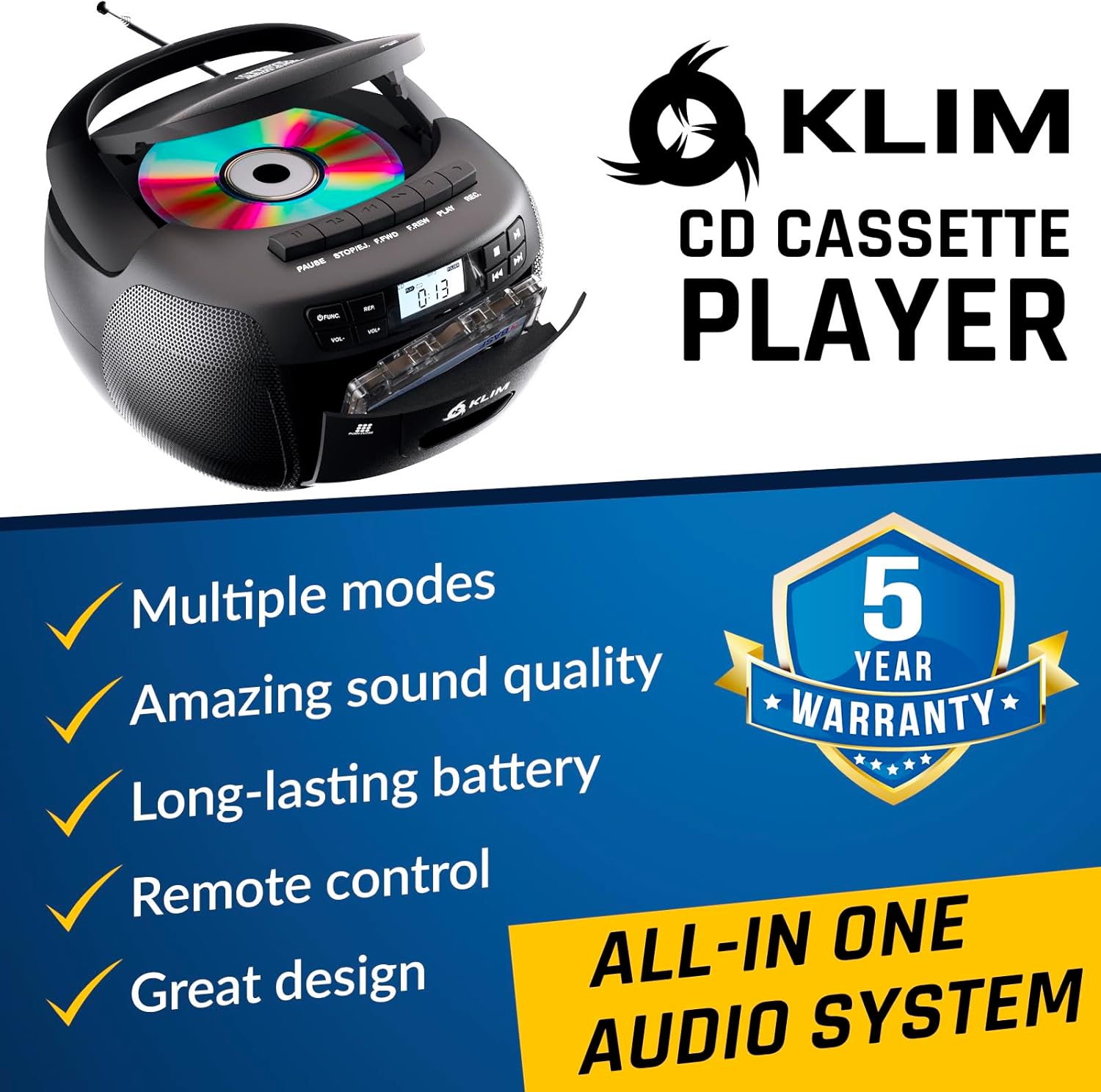
Figura 4.1: Frontal view of the KLIM KLCD-0582 CD Cassette Boombox, showing the CD lid, cassette deck, and control buttons.
Controls del panell frontal:
- Botó d'encesa: Encén o apaga la unitat.
- Botó de funció/mode: Switches between CD, Cassette, Radio, Bluetooth, USB, and AUX modes.
- Volume Control (VOL+/-): Ajusta el volum de reproducció.
- Play/Pause Button (CD/USB): Inicia o posa en pausa la reproducció de CD/USB.
- Stop Button (CD/USB/Cassette): Atura la reproducció.
- Skip/Search Buttons (<< / >>): Skips tracks or searches within a track (CD/USB). Tunes radio stations.
- Repeat Button (CD/USB): Repeteix la pista actual o totes les pistes.
- Program Button (CD/USB): Programs track order for CD/USB playback.
- Record Button (Cassette): Initiates recording to cassette tape.
- Eject Button (Cassette): Opens the cassette deck.
- Pantalla LCD: Mostra el mode actual, el número de pista, la freqüència de ràdio, etc.

Figura 4.2: Detallada view of the LCD display and speaker area, highlighting the digital interface.
Side/Rear Panel Connections:
- Entrada d'alimentació de CA: Connecta el cable d'alimentació de CA.
- Compartiment de la bateria: Holds 6 C-size batteries for portable use.
- Port USB: Per reproduir àudio files d'una unitat USB.
- Entrada AUX (3.5 mm): Connecta dispositius d'àudio externs.
- Presa d'auriculars (3.5 mm): Per a una escolta privada.
- Antena telescòpica: Per a la recepció de ràdio AM/FM.

Figure 4.3: Product label on the bottom of the unit, indicating model number and electrical ratings.
5. Configuració
5.1 Engegar la unitat
Your boombox can be powered by either AC power or batteries.
AC Power (Indoor Use):
- Assegureu-vos que la unitat estigui apagada.
- Connect the supplied AC power cord to the AC power input on the rear of the boombox.
- Plug the other end of the AC power cord into a standard wall outlet (110-120V, 60Hz).
DC Power (Battery Operation - Portable Use):
- Assegureu-vos que la unitat estigui apagada i desconnectada de l'alimentació de CA.
- Obriu la tapa del compartiment de les piles a la part inferior de la unitat.
- Insert 6 C-size (UM-2) batteries, ensuring correct polarity (+/-) as indicated inside the compartment.
- Tanqueu bé la tapa del compartiment de la bateria.
Nota: Traieu les piles si no heu d'utilitzar la unitat durant un període prolongat per evitar fuites i danys.
5.2 Instal·lació de la bateria del comandament a distància
- Obriu el compartiment de la bateria a la part posterior del comandament a distància.
- Insert 2 AAA alkaline batteries, observing the correct polarity.
- Tanqueu la tapa del compartiment de la bateria.

Figure 5.1: The boombox shown with its remote control, which requires AAA batteries.
5.3 Configuració de l'antena
Per a una recepció òptima de ràdio FM, esteneu completament l'antena telescòpica. Per a la recepció AM, gireu la unitat per obtenir el millor senyal.
6. Funcionament
6.1 Controls bàsics
- Encès/apagat: Premeu el botó PODER botó.
- Seleccioneu el mode: Premeu el botó FUNCIÓ or MODE button repeatedly to cycle through CD, Cassette, Radio (AM/FM), Bluetooth, USB, and AUX modes.
- Ajustar el volum: Utilitza el VOL+ i VOL- botons.
6.2 Reproducció de CD
- Premeu el botó FUNCIÓ botó per seleccionar el mode CD.
- Obriu la tapa del compartiment del CD.
- Place a CD (audio CD or MP3/WMA CD) with the label side facing up.
- Close the CD compartment lid. The unit will read the disc and begin playback automatically or display the total number of tracks.
- Premeu REPRODUCCIÓ/PAUSA per iniciar o pausar la reproducció.
- Premeu STOP per aturar la reproducció.
- Ús SALTAR (<< / >>) buttons to skip tracks. Hold to fast forward/rewind within a track.
- Reproducció del programa: En mode d'aturada, premeu PROGRAMA. Ús SALTAR to select desired tracks, then press PROGRAMA again to confirm each track. Press JUGAR per iniciar la reproducció programada.
- Repetició de la reproducció: Premeu REPETIR once for single track repeat, twice for all tracks repeat.
6.3 Reproducció i gravació de cassets
- Premeu el botó FUNCIÓ per seleccionar el mode TAPE.
- Premeu el botó EJECTAR button to open the cassette deck.
- Insert a cassette tape and close the deck.
- Premeu JUGAR per iniciar la reproducció.
- Ús FAST FORWARD (FFWD) or REBOBINAR (REW) botons per navegar per la cinta.
- Premeu STOP per aturar la reproducció.
Enregistrament en casset:
- Insert a blank, recordable cassette tape.
- Select the desired source (CD, Radio, AUX, Bluetooth, USB).
- Start playback on the source (e.g., play a CD track, tune to a radio station).
- Premeu el botó REGISTRAR botó del boombox. El JUGAR button will also engage. Recording will begin.
- Premeu STOP per acabar d’enregistrar.
Important: Ensure the cassette tape has its record-protection tabs intact for recording.
Ràdio 6.4 AM/FM
- Premeu el botó FUNCIÓ button to select RADIO mode.
- Extend the telescopic antenna for FM reception. For AM, rotate the unit.
- Utilitza el TUNING pom o SALTAR (<< / >>) buttons to tune to your desired station. The frequency will be displayed on the LCD.
6.5 Connexió Bluetooth
- Premeu el botó FUNCIÓ button to select BLUETOOTH mode. The LCD will display "BT" and the unit will enter pairing mode, indicated by a flashing Bluetooth icon.
- Al dispositiu amb Bluetooth (per exemple, un telèfon intel·ligent o una tauleta), activeu el Bluetooth i cerqueu els dispositius disponibles.
- Select "KLIM Boombox" from the list of devices.
- Once paired, the Bluetooth icon on the boombox's LCD will stop flashing. You can now play audio from your device through the boombox.
- Control playback (play/pause, skip tracks) either from your connected device or using the boombox's controls.
Reproducció USB 6.6
- Inseriu una unitat flaix USB al port USB.
- Premeu el botó FUNCIÓ button to select USB mode. The unit will automatically detect and begin playing compatible audio files (MP3/WMA).
- Ús REPRODUCCIÓ/PAUSA, STOP, i SALTAR (<< / >>) buttons to control playback, similar to CD mode.
- Reproducció del programa: En mode d'aturada, premeu PROGRAMA. Ús SALTAR to select desired tracks, then press PROGRAMA again to confirm each track. Press JUGAR per iniciar la reproducció programada.
6.7 Entrada AUX
- Connect an external audio device (e.g., MP3 player, smartphone) to the AUX input jack using a 3.5mm audio cable (not included).
- Premeu el botó FUNCIÓ button to select AUX mode. The LCD will display "AUX".
- Inicia la reproducció al dispositiu extern. L'àudio es transmetrà pels altaveus del boombox.
- Volume can be adjusted on both the boombox and the external device. Playback controls are managed on the external device.
6.8 Ús del comandament a distància
The included remote control allows convenient operation from a distance of up to 20 feet. Ensure line of sight to the boombox's front panel.
- Engegada (botó vermell): Encén/apaga la unitat.
- Silenciar: Silencia/activa l'àudio.
- VOL +/-: Ajusta el volum.
- FUNCIÓ: Cycles through modes (CD, TAPE, FM, AM, BT, USB, AUX).
- REP: Repeat function for CD/USB.
- PROG: Program function for CD/USB.
- PLAY/PAUSE, STOP, FFWD, REW: Playback controls for CD/USB/Cassette.
- Number Buttons (0-9, -10, +10): Direct track selection for CD/USB.
7. Manteniment
7.1 Neteja de la unitat
- Desconnecteu sempre la unitat de la font d'alimentació abans de netejar-la.
- Utilitzeu un drap suau i sec per netejar les superfícies exteriors.
- No utilitzeu netejadors abrasius, ceres o dissolvents, ja que poden danyar l'acabat.
- Per a la lent del CD, feu servir un disc netejador de lents de CD especialitzat.
- Per a la platina de casset, netegeu periòdicament els capçals de cinta i els rodets de pinça amb un bastonet de cotó suaument humit.ampamb alcohol isopropílic.
7.2 Emmagatzematge
When not in use for extended periods, store the unit in a cool, dry place away from direct sunlight and extreme temperatures. Remove batteries from both the main unit and the remote control to prevent leakage.
8. Solució De Problemes
If you encounter issues with your boombox, please refer to the following common problems and solutions before contacting support.
| Problema | Causa possible | Solució |
|---|---|---|
| Sense poder | Cable de CA no connectat; piles esgotades o inserides incorrectament. | Check AC cord connection; Replace batteries or ensure correct polarity. |
| Sense so | Volum massa baix; Funció de silenci activa; Mode incorrecte seleccionat; Auriculars connectats. | Increase volume; Press MUTE on remote; Select correct mode; Disconnect headphones. |
| El CD no es reprodueix / error "NO DISC" | CD inserted incorrectly; CD dirty or scratched; CD compartment not closed; Unit in wrong mode. | Insert CD label side up; Clean or replace CD; Close CD lid securely; Select CD mode. |
| La cinta de casset no es reprodueix/grava | Tape inserted incorrectly; Tape damaged; Record-protection tab missing (for recording); Unit in wrong mode. | Insert tape correctly; Use a new tape; Cover record-protection tab with tape; Select TAPE mode. |
| Mala recepció de ràdio | Antena no estesa; Posició de la unitat. | Esteneu completament l'antena FM; gireu la unitat per obtenir una millor recepció AM. |
| Error de vinculació de Bluetooth | Boombox not in pairing mode; Device Bluetooth off; Device too far. | Ensure boombox is in BT mode and flashing; Enable Bluetooth on device; Move device closer (within 30 ft). |
| El comandament a distància no funciona | Batteries depleted or incorrectly inserted; Obstruction between remote and unit. | Replace batteries; Ensure clear line of sight to the unit's front panel. |
9. Especificacions
| Característica | Detall |
|---|---|
| Número de model | KLCD-0582 |
| Marca | KLIM |
| Tecnologia de connectivitat | Auxiliary, Bluetooth 5.1, USB |
| Color | Negre |
| Dimensions de l'article (L x A x A) | 8.5 x 8.39 x 4.92 polzades |
| Pes de l'article | 1.5 quilos |
| Font d'alimentació | Corded Electric (AC 110-120V/60Hz), 6 x C-size batteries (DC 9V) |
| Dispositius compatibles | MP3 Player, Bluetooth-enabled devices |
| Estàndards suportats | CD, MP3, WMA |
| Format d'àudio compatible | CD-DA, MP3, WMA |
| Altaveus | 3W Dual Speakers |
| Bandes de ràdio | AM/FM |
10. Garantia i Suport
10.1 Informació de la garantia
The KLIM KLCD-0582 CD Cassette Boombox comes with a 5 any de garantia. This warranty covers manufacturing defects and ensures the product meets its specified performance. Please retain your proof of purchase for warranty claims.
10.2 Atenció al client
For any questions, technical assistance, or warranty claims, please contact KLIM customer support. You can typically find contact information on the manufacturer's website or through the retailer where you purchased the product. KLIM offers 24/7 customer support to assist you.
For more information, visit the official KLIM weblloc web o consulteu les dades de contacte que figuren a l'embalatge del producte.