
Introducció
This manual provides detailed instructions for the assembly, operation, and maintenance of your FLEXISPOT Standing Desk with a 40x24 inch one-piece desktop. Please read this manual thoroughly before assembly and use to ensure proper function and safety.
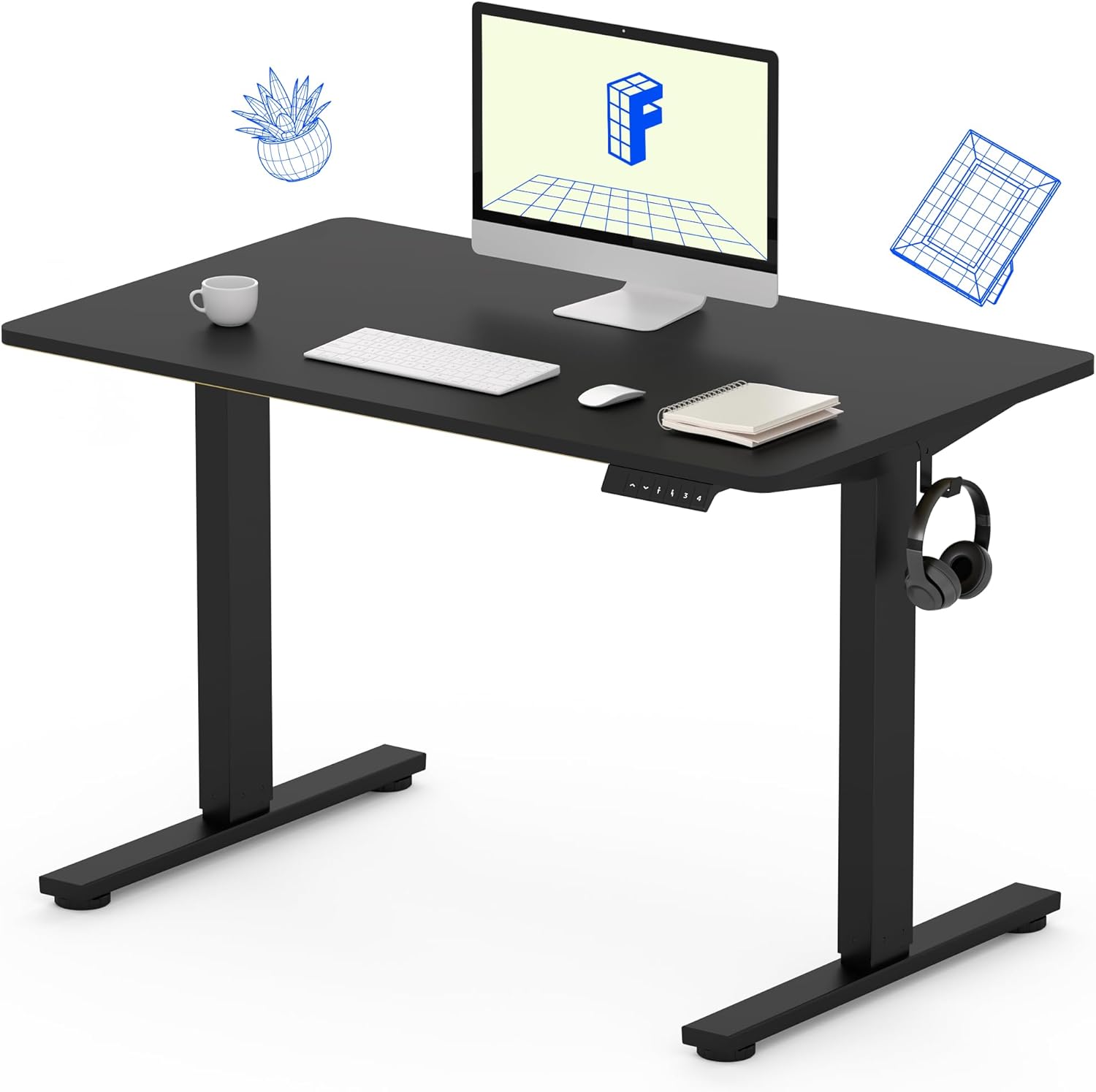
Image 1: The FLEXISPOT Standing Desk, showcasing its black desktop, black frame, and integrated control panel with a headphone hook.
Informació de seguretat
ADVERTIMENT:
- Always use caution when assembling the desk, especially when using a drill.
- No supereu el límit màxim de pes de 154 lliures (70 kg).
- Keep hands and body parts away from moving parts during height adjustment to prevent injury.
- Assegureu-vos que tots els cables estiguin correctament col·locats per evitar que s'enredin durant el moviment de l'escriptori.
Contingut del paquet
Abans de començar el muntatge, verifiqueu que tots els components siguin presents i no estiguin danyats. Si hi ha alguna peça que falti o que estigui danyada, poseu-vos en contacte amb el servei d'atenció al client.
- One-Piece Desktop (40" x 24", Black)
- Desk Legs (Black Frame, Dual-Stage)
- Motor i caixa de control
- Tauler de control amb preajustos de memòria
- Ganxo per a auriculars
- Maquinari de muntatge (cargols, clau Allen)
- Cable d'alimentació

Image 2: Illustration highlighting the seamless design of the FLEXISPOT one-piece desktop, contrasting it with multi-piece alternatives.
Muntatge i muntatge
Assembly typically requires 30 minutes to an hour. It is recommended to have two people for assembly due to the weight of the package. A power drill (not included) may be needed for some steps.
- Desempaquetar components: Carefully remove all parts from the packaging. Inspect for any damage. Note that the packaging can be heavy.
- Muntar el marc de l'escriptori: Attach the crossbar to the lifting columns (legs) using the provided hardware. Ensure all screws are tightened securely.
- Enganxar els peus: Secure the desk feet to the bottom of the lifting columns.
- Munta l'escriptori: Carefully place the one-piece desktop upside down on a soft, clean surface. Position the assembled frame onto the desktop. Align the pre-drilled holes (if present) or mark positions for screws. Secure the frame to the desktop using the provided screws. A power drill may be helpful for this step.
- Install Control Box and Panel: Mount the control box and control panel to the underside of the desktop in the designated locations. Connect the motor cables and control panel cable to the control box.
- Adjuntar accessoris: Install the headphone hook to the side of the desktop as desired.
- Gestió de cables: Route all cables neatly using cable ties or management clips (not included) to prevent interference with desk movement.
- Col·locació final: With assistance, carefully flip the desk upright and place it in its desired location. Ensure it is stable and level.

Image 3: The FLEXISPOT Standing Desk integrated into a home office setup, demonstrating its spacious desktop and functionality.
Instruccions de funcionament
Your FLEXISPOT Standing Desk features an electric motor for smooth height adjustments and a control panel with memory presets.
Ajust d'alçada
- Premeu el botó Amunt (▲) botó per aixecar l'escriptori.
- Premeu el botó Avall (▼) botó per baixar l'escriptori.
- The desk moves smoothly and quietly (under 50 dB) between 28.7 polzades (73 cm) i 46.5 polzades (118 cm).
Presets de memòria
The control panel allows you to save up to four preferred height settings.
- Set a Height: Adjust the desk to your desired sitting or standing height using the Up/Down buttons.
- Desa la configuració predeterminada: Premeu el botó "M" button, then immediately press one of the numbered preset buttons (1, 2, 3 o 4). The display will show "S-" followed by the number, indicating the height is saved.
- Recuperació predeterminada: Press the corresponding numbered preset button (1, 2, 3 o 4) per moure automàticament l'escriptori a l'alçada desada.

Image 4: Visual representation of the desk's adjustable height range, showing it at its lowest (29") and highest (46.6") positions.
Manteniment
- Neteja: Netegeu l'escriptori i el marc amb un drap suauamp drap. Eviteu productes químics agressius o netejadors abrasius.
- Comprovació del cable: Inspeccioneu periòdicament tots els cables per detectar desgast o danys. Assegureu-vos que estiguin connectats correctament i que no estiguin pinçats.
- Estancament del cargol: Occasionally check and tighten any loose screws on the frame or desktop connections.
Resolució de problemes
| Problema | Causa possible | Solució |
|---|---|---|
| L'escriptori no es mou. | Power cable disconnected, control box cable loose, overload. | Check power connection. Ensure all cables to the control box and motor are secure. Reduce weight on the desk if exceeding 154 lbs. |
| L'escriptori es mou de manera irregular o fa un soroll inusual. | Loose connections, obstruction, uneven weight distribution. | Check all assembly screws. Ensure no objects are obstructing the legs. Distribute weight evenly on the desktop. |
| Control panel display shows an error code. | Condició d'error específica. | Refer to the specific error code in the full product manual (if available) or contact customer support. Often, a power cycle (unplug for 10 seconds, then plug back in) can resolve temporary errors. |
Especificacions
| Característica | Detall |
|---|---|
| Marca | FLEXISPOT |
| Model | B0F747SWWB |
| Desktop Dimensions (D x W) | 24" x 40" (One-Piece) |
| Interval d'alçada | 28.7" - 46.5" (73 cm - 118 cm) |
| Capacitat màxima de pes | 154 lliures (70 kg) |
| Nivell de soroll | Menys de 50 dB |
| Material del marc | Acer d'aliatge |
| Material superior | Fusta d'enginyeria |
| Color | Black Frame / Black Top |
| Muntatge obligatori | Sí |

Image 5: Details of the desk's construction, including the dual-stage lifting columns and the convenient backpack/headphone hook.
Garantia i Suport
Your FLEXISPOT Standing Desk is backed by a comprehensive warranty:
- Frame and Motor: Garantia limitada d'5 any.
- Electrònica: Garantia limitada d'2 any.
For warranty claims, technical assistance, or any questions regarding your product, please contact FLEXISPOT customer support through their official weblloc web o el venedor on es va comprar el producte.