
Samsung QE55QN85FAU
Samsung Neo QLED 4K Vision AI Smart TV 55-inch QE55QN85FAUXZT User Manual
Model: QE55QN85FAU
1. Introducció
This manual provides essential information for the safe and efficient use of your Samsung Neo QLED 4K Vision AI Smart TV, model QE55QN85FAUXZT. Please read these instructions thoroughly before operating your TV and retain them for future reference.
Your new Samsung Neo QLED TV features a 55-inch display with a NQ4 AI Gen2 Processor, offering 4K AI Upscaling for vivid and realistic colors. It includes advanced audio technologies like Dolby Atmos & OTS Lite for an immersive sound experience, and smart features such as Smart Hub, Gaming Hub, and SmartThings for comprehensive entertainment and home management.
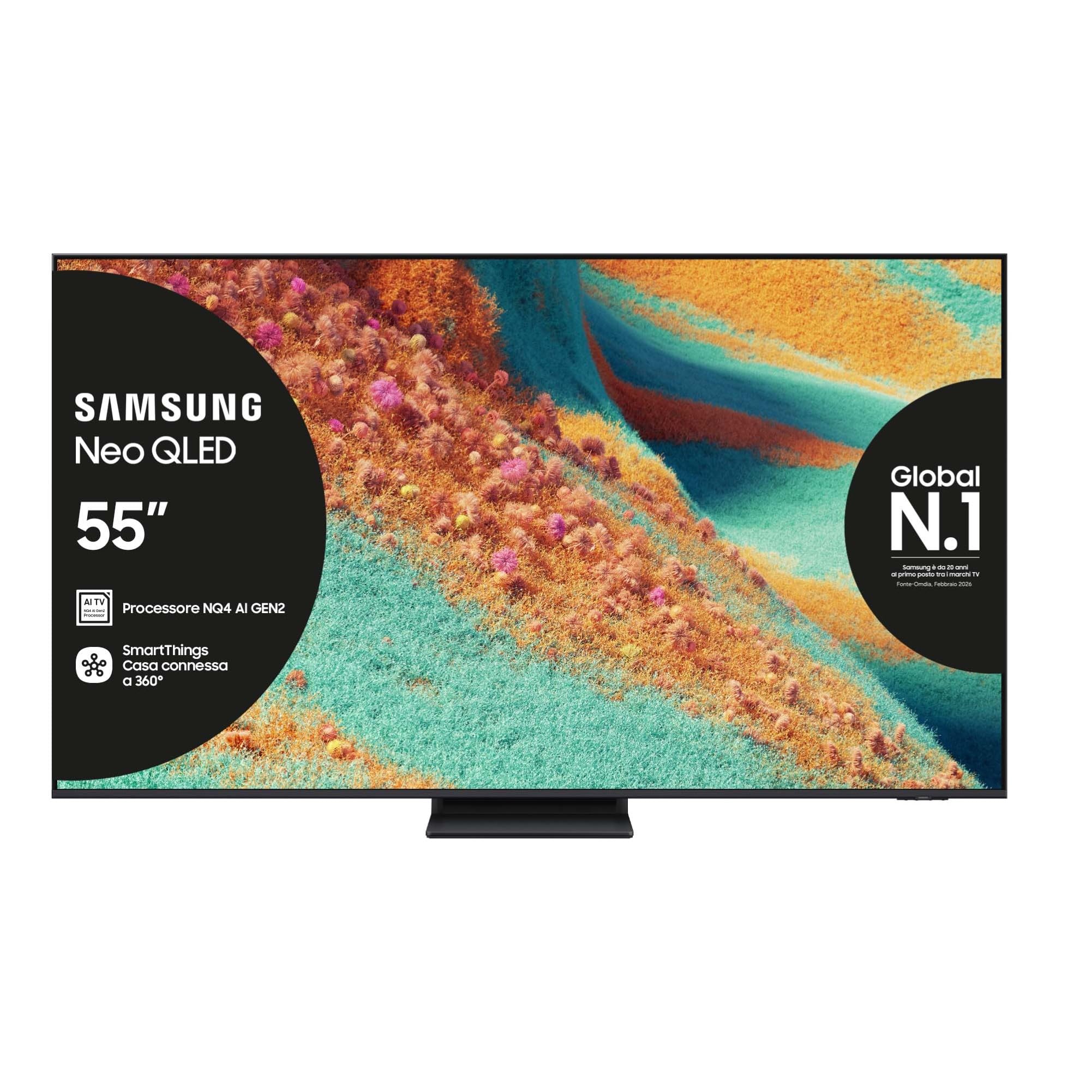
Davant view of the Samsung Neo QLED 4K Vision AI Smart TV 55-inch.

lateral view of the Samsung Neo QLED 4K Vision AI Smart TV 55-inch, highlighting its slim design.
2. Configuració
2.1 Desembalatge i contingut del paquet
Carefully unpack your TV and check that all components are present. The package should include:
- 1x Samsung Smart TV 55" Serie QN85F
- 2x Remote Controls (one solar-powered, one standard)
- Cable d'alimentació
- Manual d'usuari (aquest document)

Contents of the TV package, including the power cable, user manual, solar remote, and standard remote.
2.2 Instal·lació física
Place the TV on a stable, flat surface or mount it on a wall using a compatible VESA mount (200 x 200 mm). Ensure adequate ventilation around the TV.

Detailed dimensions of the 55-inch TV, including width, height, and depth with stand.
2.3 Connexió de perifèrics
Connect your external devices to the appropriate ports on the back of the TV. The TV features multiple connectivity options:
- Ports HDMI: 4 ports for connecting devices like Blu-ray players, game consoles, or set-top boxes. One port supports eARC.
- Ports USB: 2 ports (1x USB 3.0, 1x USB 2.0) for connecting USB storage devices.
- Port Ethernet (LAN): Per a connexió a Internet per cable.
- Antenna (ANT) Input: Per connectar una antena terrestre o de cable.
- Sortida d'àudio digital òptica: Per connectar-lo a una barra de so o a un receptor d'àudio.

Rear panel of the TV displaying the HDMI, USB, LAN, and antenna input ports.
2.4 Engegada inicial i configuració de la xarxa
After connecting the power cable, press the power button on the remote control. Follow the on-screen instructions to complete the initial setup, including language selection, network connection (Wi-Fi or Ethernet), and channel scanning.
3. Instruccions de funcionament
3.1 Ús del control remot
Your TV comes with two remote controls. The solar-powered remote offers convenient charging via ambient light, while the standard remote provides traditional battery operation. Both remotes allow full control over TV functions, including navigation, volume, channel selection, and smart features.

The remote control interacting with the Samsung Vision AI Companion interface, demonstrating voice command capabilities.
3.2 Smart Features (Smart Hub, Gaming Hub, SmartThings)
Access a world of entertainment and smart home control through your TV's integrated smart features:
- Smart Hub: Your central portal for streaming apps (Disney Plus, Netflix, Prime Video, YouTube), live TV, and connected devices.
- Centre de jocs: Provides access to cloud gaming services and optimizes settings for a smooth gaming experience (Motion Xcelerator 144 Hz).
- SmartThings: Control compatible smart home devices directly from your TV, creating a connected living environment.

The Smart Hub interface displaying various streaming content and navigation options.

The Gaming Hub interface, optimized for gaming with various game titles displayed.

The SmartThings interface showing control options for various smart home devices.
3.3 Picture and Sound Technologies
Your TV incorporates advanced technologies for an enhanced viewexperiència d'escolta i escolta:
- NQ4 AI Gen2 Processor & 4K AI Upscaling: Utilizes artificial intelligence to optimize picture quality, enhancing details and colors to near-4K resolution, regardless of the original source.
- Quantum Matrix Plus: Precisely controls the TV's Mini LEDs for ultra-fine light and dark areas, delivering exceptional contrast and detail.
- Neo Quantum HDR+: Provides extraordinary brightness and vivid colors, enhancing the dynamic range of content.
- Dolby Atmos i OTS Lite: Object Tracking Sound Lite creates a 3D audio experience where sound follows the action on screen, complemented by Dolby Atmos for immersive surround sound.
- So adaptatiu Pro: Automatically calibrates sound based on the content and room acoustics for optimal audio delivery.
- Q-Simfonia: Synchronizes the TV's speakers with a compatible Samsung soundbar (not included) for a richer, more expansive soundstage.

The NQ4 AI Gen2 Processor, the brain behind the TV's advanced AI features and 4K upscaling.

Visual representation of 4K AI Upscaling, showing how lower resolution content is enhanced.

Quantum Matrix Plus technology illustrated with a surfing scene, highlighting precise light control.

Comparison showing the enhanced brightness and color of Neo Quantum HDR+ versus standard dynamic range (SDR).

Dolby Atmos and OTS Lite audio technology creating a three-dimensional sound experience with a wave scene.

Object Tracking Sound Lite (OTS Lite) visually represented with sound waves emanating from a train on screen.

Adaptive Sound Pro adjusting audio based on different content types, from nature sounds to sports commentary.
4. Manteniment
4.1 Neteja del televisor
Per netejar la pantalla, netegeu-la suaument amb un drap suau i sense borrissol. Per a marques difícils, netegeu-la lleugerament.ampNetegeu el drap amb aigua o un netejador de pantalles especialitzat. Eviteu utilitzar productes químics agressius, materials abrasius o ruixar directament sobre la pantalla.
Clean the TV's frame and stand with a soft, dry cloth. Ensure the TV is unplugged before cleaning.
4.2 Atenció general
- Eviteu col·locar el televisor sota la llum solar directa o a prop de fonts de calor.
- Ensure proper ventilation by not blocking the TV's vents.
- Protect the screen from sharp objects or excessive pressure.
- Desendolleu el televisor durant les tempestes o quan no el feu servir durant períodes prolongats.
5. Solució De Problemes
Si teniu problemes amb el televisor, consulteu els passos habituals següents per a la resolució de problemes abans de contactar amb el servei d'assistència.
5.1 No Power / No Picture
- Comproveu si el cable d'alimentació està connectat correctament tant al televisor com a la presa de corrent.
- Assegureu-vos que la presa de corrent funcioni connectant-hi un altre dispositiu.
- Press the power button on the remote control or directly on the TV.
5.2 Mala qualitat d'imatge
- Verifiqueu que la font d'entrada estigui seleccionada correctament.
- Check the quality of the signal from your antenna or external device.
- Ajusteu la configuració de la imatge (brillantor, contrast, nitidesa) al menú del televisor.
- Tingueu en compte que viewing from extreme horizontal angles may show some image degradation, which is characteristic of certain display technologies.
5.3 Sense so
- Augmenta el volum amb el comandament a distància.
- Comproveu si el televisor està silenciat.
- Ensure external audio devices (soundbars, receivers) are properly connected and powered on.
- Comproveu la configuració de la sortida d'àudio al menú del televisor.
5.4 El comandament a distància no funciona
- For the solar remote, ensure it has sufficient light exposure to charge.
- For the standard remote, replace the batteries if necessary.
- Assegureu-vos que no hi hagi obstacles entre el comandament a distància i el televisor.
6. Especificacions
| Característica | Detall |
|---|---|
| Nom del model | QE55QN85FAU |
| Mida de la pantalla | 55 polzades |
| Tecnologia de visualització | QLED |
| Resolució | 4K (3840 x 2160) |
| Freqüència d'actualització | 120 Hz (Motion Xcelerator 144 Hz) |
| Processador | Processador NQ4 AI Gen2 |
| Format HDR compatible | Neo Quantum HDR+ |
| Mode de sortida d'àudio | Surround (2.1 Channel) |
| Surround Sound Format | Dolby Atmos |
| Connectivitat | Bluetooth, Ethernet, HDMI (4 ports), USB (2 ports), Wi-Fi |
| Sistema operatiu | Tizen |
| Mètode de control | App, Remote, Voice (Amazon Alexa, Google Assistant, SmartThings) |
| Estàndard de muntatge VESA | 200 x 200 mm |
| Dimensions del producte (LxWxH) | 122.8P x 24.7l x 76.1H cm (with stand) |
| Pes de l'article | 18 quilos |
| Color | Eclipse Silver |
| País d'origen | Eslovàquia |
6.1 Eficiència energètica
The TV's energy efficiency information is provided on the energy label.
EU Energy Label for model QE55QN85FAU. For detailed information, refer to the Base de dades EPREL.
7. Garantia
This Samsung TV comes with a Garantia del fabricant de 2 anys. Please retain your proof of purchase for warranty claims. The warranty covers manufacturing defects under normal use conditions. For full terms and conditions, please refer to the warranty card included in your package or visit the official Samsung support weblloc.
8. Suport
For further assistance, technical support, or to download the full user manual, please visit the official Samsung support website or refer to the PDF manual provided:
- Descarrega el manual d'usuari (PDF)
- Visita el Botiga Samsung a Amazon per a informació sobre productes i accessoris.
També podeu contactar amb el servei d'atenció al client de Samsung per obtenir assistència personalitzada.
Ask a question about this manual
Ask about setup, troubleshooting, compatibility, parts, safety, or missing instructions. Manuals+ will review the question and use this page’s manual context to help answer it.