
1. Producte acabatview
The Samsung Galaxy Watch Ultra (2025) is a 47mm LTE smartwatch designed for active users. It features a durable titanium casing, advanced health and fitness tracking capabilities, and integrated cellular connectivity.
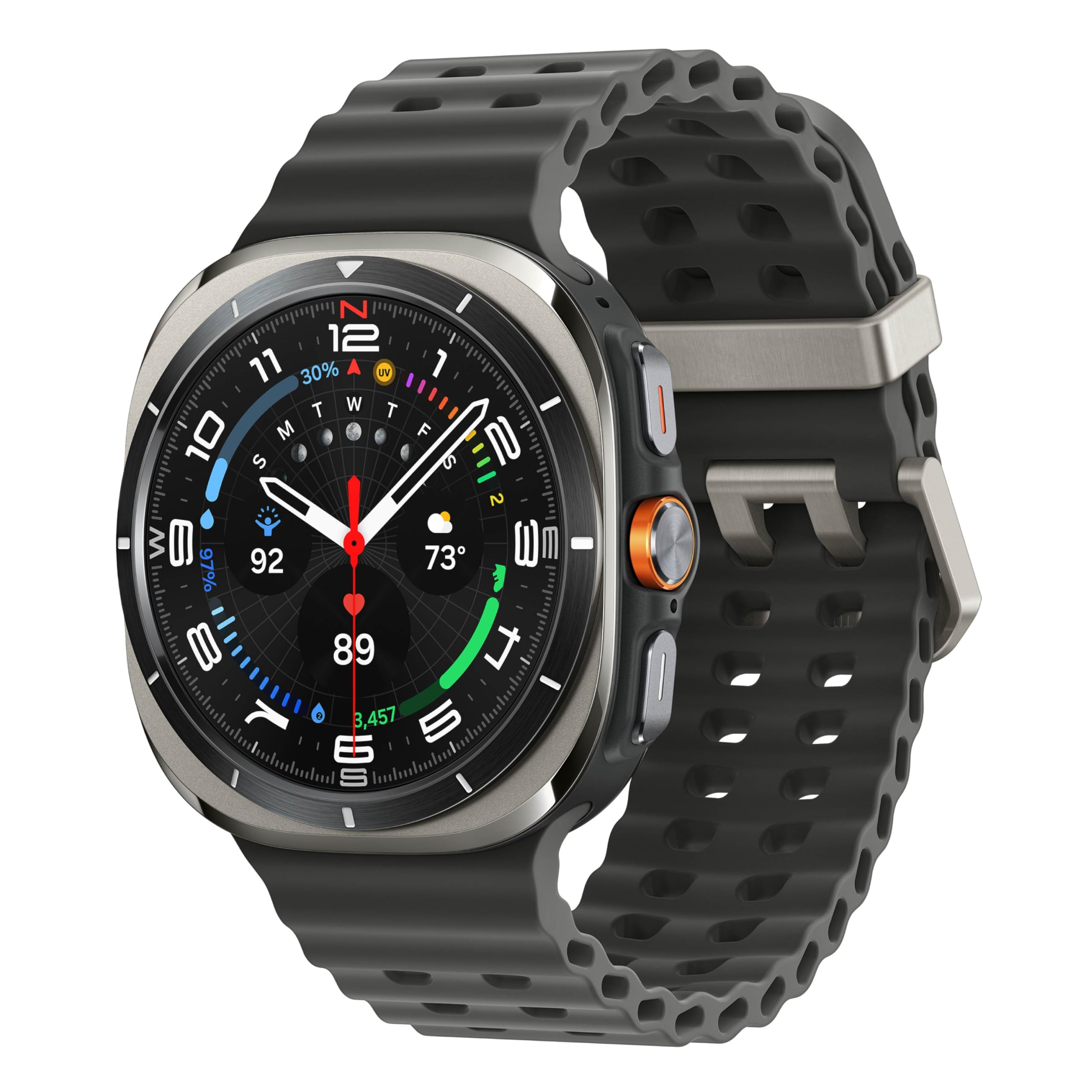
Image: Samsung Galaxy Watch Ultra (2025) in Titanium Silver. This image displays the front view of the smartwatch with its round display and titanium silver casing, showcasing the watch face with various data points.
Què hi ha a la caixa
- Rellotge Body
- Banda de guaita
- Cable de càrrega
- Manual d'usuari
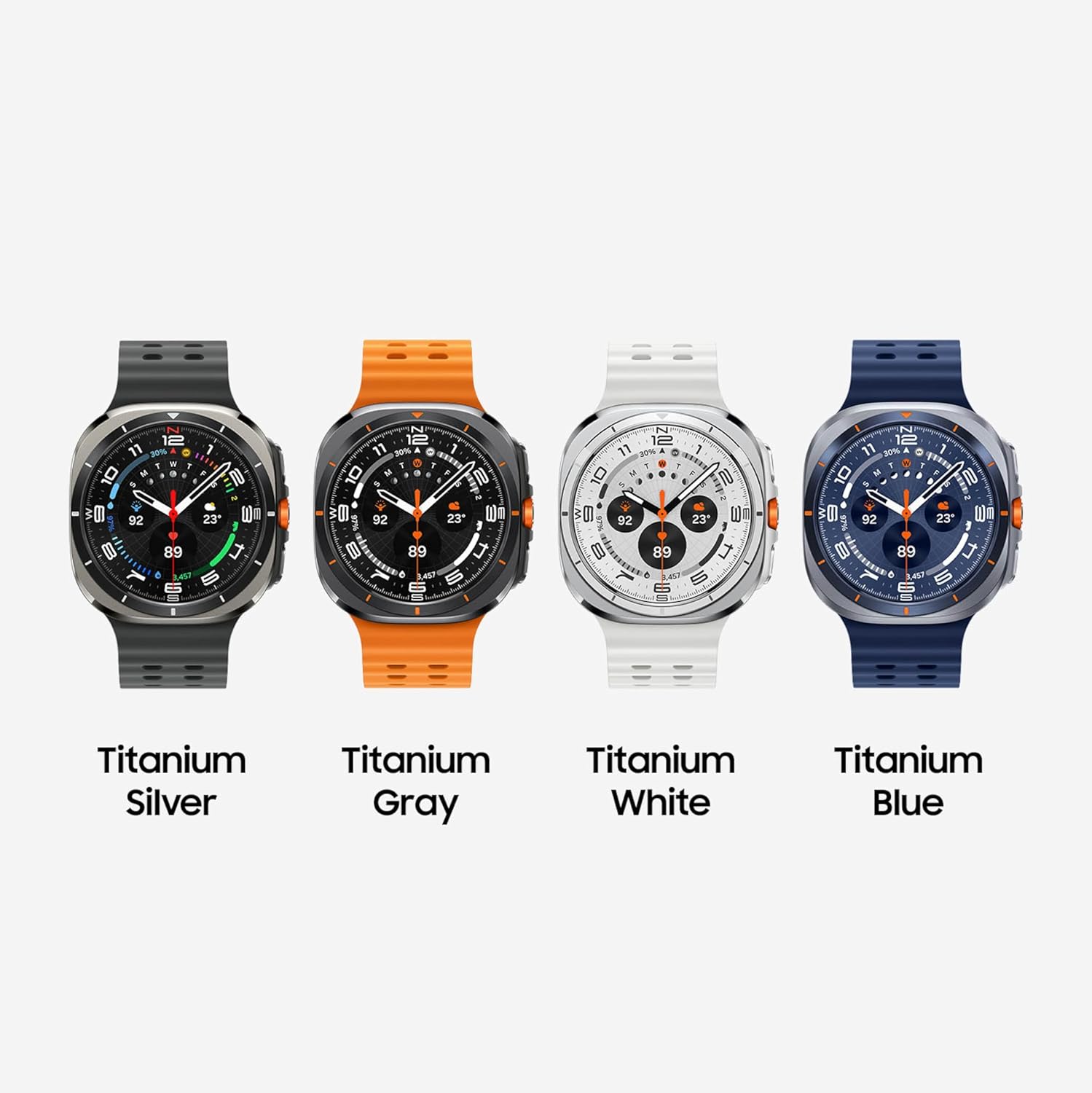
Image: Contents of the Samsung Galaxy Watch Ultra box. This image shows the smartwatch body, a watch band, and the wireless charging cable, illustrating the items included with the product.
2. Configuració
Emparellament inicial de dispositius
- Ensure your Samsung Galaxy Watch Ultra is charged or connected to its charging cable.
- Turn on the smartwatch by pressing and holding the Power button.
- Al teu telèfon intel·ligent Android compatible, descarrega i instal·la Galaxy Wearable aplicació i el Samsung Health aplicació de Google Play Store.
- Open the Galaxy Wearable app on your smartphone and follow the on-screen instructions to pair your smartwatch.
- Confirma el codi d'emparellament que es mostra tant al rellotge com al telèfon intel·ligent.
- Complete the setup process within the Galaxy Wearable app, including granting necessary permissions and configuring settings.
Càrrega del dispositiu
Connect the provided wireless charging cable to a compatible USB power adapter (not included) and plug it into a power outlet. Place your Galaxy Watch Ultra onto the charging pad. The watch display will indicate charging status. A full charge typically takes approximately 2 hours.
Attaching the Watch Band
Align the watch band with the lugs on the watch body and slide it into place until it clicks securely. Ensure both ends of the band are firmly attached before wearing the watch.
3. Instruccions de funcionament
Navegació bàsica
- Pantalla tàctil: Llisca cap a l'esquerra, la dreta, amunt o avall per navegar pels widgets, les notificacions i la configuració ràpida. Toca per seleccionar elements.
- Botons físics: Use the side buttons for power, back functions, and quick access to apps or features. The customizable Quick Button can be configured for specific workout functions or an emergency siren.
Video: Demonstrating basic navigation and watch face interaction on the Samsung Galaxy Watch Ultra. This video shows a user interacting with the touchscreen and physical buttons to navigate the watch interface and change settings.
Seguiment de salut i forma física
- Coaching avançat del son: The watch tracks your sleep patterns and provides insights to help improve sleep quality. Wear the device for seven nights during a 30-night period for initial setup and data collection.
- Entrenador de running: For outdoor running, the Running Coach analyzes factors such as age, weight, oxygen levels, and heart rate to provide personalized guidance. Requires at least 12 minutes of running with GPS on and initial setup.
- Puntuació energètica: Understand your daily physical readiness. The Energy Score, powered by Galaxy AI, analyzes your previous day's sleep, activity, and heart rate to provide a wellness summary.
- Seguiment de la freqüència cardíaca: Continuously monitors your heart rate. Note: These software functions are not intended for medical diagnosis or treatment.
- Monitorització de la pressió arterial: Check your blood pressure by calibrating the Watch Ultra with a third-party blood pressure cuff (sold separately) every 28 days. Use the Samsung Health Monitor app to track readings. Note: This function is not intended for medical diagnosis or treatment.

Image: Samsung Galaxy Watch Ultra displaying sleep coaching data. The watch screen shows "7h 30m" sleep duration and an "Excellent" sleep score, with a penguin graphic, indicating advanced sleep tracking features.

Image: Samsung Galaxy Watch Ultra displaying running coach interface. The watch screen shows "Running coach" with "1. Jogging" and a distance/time target, illustrating the personalized running guidance feature.

Image: Samsung Galaxy Watch Ultra displaying Energy Score. The watch screen shows an "Excellent" energy score of 94, along with steps, heart rate, and sleep score metrics, providing a comprehensive wellness overview.
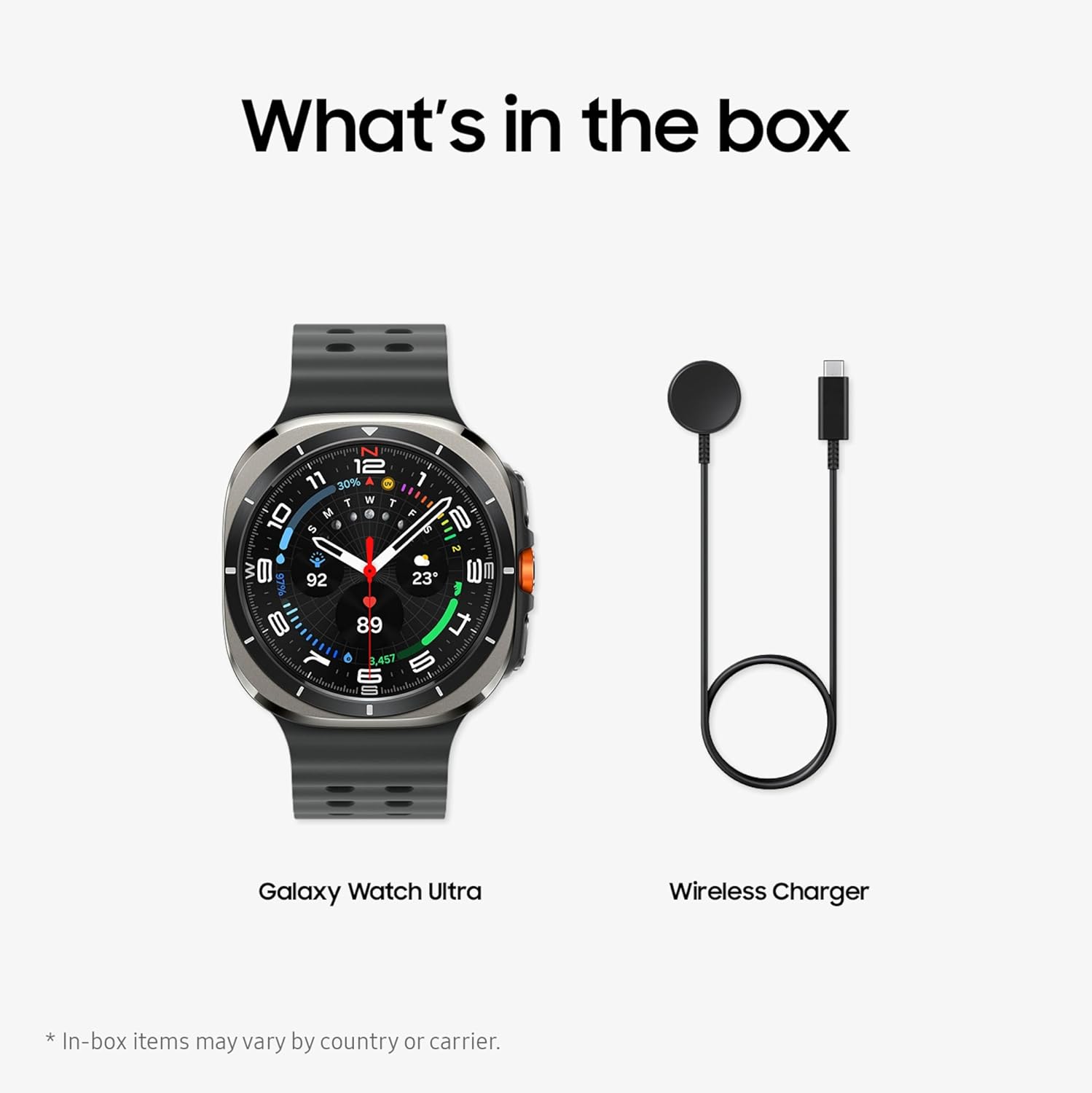
Image: Samsung Galaxy Watch Ultra displaying blood pressure measurement. The watch screen shows a blood pressure reading of "120/80 mmHg" and heart rate, indicating the blood pressure tracking feature.
Connectivity and Smart Features
- LTE Connectivity: Make calls and send texts directly from your watch, even when your phone is not nearby. Requires initial pairing with an eligible Android smartphone and a separate qualifying wireless plan.
- Dual-frequency GPS: Proporciona un seguiment precís de la ubicació per a activitats a l'aire lliure.
- Ara Barra: Access frequently used information like weather, timers, and directions directly on your main watch screen for an improved user experience.
- Assistent personal d'IA: Utilize the integrated AI assistant for hands-free tasks and information retrieval. Requires compatible Wear OS watch connected to a compatible device, internet connection, and setup.
4. Manteniment
Resistència a l'aigua
The Galaxy Watch Ultra has a 10ATM water-resistance classification (up to 100m for up to 10 minutes) and an IP68 rating (up to 6 feet of water for up to 30 minutes). After exposure to water, especially saltwater or chlorinated water, rinse the watch with fresh water and dry it thoroughly to prevent residue buildup and maintain performance.

Image: Samsung Galaxy Watch Ultra being worn during rock climbing. This image highlights the watch's rugged and reliable design, suitable for demanding outdoor activities.
Neteja del rellotge
- Netegeu regularment la pantalla i la carcassa del rellotge amb un drap suau i sense borrissol.
- Per a la brutícia persistent, lleugerament dampRenta el drap amb aigua. Evita utilitzar productes químics agressius o materials abrasius.
- Clean the watch band periodically according to its material type (e.g., silicone bands can be washed with mild soap and water).
Cura de la bateria
- Per maximitzar la vida útil de la bateria, eviteu descarregar-la completament amb freqüència.
- Carregueu el rellotge només amb el cable de càrrega proporcionat.
- Avoid exposing the watch to extreme temperatures, which can degrade battery performance.
5. Solució De Problemes
Problemes comuns i solucions
| Problema | Causa possible | Solució |
|---|---|---|
| Descàrrega ràpida de la bateria | Too many apps running in the background, frequent use of GPS or LTE, high screen brightness, always-on display enabled. | Close unnecessary background apps. Reduce screen brightness. Disable always-on display if not needed. Limit continuous GPS/LTE usage. |
| El rellotge no es carrega | Improper placement on charger, faulty charging cable, incompatible power adapter. | Ensure the watch is correctly aligned on the wireless charger. Verify the charging cable is securely connected to a working power adapter and outlet. Use only the provided charging cable. |
| Connectivity Problems (LTE/Bluetooth) | Out of range from phone (for Bluetooth), no active LTE plan, network issues, software glitch. | Ensure your phone is within Bluetooth range. Verify your LTE plan is active and configured correctly with your carrier. Restart both the watch and your smartphone. Check for software updates. |
| La pantalla no respon | Temporary software issue, extreme temperature exposure. | Restart the watch by holding down the Power button. If unresponsive, allow the battery to drain completely and then recharge. |
6. Especificacions
| Característica | Detall |
|---|---|
| Número de model | SM-L705UZSQXAA |
| Sistema operatiu | Wear OS amb tecnologia Samsung |
| Capacitat d'emmagatzematge de memòria | 64 GB |
| Capacitat de la bateria | 590 milionsampabans de l'hora (mAh) |
| Tecnologia de connectivitat | Cellular (LTE), 802.11a/b/g/n/ac Wireless |
| GPS | Built-in GPS, Dual-frequency |
| Mida de la pantalla | 1.47 polzades |
| Tipus de visualització | AMOLED |
| Nivell de resistència a l'aigua | 10ATM (100 Meters), IP68 |
| Tipus de material de la banda | Silicona |
| Pes de l'article | 60.3 grams |
| Models de telèfon compatibles | Dispositius Android |
7. Garantia i Suport
Informació de la garantia
This Samsung Galaxy Watch Ultra (2025) comes with a 2 anys de garantia del fabricant. Please retain your proof of purchase for warranty claims. For detailed terms and conditions, refer to the warranty card included in your product packaging or visit the official Samsung support weblloc.
Additional Protection Plans
Optional protection plans are available for purchase to extend coverage beyond the standard manufacturer warranty. These may include:
- 2-Year Samsung Care+ Device Protection
- Samsung Care+ Device Protection Monthly Subscription
- Complete Protect (covers eligible past and future purchases)
For more information on these plans, please consult your retailer or Samsung's official weblloc.
Atenció al client
Per obtenir més ajuda, assistència tècnica o per accedir a recursos addicionals, visiteu el lloc web d'assistència oficial de Samsung. website or contact their customer service. Ensure you have your model number (SM-L705UZSQXAA) and serial number ready when contacting support.
El Aplicació Samsung Health i Aplicació Galaxy Wearable are essential for full functionality and provide access to health data, device settings, and updates. Ensure these apps are kept up-to-date on your compatible Android smartphone.