
Introducció
Thank you for choosing the PIX-LINK LV-AC27Q AC2800Mbps Dual Band Wireless Wi-Fi Repeater. This device is engineered to extend your existing Wi-Fi network coverage, eliminate dead zones, and provide a stable, high-speed internet connection throughout your home or office. This manual provides detailed instructions for setup, operation, and troubleshooting to ensure optimal performance.
Si us plau, llegiu atentament aquest manual abans d'utilitzar el dispositiu i conservi'l per a referència futura.
Producte acabatview
The PIX-LINK LV-AC27Q is a high-performance dual-band Wi-Fi repeater capable of delivering combined speeds up to 2800Mbps. It supports both 2.4GHz and 5GHz bands, offering flexibility for various network needs. Its compact design and multiple operating modes make it a versatile solution for enhancing your wireless network.
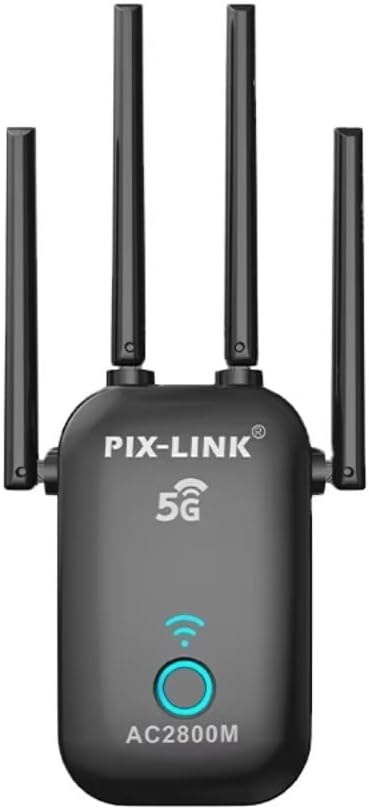
Imatge 1: Frontal view of the PIX-LINK LV-AC27Q Wi-Fi Repeater, showing its compact black design with four external antennas, a 5G indicator, and a circular LED button.
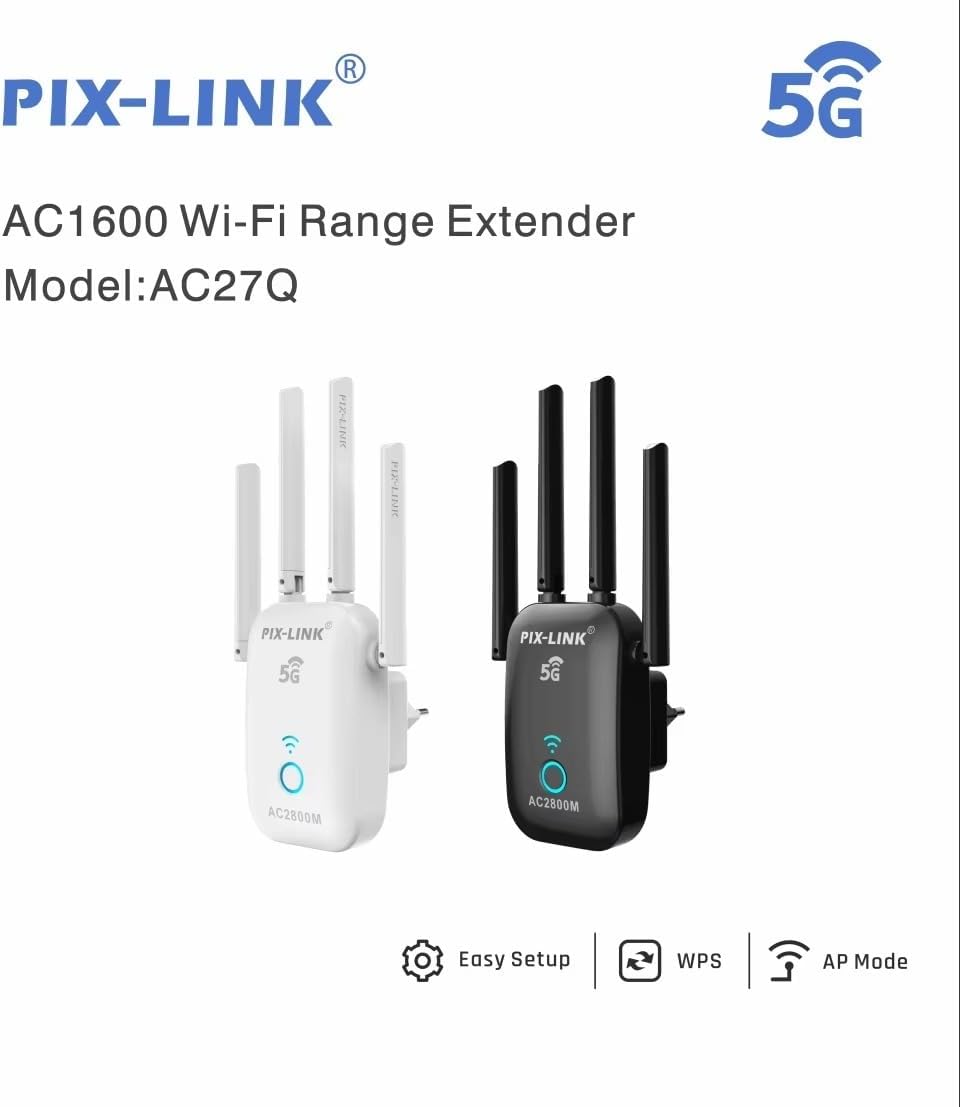
Image 2: Two PIX-LINK AC27Q Wi-Fi Range Extenders, one in black and one in white, illustrating the available color options. The image also highlights features like Easy Setup, WPS, and AP Mode.
Característiques clau
- Rendiment d'alta velocitat: Achieves Wi-Fi speeds up to 2800Mbps, supporting smooth streaming, gaming, and browsing.
- Tecnologia de doble banda: Operates on both 2.4GHz and 5GHz bands, minimizing interference and providing stable connections.
- Configuració fàcil: Designed for quick and straightforward installation with clear LED indicators.
- Àmplia cobertura: Extends Wi-Fi signal to eliminate dead zones in your home or office.
- Múltiples modes de treball: Supports Repeater, Access Point (AP), Router, and WISP modes for versatile network solutions.
- Enhanced Signal Reliability: Features 4 Independent FEMs (Front-End Modules) for improved signal strength and reception.

Image 3: Illustration comparing 5GHz and 2.4GHz Wi-Fi bands. 5GHz offers higher speeds (1200 Mbps) for activities like VR and 4K streaming, while 2.4GHz provides longer transmission distance, better penetration, and greater compatibility (300 Mbps).
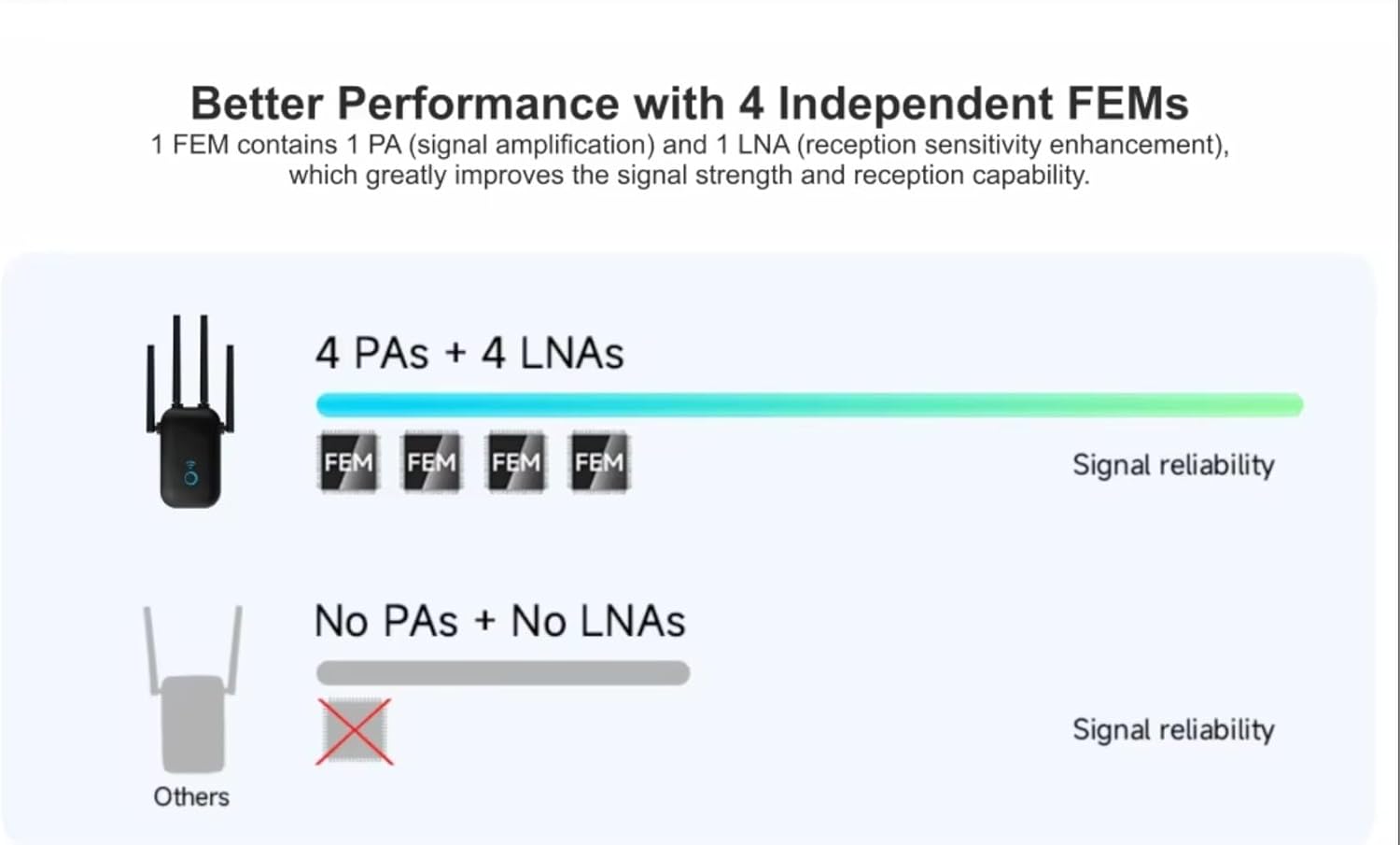
Image 4: Diagram illustrating the enhanced signal reliability of the PIX-LINK LV-AC27Q with 4 Independent FEMs (Front-End Modules), each containing a Power Amplifier (PA) and a Low Noise Amplifier (LNA), compared to devices without these components.
Contingut del paquet
Si us plau, reviseu atentament el paquet per veure si hi ha els elements següents:
- PIX-LINK LV-AC27Q AC2800Mbps Wi-Fi Repeater
- Cable Ethernet
- Guia d'instal·lació ràpida
- Targeta de garantia (si escau)
If any item is missing or damaged, please contact your retailer or customer support.
Configuració i instal·lació
1. Encendre el dispositiu
- Plug the PIX-LINK LV-AC27Q into a power outlet near your existing router.
- Wait for the power LED indicator to light up, indicating the device is ready.
2. Connecting to the Repeater
You can connect to the repeater using a wired or wireless connection.
Connexió sense fil:
- A l'ordinador o al dispositiu mòbil, cerca les xarxes Wi-Fi disponibles.
- Connect to the network named "PIX-LINK_XXXX" (XXXX will be the last four digits of the device's MAC address).
- No password is required for the initial connection.
Connexió per cable:
- Connect one end of an Ethernet cable to the LAN port of the repeater.
- Connecteu l'altre extrem del cable Ethernet al port Ethernet de l'ordinador.
3. Configuració via Web Navegador
- Obre a web navegador (per exemple, Chrome, Firefox, Edge).
- Tipus 192.168.1.1 or repeater.net a la barra d’adreces i premeu Retorn.
- Introduïu el nom d'usuari i la contrasenya predeterminats (normalment admin per a tots dos).
- Follow the on-screen instructions to select your desired operating mode and configure network settings.
4. WPS Setup (Wi-Fi Protected Setup)
WPS offers a quick way to connect the repeater to your existing router without manual configuration.
- Plug the repeater into a power outlet near your router.
- Press the WPS button on your existing router.
- Within two minutes, press the WPS button on the PIX-LINK LV-AC27Q repeater.
- The repeater's signal LED will flash and then turn solid, indicating a successful connection.
- You can now unplug the repeater and move it to a desired location within your router's Wi-Fi range.
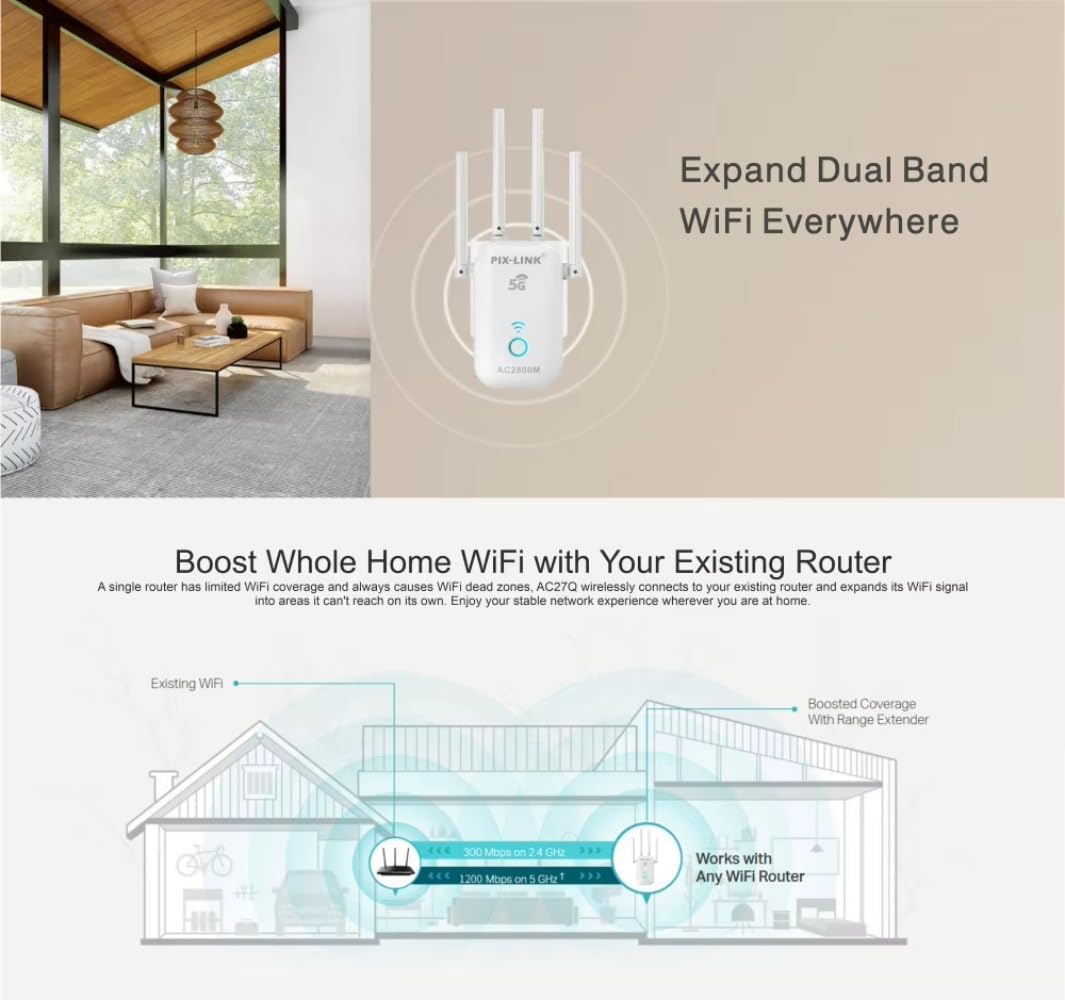
Image 5: A diagram illustrating how the Wi-Fi repeater boosts whole-home Wi-Fi coverage by extending the signal from an existing router to areas previously unreachable, showing signal strength for both 2.4 GHz and 5 GHz bands.
Modes de funcionament
The PIX-LINK LV-AC27Q supports four primary operating modes to suit various networking requirements:

Image 6: Visual representation of the four working modes of the PIX-LINK LV-AC27Q: Router Mode (with NAT Firewall), Repeater Mode (extending existing Wi-Fi), Access Point Mode (converting wired to wireless), and WISP Mode (connecting to a wireless ISP).
1. Repeater Mode (Range Extender)
In this mode, the device extends the coverage of an existing wireless network. It receives the wireless signal from your main router and re-transmits it, effectively eliminating Wi-Fi dead zones.
- Cas d'ús: Expanding Wi-Fi coverage in large homes or offices.
- Configuració: Connect to the repeater, access the web interface, select "Repeater Mode," scan for your existing Wi-Fi network, enter its password, and apply settings.
2. Access Point (AP) Mode
AP Mode transforms your wired network connection into a wireless one. The repeater connects to your router via an Ethernet cable and broadcasts a new Wi-Fi network.
- Cas d'ús: Adding wireless capability to a wired-only network or creating a new Wi-Fi hotspot.
- Configuració: Connect the repeater's LAN port to your router's LAN port with an Ethernet cable. Access the web interface, select "AP Mode," configure the new Wi-Fi network name (SSID) and password, and apply settings.
3. Router Mode
In Router Mode, the device acts as a primary router, connecting directly to your modem via an Ethernet cable to create a new private network with its own IP address range and firewall protection.
- Cas d'ús: When you only have a modem and need to create a new wireless network.
- Configuració: Connect the repeater's WAN/LAN port to your modem with an Ethernet cable. Access the web interface, select "Router Mode," and follow the prompts for internet connection type (e.g., PPPoE, Dynamic IP, Static IP) and Wi-Fi settings.
4. WISP Mode (Wireless Internet Service Provider)
WISP Mode allows the device to connect wirelessly to an ISP's access point and then share that internet connection with multiple devices, acting as a client router.
- Cas d'ús: Sharing a public Wi-Fi hotspot or connecting to a wireless ISP.
- Configuració: Accedeix al web interface, select "WISP Mode," scan for the wireless ISP's network, connect to it, and then configure your local Wi-Fi network settings.
Manteniment
- Actualitzacions de firmware: Reviseu regularment el fabricant weblloc web per a actualitzacions de firmware per garantir un rendiment i una seguretat òptims.
- Neteja: Feu servir un drap suau i sec per netejar el dispositiu. No utilitzeu netejadors líquids ni aerosols.
- Col·locació: Assegureu-vos que el dispositiu estigui col·locat en un lloc ben ventilat, allunyat de la llum solar directa, de fonts de calor i de la humitat.
- Reinicia: If you experience network issues, try restarting the device by unplugging it from the power outlet for 10 seconds and then plugging it back in.
Resolució de problemes
| Problema | Solució |
|---|---|
| No power LED indicator. | Ensure the device is properly plugged into a working power outlet. Try a different outlet. |
| No es pot accedir a web management page (192.168.1.1). |
|
| Repeater is connected but no internet access. |
|
| Slow Wi-Fi speed after connecting to the repeater. |
|
| Forgot the repeater's login password. | Perform a factory reset by pressing and holding the reset button (usually a small hole) for 5-10 seconds until the LEDs flash. The device will revert to default settings (admin/admin). |
Especificacions
| Model | LV-AC27Q |
| Estàndards sense fil | IEEE 802.11ac/a/b/g/n |
| Freqüència | 2.4 GHz i 5 GHz (doble banda) |
| Velocitat de dades | Up to 2800Mbps (Combined) |
| Antenes | 4 antenes externes |
| Ports | 1 x 10/100Mbps Ethernet Port (LAN/WAN) |
| Modes de funcionament | Repeater, AP, Router, WISP |
| Seguretat | WPA-PSK/WPA2-PSK, WPA/WPA2 |
| Font d'alimentació | CA 100-240V, 50/60Hz |
| Piles necessàries | No |
Informació de seguretat
- No exposeu el dispositiu a l'aigua ni a la humitat.
- No obriu ni intenteu reparar el dispositiu vosaltres mateixos.
- Use only the power adapter provided or specified by the manufacturer.
- Mantingueu el dispositiu allunyat de temperatures extremes i de la llum solar directa.
- Assegureu-vos una ventilació adequada al voltant del dispositiu per evitar el sobreescalfament.
Garantia i Suport
For warranty information and technical support, please refer to the warranty card included in your package or visit the official PIX-LINK weblloc web. També podeu contactar amb el vostre distribuïdor per obtenir ajuda.
Weblloc: www.pix-link.com (Nota: Això és un marcador de posició URL, please refer to actual product documentation for correct support information.)


