
Introducció
This manual provides comprehensive instructions for the SVITOO P1300 13-inch Android 15 Tablet. It covers setup, operation, maintenance, troubleshooting, and detailed specifications to help you maximize your device's potential. Please read this manual carefully before using your tablet.
1. Introducció (Configuració)
1.1 Contingut del paquet
Assegureu-vos que tots els elements siguin presents al paquet:
- SVITOO P1300 Tablet
- Funda protectora
- Adaptador de càrrega
- Cable USB-C
- Manual d'usuari
1.2 Tablet Layout
Familiarize yourself with the physical components of your SVITOO P1300 tablet.

Image: Tablet Component Overview. This image illustrates the various ports and buttons on the SVITOO P1300 tablet, including the power button, volume controls, front and rear cameras, microphone, flashlight, 3.5mm headphone jack, SIM/TF card slot, speaker, and USB Type-C charging port.
- Botó d'encesa: Located on the top edge (when held horizontally), used to power on/off or wake/sleep the device.
- Botons de volum: Adjacent al botó d'engegada, per ajustar els nivells d'àudio.
- Càmera frontal: 8MP camera, located on the top bezel for video calls and selfies.
- Càmeres posteriors: 13MP + 2MP cameras, located on the back for photography and video recording.
- Micròfon: Per a entrada d'àudio.
- Llanterna: Integrated with the rear camera module.
- Presa d'auriculars de 3.5 mm: Per connectar auriculars amb cable.
- Cart Slot: For inserting SIM and TF cards.
- Ponent: Per a la sortida d'àudio.
- Port de tipus C: Per a càrrega i transferència de dades.
1.3 Inserció de targetes SIM i TF
The tablet supports dual SIM cards and a TF (microSD) card for expandable storage.
- Localitza la safata de la targeta SIM/TF al lateral de la tauleta.
- Feu servir l'eina d'expulsió de la SIM proporcionada per obrir la safata.
- Carefully place the Nano-SIM card(s) and/or TF card into the designated slots. Ensure correct orientation.
- Empenyeu suaument la safata cap a dins de la tauleta fins que encaixi al seu lloc.

Image: SIM and TF Card Insertion. This image demonstrates the proper way to insert a SIM card and a TF (microSD) card into the tablet's card tray for cellular connectivity and expanded storage.
1.4 Engegada i configuració inicials
- Press and hold the Power Button until the SVITOO logo appears.
- Segueix les instruccions que apareixen a la pantalla per seleccionar l'idioma, connectar-te a una xarxa Wi-Fi i configurar el teu compte de Google.
- Complete the initial setup process to access the Android 15 operating system.
2. Funcionament bàsic
2.1 Engegada/Apagada i Bloqueig de Pantalla
- Encès: Premeu i manteniu premut el botó d'engegada fins que el dispositiu vibri i aparegui el logotip.
- Apagar: Press and hold the Power Button, then select "Power Off" from the options.
- Reinicia: Press and hold the Power Button, then select "Restart" from the options.
- Bloqueig/desbloqueig de pantalla: Briefly press the Power Button to lock or unlock the screen.
2.2 Navegació per pantalla
The SVITOO P1300 features a 13-inch FHD display with a 90Hz refresh rate for smooth interaction.

Image: Vivid 13-inch FHD Display. This image showcases the tablet's large, high-resolution screen, emphasizing its visual clarity and smooth performance features like 90Hz refresh rate and Widevine L1 support.
- Toca: Selecciona elements o activa funcions.
- Llisca: Navegueu per pantalles, menús o desplaceu-vos pel contingut.
- Pessiga per fer zoom: Ampliar o reduir el contingut de la pantalla.
- Premsa llarga: Accedir a menús contextuals o moure icones.
2.3 Connectivitat
- Wi-Fi: Go to Settings > Network & internet > Wi-Fi to connect to available networks. The tablet supports dual-band 2.4G/5G Wi-Fi.
- 4G LTE: If a SIM card is inserted, enable mobile data in Settings > Network & internet > Mobile network.
- Bluetooth: Go to Settings > Connected devices > Bluetooth to pair with Bluetooth accessories like headphones or keyboards.
- GPS: The integrated GPS provides accurate location services for navigation and location-based applications.
2.4 Càrrega de la tauleta
Connect the USB-C cable to the tablet's Type-C port and the other end to the charging adapter. Plug the adapter into a power outlet. The tablet supports 18W PD fast charging.
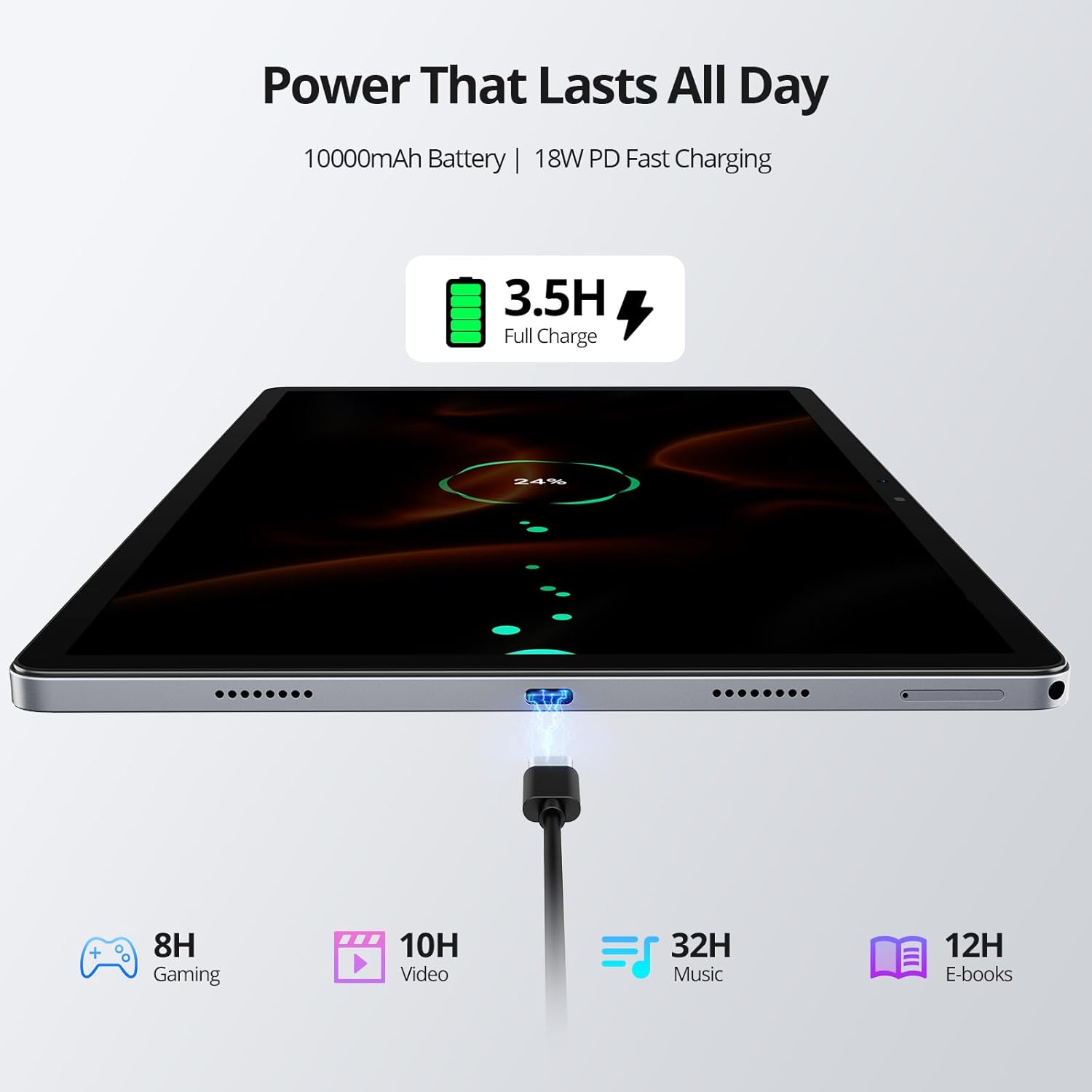
Image: Tablet Charging and Battery Life. This image illustrates the tablet connected to a charger, showing the 18W PD fast charging capability and estimated usage times for various activities on a full 10,000mAh battery.
A full charge provides approximately 12 hours of video playback. The 10,000 mAh battery ensures extended usage.
2.5 Ús de la càmera
The tablet is equipped with an 8MP front camera and 13MP + 2MP rear cameras.
- Obriu l'aplicació Càmera des de la pantalla d'inici o des del calaix d'aplicacions.
- Select between photo, video, or other modes.
- Toqueu el botó de l'obturador per capturar imatges o iniciar/aturar la gravació de vídeo.
- Use the front camera for video calls and selfies, and the rear cameras for higher-quality photos.
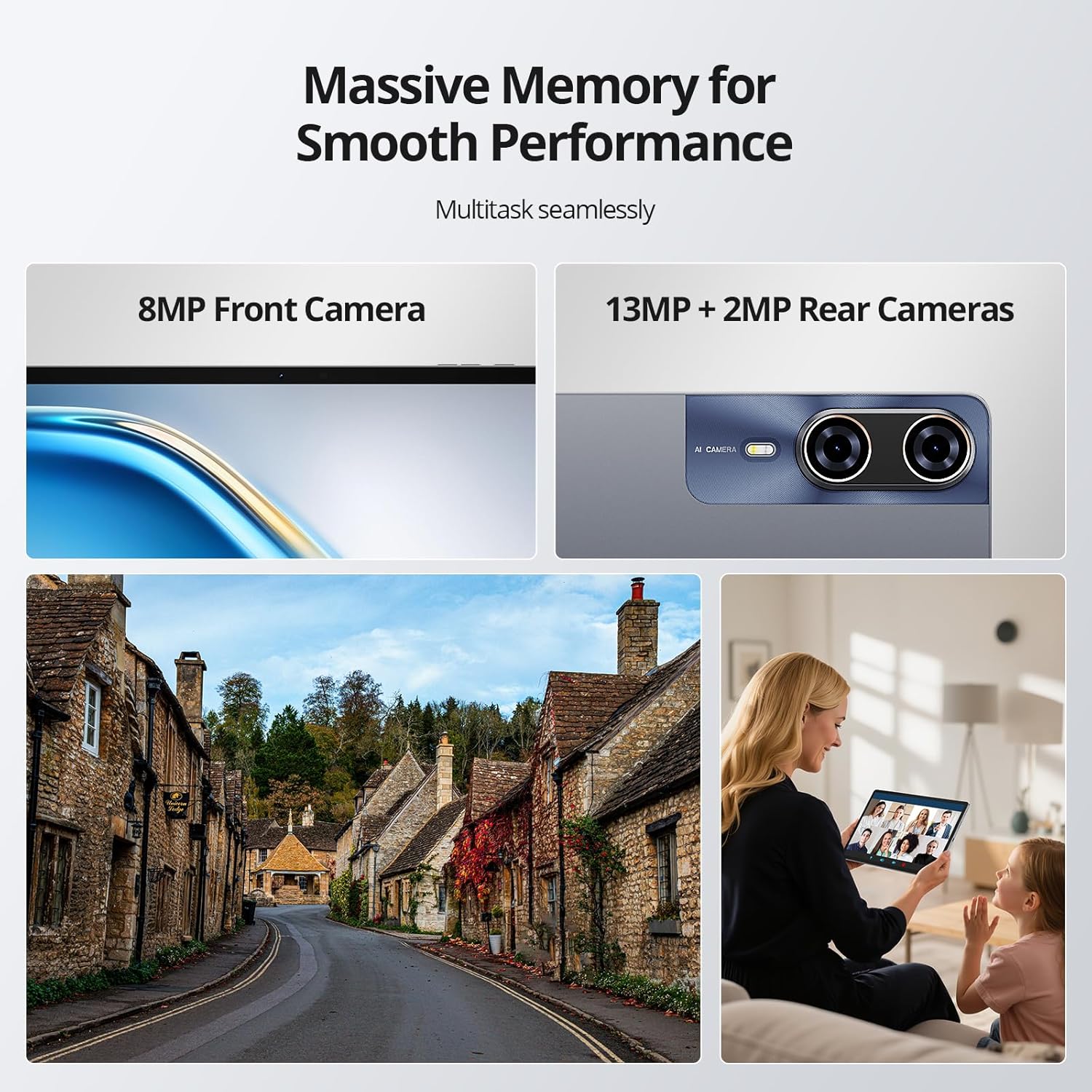
Image: Tablet Cameras in Use. This image highlights the tablet's front and rear camera specifications and provides visual examples of their application, such as capturing outdoor scenes and participating in video conferences.
2.6 Memory Management and Multitasking
The tablet features 8GB of physical RAM with an additional 24GB of adjustable virtual RAM, totaling 32GB, and 256GB of internal storage (ROM). This ample memory supports smooth multitasking and efficient app usage.

Image: Multitasking Performance. This image demonstrates the tablet's ability to run multiple applications smoothly, supported by its substantial RAM and storage.
- RAM: The 8GB physical RAM ensures smooth multitasking. The 24GB virtual RAM can be adjusted to further enhance performance for demanding applications.
- ROM: The 256GB internal storage provides ample space for apps, photos, videos, and documents. This can be expanded further using a TF card.
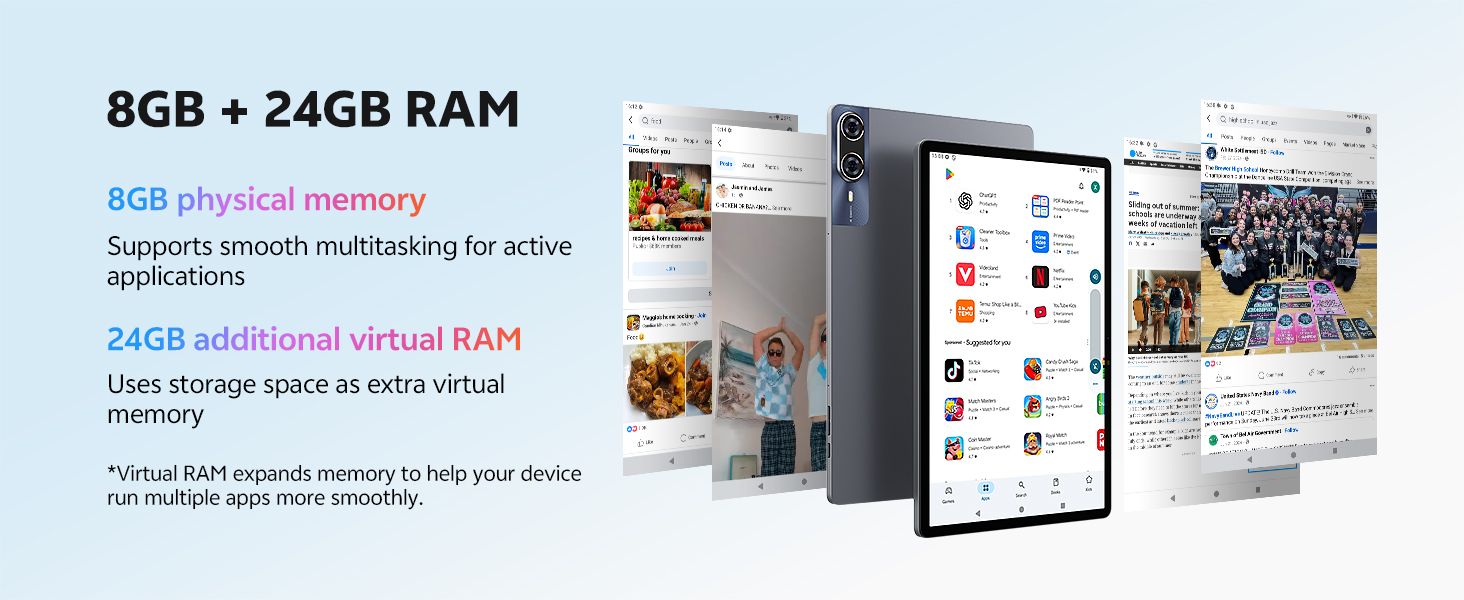
Image: RAM Configuration. This diagram illustrates the tablet's 8GB physical RAM and the additional 24GB of virtual RAM, explaining how virtual memory enhances multitasking capabilities.
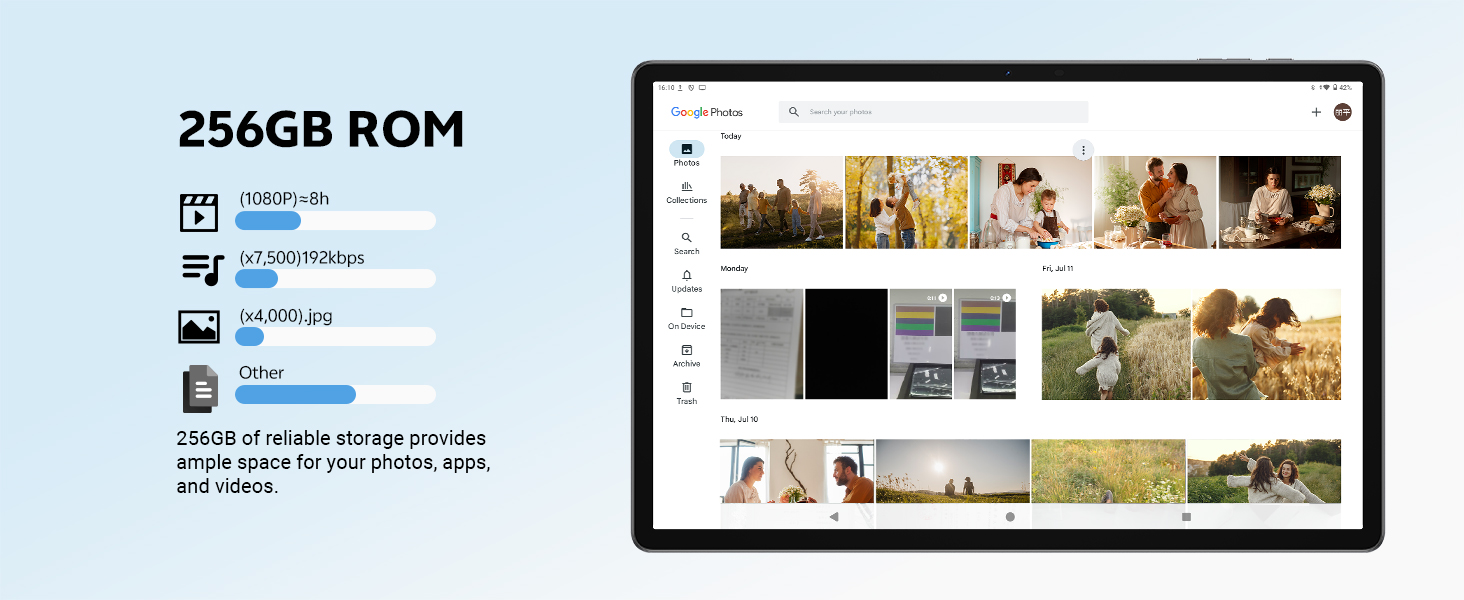
Image: 256GB ROM Storage. This image details the 256GB internal storage, providing context on its capacity for various media types and showing a typical gallery interface.
3. Manteniment
3.1 Neteja de la tauleta
- Feu servir un drap suau i sense borrissol per netejar la pantalla i el cos de la tauleta.
- Per a taques persistents, lleugerament dampNetegeu el drap amb aigua o un netejador de pantalles.
- Eviteu l'ús de productes químics agressius, materials abrasius o humitat excessiva.
3.2 Actualitzacions de programari
Comproveu i instal·leu regularment si hi ha actualitzacions de programari per garantir un rendiment i una seguretat òptims. Aneu a Configuració > Sistema > Actualització del sistema.
3.3 Cura de la bateria
- Eviteu exposar la tauleta a temperatures extremes.
- No deixeu que la bateria es descarregui completament amb freqüència.
- For long-term storage, charge the battery to around 50% and power off the device.
4. Solució De Problemes
La tauleta 4.1 no s'encén
- Assegureu-vos que la bateria estigui carregada. Connecteu el carregador i espereu uns minuts abans d'intentar engegar-lo.
- Press and hold the Power Button for at least 10-15 seconds to perform a forced restart.
4.2 La pantalla no respon
- Reinicieu la tauleta.
- Assegureu-vos que la pantalla estigui neta i lliure de residus.
4.3 Wi-Fi/4G Connectivity Issues
- Activa i desactiva el Wi-Fi/Dades mòbils.
- Reinicieu el vostre encaminador (per a la Wi-Fi).
- Ensure your SIM card is correctly inserted and activated (for 4G).
4.4 Les aplicacions es bloquegen o es bloquegen
- Tanca i torna a obrir l'aplicació.
- Clear the app's cache (Settings > Apps > [App Name] > Storage & cache > Clear cache).
- Assegureu-vos que l'aplicació estigui actualitzada a la darrera versió.
- Reinicieu la tauleta.
5. Especificacions
Detailed technical specifications for the SVITOO P1300 tablet.
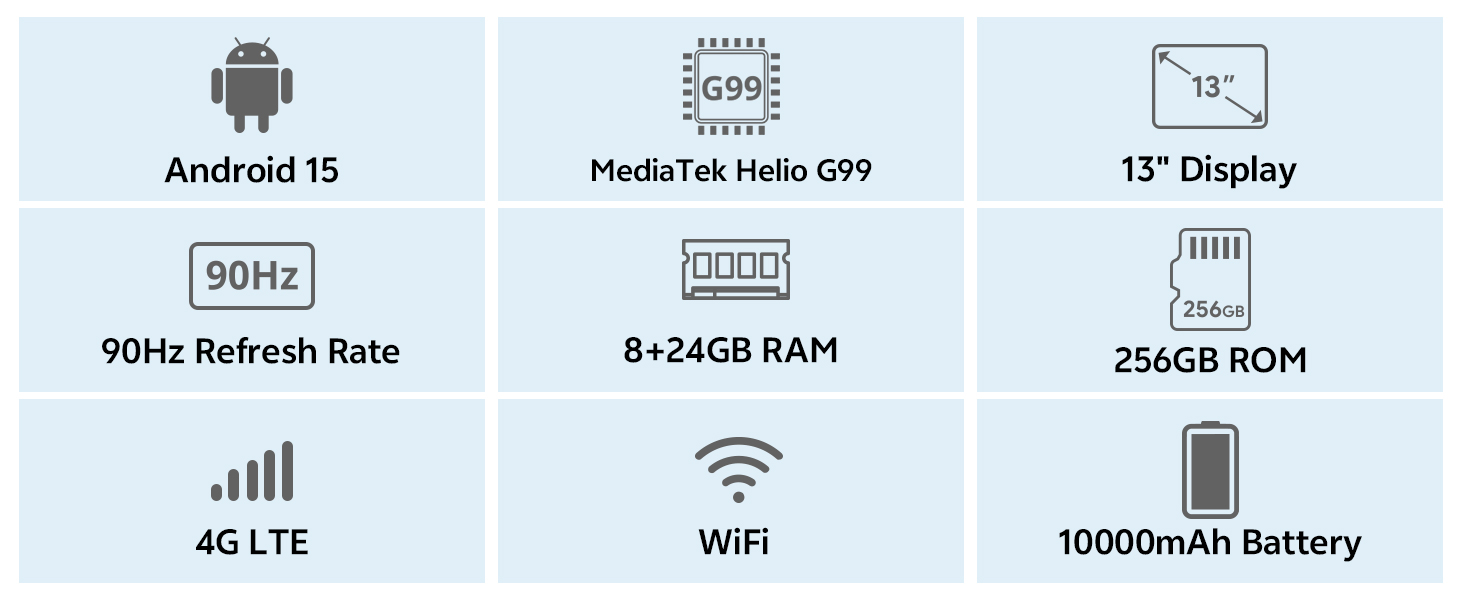
Image: Key Specifications Overview. This infographic provides a quick summary of the SVITOO P1300 tablet's main features and technical specifications.
| Característica | Especificació |
|---|---|
| Marca | SVITOO |
| Número de model | P1300 |
| Sistema operatiu | Android 15 |
| Processador | MediaTek Helio G99 Octa-Core (2.2 GHz) |
| GPU | ARM G52 MC2 (Integrated) |
| Mida de la pantalla | 13 polzades |
| Resolució de visualització | 1920 x 1200 píxels (FHD) |
| Freqüència d'actualització | 90 Hz |
| RAM | 32 GB (8GB Physical + 24GB Virtual) |
| Emmagatzematge intern (ROM) | 256 GB |
| Emmagatzematge ampliable | Yes, via TF card |
| Connectivitat | 4G LTE, 5G Wi-Fi (802.11ac/ax/g/n), Bluetooth 5, GPS |
| Càmera frontal | 8 MP |
| Càmera posterior | 13 MP + 2 MP |
| Capacitat de la bateria | 10,000 mAh |
| Durada de la bateria | Fins a 12 hores (reproducció de vídeo) |
| Carregant | 18W PD Fast Charge (USB Type-C) |
| Característiques especials | Widevine L1 Certification, GPS |
| Dimensions (L x A x A) | 30.21 x 19.75 x 0.8 cm |
| Pes | 1.66 quilograms |
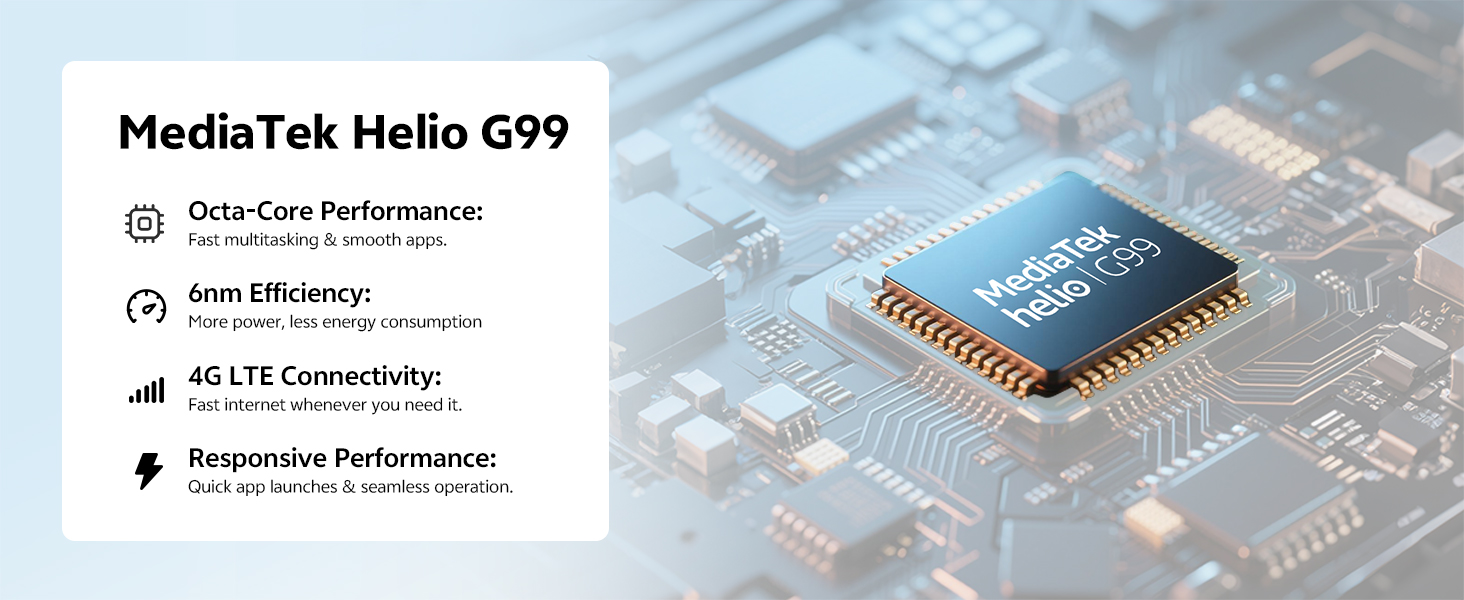
Image: MediaTek Helio G99 Processor. Aquesta imatge ofereix un detall view of the MediaTek Helio G99 processor, highlighting its role in the tablet's performance.
6. Garantia i Suport
The SVITOO P1300 tablet comes with a reliable support system.
- Garantia: The product is backed by a one-year manufacturer's warranty.
- Atenció al client: 24/7 customer service is available for any inquiries or assistance.
- Contacte: For support, please refer to the contact information provided with your purchase or visit the official SVITOO weblloc.
For specific warranty claims or technical assistance, please contact SVITOO TABLET, the seller, directly through your purchase platform.