
Introducció
This manual provides essential information for the proper use and maintenance of the Jonard Tools CM-RJ45/8 RJ45 Cable Identifiers. These identifiers are designed to work exclusively with the Jonard Tools CM-100 Cable Mapper Pro, facilitating efficient identification and mapping of RJ45 network cables.
Producte acabatview
The CM-RJ45/8 kit includes eight (8) numbered RJ45 network cable identifiers. These identifiers are passive devices that, when connected to network cables, allow the CM-100 Cable Mapper Pro to distinguish between multiple cables connected to a patch panel or wall plate.
Característiques principals:
- Numbered Identification: Each identifier is clearly numbered from 1 to 8 for easy port mapping.
- CM-100 Compatibility: Specifically designed to integrate with the Jonard Tools CM-100 Cable Mapper Pro.
- Simultaneous Mapping: Enables mapping of up to 8 network cables concurrently.

Image: A set of eight numbered RJ45 cable identifiers, designed for use with the CM-100 Cable Mapper Pro.
Configuració
- Ensure CM-100 is Ready: Verify that your Jonard Tools CM-100 Cable Mapper Pro is powered on and functioning correctly. Refer to the CM-100 manual for its specific setup instructions.
- Connect Identifiers: Plug each CM-RJ45/8 identifier into the RJ45 ports of the network cables you wish to map. For example, if you are mapping cables from a patch panel, connect one identifier to each cable's end at the patch panel.
- Prepare Remote End: At the remote end of the cable run (e.g., wall plate), ensure the CM-100 Cable Mapper Pro is ready to receive the signal.

Image: A numbered RJ45 cable identifier inserted into a network wall plate, demonstrating its application for port identification.
Instruccions de funcionament
Follow these steps to use the CM-RJ45/8 identifiers with your CM-100 Cable Mapper Pro:
- Connect CM-100: Connect the main unit of the CM-100 Cable Mapper Pro to the network cable at the testing location (e.g., the switch end or the other end of the cable run).
- Iniciar la prova: On the CM-100, select the appropriate test mode for RJ45 cable mapping. The CM-100 will send a signal through the cable.
- Identify Cable: The CM-100's display will show the identifier number corresponding to the cable it is connected to. This allows you to quickly match the remote end of the cable to its numbered identifier.
- Repeat for All Cables: Repeat the process for each cable connected to an identifier until all desired cables are mapped.
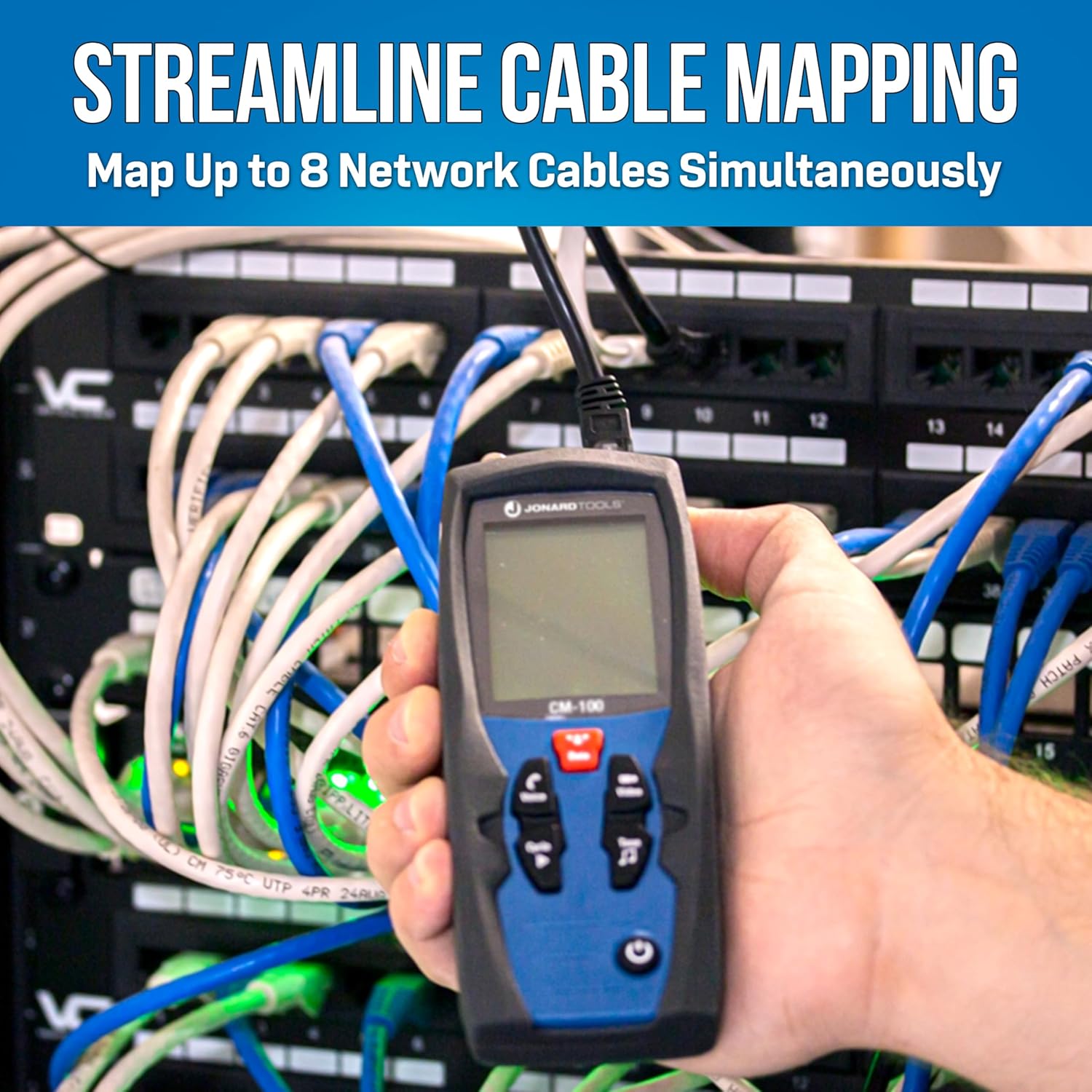
Image: A technician using the CM-100 Cable Mapper Pro to test a network cable connected within a server rack, demonstrating cable mapping in a live environment.

Image: The CM-100 Cable Mapper Pro connected to a network cable, with an RJ45 identifier visible, illustrating the compatibility and function of the system.
Manteniment
- Neteja: Keep the identifiers clean and free from dust and debris. Use a soft, dry cloth for cleaning. Avoid abrasive cleaners or solvents.
- Emmagatzematge: Store the identifiers in a cool, dry place, away from direct sunlight and extreme temperatures. Keep them in their original packaging or a protective case to prevent damage.
- Inspecció: Periodically inspect the RJ45 connectors for any signs of wear, bent pins, or damage. Replace any damaged identifiers to ensure accurate testing.
Resolució de problemes
| Problema | Causa possible | Solució |
|---|---|---|
| CM-100 does not detect identifier. |
|
|
| Incorrect identifier number displayed. |
|
|
Especificacions
- Model: CM-RJ45/8
- Compatibilitat: Jonard Tools CM-100 Cable Mapper Pro
- Tipus de connector: RJ45
- Tipus de cable: Ethernet
- Number of Identifiers: 8 (numbered 1-8)
- Dimensions (per identifier): Aproximadament 1.5 x 0.75 x 1.5 polzades
- Pes (kit total): Aproximadament 0.81 unces
- Color: Clear with blue accents
Garantia i Suport
For information regarding warranty coverage, technical support, or replacement parts for your Jonard Tools CM-RJ45/8 RJ45 Cable Identifiers, please refer to the documentation provided with your CM-100 Cable Mapper Pro or visit the official Jonard Tools website. Specific warranty details for this accessory are typically covered under the main CM-100 product warranty.
Oficial Weblloc: www.jonard.com
